

Unlock the future of data integration with Microsoft Fabric, activating data value faster.


Azure Data Factory
Simplify hybrid data integration at enterprise scale.

Overview
Simplify hybrid data integration at an enterprise scale
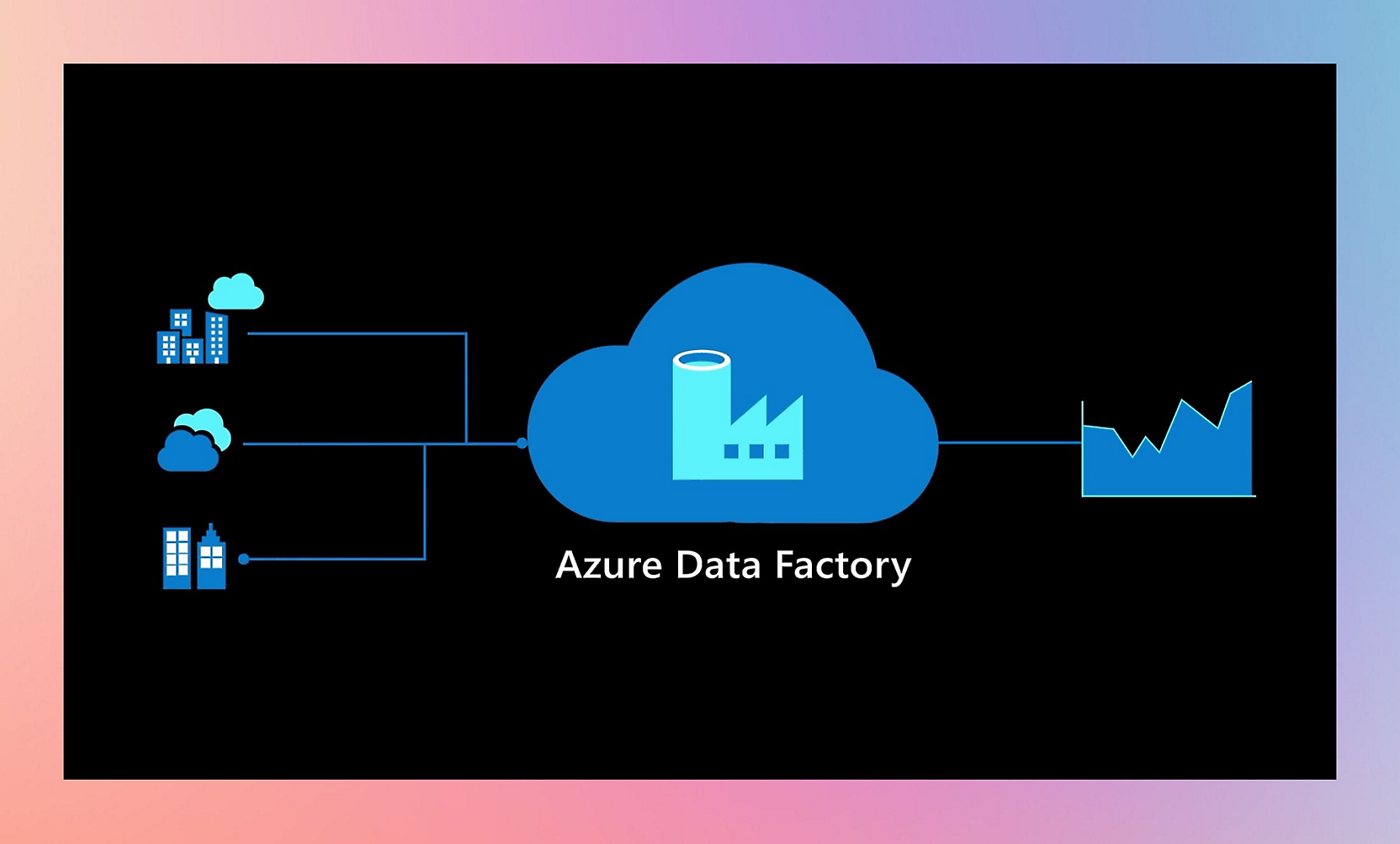
Consolidate all your data with Azure Data Factory, a fully managed, serverless data integration service. Visually integrate data sources with more than 90 built-in, maintenance-free connectors at no added cost. Easily construct extract, transform, and load (ETL) and extract, load, and transform (ELT) processes code-free in an intuitive environment or write your own code. Then deliver integrated data to Azure Synapse Analytics to unlock business insights.
- Data Factory provides a data integration and transformation layer that works across your digital transformation initiatives. Citizen integrators and data engineers are empowered to drive business and IT-led analytics/BI. Prepare data, construct ETL and ELT processes, and orchestrate and monitor pipelines code-free. The managed Apache Spark™ service takes care of code generation and maintenance. Transform faster with intelligent intent-driven mapping that automates copy activities.
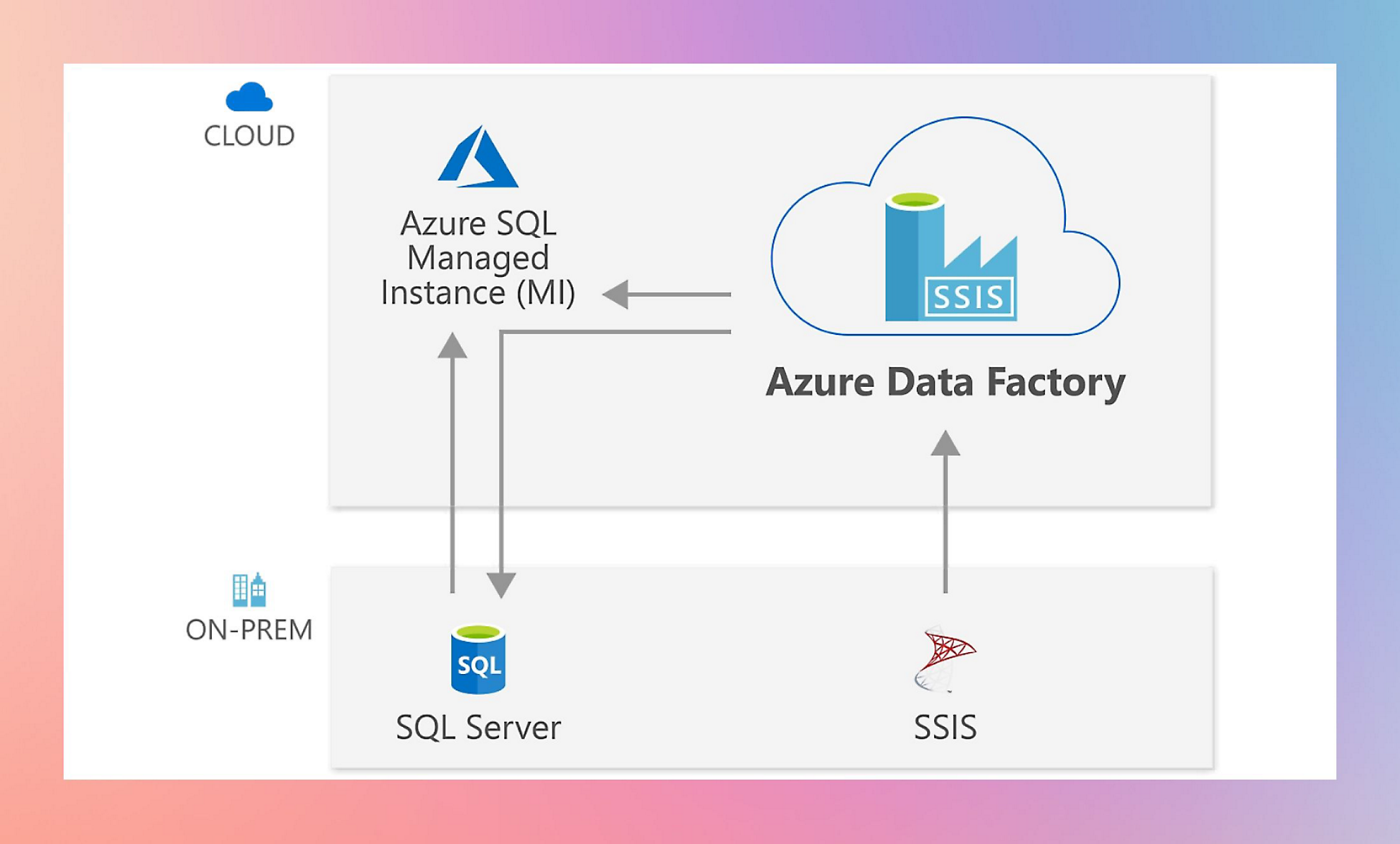
- Azure Data Factory helps organizations looking to modernize SQL Server Integration Services (SSIS). Gain up to 88% cost savings with Azure Hybrid Benefit. Enjoy the only fully compatible data integration service that makes it easy to move all your SSIS packages to the cloud. Learn how easy migration is with the deployment wizard and ample how-to documentation. Then achieve your vision for hybrid big data and data warehousing initiatives by using Data Factory cloud data pipelines.
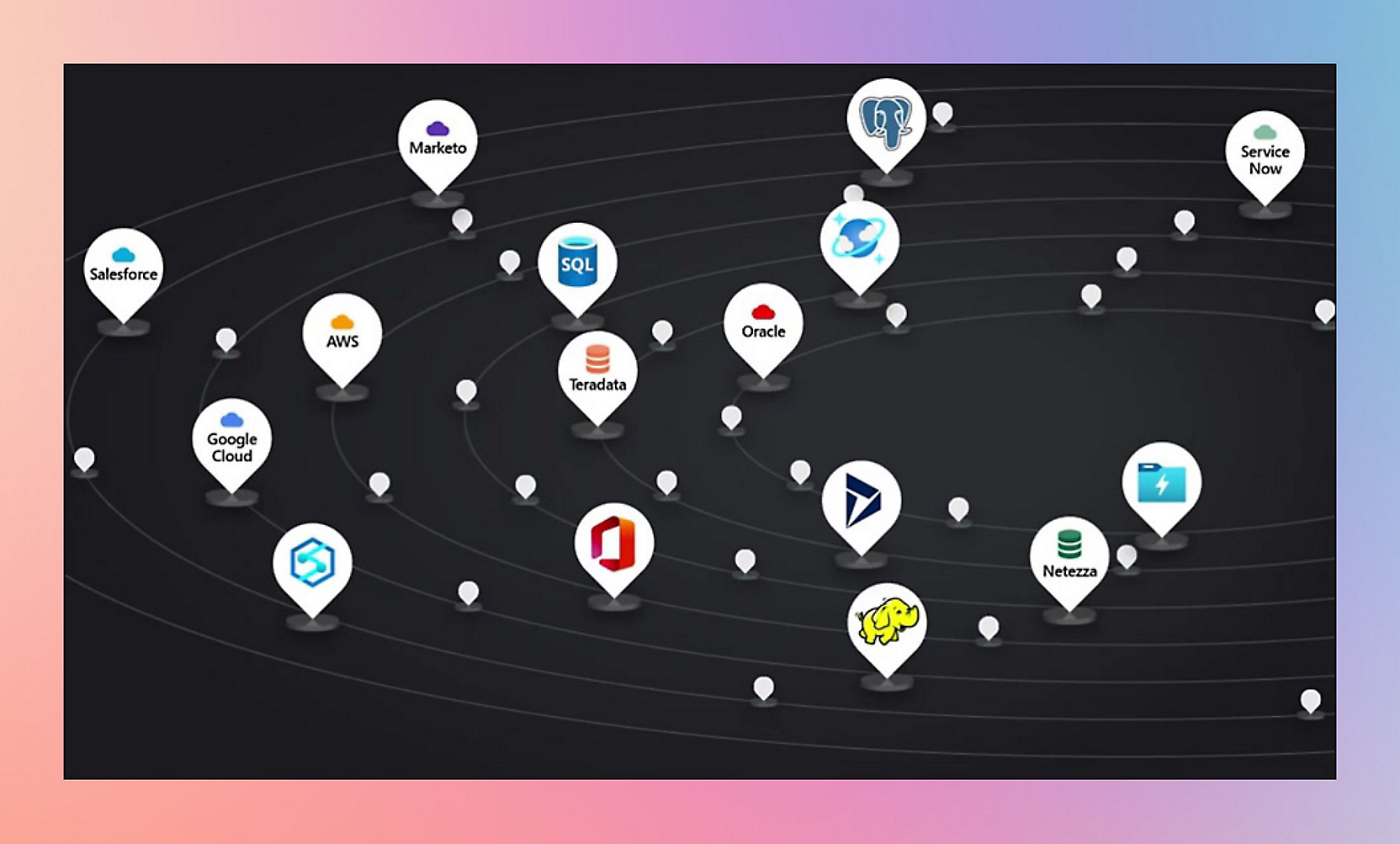
- Ingesting data from diverse and multiple sources can be expensive and time consuming and may require multiple solutions. Azure Data Factory offers a single, pay-as-you-go service. Choose from more than 90 built-in connectors to acquire data from big data sources such as Amazon Redshift, Google BigQuery, and Hadoop Distributed File System (HDFS); enterprise data warehouses such as Oracle Exadata and Teradata; software as a service (SaaS) apps such as Salesforce, Marketo, and ServiceNow; and all Azure data services. Use the full capacity of underlying network bandwidth, up to 5 Gbps throughput.
- Ingest data from on-premises, hybrid, and multicloud sources, and transform it with powerful data flows in Azure Synapse Analytics, powered by Data Factory. Integrate and transform data in the familiar Data Factory experience within Azure Synapse Pipelines. Then transform and analyze data code-free with data flows within the Azure Synapse studio. There are more than 90 built-in data connectors to help with data integration.
- Data Factory helps independent software vendors (ISVs) enrich their SaaS apps with integrated hybrid data to deliver data-driven user experiences. Prebuilt connectors and data integration at scale help you focus on your users while Data Factory takes care of the rest.
- Maintaining pipelines with a rapidly changing data landscape can quickly become time-consuming, involving manual interventions. In Azure Data Factory, monitor all your activity runs visually and improve operational productivity by setting up alerts proactively to monitor your pipelines. These alerts can then appear within Azure alert groups, ensuring that you’re notified in time to prevent downstream or upstream problems before they happen.
- In today’s data-driven world, big data processing is a critical task for every organization. To unlock transformational insights, data engineers need services that are built to simplify ETL and handle the complexities and scale challenges of big data integration. With Azure Data Factory, it’s fast and easy to build code-free or code-centric ETL and ELT processes.




Features
Key Azure Data Factory Benefits

Build code-free pipelines
Easy rehosting of SSIS to build ETL and ELT pipelines code-free with built-in Git and support for continuous integration and continuous delivery.

Cost-effective
Pay-as-you-go, fully managed serverless cloud service that scales on demand for a cost-effective solution.

Built-in connectors
More than 90 built-in connectors for ingesting all your on-premises and SaaS data to orchestrate and monitor at scale.

Supports citizen integrators
Autonomous ETL to gain operational efficiencies and support citizen integrators.
Security
Embedded security and compliance
34,000
Full-time equivalent engineers dedicated to security initiatives at Microsoft.
15,000
Partners with specialized security expertise.
>100
Compliance certifications, including over 50 specific to global regions and countries.

PRICING
Pay only for what you need, with no upfront cost
Explore a range of cloud data integration capabilities to fit your scale, infrastructure, compatibility, performance, and budget needs. Options include managed SSIS for seamless migration of SQL Server projects to the cloud and large-scale, serverless data pipelines for integrating data of all shapes and sizes.
Resources
Azure Data Factory resources and documentation


RELATED PRODUCTS
Experience the future of analytics
Discover the next generation of Data Factory on Microsoft Fabric
Frequently asked questions
- Data Factory is available in more than 25 regions.
- Microsoft guarantee that it will successfully process requests to perform operations against Data Factory resources at least 99.9 percent of the time. It also guarantees that all activity runs will initiate within four minutes of their scheduled execution times at least 99.9 percent of the time. Read the full Data Factory service-level agreement (SLA).
- Integration runtime is the compute infrastructure Data Factory uses to provide data integration capabilities across network environments. Integration runtime moves data between the source and destination data stores by providing scalable data transfer and executes Data Flow authored visually in a scalable way on Spark compute runtime. It also provides the capability to natively execute SSIS packages in a managed Azure compute environment and supports dispatching and monitoring of transformation activities running on several compute services. For more information, see integration runtime in Data Factory.

NEXT STEPS
Choose the Azure account that’s right for you
Pay as you go or try Azure free for up to 30 days.

Explore Azure Databases
Make data your strategic asset. Modernize or build Al-ready apps with intelligent cloud databases.
 Explore Azure Portal


