Cloud Shell
-
Get authenticated shell access to Azure
from virtually anywhere -
Use common tools and programming languages in a
shell that's updated and maintained by Microsoft -
Persist your files across sessions in attached Azure
Files
-
Shell access from virtually anywhere
Connect to Azure using an authenticated, browser-based shell experience that’s hosted in the cloud and accessible from virtually anywhere. Azure Cloud Shell is assigned per unique user account and automatically authenticated with each session. Get a modern command-line experience from multiple access points, including the Azure portal, shell.azure.com, Azure mobile app, Azure docs (e.g. Azure CLI, Azure PowerShell), and VS Code Azure Account extension.
-
Choose your preferred shell experience
Azure Cloud Shell gives you the flexibility of choosing the shell experience that best suits the way you work. Both Bash and PowerShell experiences are available.
-
Common tools and programming languages included
Microsoft routinely maintains and updates Cloud Shell, which comes equipped with commonly used CLI tools including Linux shell interpreters, PowerShell modules, Azure tools, text editors, source control, build tools, container tools, database tools, and more. Cloud Shell also includes language support for several popular programming languages such as Node.js, .NET, and Python.


-
Persist your files in attached cloud storage
Cloud Shell attaches an Azure Files share to persist your data. On first use, Cloud Shell will prompt to create a file share in Azure Files (or attach an existing one) to persist your data across sessions, and Cloud Shell will automatically re-attach it for subsequent sessions.
-
Create and edit files in the Cloud Shell editor
Cloud Shell offers an integrated file editor built on the open-source Monaco Editor. Simply run "code." in Cloud Shell to enter a lightweight file editing experience integrated directly into the Cloud Shell window. Create and edit files that will be automatically synced to your backing Azure Files share.


Why trust Cloud Shell?
-
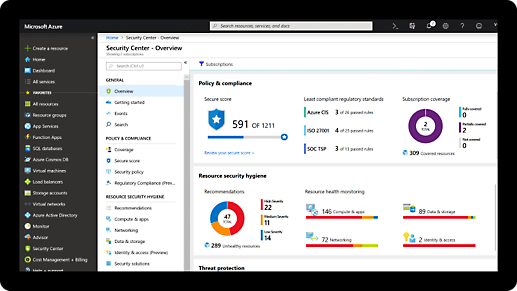
Microsoft invests more than $1 billion annually on cybersecurity research and development.
-
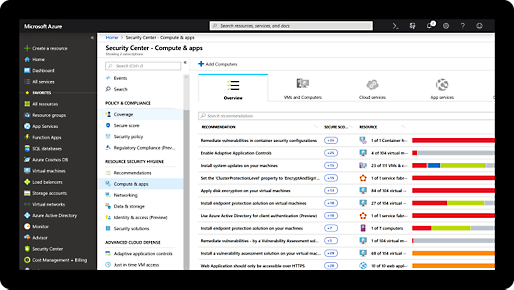
We employ more than 3,500 security experts who are dedicated to data security and privacy.
-
Azure has more certifications than any other cloud provider. View the comprehensive list.
-
ISO/IEC
-
CSA/CCM
-
ITAR
-
CJIS
-
HIPAA
-
IRS 1075


Cloud Shell pricing
- No upfront cost
-
No termination fees
-
Pay only for what you use