
Azure Service Health
Personalized alerts and guidance for Azure service issues.
Stay informed and act quickly on service issues
Azure Service Health notifies you about Azure service incidents and planned maintenance so you can take action to mitigate downtime. Configure customizable cloud alerts and use your personalized dashboard to analyze health issues, monitor the impact to your cloud resources, get guidance and support, and share details and updates.

Personalized dashboard shows the service issues that affect you

Configurable cloud alerts notify you about active and upcoming service issues

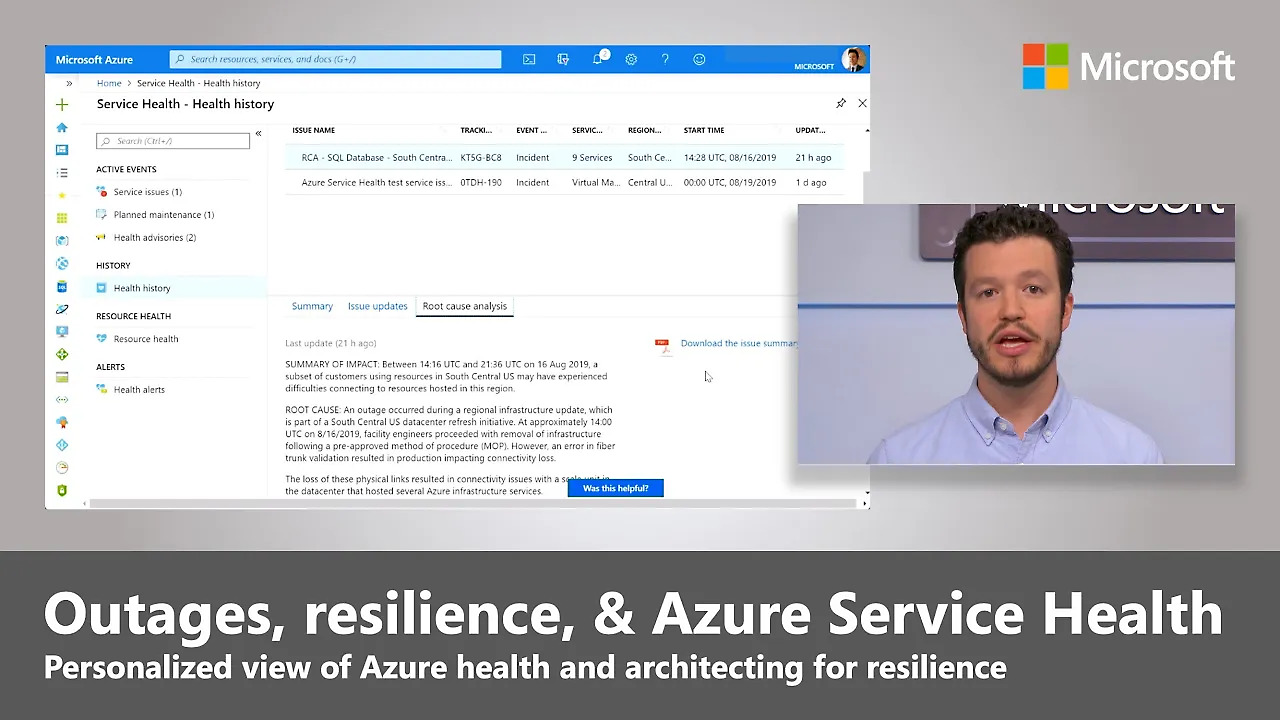
Shareable details and updates, including incident root cause analyses

Guidance and support during service incidents
Stay informed about the service issues that affect you
Review active incidents, planned maintenance, and health advisories in a personalized dashboard for service health based on your Azure subscriptions, services, and regions. Learn which of your resources may be affected and track updates. Quickly connect with Azure support if you need help.
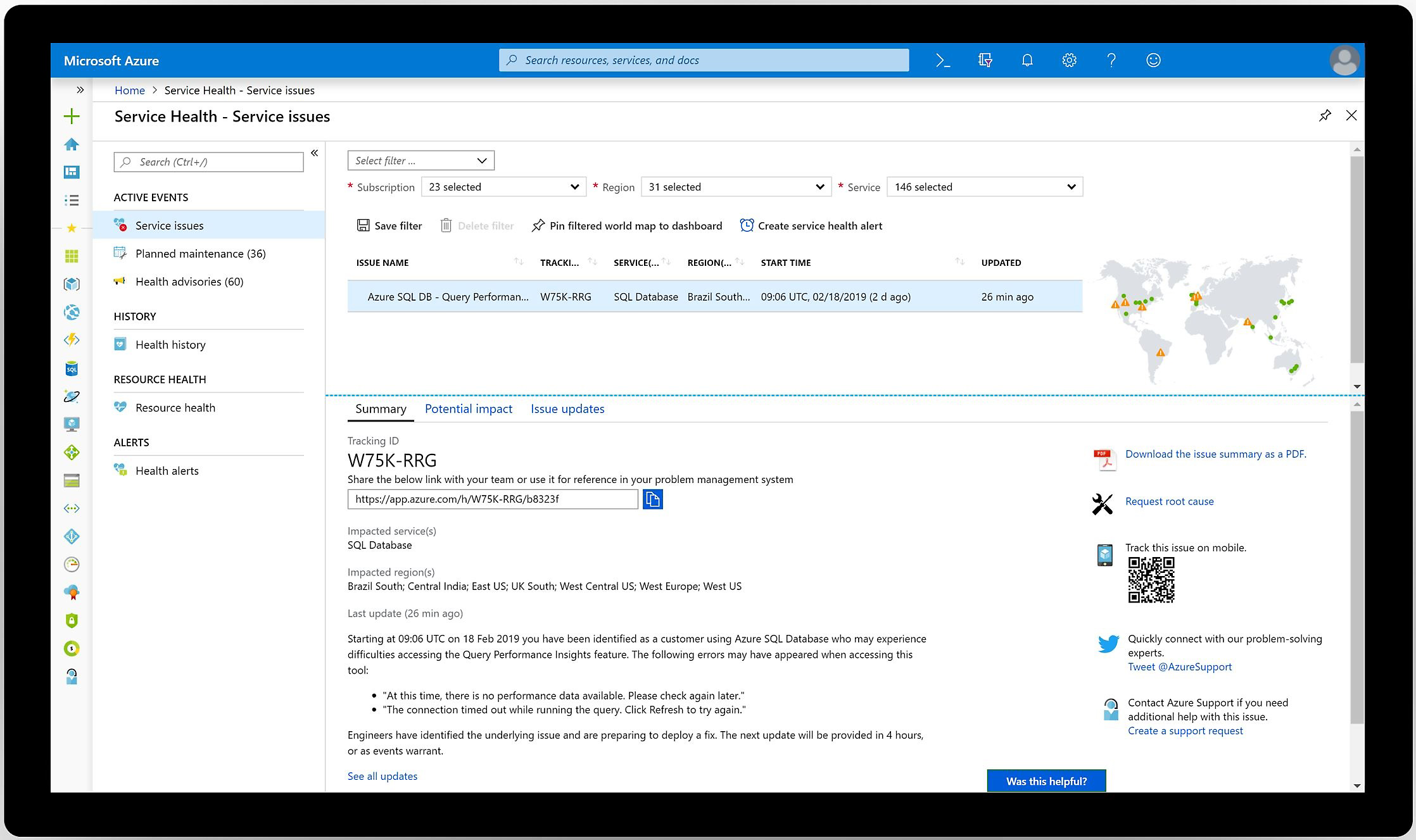
Get alerts about active incidents and upcoming maintenance
Configure customizable alerts to notify you of service incidents, planned maintenance, and health advisories. Receive alerts via your preferred channels, including email, SMS, push notification, webhook, and popular IT service management tools such as ServiceNow. Ensure that your teams are informed so that they can respond quickly.
Download official reports and root cause analyses (RCAs)
Track events in real time on mobile devices or in your problem-management system with persistent links, and download official reports from Microsoft. Afterward, view your incident history and get RCAs to share with your stakeholders.


Azure Service Health pricing
Service Health is available to Azure subscribers at no additional cost.
Comprehensive security and compliance, built in
-
Microsoft invests more than $1 billion annually on cybersecurity research and development.
-
We employ more than 3,500 security experts who are dedicated to data security and privacy.
-
Azure has more certifications than any other cloud provider. View the comprehensive list.
Service Health documentation and resources
Documentation
Learn about the suite of Azure experiences designed to keep you informed about the health of your cloud resources: Service Health, Azure Resource Health, and the Azure status page.
Get started in three steps


Frequently asked questions about Azure Service Health
-
Sign in to the Azure portal and search for Service Health in the All services menu. Information is available for any subscription to which you have owner, contributor, or reader access.
-
As Service Health is a free service, it doesn’t have an SLA. Learn more about service-specific SLAs.
-
The Azure status page is a global view of the health of all Azure services in all regions. It's a quick reference for incidents with widespread impact. Service Health keeps you informed about the health of your environment. It provides a personalized view of the status of your Azure services and regions, includes information about planned maintenance and current incidents, and offers richer functionality, including alerting and RCAs. See the documentation to learn more.
- Resource Health provides information about the health of your individual cloud resources, such as a specific virtual machine instance. Service Health provides a personalized view of the status of your Azure services and regions, as well as information about current incidents, planned maintenance, and health advisories.
-
Service Health offers several alert options and configurations. To get started, we recommend creating a basic email alert that notifies the appropriate person or team when an issue occurs, either planned or unplanned. Create more alerts to notify people or teams about issues that affect their subscriptions, services, and regions via a communication channel (email, SMS, push notification, webhook) that suits the urgency of the issue.
-
First, check Service Health to see if there’s a known incident affecting you. If so, simply monitor it for any updates; we’ll publish more information there as soon as we have it. The support team won’t have any additional information. If you believe you’re affected by an issue not listed in Service Health, please create a support request.