We are pleased to share the general availability of Azure Active Directory (AD) based access control for Azure Storage Blobs and Queues. Enterprises can now grant specific data access permissions to users and service identities from their Azure AD tenant using Azure’s Role-based access control (RBAC). Administrators can then track individual user and service access to data using Storage Analytics logs. Storage accounts can be configured to be more secure by removing the need for most users to have access to powerful storage account access keys.
By leveraging Azure AD to authenticate users and services, enterprises gain access to the full array of capabilities that Azure AD provides, including features like two-factor authentication, conditional access, identity protection, and more. Azure AD Privileged Identity Management (PIM) can also be used to assign roles “just-in-time” and reduce the security risk of standing administrative access.
In addition, developers can use Managed identities for Azure resources to deploy secure Azure Storage applications without having to manage application secrets.
When Azure AD authentication is combined with the new Azure Data Lake Storage Gen 2 capabilities, users can also take advantage of granular file and folder access control using POSIX-style access permissions and access control lists (ACL’s).
RBAC for Azure Resources can be used to grant access to broad sets of resources across a subscription, a resource group, or to individual resources like a storage account and blob container. Role assignments can be made through the Azure portal or through tools like Azure PowerShell, Azure CLI, or Azure Resource Manager templates.
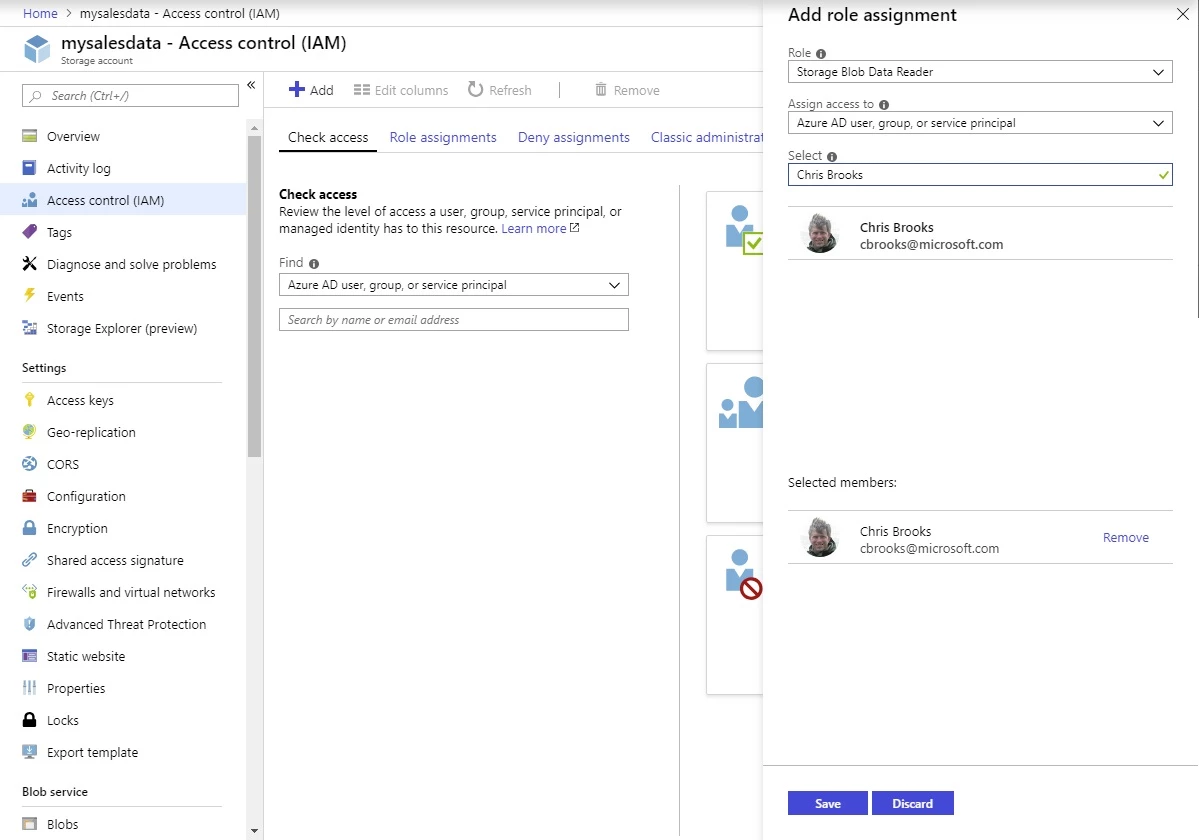
Azure AD authentication is available from the standard Azure Storage tools including the Azure portal, Azure CLI, Azure PowerShell, Azure Storage Explorer, and AzCopy.
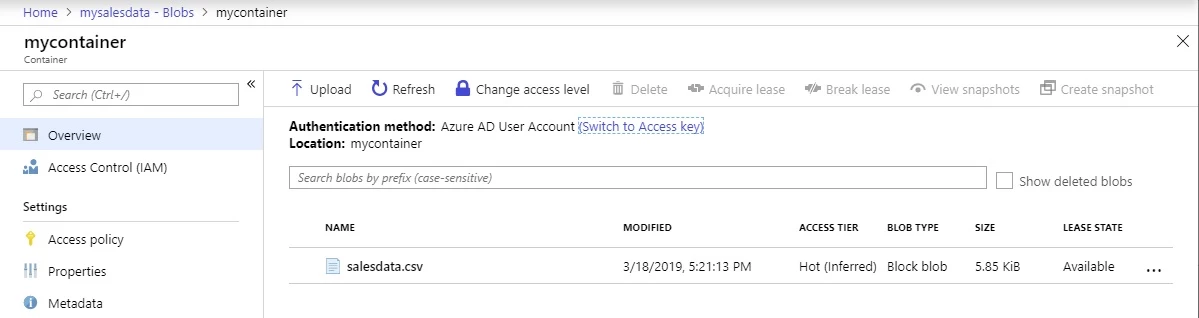
$ az login Note,
we have launched a browser for you to login. For old experience with device code, use “az login –use-device-code” You have logged in. Now let us find all the subscriptions to which you have access…
[
  {
    "cloudName": "AzureCloud",
    "id": "XXXXXXXX-YYYY-ZZZZ-AAAA-BBBBBBBBBBBB",
    "isDefault": true,
    "name": "My Subscription",
    "state": "Enabled",
    "tenantId": "00000000-0000-0000-0000-000000000000",
    "user": {
      "name": "cbrooks@microsoft.com",
      "type": "user"
    }
  }
]
$ export AZURE_STORAGE_AUTH_MODE="login"
$ az storage blob list --account-name mysalesdata --container-name mycontainer --query [].name
[
  "salesdata.csv"
]
We encourage you to use Azure AD to grant users access to data, and to limit user access to the storage account access keys. A typical pattern for this would be to grant users the “Reader” role make the storage account visible to them in the portal along with the “Storage Blob Data Reader” role to grant read access to blob data. Users who need to create or modify blobs can be granted the “Storage Blob Data Contributor” role instead.
Developers are encouraged to evaluate Managed Identities for Azure resources to authenticate applications in Azure or Azure AD service principals for apps running outside Azure.
Azure AD access control for Azure Storage is available now for production use in all Azure cloud environments