
This blog post was authored by Michael Hansen, Senior Program Manager, Microsoft Azure.
In connection with HIMSS 2019, we announced the Azure API for FHIR, which provides our customers with an enterprise grade, managed FHIR® API in Azure. Since then, we have been busy improving the service with new configuration options and features. Some of the features we have been working on include authentication configuratin and the SMART on FHIR Azure Active Directory Proxy, which enable the so-called SMART on FHIR EHR launch with the Azure API for FHIR.
We have developed a sandbox environment that illustrates how the service and the configuration options are used. In this blog post, we focus on how to deploy the sandbox in Azure. Later blog posts will dive into some of the technical details of the various configuration options.
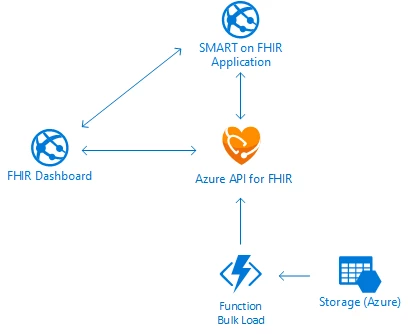
The Azure API for FHIR team maintains a GitHub repository with sample applications. It is maintained by the product engineering team to ensure that it works with the latest features of the Azure API for FHIR. The repository contains a patient dashboard application, Azure Function that will load patient data generated with Synthea, and example templates for SMART on FHIR applications:
Deployment instructions
The repository contains fully automated PowerShell scripts that you can use to deploy the sandbox scenario. The deployment script will create Azure Active Directory application registrations and a test user. If you do not want to create these Azure Active Directory objects in the tenant associated with your Azure subscription, we recommend you create a separate Azure Active Directory tenant to use for data plane access control.
The deployment script is written for PowerShell and uses the AzureAd PowerShell module. If you don’t have access to PowerShell on your computer, you can use the Azure Cloud Shell. In the cloud shell, you can deploy the sandbox environment with:
# Clone source code repository
cd $HOME
git clone https://github.com/Microsoft/fhir-server-samples
cd fhir-server-samples/deploy/scripts

# Log in to Azure AD:
Connect-AzureAd -TenantDomain .onmicrosoft.com

# Connect to Azure Subscription
Login-AzureRmAccount

# Selection subscription
Select-AzureRmSubscription -SubsciptionName “Name of your subscription”

# Deploy Sandbox
.Create-FhirServerSamplesEnvironment.ps1 -EnvironmentName  -EnvironmentLocation westus2 -AdminPassword $(ConvertTo-SecureString -AsPlainText -Force "MySuperSecretPassword")
It will take around 5 minutes to deploy the environment. The deployment script will create a resource group with the same name as the environment. In there, you will find all the resources associated with the sandbox.
Loading synthetic data
The environment resource group will contain a storage account with a container named “FhirImport.” If you upload Synthea patient bundles to this storage account, they will be ingested.
Using the patient dashboard
There are two versions of the patient dashboard, they can be located at:
- https://dash.azurewebsites.net: This is an ASP.NET patient dashboard. The GitHub repository contains the source code for this patient dashboard.
- https://js.azurewebsites.net: This is a single page JavaScript application. The source code is also in the GitHub repository.
When you navigate to either of those URLs, you will be prompted to log in. The administrator user is created by the deployment script and will have the username -admin@.onmicrosoft.com and the password is whatever you chose it to be during deployment. If you have uploaded some patients using the Synthea uploader, you should be able to display a list of patients. This shows the view in the JavaScript dashboard.
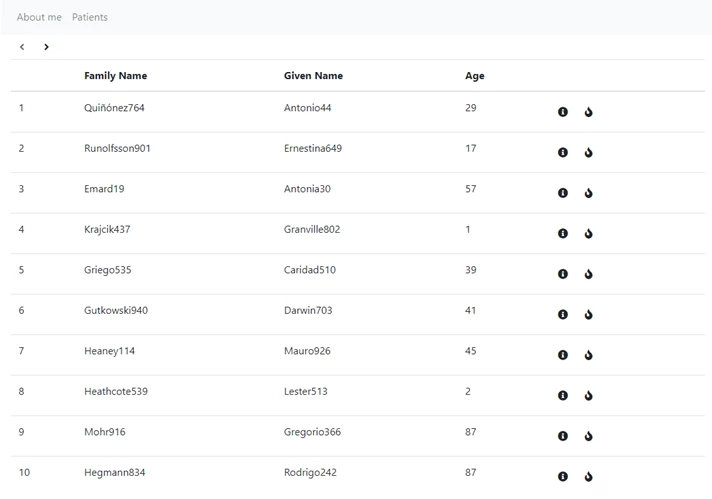
You can click details on a specific patient to get more information:
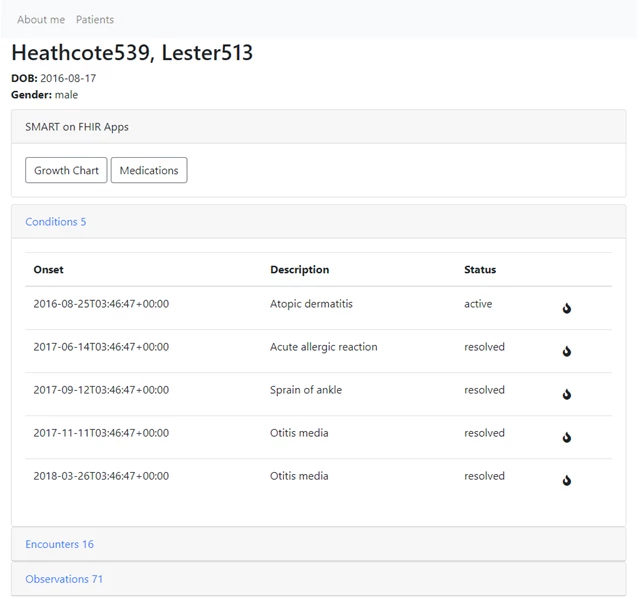
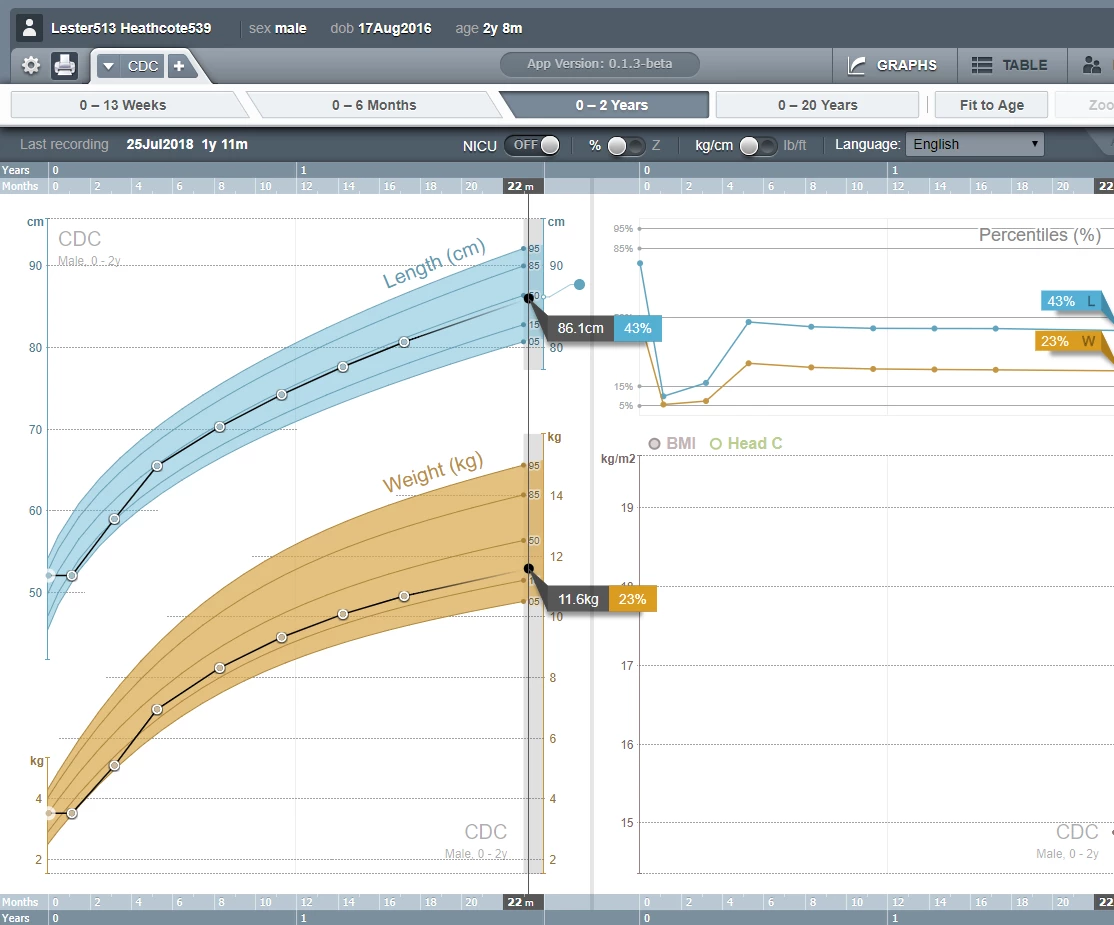
You can also use the links for the SMART on FHIR applications to get the growth chart application this patient:
The sandbox provides other useful tools. As an example, the “About me” link will provide you with details about the FHIR endpoint including a token that can be used to access the FIR API using tools like Postman.
Deleting the sandbox
When you are done exploring the Azure API for FHIR and the FHIR sandbox, it is easily deleted with:
.Delete-FhirServerSamplesEnvironment.ps1 -EnvironmentName
FHIR® is the registered trademark of HL7 and is used with the permission of HL7






