Azure Advisor is a free service that analyzes your Azure usage and provides recommendations on how you can optimize your Azure resources to reduce costs, boost performance, strengthen security, and improve reliability.
We are excited to announce that we have added several new Azure Advisor recommendations to help you get the most out of your Azure subscriptions.
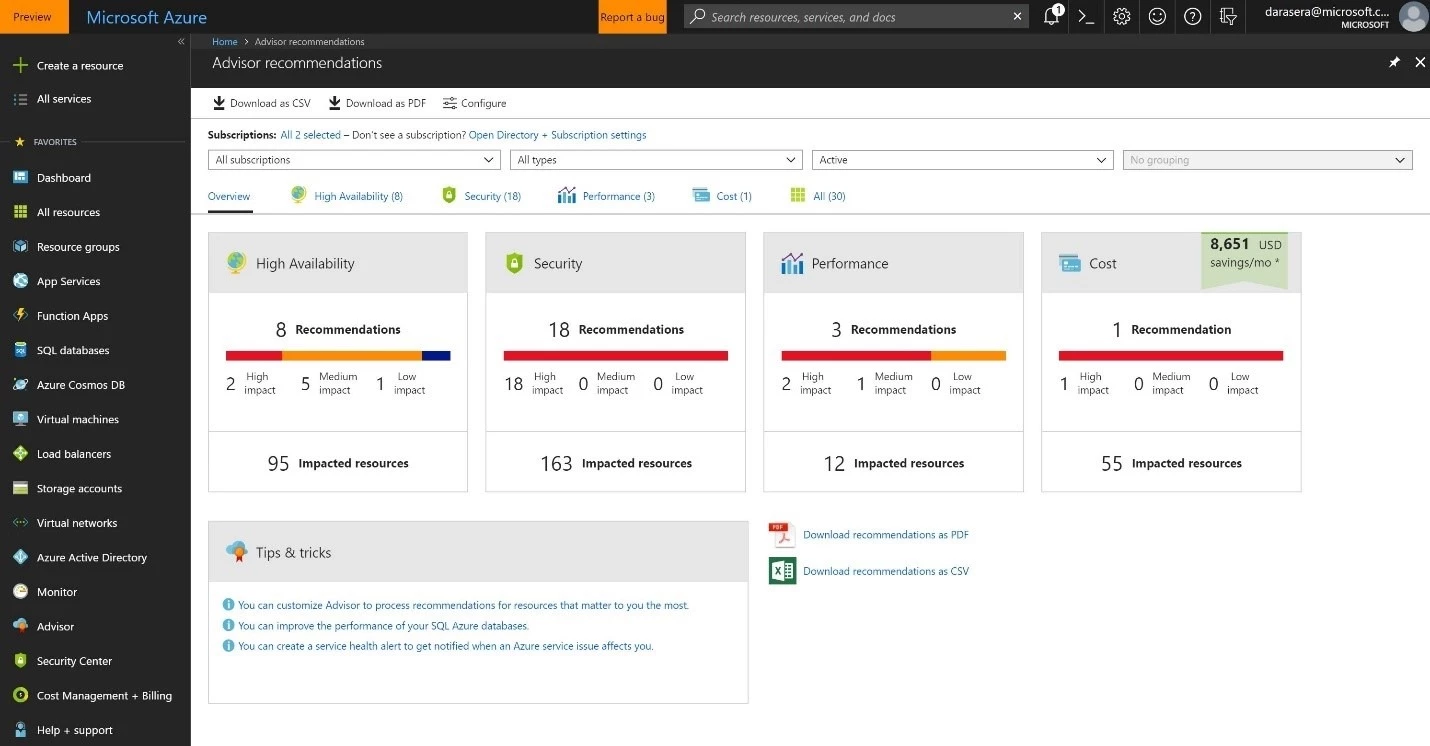
Buy Reserved Instances to save over pay-as-you-go costs
Azure Reserved Instances (RIs) allow you to reserve virtual machines (VMs) in advance on a one or three-year term and save up to 80 percent versus pay-as-you go rates. RIs are ideal for workloads with predictable, consistent traffic.
Azure Advisor will analyze your last 30 days of VM usage and recommend purchasing RIs when it may provide cost savings. Advisor will show you the regions and VM sizes where you could save money and give you an estimate of your potential savings from purchasing RIs if your usage remains consistent with the previous 30 days.
Create Azure Service Health alerts
Azure Service Health is a free service that provides personalized guidance and support when Azure service issues might affect you. You can create Service Health alerts for any region or service so that you and your teams stay informed via the Azure portal, email, text message, or webhook notification when business-critical resources could be impacted.
Azure Advisor will identify your subscriptions that do not have Service Health alerts configured and recommend that you set up alerts on those subscriptions.
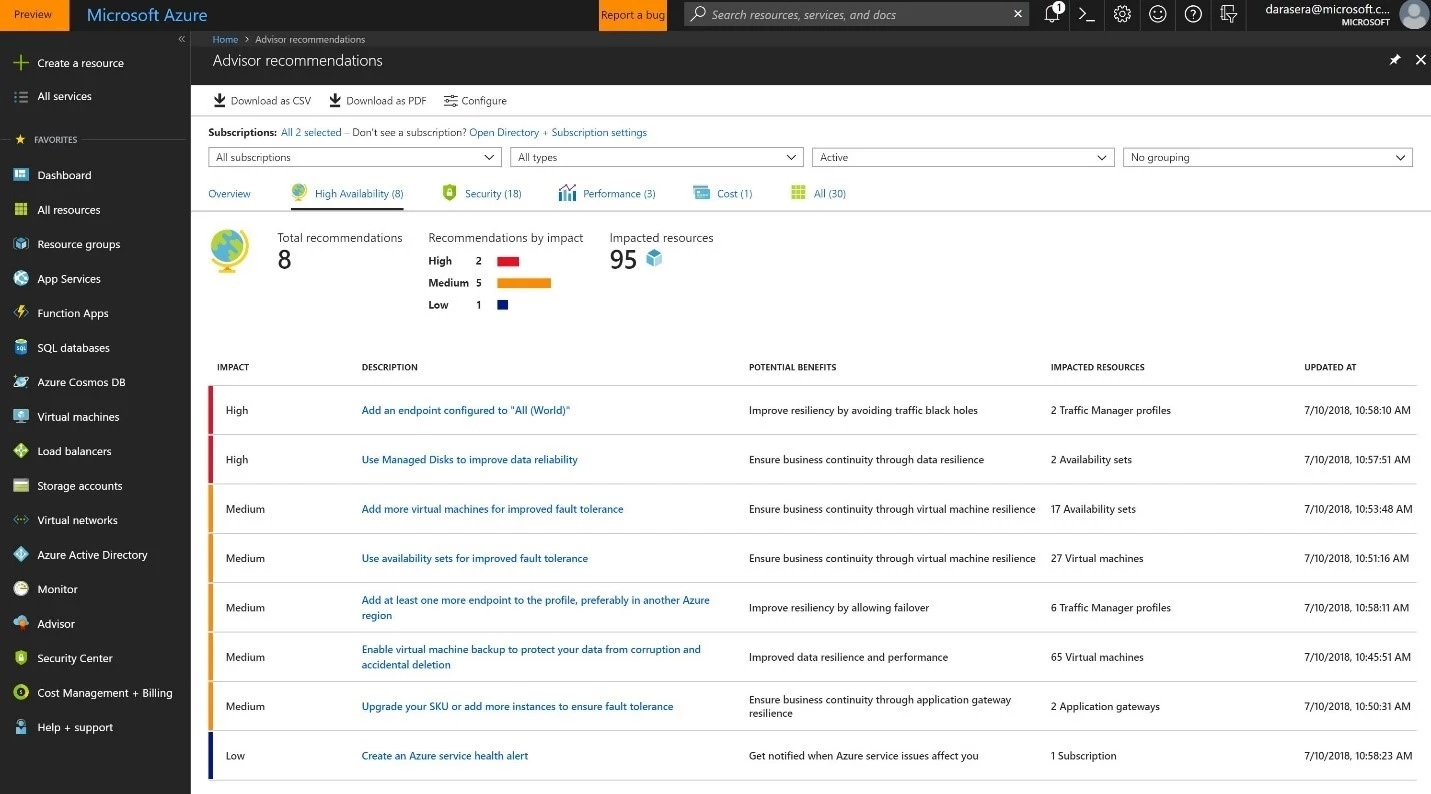
Upgrade to a support plan that includes technical support
Azure technical support plans give you access to Azure experts when you need assistance. Azure offers a range of support options to best fit your needs, whether you’re a developer just starting your cloud journey or a large organization deploying business-critical applications.
Azure Advisor will identify subscriptions with a high amount of monthly Azure spend that are likely running strategic workloads and recommend upgrading your support plan to include technical support.
Configure your Traffic Manager profiles for optimal performance and availability
Azure Traffic Manager allows you to control the distribution of user traffic for service endpoints in different datacenters and optimize for performance and availability. Azure Advisor has added new recommendations to solve common configuration issues with Traffic Manager profiles.
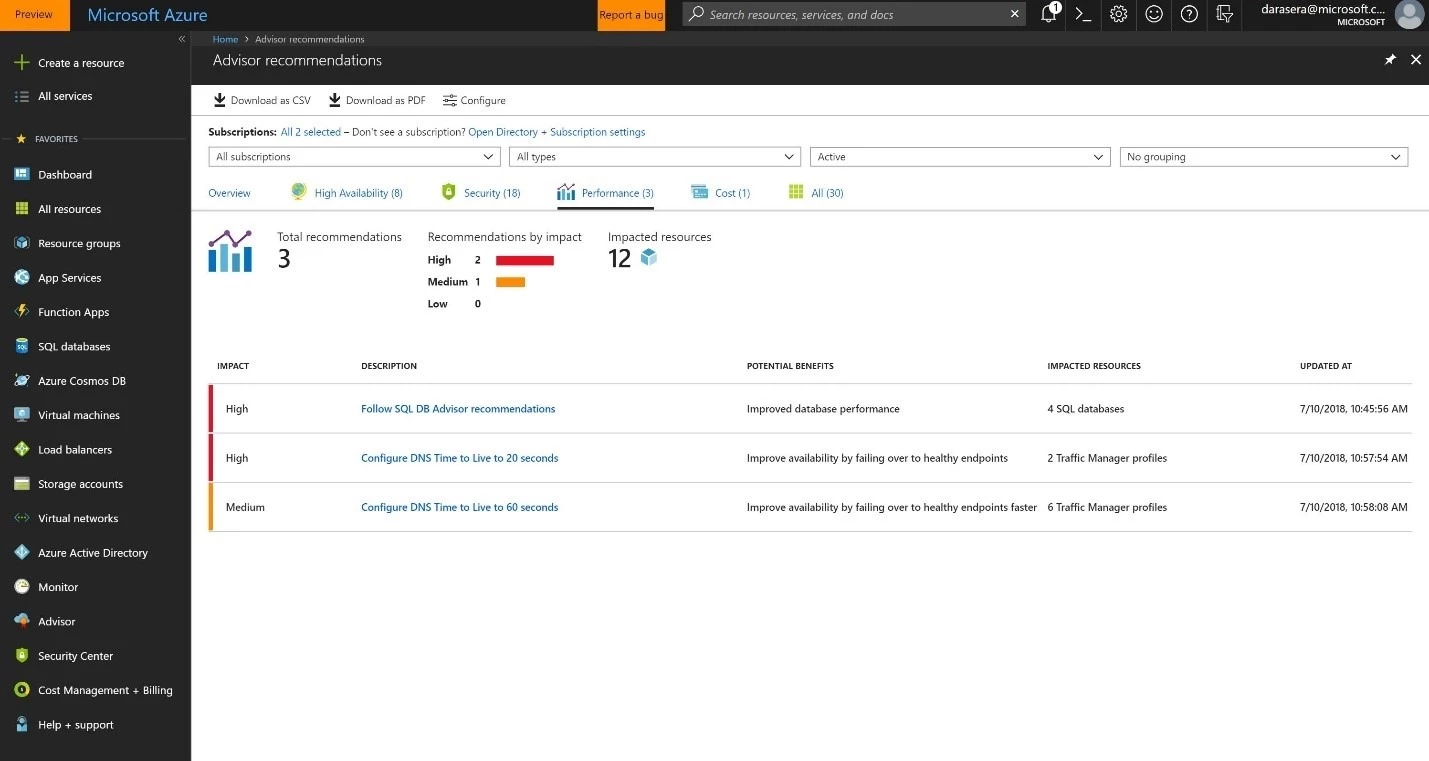
Reduce DNS Time to Live
Time to Live (TTL) settings on your Traffic Manager profile allow you to specify how quickly to switch endpoints if a given endpoint stops responding to queries. Reducing the TTL value means that clients will be routed to functioning endpoints faster.
Azure Advisor will identify Traffic Manager profiles with a longer TTL configured and will recommend configuring the TTL to either 20 seconds or 60 seconds depending on whether the profile is configured for Fast Failover.
Add or move one endpoint to another Azure region
If all endpoints in a Traffic Manager profile configured for proximity routing are in the same region, users from other regions may experience connection delays. Adding or moving an endpoint to another region will improve overall performance and provide better availability if all endpoints in one region fail.
Azure Advisor will identify Traffic Manager profiles configured for proximity routing where all the endpoints are in the same region and recommend that you either add or move an endpoint to another Azure region.
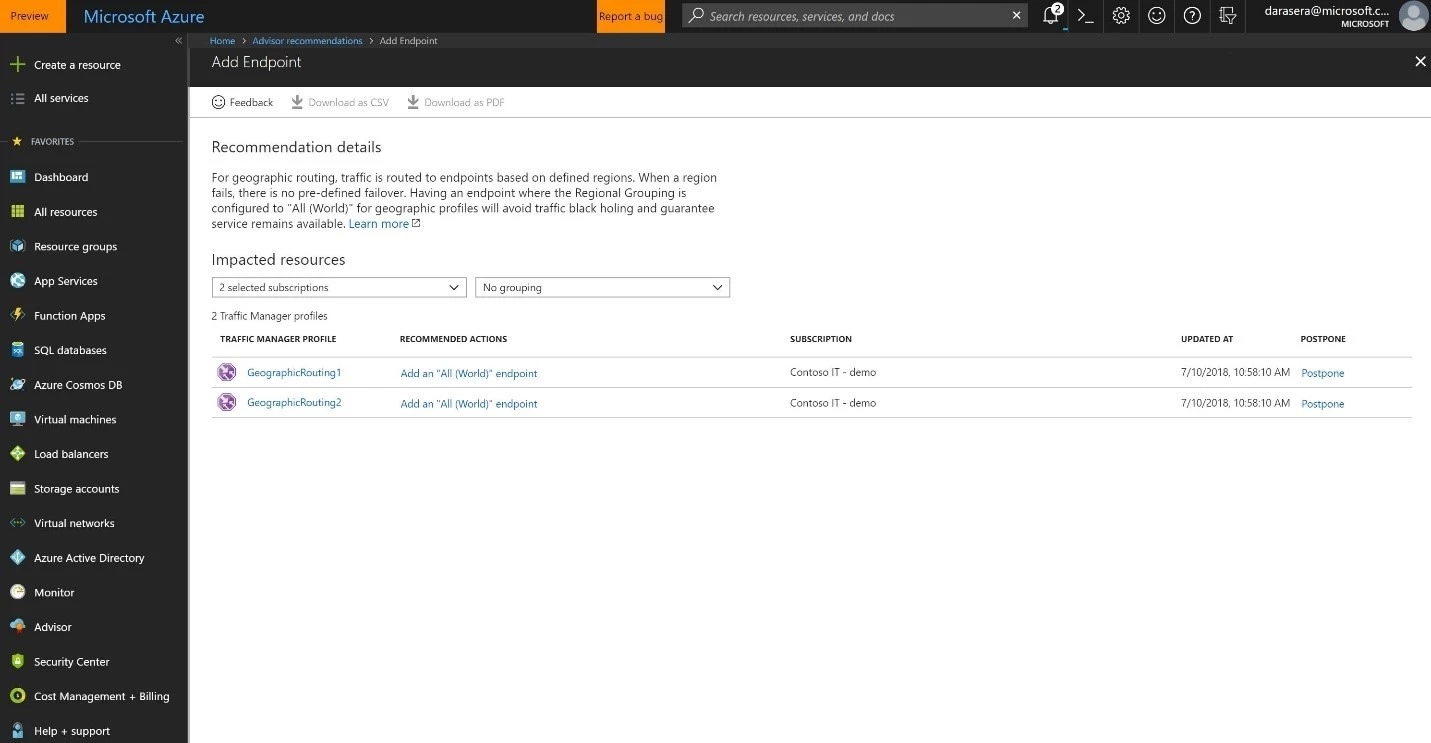
Add an endpoint configured to “All (World)”
If a Traffic Manager profile is configured for geographic routing, then traffic is routed to endpoints based on defined regions. If a region fails, there is no pre-defined failover. Having an endpoint where the Regional Grouping is configured to “All (World)” will avoid traffic being dropped and improve service availability.
Azure Advisor will identify Traffic Manager profiles configured for geographic routing where there is no endpoint configured to have the Regional Grouping as “All (World)” and recommend making that configuration change.
Add at least one more endpoint, preferably in another region
Traffic Manager profiles with more than one endpoint experience higher availability if any given endpoint fails. Placing these endpoints in different regions further improves service reliability.
Azure Advisor will identify Traffic Manager profiles where there is only one endpoint and recommend adding at least one more endpoint in another region.
Get started with Azure Advisor
Visit the Azure Advisor webpage to learn more, and get started using Azure Advisor in the Azure portal. See the Azure Advisor documentation for assistance, and if you have any feedback, don’t hesitate to share it with us in the tool.