
[This article was contributed by the SQL Azure team.]
Microsoft SQL Azure Reporting is a cloud-based reporting platform that provides comprehensive reporting functionality for a variety of data sources. SQL Azure Reporting includes a complete set of tools for you to create, manage, and deliver reports, and APIs that enable developers to integrate or extend data and report processing in custom applications. Microsoft SQL Azure Reporting lets you use the familiar on-premises tools you’re comfortable with to develop and deploy operational reports to the cloud. There’s no need to manage or maintain a separate reporting infrastructure, which leads to the added benefit of lower costs (and less complexity). Your customers can easily access the reports from the developer portal, through a web browser, directly from the cloud reporting server, or embedded within your applications.
It’s Based on SQL Server Reporting Services
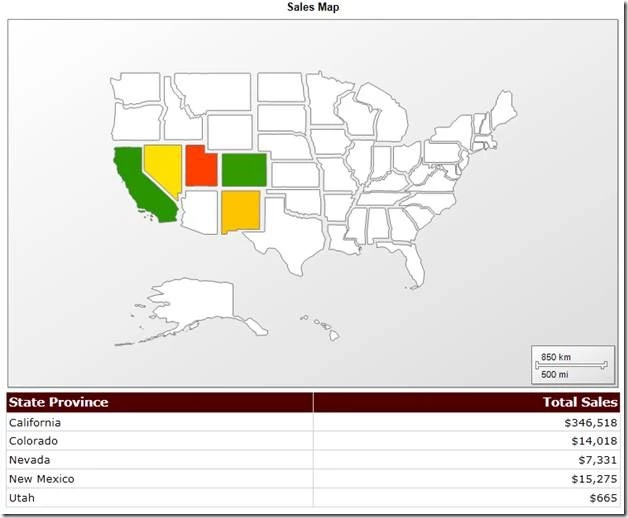
SQL Azure Reporting provides many of the features you know from SQL Server Reporting Services 2008 R2 to create your reports with tables, charts, maps, gauges, matrixes, and more using the familiar Business Intelligence Development Studio, and deploy them on-premises or in the cloud. If you are looking for Business Intelligence Development Studio to build your reports it comes as part of the free download of Microsoft SQL Server 2008 R2 Express with Advanced Services (download it here).
Report Execution Happens in the Cloud
SQL Azure Reporting is server-side reporting and the servers are located in the Windows Azure Platform data centers. When the report executes the query or generates the graphics for the charts, it all happens in Microsoft’s data center.
If you have used the Microsoft Report Viewer control to embed reports into a web application, you know that you can have local processing (.rdlc) where the report is generated on your web site or remote processing (.rdl) where report generation is done on the on-premise SQL Server. With SQL Azure Reporting, the report viewer control is in the remote processing mode.
SQL Azure Reporting is Part of the Windows Azure Platform
Being part of the Windows Azure Platform means you are getting all the same tools as you use for Windows Azure and SQL Azure, along with the scalability that you expect. Benefits include quick provisioning in the data center, and it’s integrated into Azure Developer Portal.
The Data Source is SQL Azure
SQL Azure Reporting allows you to execute reports against SQL Azure Databases in the cloud – that means the Data Source the report is using for generating reports point to SQL Azure Database. If you are using shared data sources currently, you can just redirect them to SQL Azure once you have uploaded your data.
Reports Are Exactly the Same Format
The reports you deploy to SQL Azure Reporting are exactly the same as the reports that you deploy to an on-premises SQL Server Reporting Services – all that is different is the data source. This means that you can leverage all the reports that you have already written for SQL Server Reporting Services and can directly deploy them to SQL Azure Reporting. It also means you continue using Business Intelligence Development Studio to author reports.
There is Nothing New to Download and Install
Since you are using the same tools to develop the reports as your used previously, and you are executing the reports in the cloud – there is nothing additional you need to install on your local machine. If you are looking for Business Intelligence Development Studio to build your reports it comes as part of the free download of Microsoft SQL Server 2008 R2 Express with Advanced Services (download it here).
You Can Access SQL Azure Reporting With a Browser
From anywhere you can enter in your SQL Azure Reporting URL, login and password and view the reports, and download them as PDF or Excel files. You don’t need to deploy a web site with the embedded report viewer control to view the reports from anywhere. Unlike an on-premises SQL Server where you would have to open the firewall to have this kind of access, SQL Azure Reporting comes Internet ready.
Getting Started
View Introduction to SQL Azure Reporting by Nino Bice, Yi Liao as a pre-recorded video from PDC 2010.
To learn more about SQL Azure Reporting and how to sign up for the upcoming CTP, visit:
To learn more about authoring reports, visit these resources on SQL Server Reporting Services and Business Intelligence Development Studio, see: Working with Report Designer in Business Intelligence Development Studio






