
In Azure Monitor, defining what to monitor while configuring alerts can be challenging. Customers need to be capable of defining when actions and notifications should trigger for their alerts, and more importantly, when they shouldn’t. The action rules feature for Azure Monitor, available in preview, allows you to define actions for your alerts at scale, and allows you to suppress alerts for scenarios such as maintenance windows.
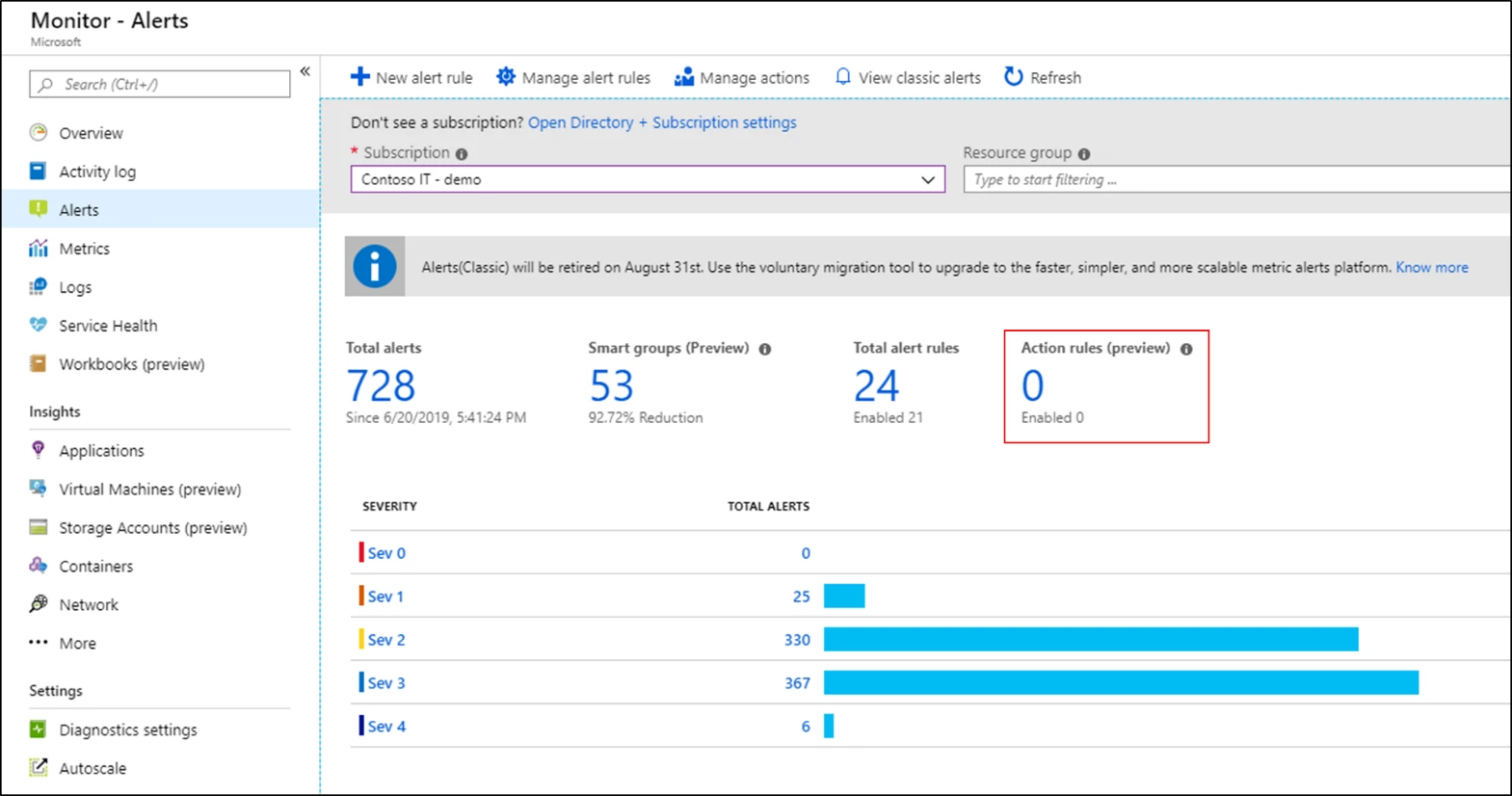
Let’s take a closer look at how action rules (preview) can help you in your monitoring setup!
Defining actions at scale
Previously you could define what action groups trigger for your alerts while defining an alert rule. However, the actions that get triggered, whether it is an email that is sent or a ticket created in a ticketing tool, are usually associated with resource on which the alert is generated rather than the individual alert rule.
For example, for all alerts generated on the virtual machine contosoVM, I would typically want the following.
- The same email address to be notified (e.g. contosoITteam@contoso.com)
- Tickets to be created in the same ITSM tool
While you could define a single action group such as contosoAG and associate it with each and every alert rule authored on contosoVM, wouldn’t it be easier if you could easily associate contosoAG for every alert generated on contosoVM, without any additional configuration?
That’s precisely what action rules (preview) allow you to do. They allow you to define an action group to trigger for all alerts generated on the defined scope, this could be a subscription, resource group, or resource so that you no longer have to define them for individual alert rules!
Suppressing notifications for your alerts
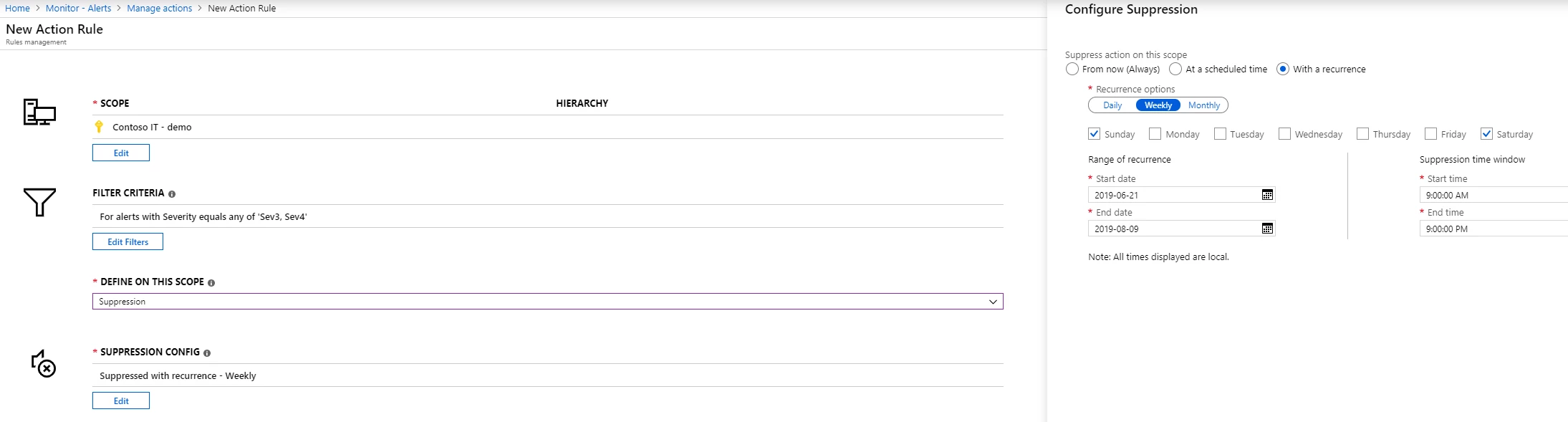
There are often many scenarios where it would be useful to suppress the notifications generated by your alerts. This could be a planned maintenance window or even the suppression of notifications during non-business hours. You could possibly do this by disabling each and every alert rule individually, with complicated logic that accounts for time windows and recurrence patterns or you can get all of this out of the box by using action rules (preview).
Working on the same principle as before, action rules (preview) also allow you to define the suppression of actions and notifications for all alerts generated on a defined scope, which could be a subscription, resource group, or resource, while the underlying alert rules would continue to monitor. Furthermore, you have the capability to configure both the period as well as recurrence for the suppression, all out of the box! With this you could easily setup notification suppression based on your business requirements, which could be anything from suppression for all weekends such as a maintenance window, to suppression between 5pm – 9am everyday or normal business hours.
Filters for more flexibility
While you can easily define action rules (preview) to either author actions at scale or suppress them, action rules come with additional knobs and levers in the form of filters that allow you to fine tune what specific subset of your alerts the action rule acts on.
For example, going back to the example of suppressing notifications during non-business hours. Perhaps you might still want to receive notifications if there is an alert with severity zero or one, while the rest are suppressed. In such a scenario, I can define a severity filter as part of my action rule, which defines that the rule does not apply to alerts with severity of zero or one, and thus only applies to rules with severity of two, three or four.
Similarly, there are additional filters that provide even more granular definitions from the description of the alert to string matching within the alert’s payload. You can learn more about the supported filters by visiting our documentation, “Action rules (preview).”
Next steps
To best leverage action rules, we recommend reading the documentation which goes into more detail about how to configure action rules (preview), example scenarios, best practices, and FAQs. It is recommended to use action rules (preview) in conjunction with action groups, which have the common alert schema enabled to define consistent alert consumption experiences across different alert types. You can also learn more by reading our documentation, “How to integrate the common alert schema with Logic Apps” which goes into more details on how you can setup an action group with a logic app using the common schema, that integrates with all your alerts.
We are just getting started with action rules (preview), and we look forward to hearing more from you as we evolve the feature towards general availability and beyond. Keep the feedback coming to azurealertsfeedback@microsoft.com.






