Every new generation of cloud infrastructure creates two jobs. We must deploy more capable systems quickly, and we must manage the hardware they replace responsibly.
Even though these jobs happen behind the scenes, the results matter to Microsoft Azure customers. Newer systems deliver more compute capacity from the space and power available in a datacenter. At the same time, the reuse, refurbishment, and recycling of older equipment can extend the life of valuable components and return materials to the supply chain, ensuring cost efficiency and reliability.
Managing this process starts early in the lifecycle, with the design of our silicon, servers, networks, and datacenters. It continues through years of operation. When equipment leaves active service, Microsoft Circular Centers help determine its next useful life.
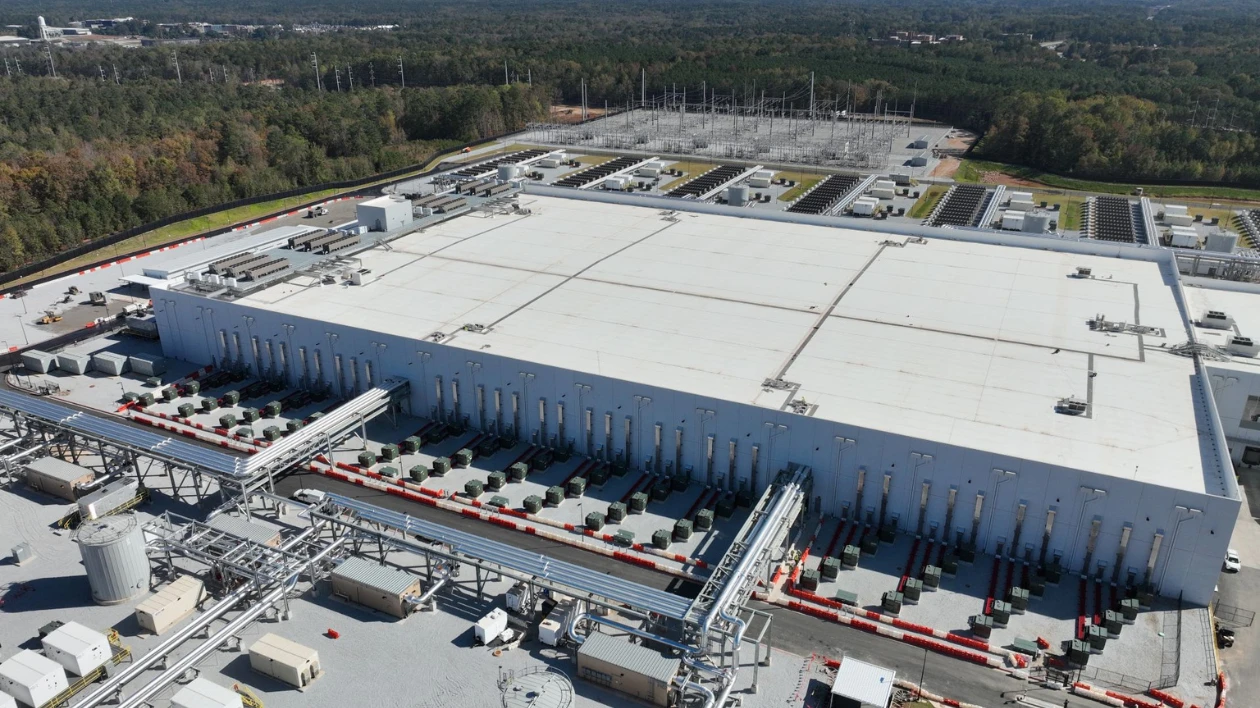
With new Circular Centers in Newport, Wales, and Sydney, Australia, this work now spans North America, Europe, and Asia Pacific. These facilities help us recover components, prepare space for new infrastructure, and get more value from the hardware and materials already in our system.
Getting more from every rack and every watt
Cloud infrastructure must keep pace with the work customers want to run. That means increasing compute capacity while making better use of the space and power available in each datacenter.
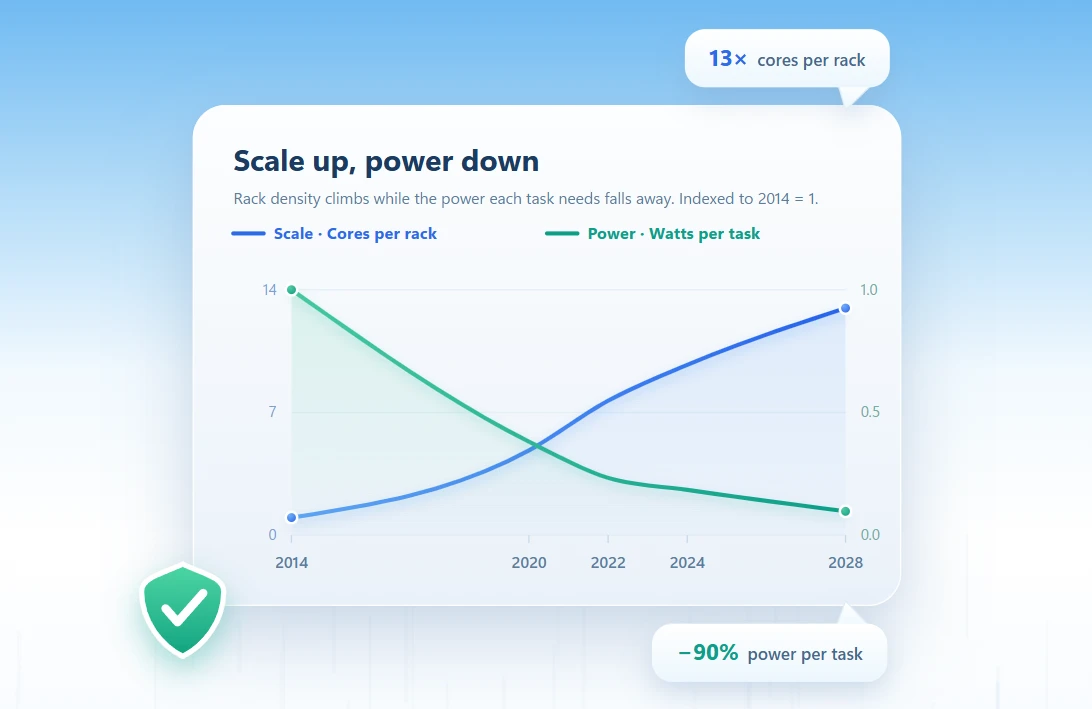
Compared with early general-purpose systems, today’s servers provide significantly more processor cores, more memory capacity, and network bandwidth. As shown in the chart below, Azure infrastructure has become both denser and more efficient over time. Since 2014, cores per rack have increased approximately 13-fold, while the power required to complete the same task has decreased by roughly 90%. For example, a workload such as code compilation that consumed approximately 100 watts on early systems can now be completed using less than 10 watts.
This increase in compute density means we’re able to provide more server capacity to support customer workloads using the same datacenter footprint. By delivering more useful work from each rack, newer infrastructure helps improve resource efficiency while supporting continued growth and scale to meet cloud and AI demand.
Azure Cobalt is one example of this systems approach. Our custom-designed cloud processor allows Microsoft to optimize silicon, servers, networking, storage, and software together. Cobalt 200 delivers up to 50% higher performance than Cobalt 100 and incorporates the latest Microsoft security, networking, and storage technologies.
This constant cycle of innovation is one of the defining characteristics of cloud infrastructure. As new generations of cloud and AI infrastructure are deployed, older hardware is gradually taken out of service. What happens to the equipment being replaced?
Giving hardware its next useful life
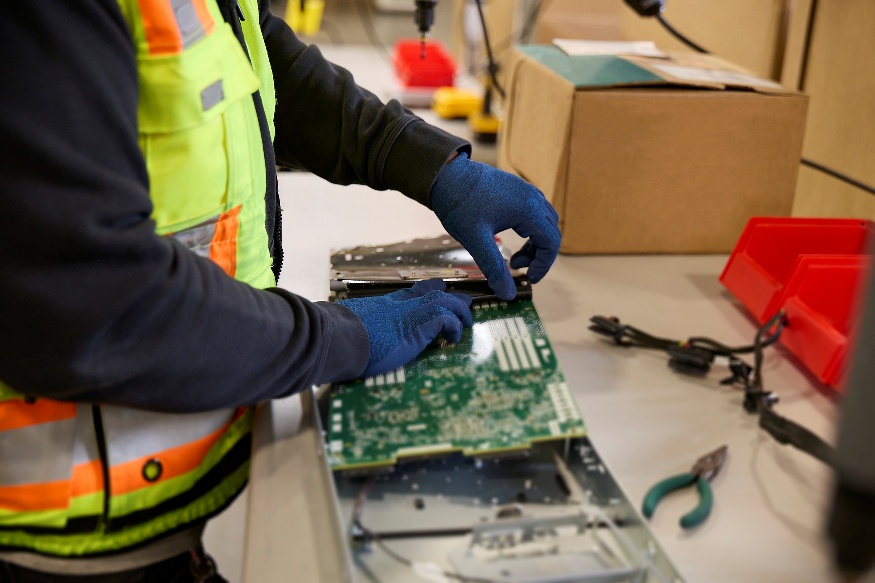
Last year, Microsoft achieved a 92% reuse and recycling rate for decommissioned servers and components. However, at the scale we operate, retiring a server is a little more complex than simply sorting components into the correct recycling bin. Every server must be securely decommissioned, and data-bearing components wiped. Then we must decide how to recover the most value from it. Can the complete system serve another purpose? Can processors, memory, and other components keep working elsewhere? Which materials can return to the supply chain?
Microsoft Circular Centers manage these decisions as part of our datacenter operations. At these facilities, our staff give decommissioned hardware a series of possible next lives. Complete systems can support Microsoft labs and training environments, help schools and universities teach technical skills, or be sold to qualified buyers for continued use. Components can become spare parts for other systems. Materials are recycled when reuse is no longer possible.
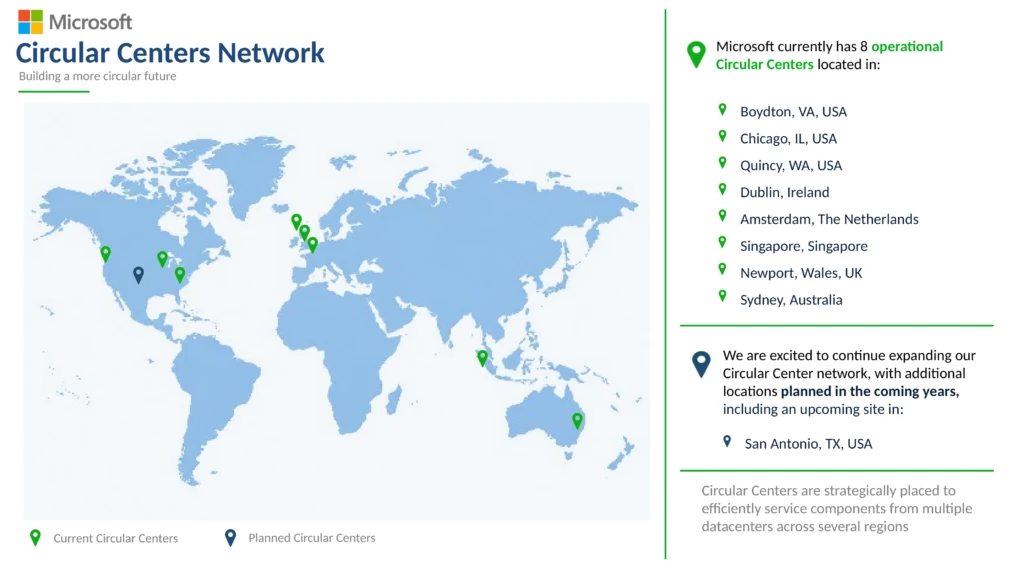
Our Circular Centers operate as a connected global network. With recent launches in Wales and Australia, eight centers are now in operation across North America, Europe, and Asia Pacific. The network continues to grow, with a new center planned for San Antonio, Texas.
We are also investing in technologies that improve the efficiency and scale of circular operations. Through automation initiatives with AI-powered capabilities, such as robotic disassembly and autonomous material handling, we are helping accelerate the recovery of components and materials.
Making the most of every resource
As demand for cloud and AI continues to grow, every part of the infrastructure lifecycle matters. We must get more compute from every rack and every watt, while getting more value from every server and component. Circular Centers help us do both. They make responsible recovery part of how we grow Azure, renew the foundational infrastructure, and build capacity for what customers need next.
Learn More
- Explore Azure migration and modernization.
- Learn more about Microsoft’s silicon to systems approach to Azure Infrastructure.
- Learn how Microsoft Circular Centers are scaling cloud supply chain sustainability.
- Read Microsoft’s 2026 Environmental Sustainability Report.
Microsoft Circular Centers
Helping deliver towards our commitment on Zero Waste