This post was co-authored by Sreekanth Thirthala Venkata, Principal Program Manager, Visual Studio and .NET.
Datadog integration with Azure is now generally available, this post was last updated 05/28/2021.
Microsoft Azure enables customers to migrate and modernize their applications to run in the cloud, in coordination with many partner solutions. One such partner is Datadog, which provides observability and security tools for users to understand the health and performance of their applications across hybrid and multi-cloud environments. But configuring the necessary integrations often requires navigating between the Azure portal and Datadog.
This adds complexity, takes time, and makes it difficult to troubleshoot if things aren’t working. To reduce the burden of managing across multiple portals, we worked with Datadog to create an integrated Datadog solution on the Azure cloud platform. Available via the Azure Marketplace, this solution provides a seamless experience for using the Datadog’s cloud monitoring solution in Azure.
“The Microsoft cloud is the first to enable a seamless configuration and management experience for customers using third-party solutions like Datadog. With Datadog, customers are empowered to use this experience to monitor their Azure workloads and enable an accelerated transition to the cloud.”—Corey Sanders, Corporate Vice President, Microsoft Solutions
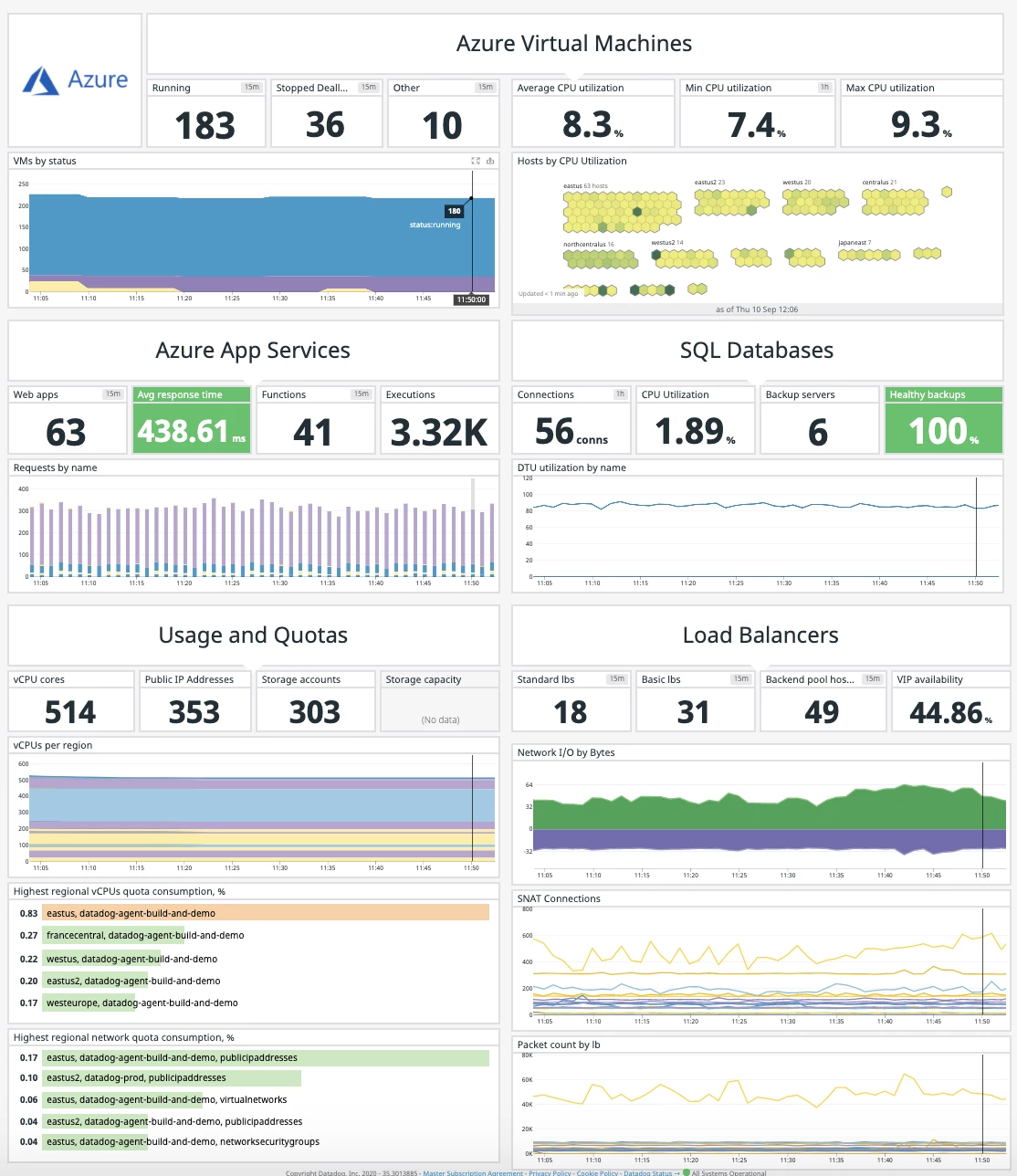
With the new Azure integration with Datadog, organizations can now fully map their legacy and cloud-based systems, monitoring real-time data during every phase of the cloud transition, and ensure that migrated applications meet performance targets. This integration combines Azure’s global presence, flexibility, security, and compliance with Datadog’s logging and monitoring capabilities to create the best experience for enterprises.
Through this unified experience, customers will be able to:
- Provision a new Datadog organization and configure their Azure resources to send logs and metrics to Datadog—a fully managed setup with no infrastructure for customers to setup and operate.
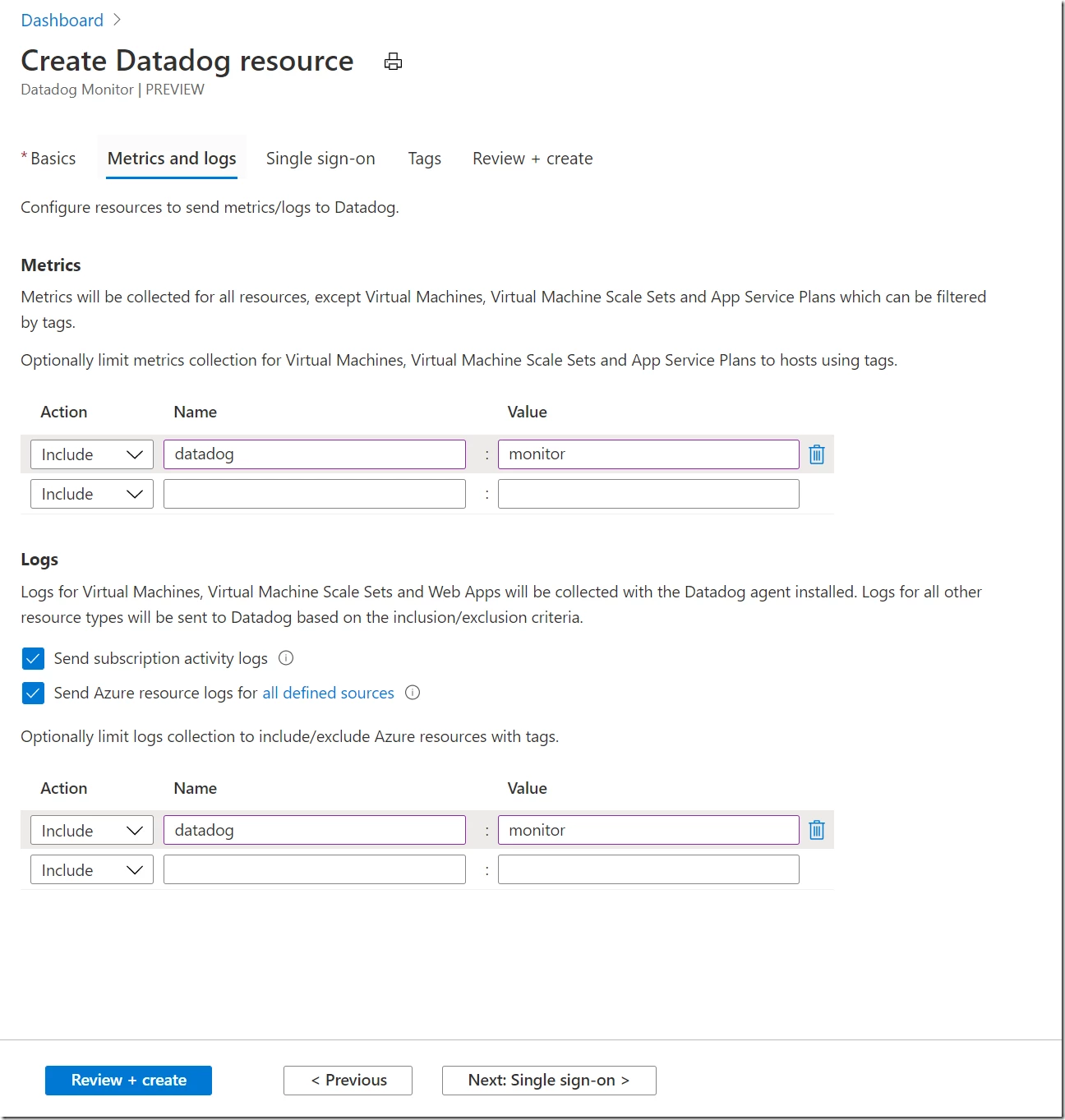
- Seamlessly send logs and metrics to Datadog. The log-forwarding process has been completely automated; rather than building out a log-forwarding pipeline with Diagnostic Settings, Event Hubs, and Functions, you can configure everything with just a few clicks.
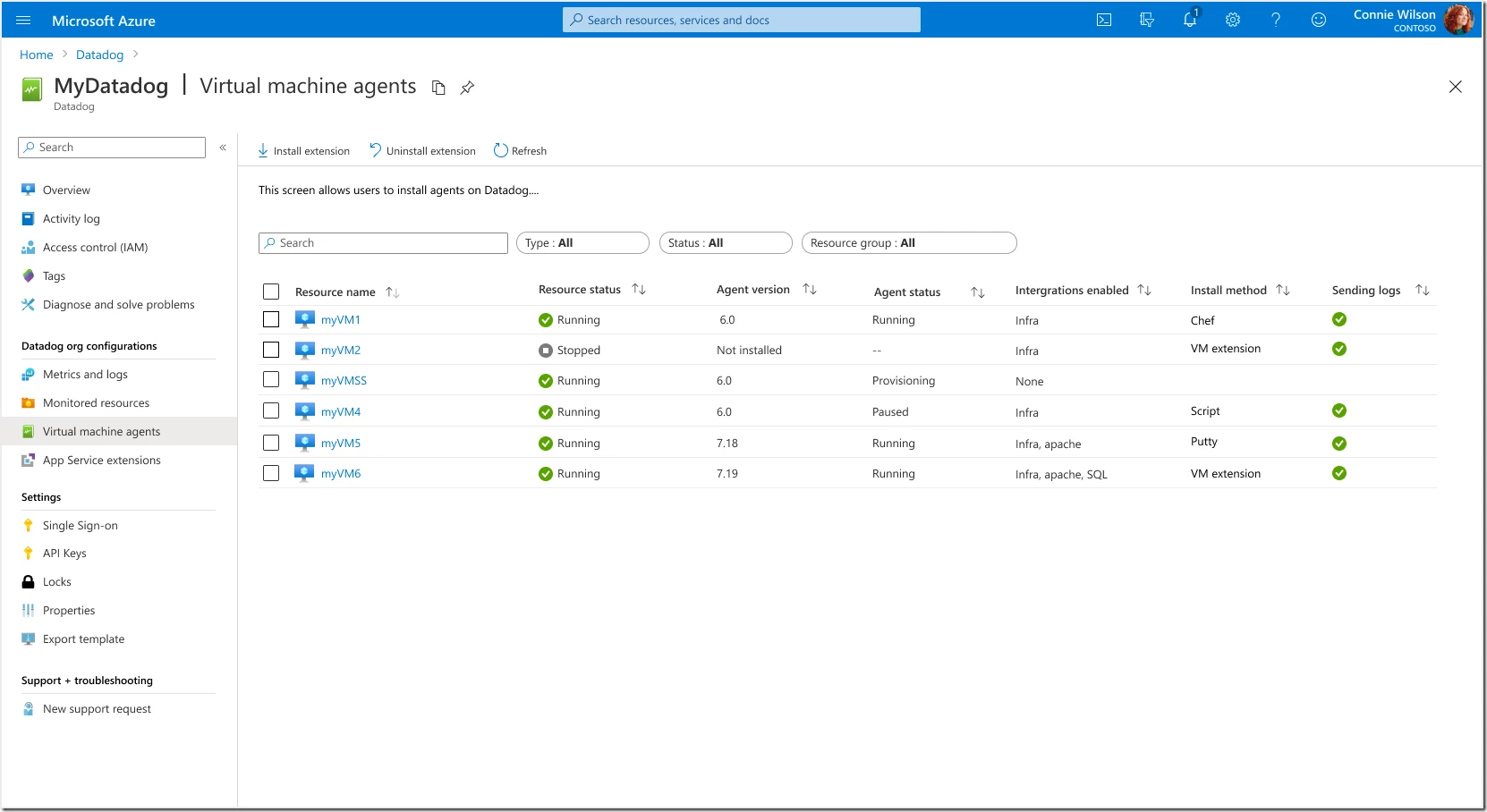
- Easily install the Datadog agent on VM hosts and App Services through a single-click.
- Streamline single-sign on (SSO) to Datadog—a separate sign in from the Datadog portal is no longer required.
- Get unified billing for the Datadog service through Azure subscription invoicing.
“Observability is a key capability for any successful cloud migration. Through our new partnership with Microsoft Azure, customers will now have access to the Datadog platform directly in the Azure console, enabling them to migrate, optimize and secure new and migrated workloads.”—Amit Agarwal, Chief Product Officer, Datadog
Here’s a quick look at this integrated experience:
Acquire and setup the Datadog solution
Now let’s follow the step-by-step process to acquire and setup the Datadog solution:
Procuring the Datadog app: Azure customers can procure the Datadog app through the Azure Marketplace.
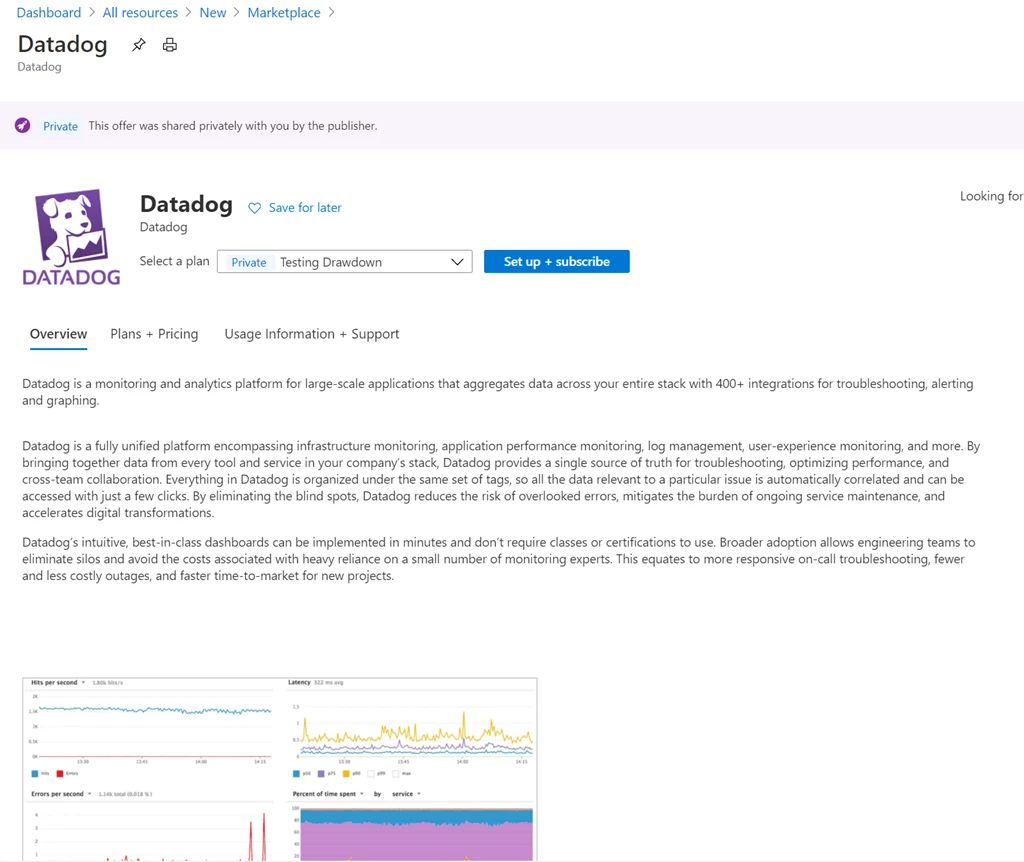
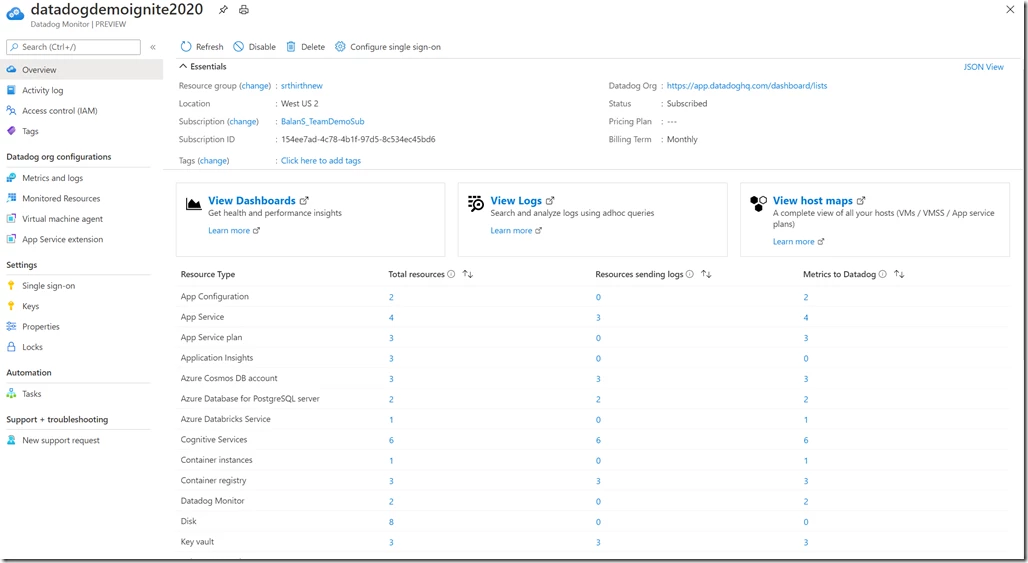
Provisioning in the Azure portal: After procuring in Azure Marketplace, customers can seamlessly provision Datadog as an integrated service on Azure via the Azure portal.
Configuring logs and metrics: Customers create a Datadog resource in Azure and configure which Azure resources send logs and metrics and to Datadog.
Installing Datadog agent: Customers can install the Datadog agent as an extension on virtual machines (VMs) and app services with a single click.
Access via SSO: Customers access Datadog from the Azure portal through a streamlined SSO experience and configure Datadog as a destination for logs and metrics from Azure services.
Next steps
- Subscribe to the preview of “Datadog integration with Azure” available in the Azure marketplace.
- Read more about the Azure Monitor partner integration with Datadog.