Azure Boards is a service for managing the work for your software projects. Teams need tools that flex and grow. Azure Boards does just that, brining you a rich set of capabilities including native support for Scrum and Kanban, customizable dashboards, and integrated reporting.
In this post I’ll walk through a few core features in Azure Boards and give some insight in to how you can make them work for your teams and projects.
Work items
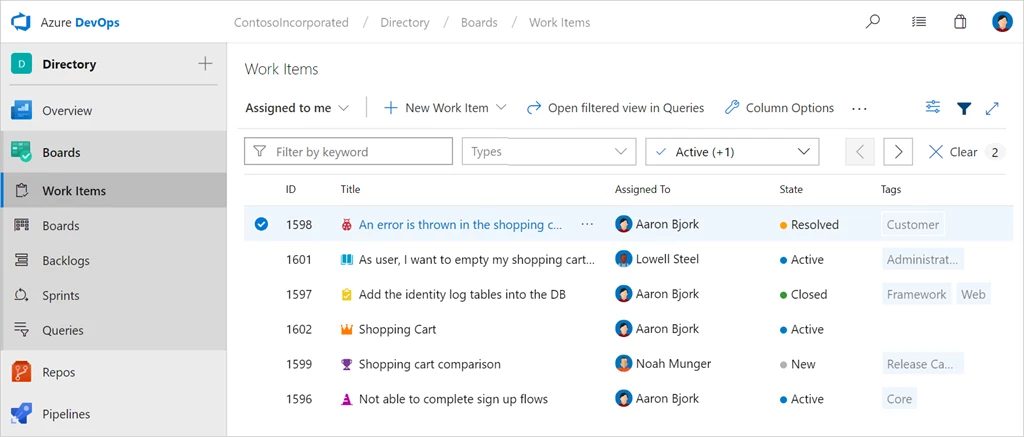
All work in Azure Boards is tracked through an artifact called a work item. Work items are where you and your team describe the details of what’s needed. Each work item uses a state model to track and communicate progress. For example, a common state model might be: New > Active > Closed. As work progresses, items are updated accordingly, allowing everyone who works on the project to have a complete picture of where things are at. Below is a picture of the work items hub in Azure Boards. This page is the home for all work items and provides quick filters to allow you to find the items you need.
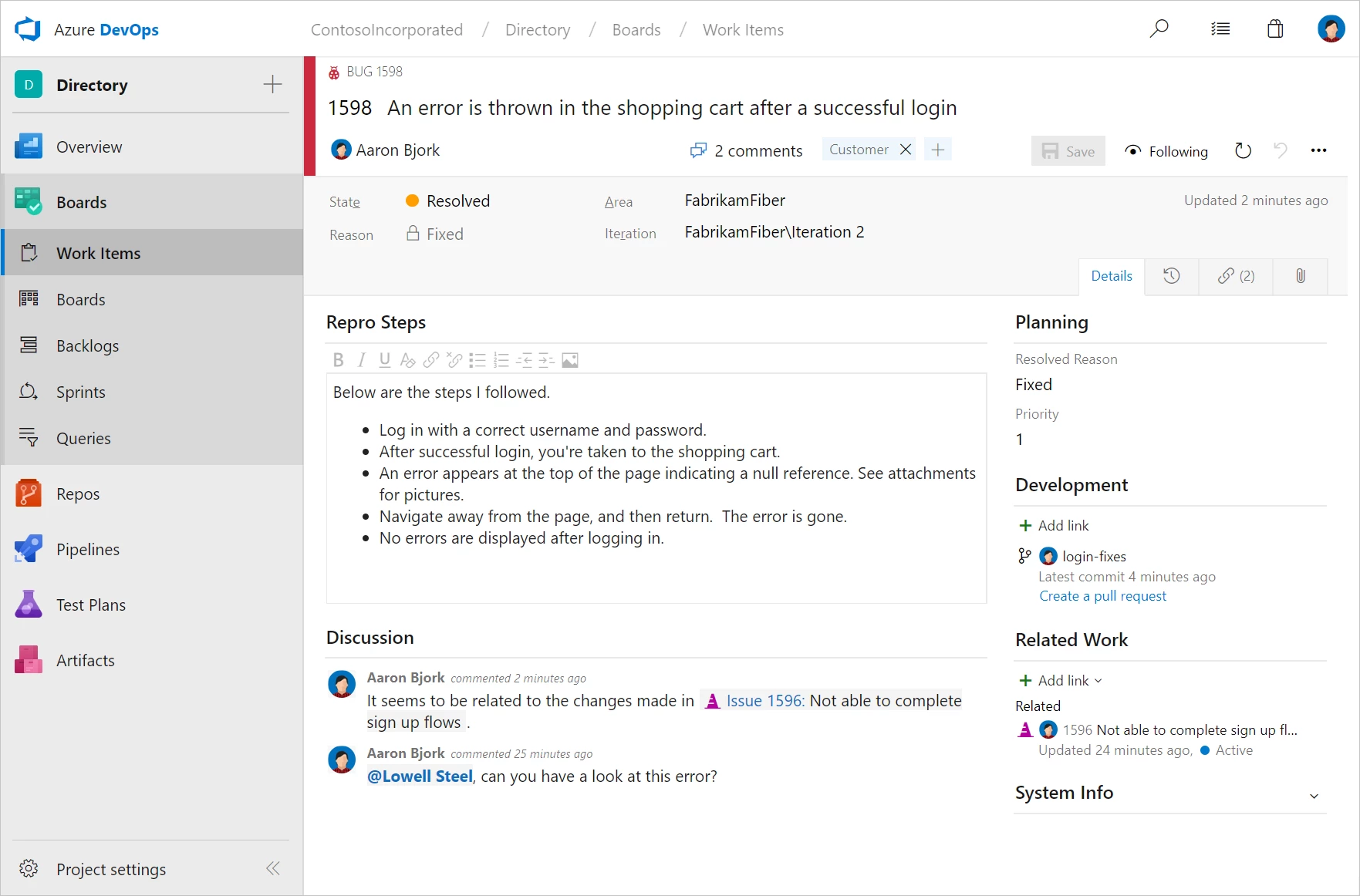
Opening a work item brings you to a much richer view, including the history of all changes, any related discussion, and links to development artifacts including branches, pull requests, commits, and builds. Work items are customizable, supporting the ability to add new fields, create rules, and modify aspects of the layout. For more information, visit the work items documentation page.
Boards, Backlogs, and Sprints
Azure Boards provides a variety of choices for planning and managing work. Let’s look at a few of the core experiences.
Boards
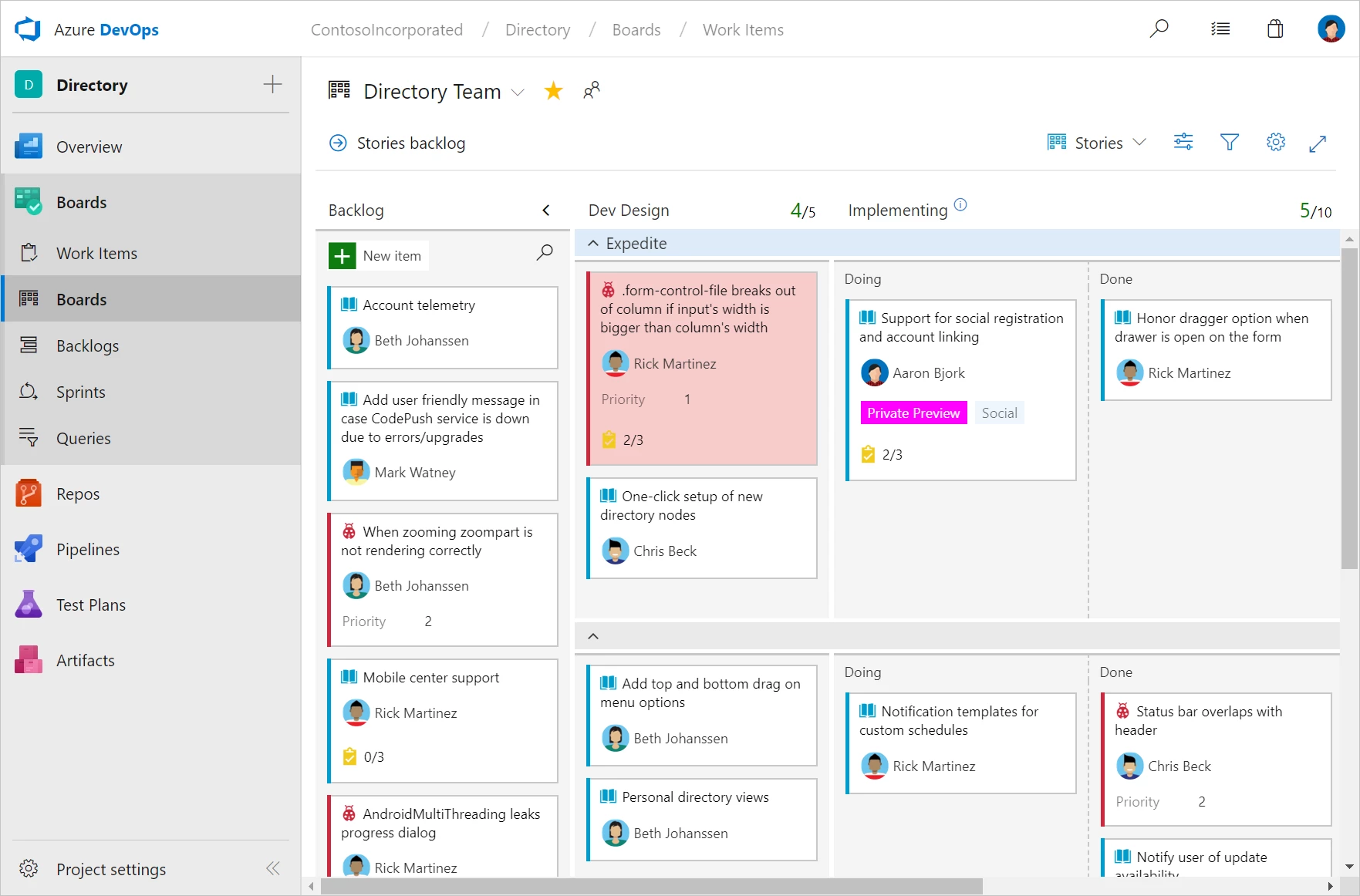
Each project comes with a pre-configured Kanban board perfect for managing the flow of your work. Boards are highly customizable allowing you to add the columns you need for each team and project. Boards support swim lanes, card customization, conditional formatting, filtering, and even WIP limits. For more information, visit the Kanban boards documentation page.
Backlogs
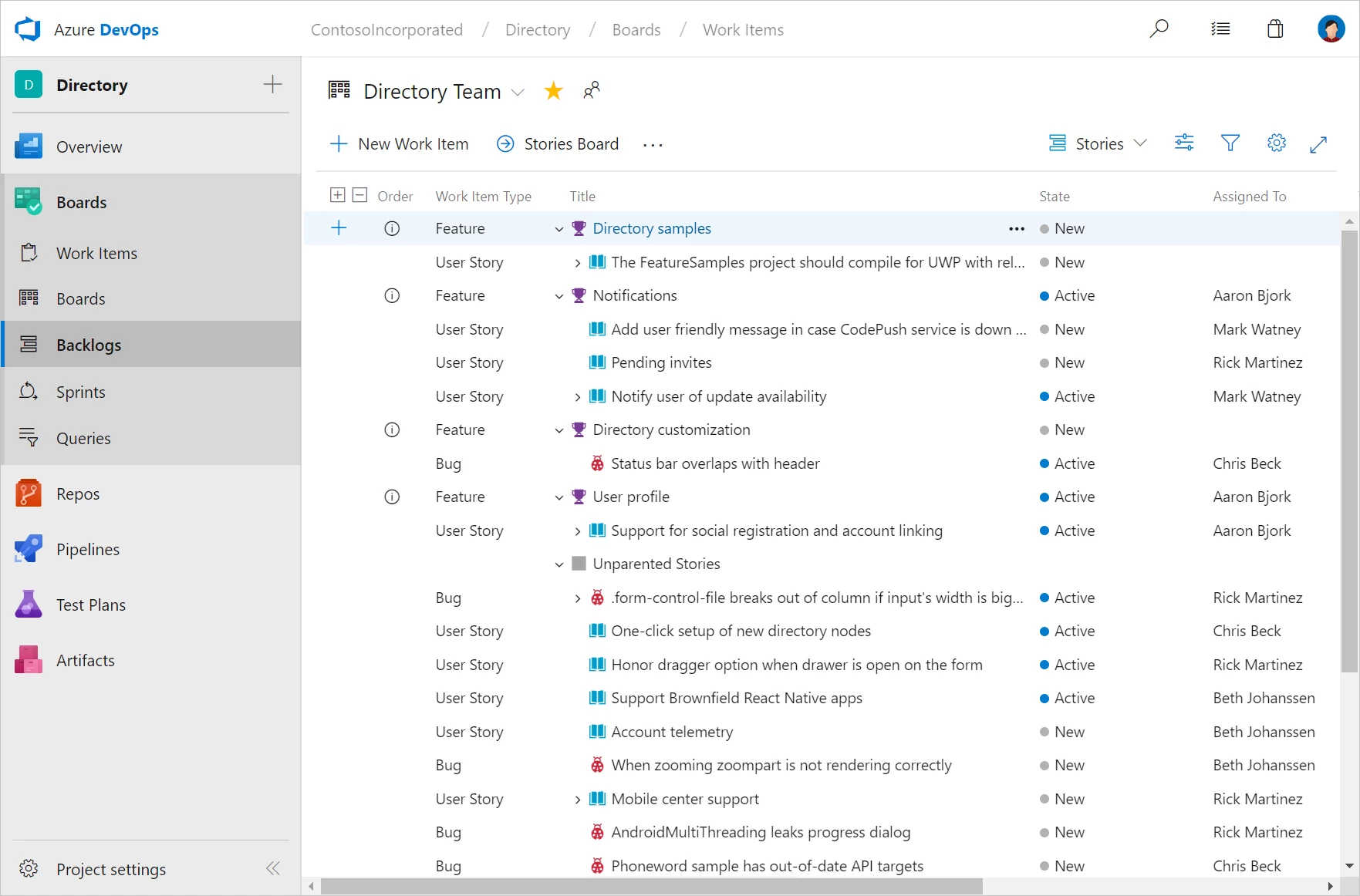
Backlogs help you keep things in order of priority, and to understand the relationships between your work. Drag and drop items to adjust the order, or quickly assign work to an upcoming sprint. For more information, visit backlogs documentation page.
Sprints
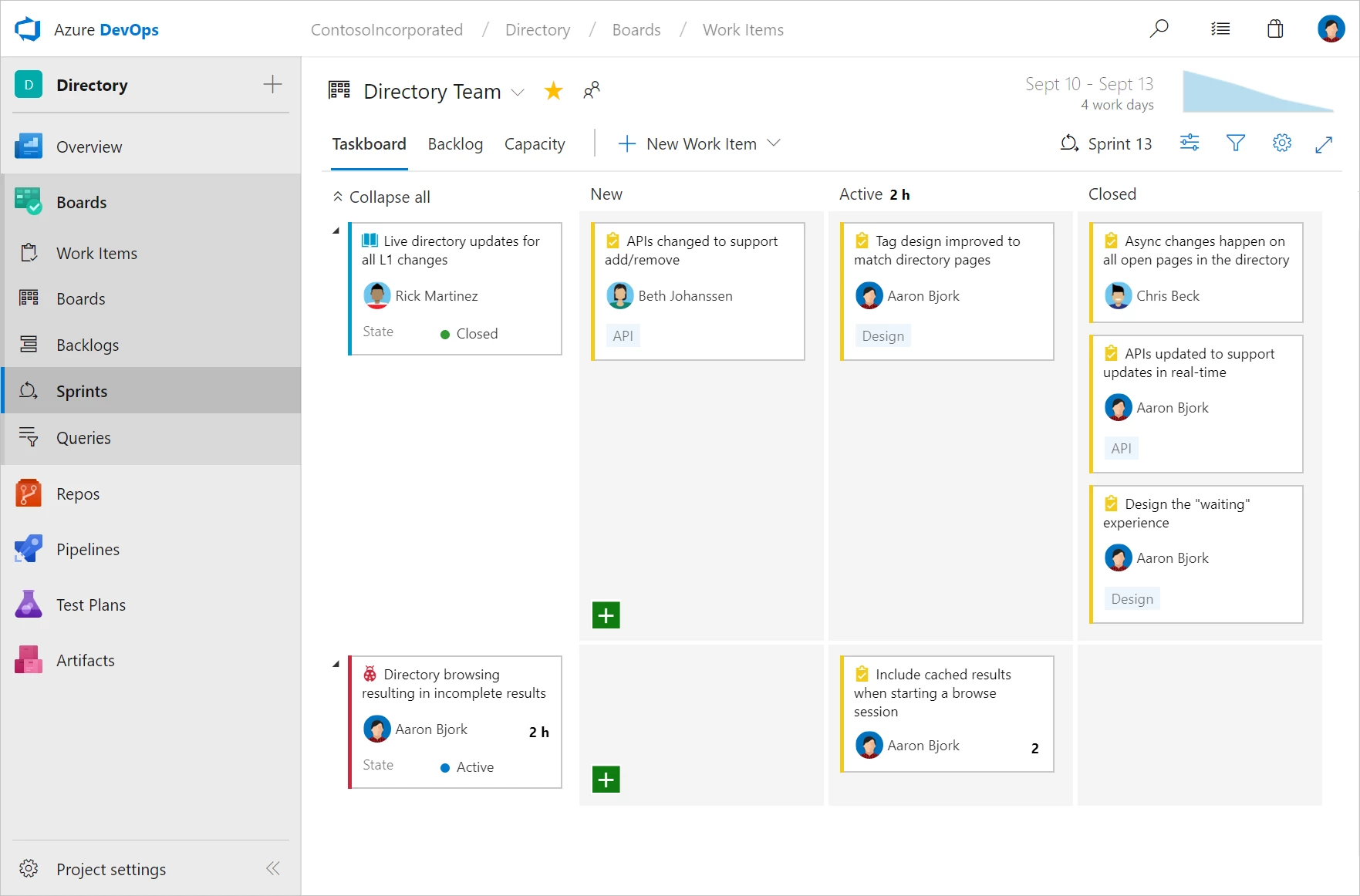
Finally, sprints give you the ability to create increments of work for your team to accomplish together. Each sprint comes equipped with a backlog, taskboard, burndown chart, and capacity planning view to help you and your team deliver your work on time. For more information, visit the sprints documentation page.
Dashboards
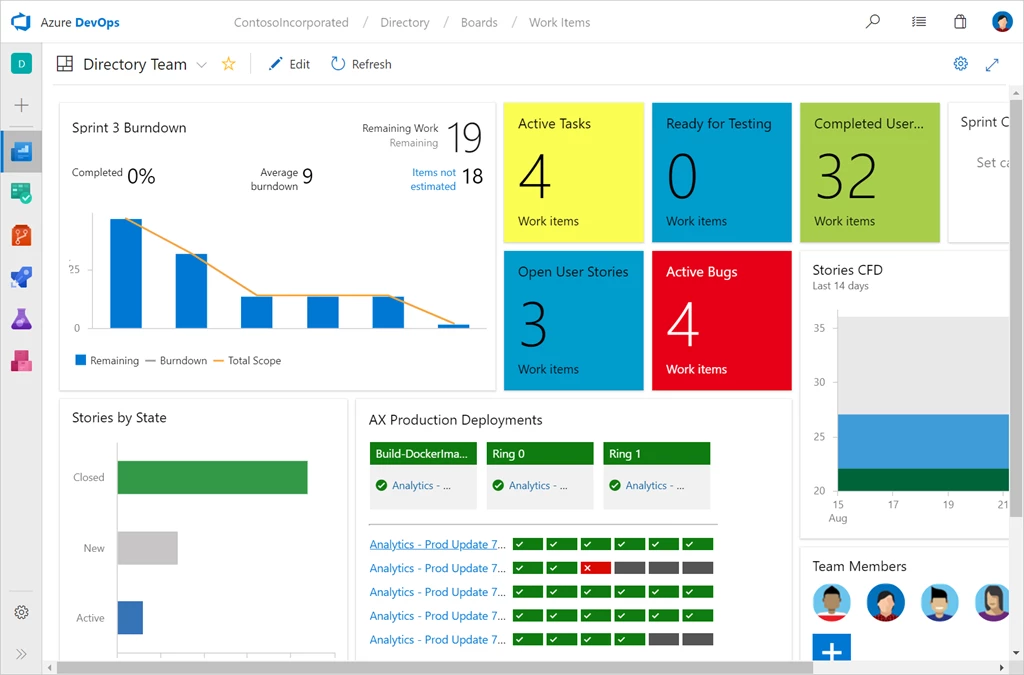
In any project, it’s critical that you have a clear view of what’s happening. Azure Boards comes complete with a rich canvas for creating dashboards. Add widgets as needed to track progress and direction. For more information, visit the dashboards documentation page.
Queries
And finally, one of the most powerful features in Azure Boards is the query engine. Queries let you tailor exactly what you’re tracking, creating easy to monitor KPIs. It’s simple to create new queries and pin them to dashboards for quick monitoring and status. For more information, visit the on queries documentation page.

Getting started
If you’re new to Azure Boards, it’s easy to get started, just head over to the Azure DevOps homepage, and click Start free to create your first Azure DevOps project. If you’ve got feedback to share, or questions that need answering, please reach out on twitter at @AzureDevOps.
Thanks,
Aaron Bjork