Azure Data Factory (ADF) visual tools public preview was announced on January 16, 2018. With visual tools, you can iteratively build, debug, deploy, operationalize and monitor your big data pipelines. Now, you can follow industry leading best practices to do continuous integration and deployment for your Extract Transform/Load (ETL) and Extract Load/Transform (ELT) workflows to multiple environments such as Dev, Test, Prod, and more. Essentially, you can incorporate the practice of testing for your codebase changes and push the tested changes to a Test or Prod environment automatically.
ADF visual interface now allows you to export any data factory as an ARM (Azure Resource Manager) template. You can click the Export ARM template to export the template corresponding to a factory.
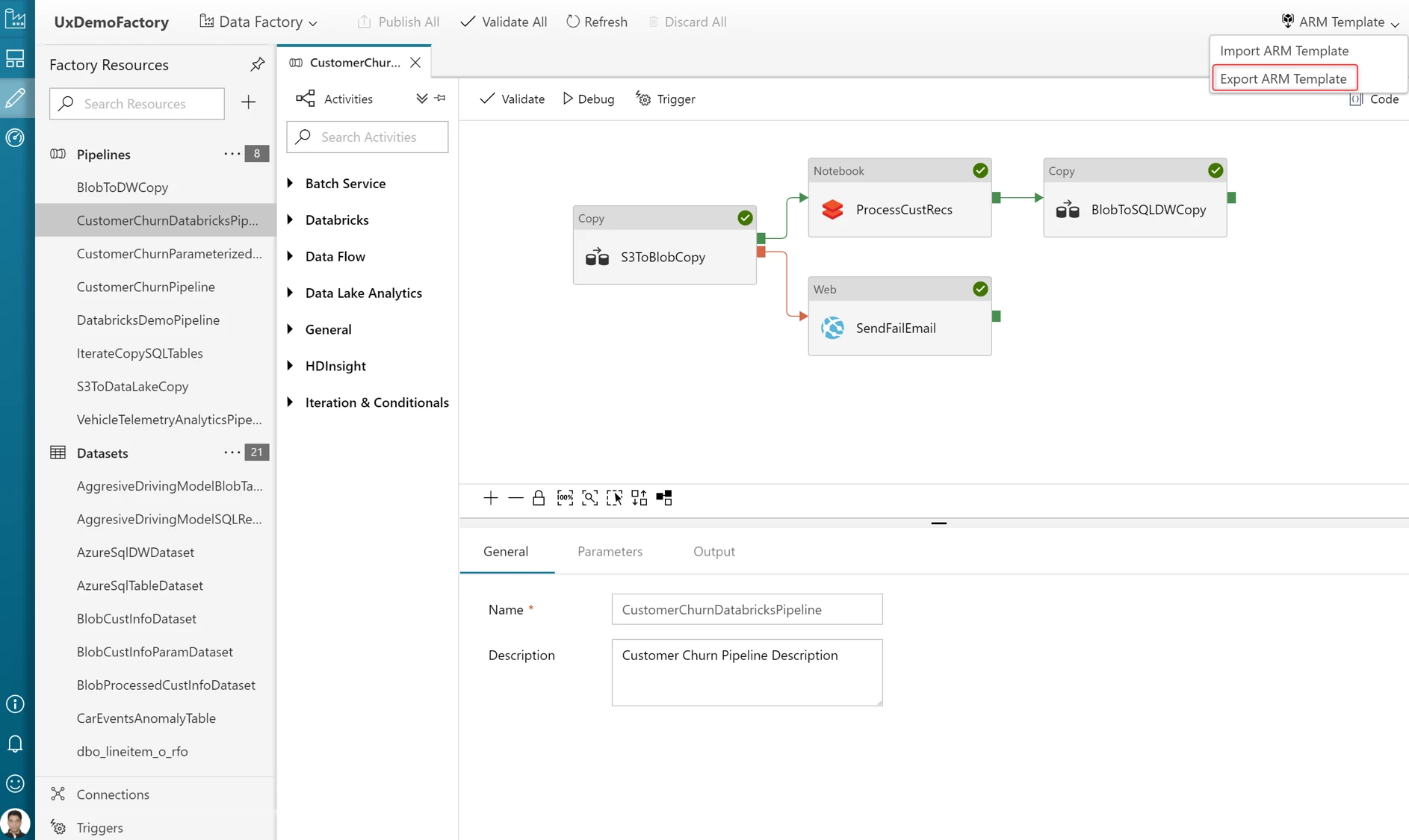
This will generate 2 files:
- Template file: Templates containing all the data factory metadata (pipelines, datasets etc.) corresponding to your data factory.
- Configuration file: Contains environment parameters that will be different for each environment (Dev, Test, Prod etc.) like Storage connection, Azure Databricks cluster connection and more.
You will create a separate data factory per environment. You will then use the same template file for each environment and have one configuration file per environment. Clicking the Import ARM Template button will take you to the Azure Template Deployment service in Azure Portal that allows you to select a template file, choose the exported template file and import it to your data factory.
ADF visual tools also allow you to associate a VSTS GIT repository to your data factory for source control, versioning and collaboration. Once you enable the VSTS GIT integration, you can use the following lifecycle to do continuous integration and deployment:
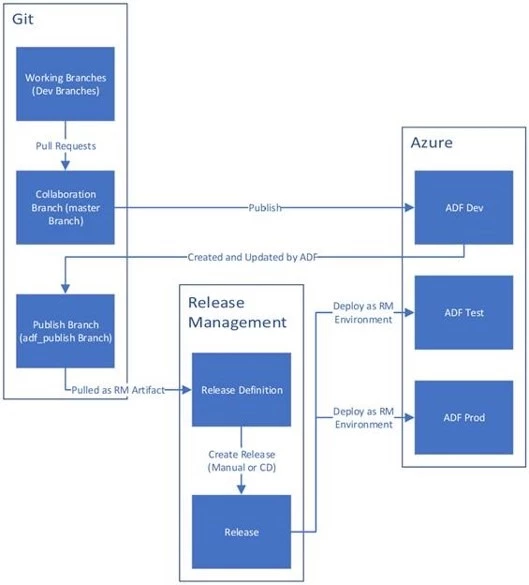
- Set up a Development ADF with VSTS where all developers can author ADF resources like pipelines, datasets, and more.
- Developers can modify resources like Pipelines. They can use Debug button to debug changes and perform test runs.
- Once satisfied with the changes, developers can create a PR from their branch to master or collaboration branch to get the changes reviewed by peers.
- Once changes are in master branch, they can publish to Development ADF using Publish button.
- When your team is ready to promote changes to Test and Prod ADF, you can export the ARM template from master branch or any other branch in case your master is behind the Live Development ADF.
- Exported ARM template can be deployed with different environment parameter files to Test and Prod environments.
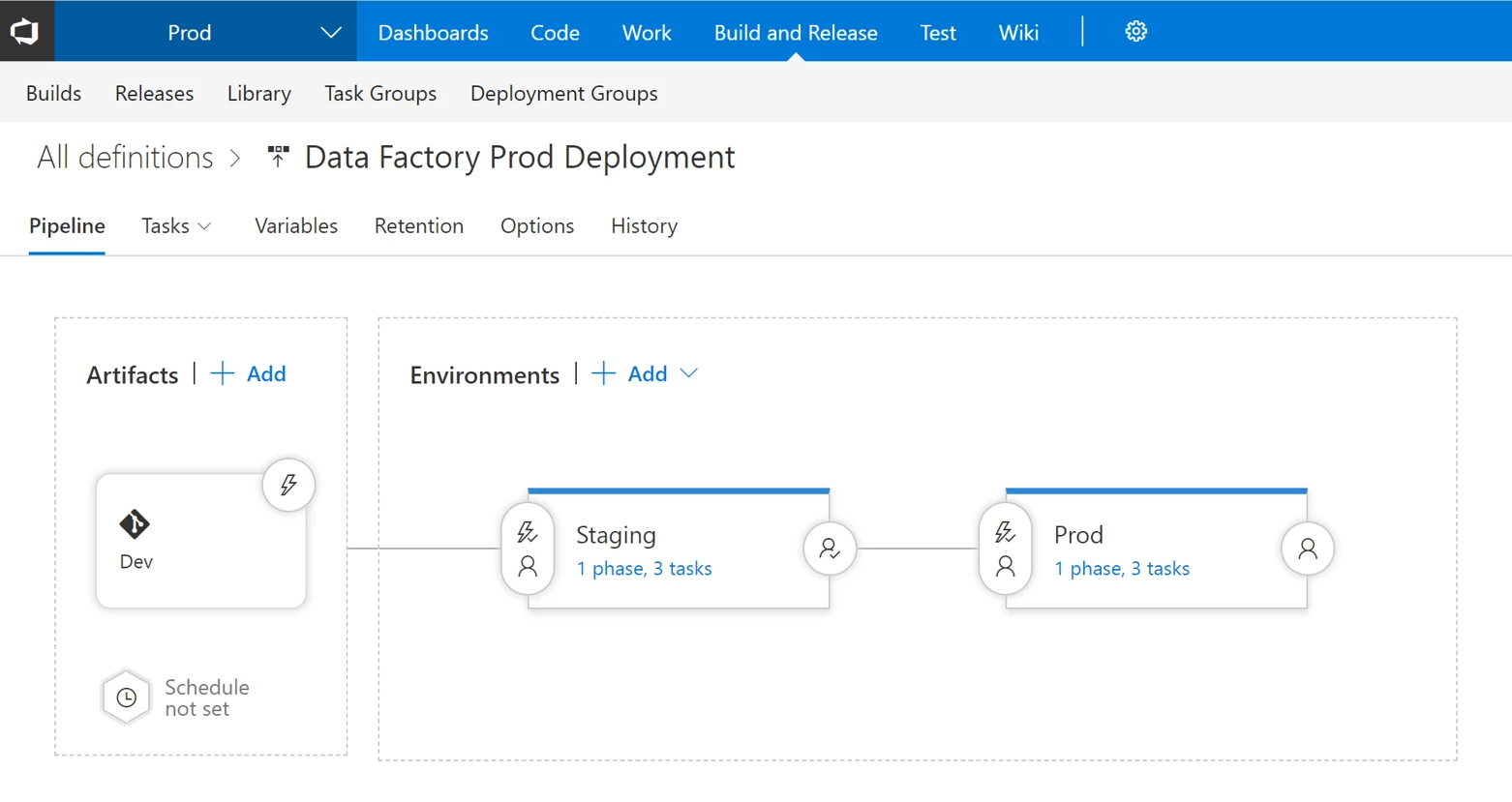
You can also set up a VSTS Release definition to automate the deployment of data factory to multiple environments. Get more information and detailed steps for doing continuous integration and deployment with data factory.
We are continuously working to add new features based on customer feedback. Get started building pipelines easily and quickly using Azure Data Factory. If you have any feature requests or want to provide feedback, please visit the Azure Data Factory forum.