Today, we are very excited to announce the general availability of Azure Lab Services – your computer labs in the cloud.
With Azure Lab Services, you can easily set up and provide on-demand access to preconfigured virtual machines (VMs) to teach a class, train professionals, run hackathons or hands-on labs, and more. Simply input what you need in a lab and let the service roll it out to your audience. Your users go to a single place to access all their VMs across multiple labs, and connect from there to learn, explore, and innovate.
Since our preview announcement, we have had many customers use the service to conduct classes, training sessions, boot camps, hands on labs, and more! For classroom or professional training, you can provide students with a lab of virtual machines configured with exactly what you need for class and give each student a specified number of hours to use the VMs for homework or personal projects. You can run a hackathon or a hands-on lab at conferences or events and scale up to hundreds of virtual machines for your attendees. You can also create an invite-only private lab of virtual machines installed with your prerelease software to give preview customers access to early trials or set up interactive sales demos.
Top three reasons customers use Azure Lab Services
Automatic management of Azure infrastructure and scale
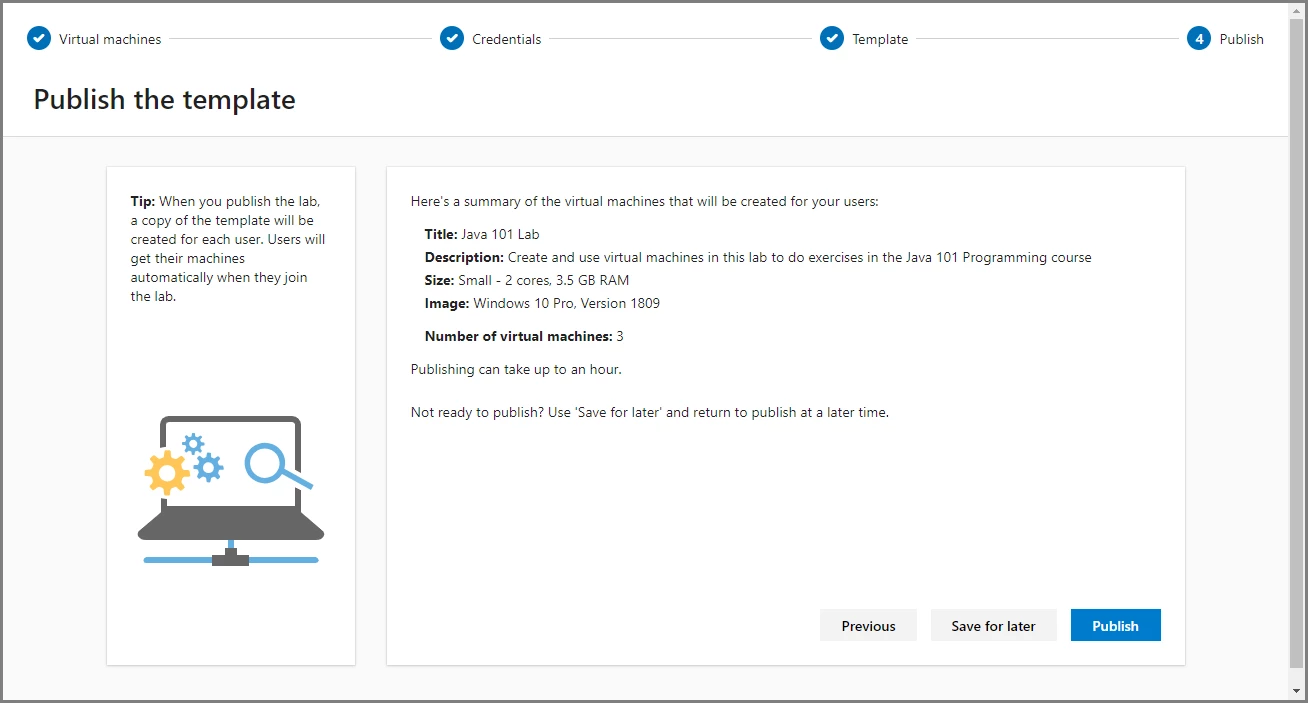
Azure Lab Services is a managed service, which means that provisioning and management of a lab’s underlying infrastructure is handled automatically by the service. You can just focus on preparing the right lab experience for your users. Let the service handle the rest and roll out your lab’s virtual machines to your audience. Scale your lab to hundreds of virtual machines with a single click.
Simple experience for your lab users
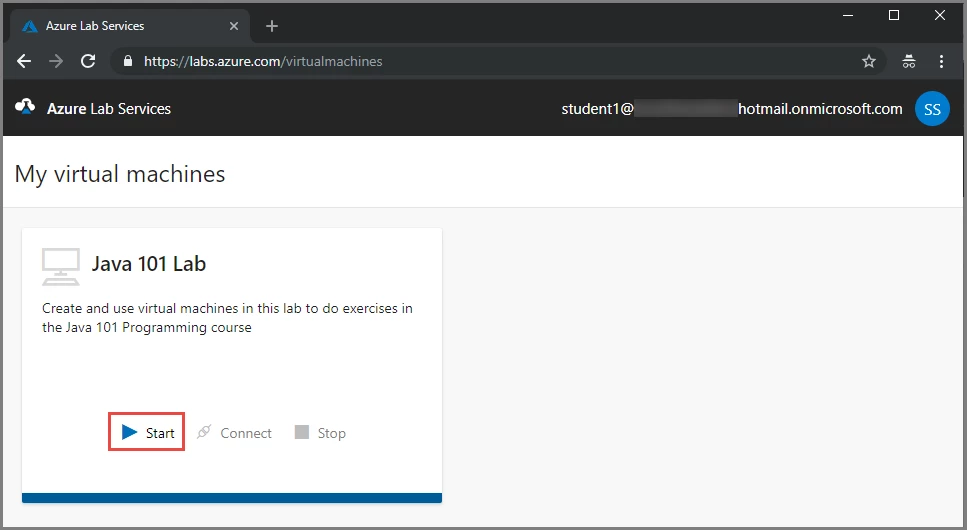
Users who are invited to your lab get immediate access to the resources you give them inside your labs. They just need to sign in to see the full list of virtual machines they have access to across multiple labs. They can click on a single button to connect to the virtual machines and start working. Users don’t need Azure subscriptions to use the service.
Cost optimization and tracking
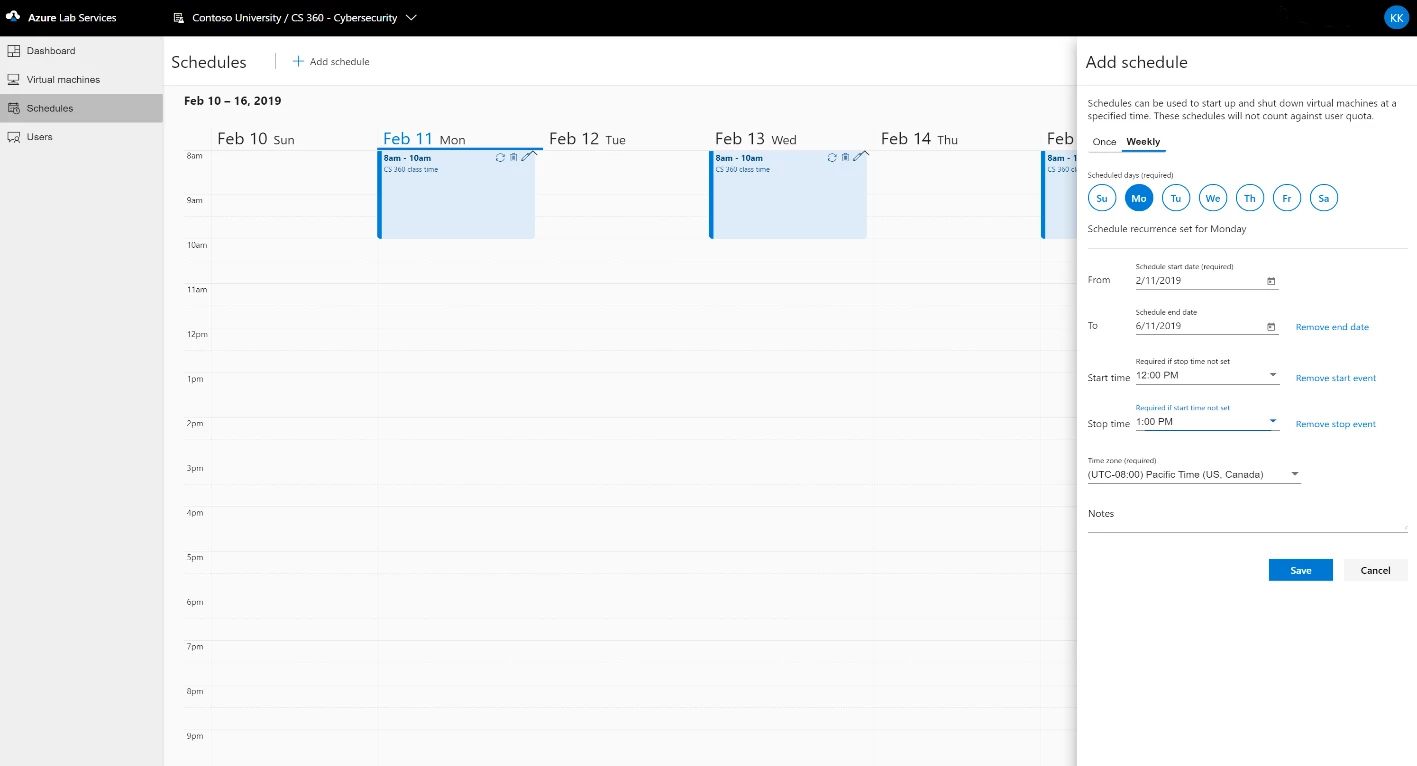
Keep your budget in check by controlling exactly how many hours your lab users can use the virtual machines. Set up schedules in the lab to allow users to use the virtual machines only during designated time slots or set up reoccurring auto-shutdown and start times. Keep track of individual users’ usage and set limits.
Get started now
Try Azure Lab Services today! Get started by creating a lab account for your organization or team. All labs are managed under a lab account. You can give permissions to people in your organization to create labs in your lab account.
To learn more, visit the Azure Lab Services documentation. Ask any questions you have on Stack Overflow. Last of all, don’t forget to subscribe to our Service Updates and view other Azure Lab Services posts on the Azure blog to get the latest news.
General availability pricing
Azure Lab Services GA pricing goes into effect on May 1, 2019. Until then, you will continue to be billed based on the preview pricing. Please see the Azure Lab Services pricing page for complete details.
What’s next
We continue to listen to our customers to prioritize and ship new features and updates. Several key features will be enabled in the coming months:
- Ability to reuse and share custom virtual machine images across labs
- Feature to enable connections between a lab and on-premise resources
- Ability to create GPU virtual machines inside the labs
We always welcome any feedback and suggestions. You can make suggestions or vote on priorities on our UserVoice feedback forum.