
When your Azure resources go down, one of your first questions is probably, “Is it me or is it Azure?” Azure Service Health helps you stay informed and take action when Azure service issues like incidents and planned maintenance affect you by providing a personalized health dashboard, customizable alerts, and expert guidance.
In this blog, we’ll cover how you can use Azure Service Health’s personalized dashboard to stay informed about issues that could affect you now or in the future.
Monitor Azure service issues and take action to mitigate downtime
You may already be familiar with the Azure status page, a global view of the health of all Azure services across all Azure regions. It’s a good reference for major incidents with widespread impact, but we recommend using Azure Service Health to stay informed about Azure incidents and maintenance. Azure Service Health only shows issues that affect you, provides information about all incidents and maintenance, and has richer capabilities like alerting, shareable updates and RCAs, and other guidance and support.
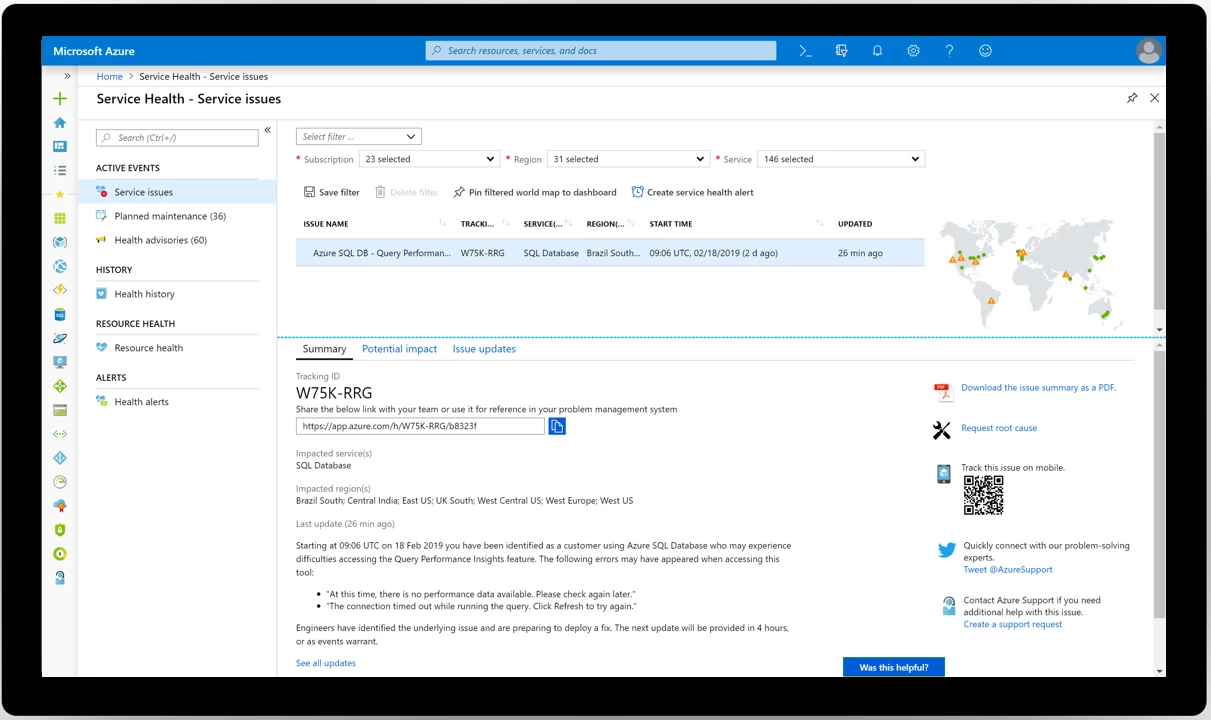
Azure Service Health tracks three types of health events that may impact you:
- Service issues: Problems in Azure services that affect you right now.
- Planned maintenance: Upcoming maintenance that can affect the availability of your services in the future. Typically communicated at least seven days prior to the event.
- Health advisories: Health-related issues that may require you to act to avoid service disruption. Examples include service retirements, misconfigurations, exceeding a usage quota, and more. Usually communicated at least 90 days prior, with notable exceptions including service retirements, which are announced at least 12 months in advance, and misconfigurations, which are immediately surfaced.
Learn more about your personalized health dashboard.
Get started with Azure Service Health
Azure Service Health’s dashboard provides a large amount of information about incidents, planned maintenance, and other health advisories that could affect you. While you can always visit the dashboard in the portal, the best way to stay informed and take action is to set up Azure Service Health alerts. With alerts, as soon as we publish any health-related information, you’ll get notified on whichever channels you prefer, including email, SMS, push notification, webhook into ServiceNow, and more.
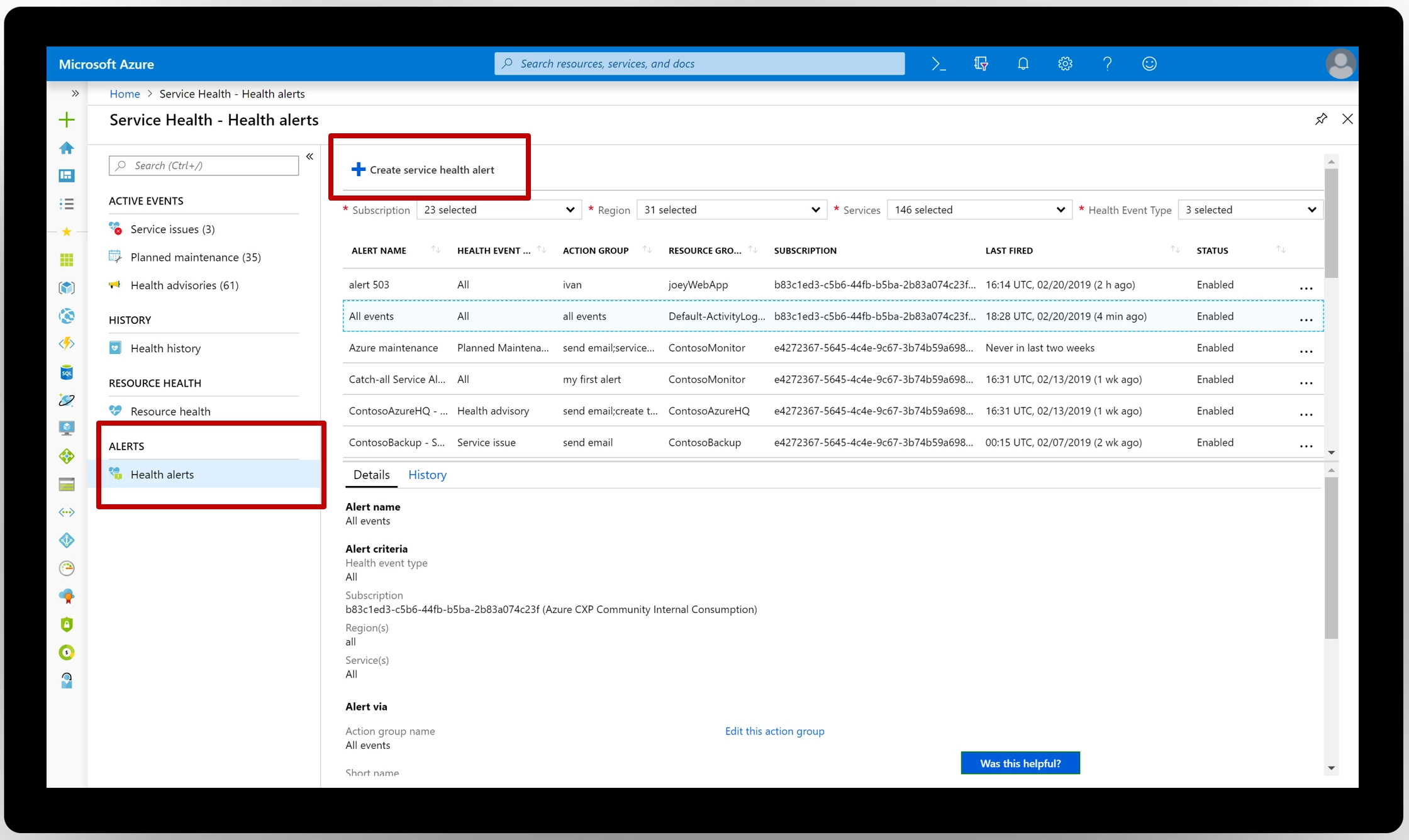
Below are a few resources to help you get started:
- Review your Azure Service Health dashboard and set up alerts.
- If you need help getting started, check our Azure Service Health documentation.
- We always welcome feedback. Submit your ideas or email us with any questions or comments at servicehealth@microsoft.com.






