
Our customers rely on Azure to run large scale applications and services critical to their business. To run services at scale, you need to setup alerts to proactively detect, notify, and remediate issues before it affects your customers. However, configuring alerts can be hard when you have a complex, dynamic environment with lots of moving parts.
Today, we are excited to release multi-resource support for metric alerts in Azure Monitor to help you set up critical alerts at scale. Metric alerts in Azure Monitor work on a host of multi-dimensional platform and custom metrics, and notify you when the metric breaches a threshold that was either defined by you or detected automatically.
With this new feature, you will be able to set up a single metric alert rule that monitors:
- A list of virtual machines in one Azure region
- All virtual machines in one or more resource groups in one Azure region
- All virtual machines in a subscription in one Azure region
Benefits of using multi-resource metric alerts
- Get alerting coverage faster: With a small number of rules, you can monitor all the virtual machines in your subscription. Multi-resource rules set at subscription or resource group level can automatically monitor new virtual machines deployed to the same resource group/subscription (in the same Azure region). Once you have such a rule created, you can deploy hundreds of virtual machines all monitored from day one without any additional effort.
- Much smaller number of rules to manage: You no longer need to have a metric alert for every resource that you want to monitor.
- You still get resource level notifications: You still get granular notifications per impacted resource, so you always have the information you need to diagnose issues.
- Even simpler at scale experience: Using Dynamic Thresholds along with multi-resource metric alerts, you can monitor each virtual machine without the need to manually identify and set thresholds that fit all the selected resources. Dynamic condition type applies tailored thresholds based on advanced machine learning (ML) capabilities that learn metrics’ historical behavior, as well as identifies patterns and anomalies.
Setting up a multi-resource metric alert rule
When you set up a new metric alert rule in the alert rule creation experience, use the checkboxes to select all the virtual machines you want the rule to be applied to. Please note that all the resources must be in the same Azure region.
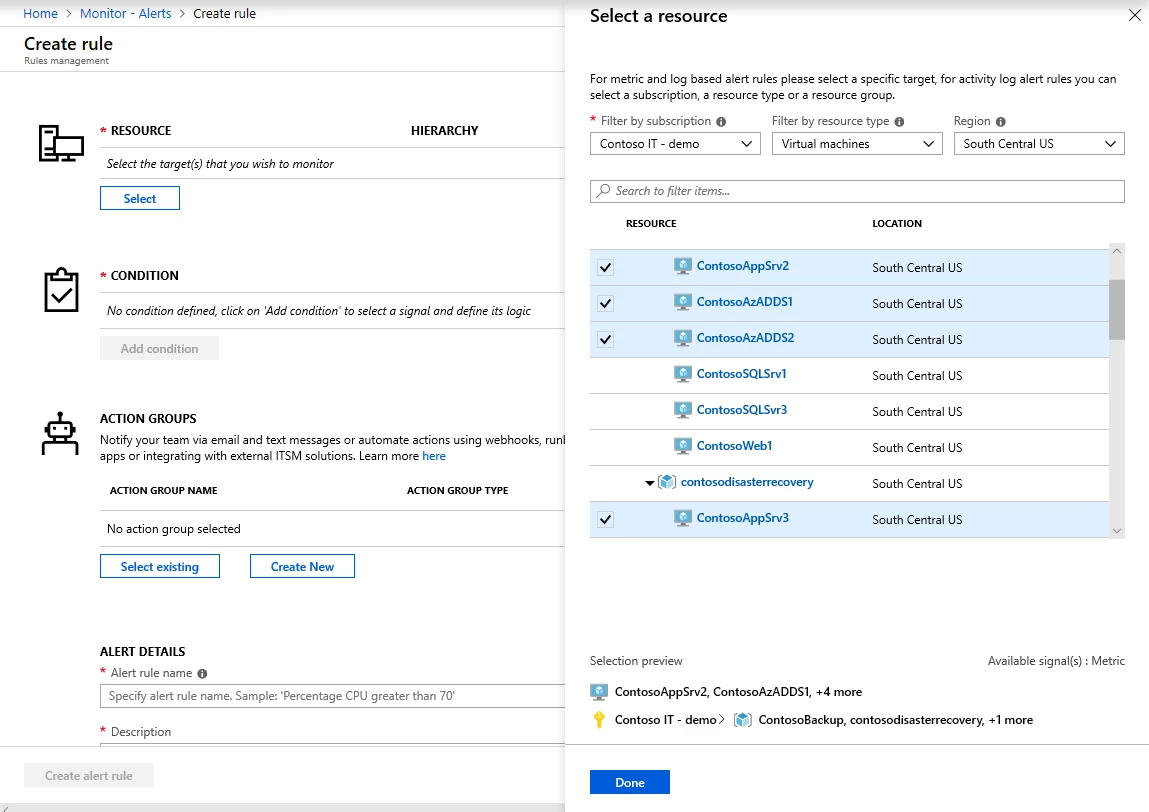
You can select one or more resource groups, or select a whole subscription to apply the rule to all virtual machines in the subscription.
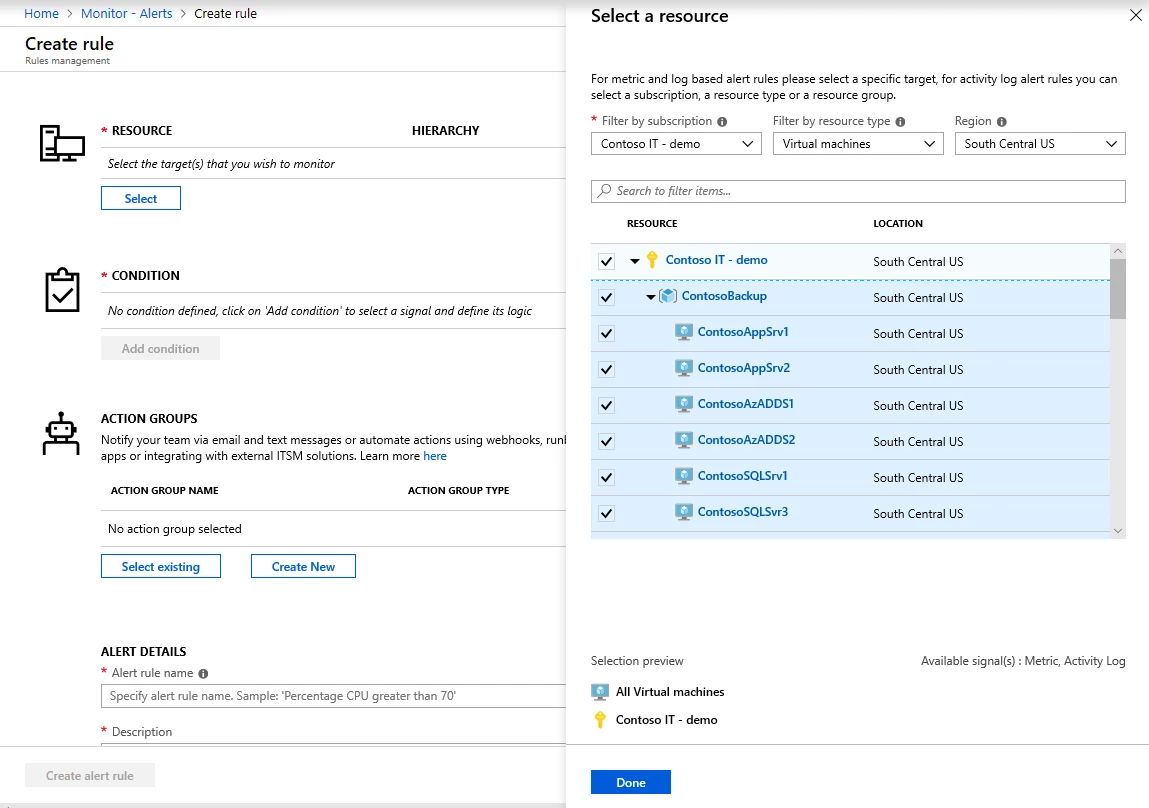
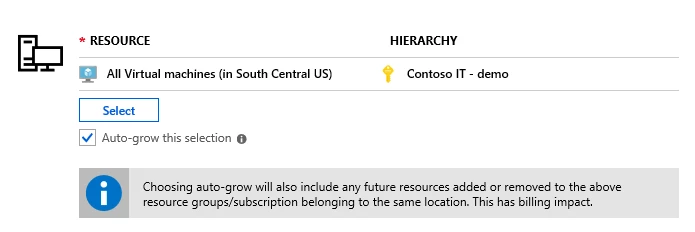
If you select all virtual machines in your subscription, or one or more resource groups, you get the option to auto-grow your selection. Selecting this option means the alert rule will automatically monitor any new virtual machines that are deployed to this subscription or resource group. With this option selected, you don’t need to create a new rule or edit an existing rule whenever a new virtual machine is deployed.
You can also use Azure Resource Manager templates to deploy multi-resource metric alerts. Learn more in our documentation, “Understand how metric alerts work in Azure Monitor.”
Pricing
The pricing for metric alert rules is based on number of metric timeseries monitored by an alert rule. This same pricing applies to multi-resource metric alert rules.
Wrapping up
We are excited about this new capability that makes configuring and managing metric alerts rule at scale easier. This functionality is currently only supported for virtual machines with support for other resource types coming soon. We would love to hear what you think about it and what improvements we should make. Contact us at azurealertsfeedback@microsoft.com.






