
This blog post was authored by Chibi Vikramathithan, Senior Software Engineer, Microsoft.
App Service SSL settings experience is one of the most used features in App Service. Based on customer feedback we are making the following changes to the UX to address and improve the overall experience of managing certificates in Azure App Service.
Tabs
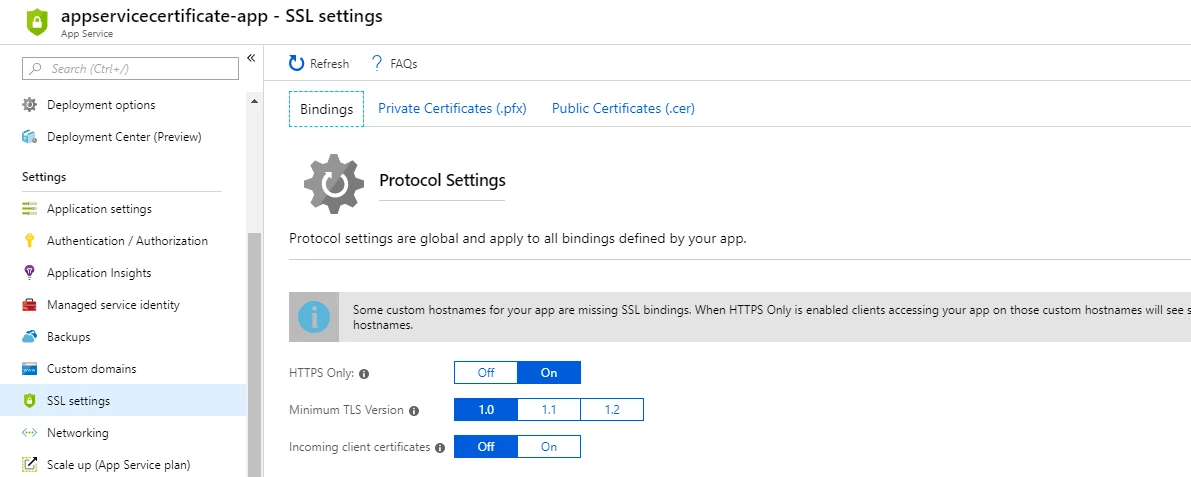
The new SSL settings experience divides the features into 3 tabs. Namely SSL Bindings, Private certificates (.pfx), and Public certificates (.cer). The Bindings tab allows the user to configure the protocol settings and add/edit/delete SSL bindings, the private certificates tab allows the user to upload and manage private certificates (.pfx) used in SSL bindings, and the public certificates tab allows the user to upload and manage public certificates (.cer). We also call out what type of certificate type the customer needs to use for each feature.
Editing SSL Bindings
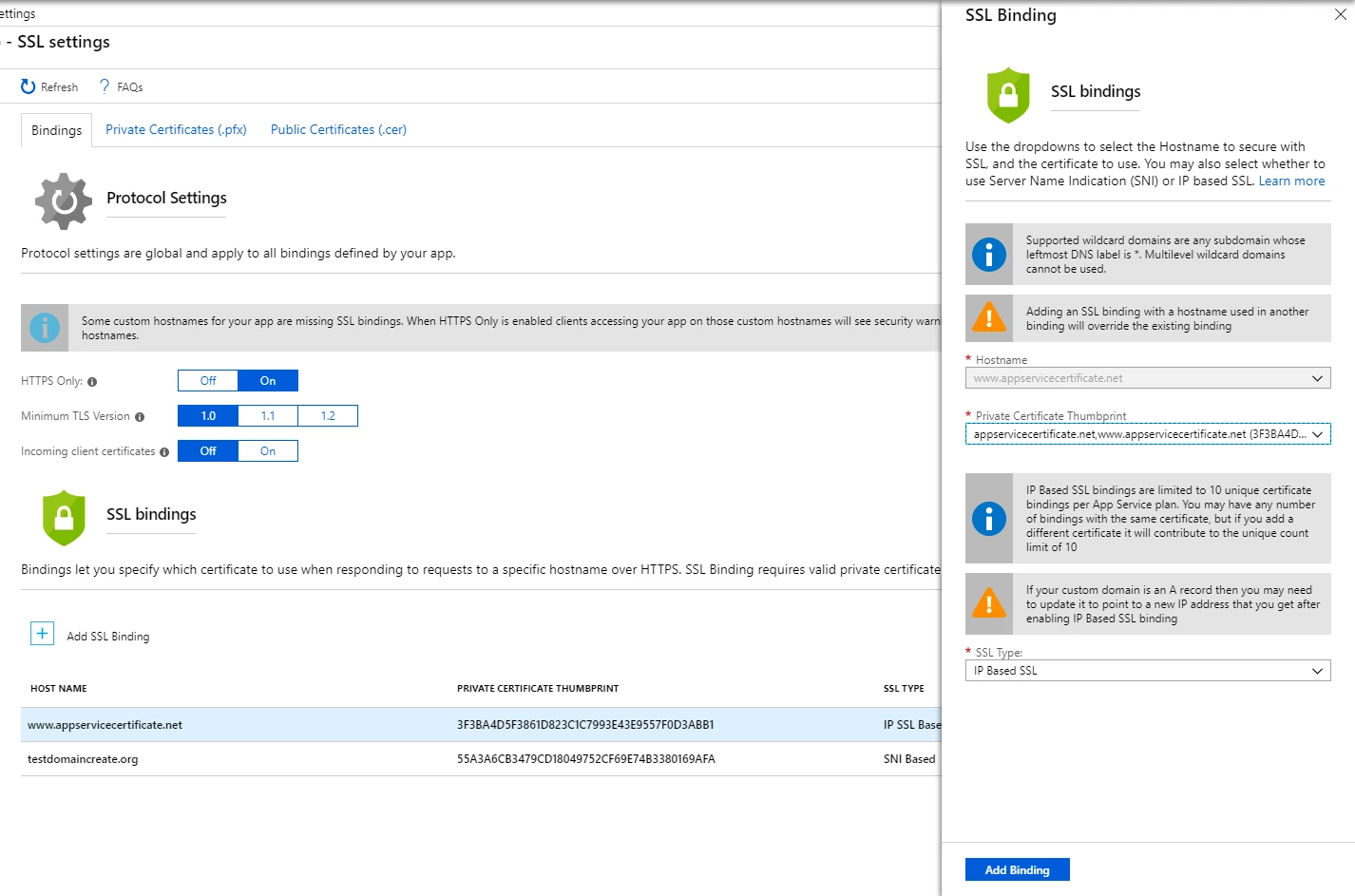
SSL settings didn’t have a way to update an existing SSL binding, the feature to edit was present, but unfortunately hidden under the Add Binding flow. We enabled the ability to edit a few sprints ago, we polished the feature further and now the customer is free to edit any binding by clicking on the row. When you change the thumbprint for the IP Based SSL binding the IP will not be lost, but if you change out from IP Based SSL to SNI and back you will lose the IP. The ability to change the certificate without removing and adding back the binding was an issue in the past we are addressing with this release. For more details on adding SSL Bindings click here.
Private certificate details
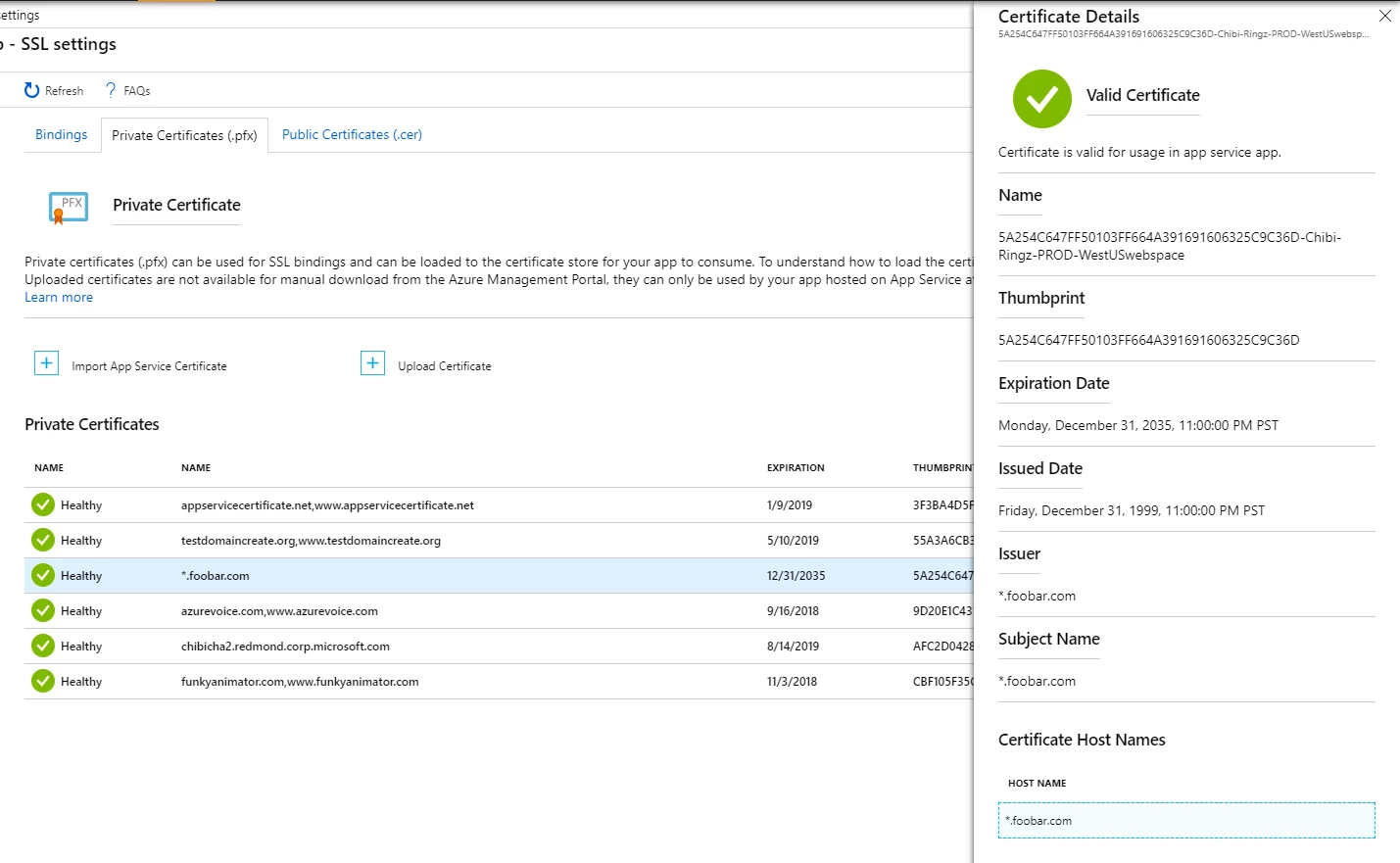
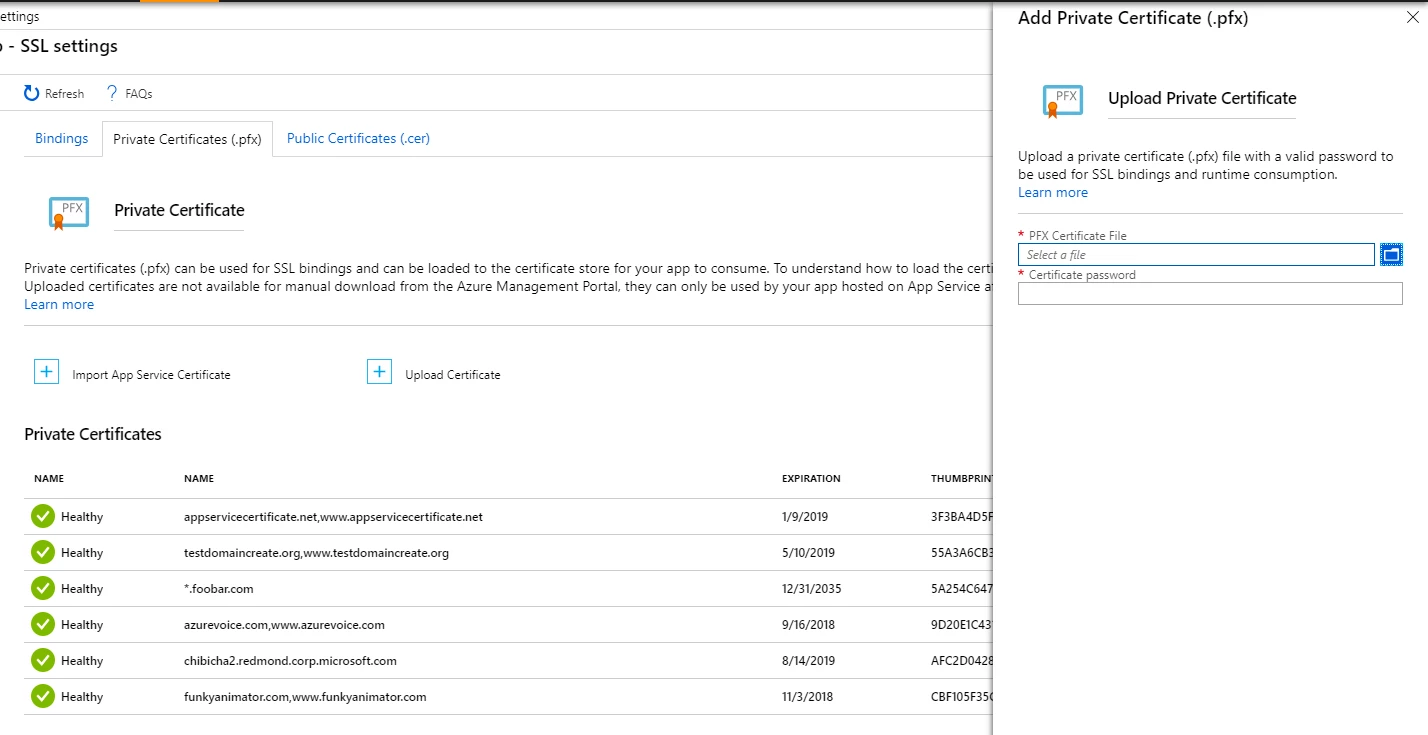
Private certificates used in App Service required a facelift to show the information we already gather when the certificate is uploaded, imported from App Service Certificate, or imported from KeyVault. The driving reason was when we saw hundreds of private certificates configured on their app and had a tough time browsing through the certificates, the revamp allows the customer to now to get details of the certificates uploaded and imported. We added a new status column to the grid showing three possible states – Healthy, Warning, and Expired. Warning being a certificate about to expire in the next 60 days. We also explicitly mention that you will need to upload a .pfx file to add a private certificate.
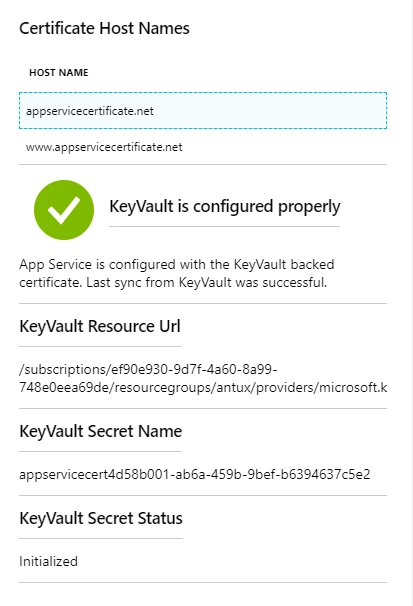
We also show the KeyVault details and the sync status of the certificates pulled from KeyVault like certificates imported from App Service Certificate.
Uploading certificates
The Upload Certificate experience is overall more consistent in showing that private certificates only accept .pfx file and you need a valid pfx to add a private certificate to your App Service. Addressing another feedback, we stopped showing both upload path. Now upload certificates from the private certificates opens the UX where you can only upload the private certificates to avoid the confusion about uploading .cer or .pfx file. When the Upload certificate flow is opened from the public certificate tab we show only the public certificate option.
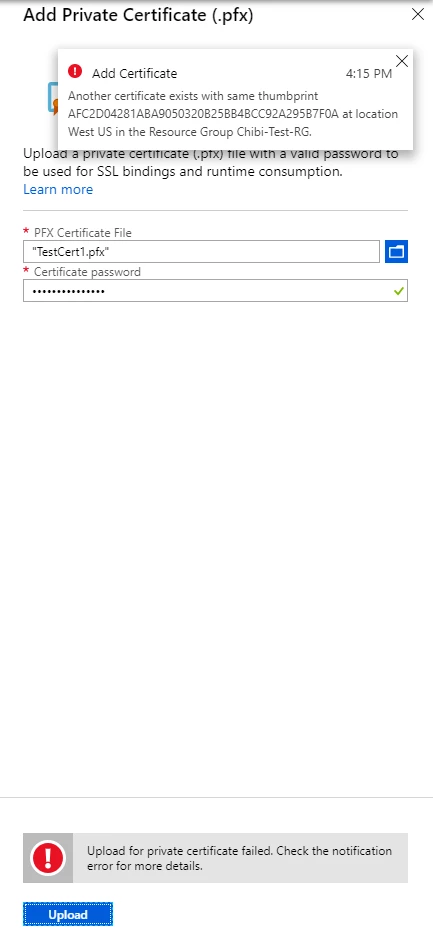
We updated the upload certificate UX, and the underlying way it is implemented, to show errors while trying to upload a certificate without leaving the upload blade.
Public certificates
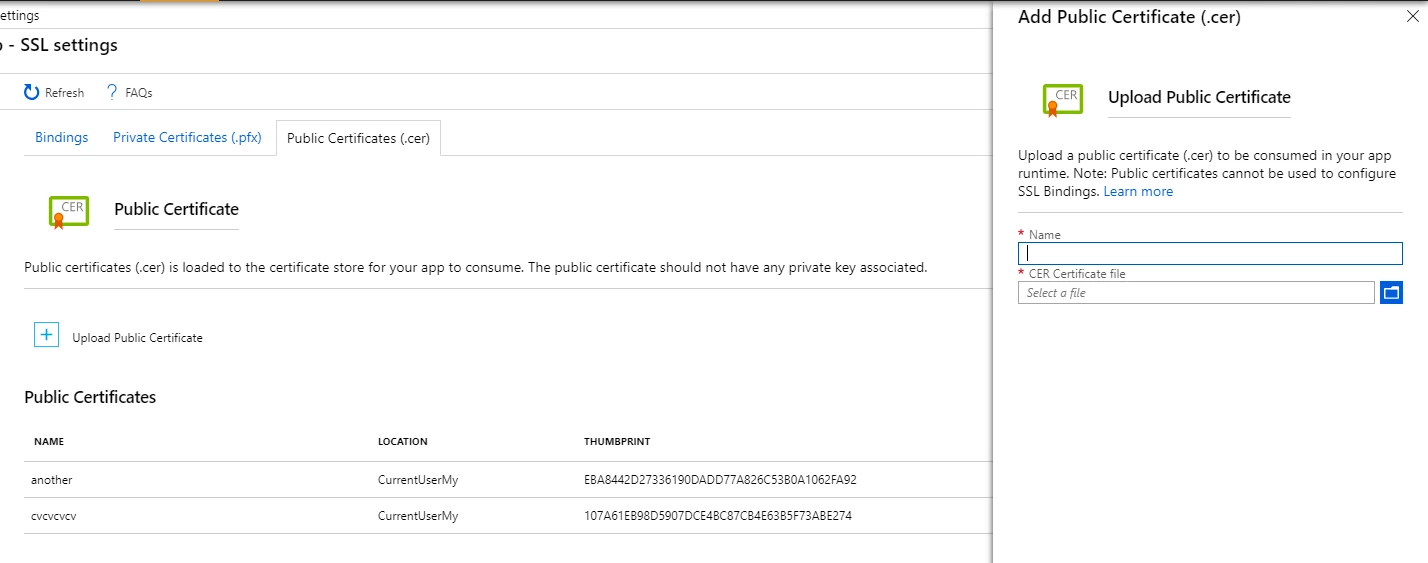
Public certificates can only be used by your app and they cannot be used for making SSL bindings. We are working out a way to move it to a place where it will make more sense. For now, SSL settings is the place where public certificates will reside. Private certificates require app settings to enable that feature (it’s covered in this very old but reliable blog here) and now public certificates add another dimension to that feature by allowing you to upload (.cer) files and get the certificates in runtime.
Thanks for reading! I am writing this blog to showcase the changes we made to improve the overall certificate management experience for customers using App Service day in and day out. We are always open to feedback and looking forward to your comments.
Feel free to reach out to us for any feature request or issues.






