
We’re happy to announce the new stable release of Docker Desktop includes the Azure Container Instances – Docker integration. Install or update to the latest release and get started deploying containers to Azure Container Instances (ACI) today.
Azure Docker integration
The Azure Docker integration enables you to deploy serverless containers to Azure Container Instances (ACI) using the same Docker Command-line (CLI) commands from local development. Use docker run to spin up a single-container or docker compose up to deploy multi-container applications defined with a Docker Compose file. You can also view logs, attach a shell, and perform other actions against the containers running in ACI, just as if those containers were running locally. In addition, you can now use Compose to attach Azure File Share volume mounts to your containers in either a local or ACI context.
With Azure Container Instances (ACI), you can run your dev/test or production containers in the cloud without needing to set up any infrastructure. ACI caters to developers who need to quickly run containers in the cloud with minimal operational overhead, therefore there is no infrastructure or platform management overhead. ACI integrates with other Azure services for your production workload needs, such as Azure File Share volumes to persist your data and Log Analytics for your monitoring needs. ACI has a pay-as-you-go pricing model, which means you will only be billed for CPU and memory while containers are running, and not one second more.
Docker extension for Visual Studio Code
In addition to Docker releasing an update to Docker Desktop, Microsoft has released an update to our Docker extension for Visual Studio Code. With the new 1.6 release of the extension, you can now right-click on an image from Azure Container Registry (ACR) or Docker Hub and deploy it directly to Azure Container Instances (ACI).
As you can see in the following animation, the extension first prompts you to select an existing ACI context or create a new one. This context is then set as the active context, and the tools use the docker run command to spin up a container in ACI. Prior to running the container, the extension inspects the image to determine if any ports should be opened. This way your running container can be accessed by the port(s) expected.
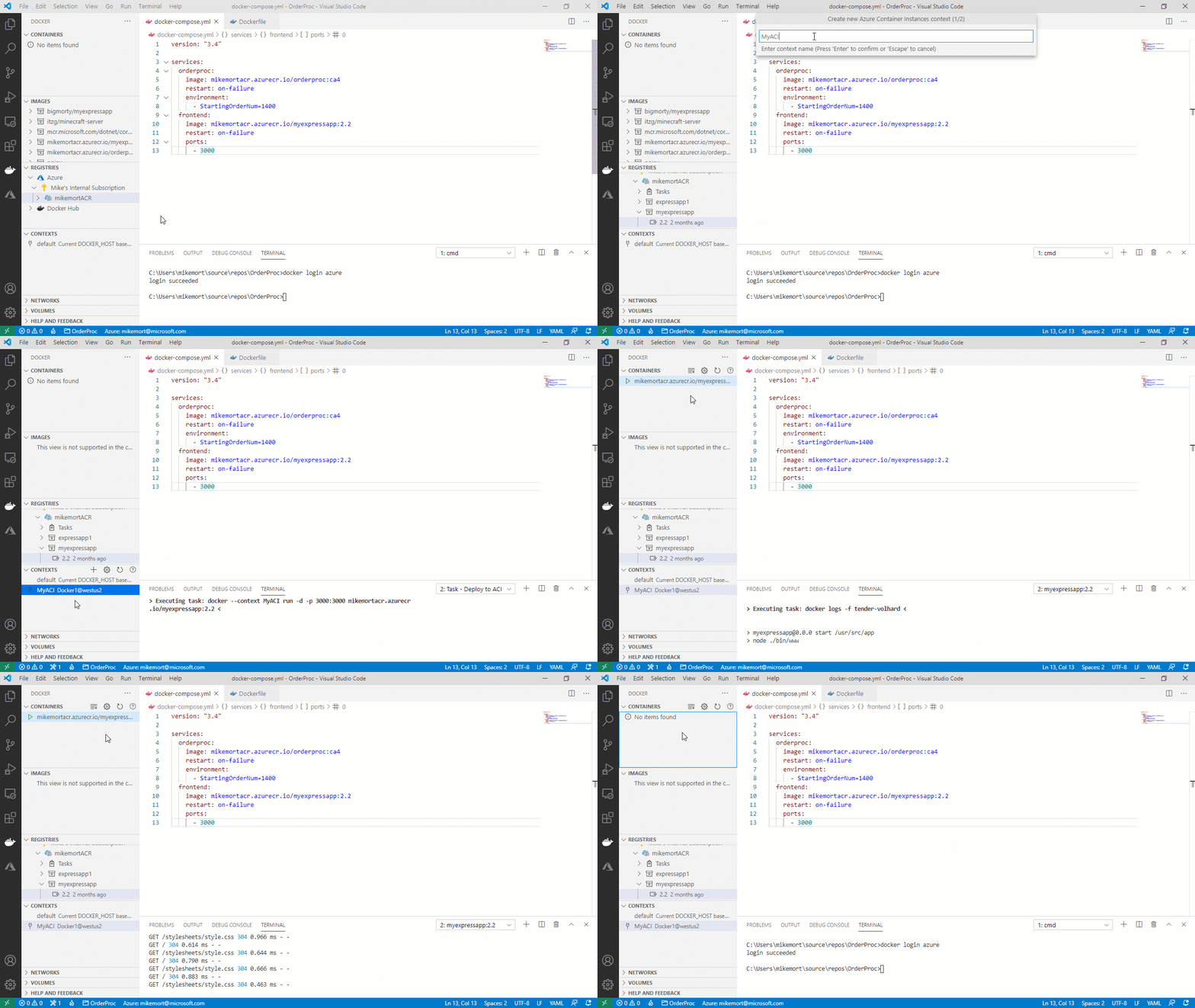
This new feature is in addition to other Azure Container Instances (ACI) features we have added in past Docker extension releases. This latest release provides a complete toolset for creating, deploying, and diagnosing containers in ACI from within Visual Studio Code.
Try it today
If you haven’t already, be sure to download the Visual Studio Code Docker extension and the stable release of Docker Desktop and get started deploying containers to Azure Container Instances (ACI) using the Docker CLI or Visual Studio Code. A great way of getting started is to use the Azure Container Instances (ACI) quickstart. We encourage you to leave your comments below or submit an issue on the GitHub repo.






