Today we’re announcing the general availability of Azure Monitor for virtual machines (VMs), which provides an in-depth view of VM performance trends and dependencies. You can access Azure Monitor for VMs from the Azure VM resource blade to view details about a single VM, from the Azure Virtual Machine Scale Sets (VMSS) resource blade to view details about a single VM scale set, and from Azure Monitor to understand compute issues at scale.
Azure Monitor for VMs brings together key monitoring data about your Windows and Linux VMs, allowing you to:
- Troubleshoot guest-level performance issues and understand trends in VM resource utilization.
- Determine whether back-end VM dependencies are connected properly and which clients of a VM may be affected by any issues the VM is having.
- Discover VM hotspots at scale based on resource utilization, connection metrics, performance trends, and alerts.
Performance
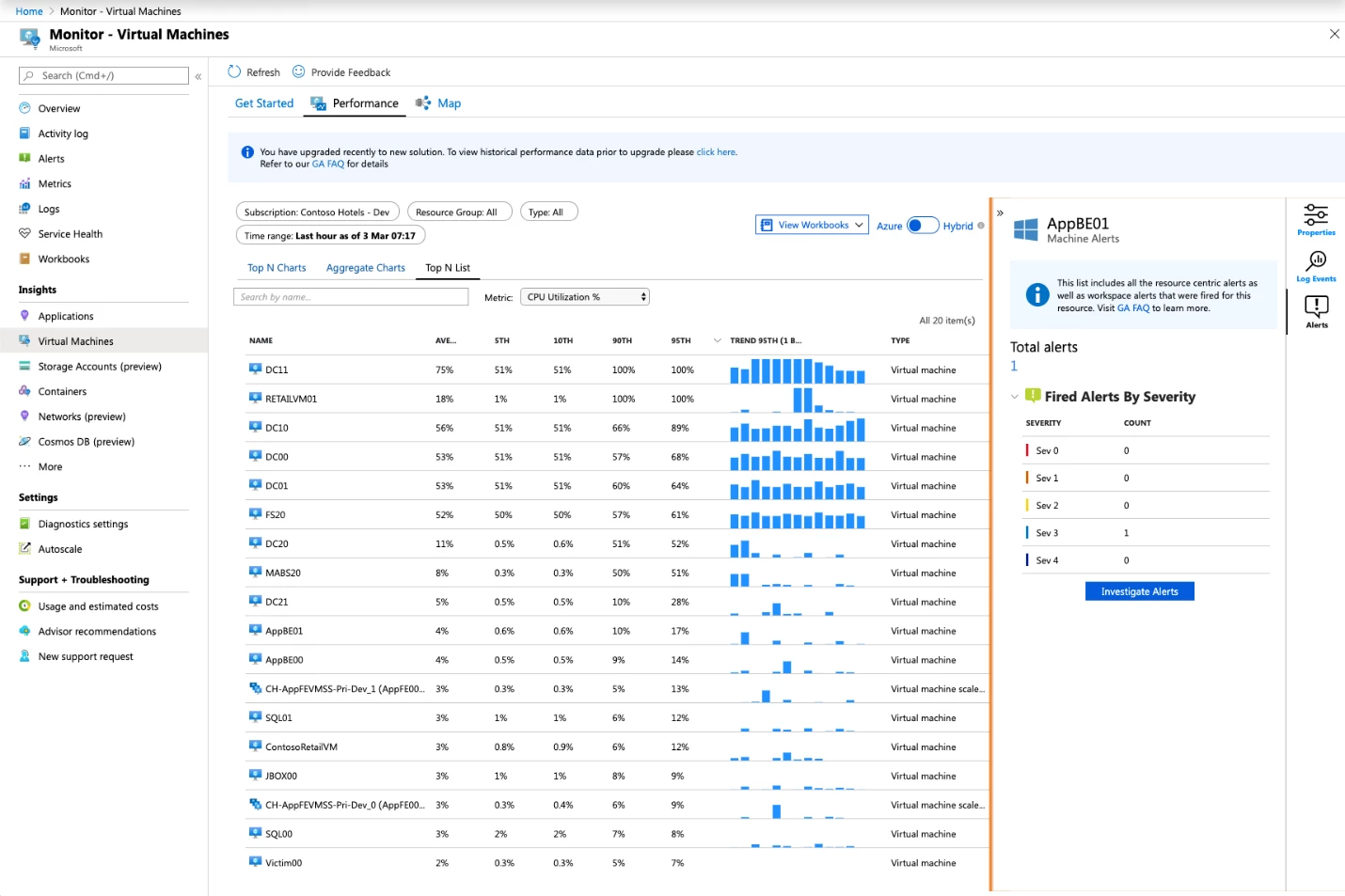
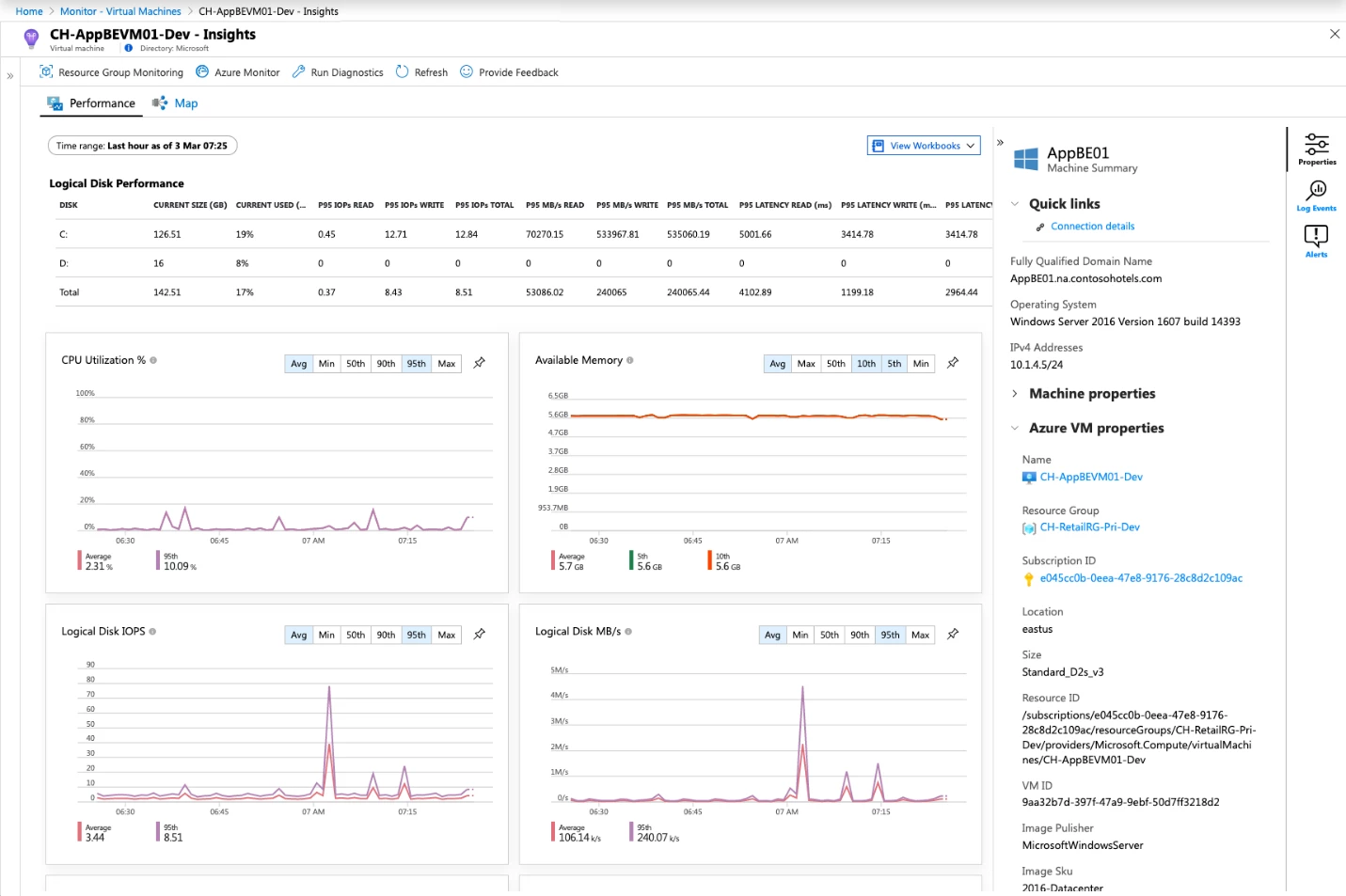
Performance views are powered by Log Analytics, and offer powerful aggregation and filtering capabilities including “Top N” VM sorting and searching across subscriptions and regions, aggregation of VM metrics (such as average memory) across all VMs in a resource group across regions, percentiles of performance values over time, and breakdown and selection of VM Scale Set instances.
It can be challenging to monitor thousands of VMs. Our performance views were created to address this problem. You can use them to figure out which VMs are resource constrained, which ones are having logical disk or memory consumption issues, or to get performance diagnostics.
Maps
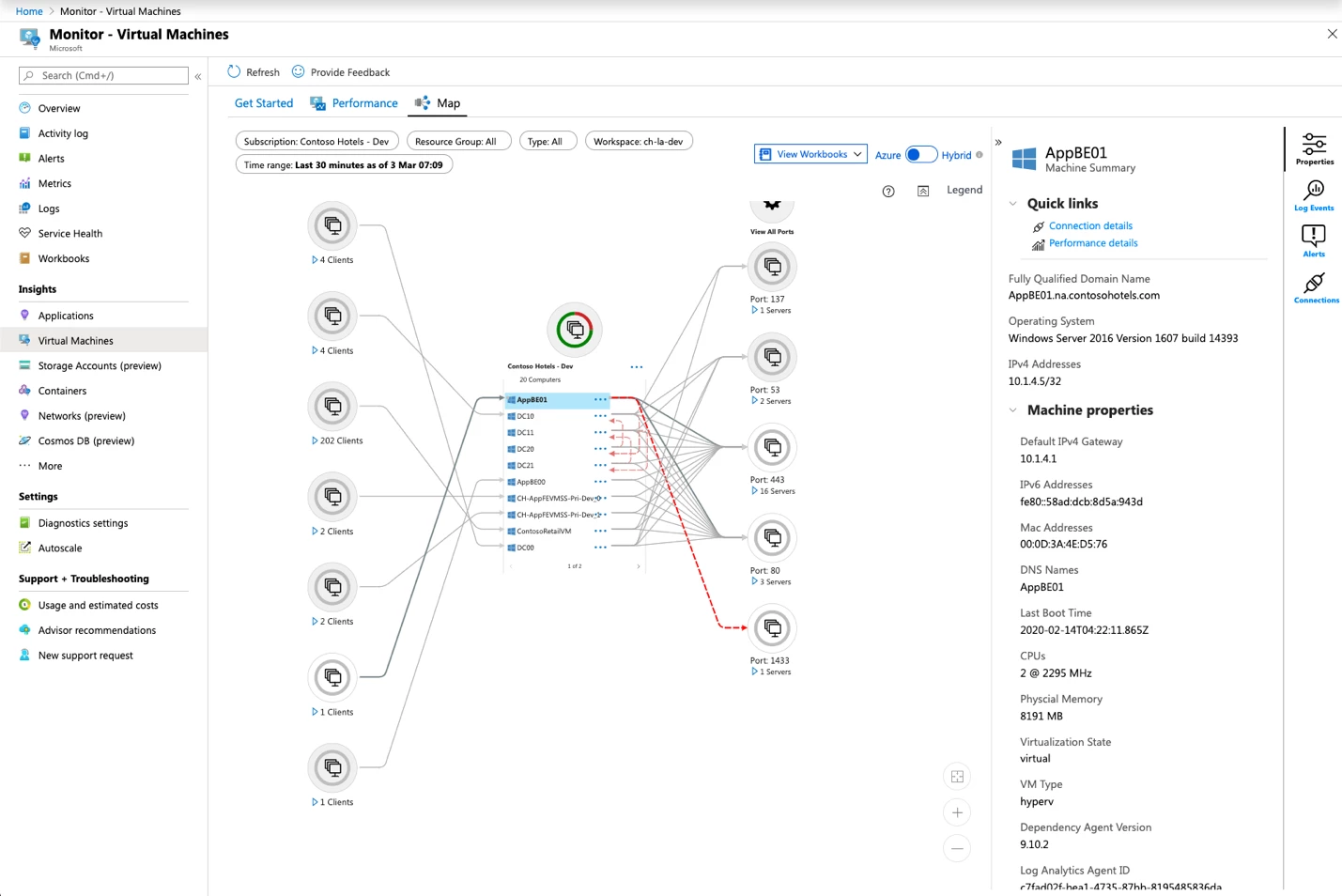
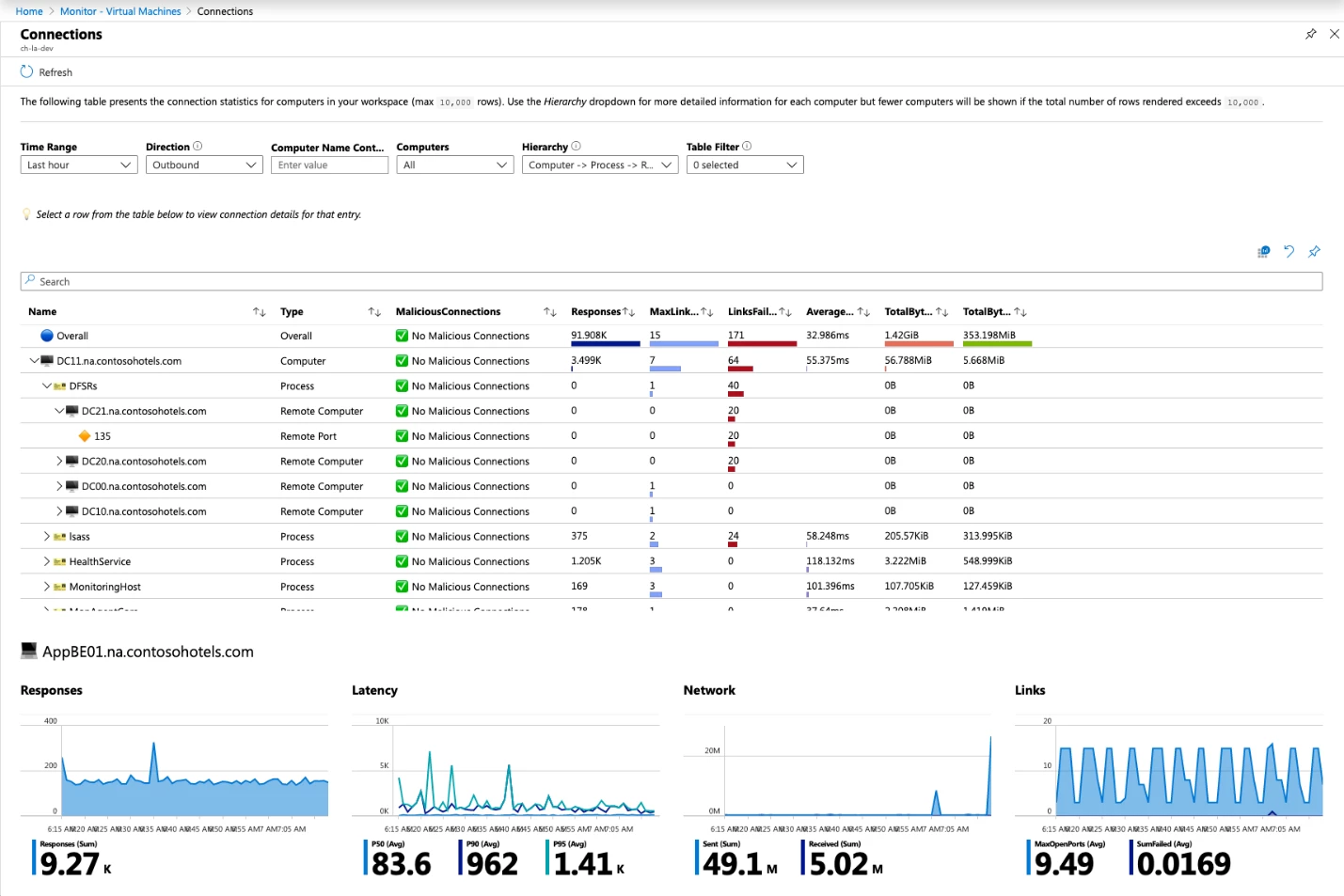
Azure Monitor for VMs includes dependency maps powered by the Service Map dependency agent extension. Maps deliver an Azure-centric user experience, with VM resource blade integration, Azure metadata, and dependency maps for Resource Groups and Subscriptions. Maps show how VMs and processes are interacting and can identify dependencies on third party services. Azure Monitor for VMs also monitors connection failures, live connection counts, network bytes sent and received by process, and service-level latency.
In addition to the visual experience and group-level mapping in the user experience, you can query the data sets in Log Analytics to alert on spikes in network traffic from selected workloads, query at scale for failed dependencies, and plan Azure migrations from on-premises VMs by analyzing connections over weeks or months. To assist in this analysis we offer several workbooks that provide tabular views into this rich network data set.
Getting started
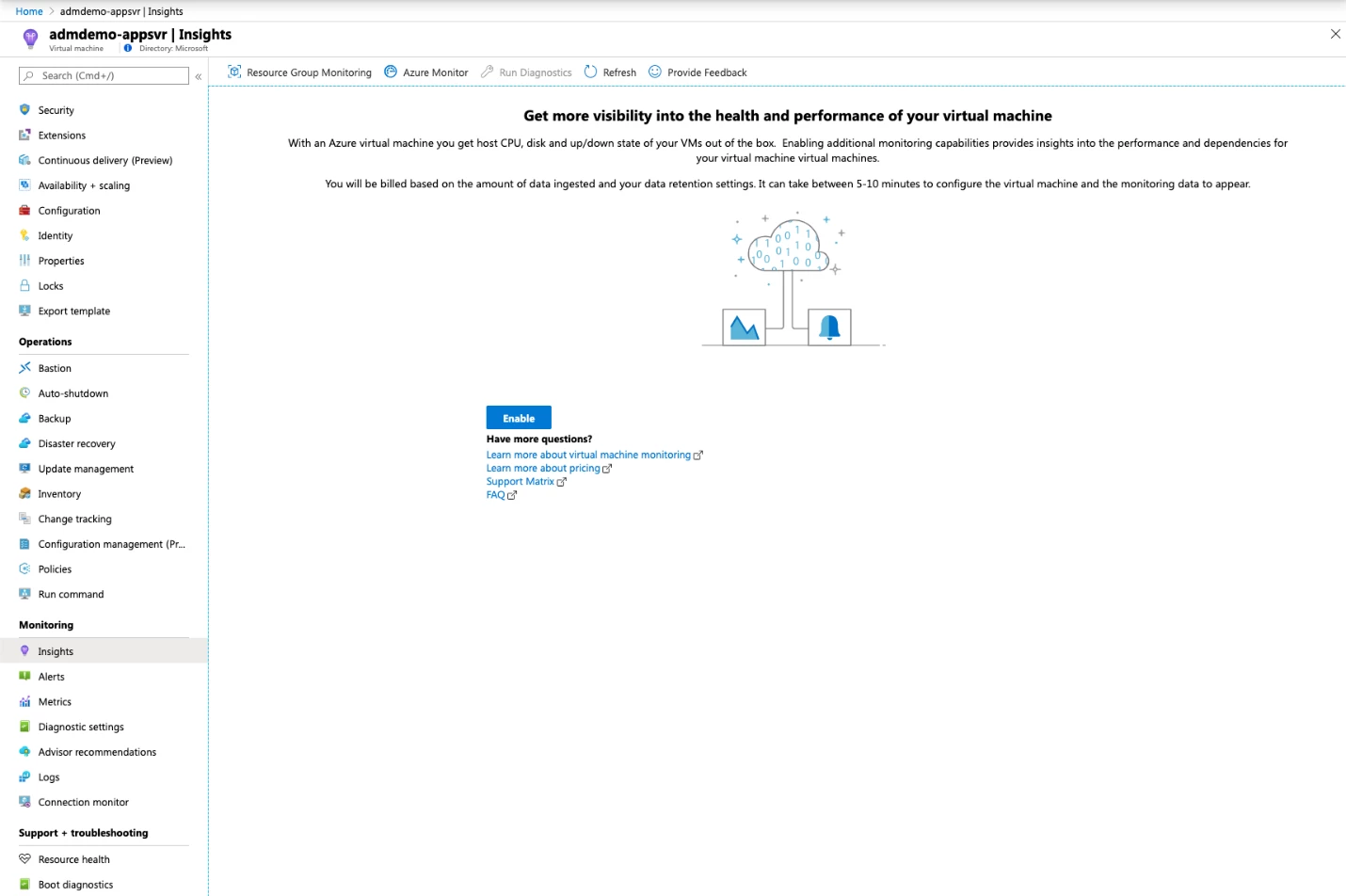
To get started with an Azure resource, go to the resource blade for your VM or VM scale set and click on Insights in the Monitoring section. When you click Enable, you’ll be prompted to pick an existing Log Analytics workspace or create one.
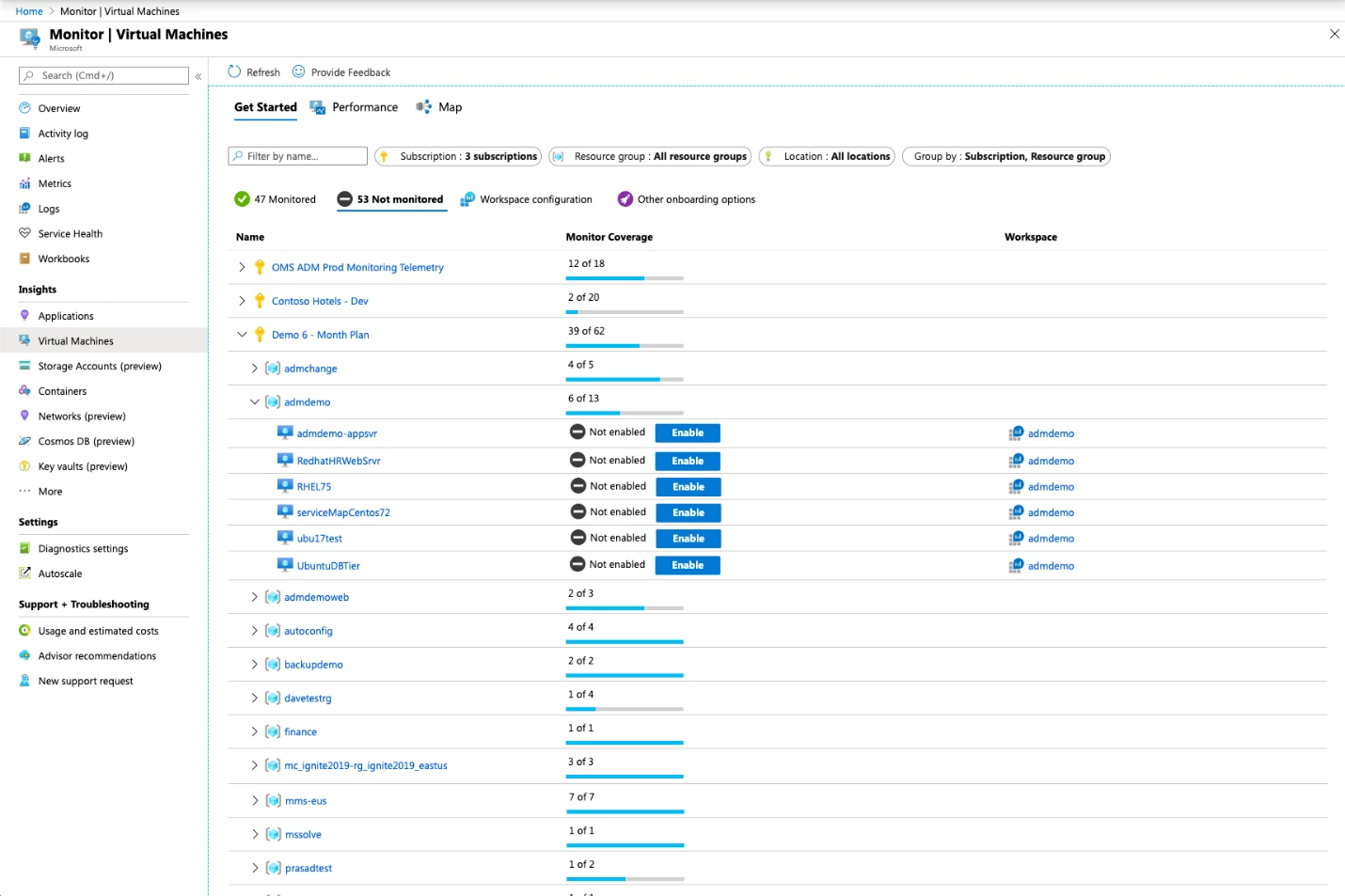
Once you’re comfortable with the capabilities on a few VMs, you can view VMs at scale in Azure Monitor under Virtual Machines, and on-board to entire resource groups and subscriptions using our Get Started page, Azure Policy, or Powershell.
Check out our full documentation to get more details. Pricing is based on data ingestion and retention to your Log Analytics workspace. We’d love to hear what you like and don’t like about Azure Monitor for VMs, and where you’d like us to take it. Please click Provide Feedback in the user experience to share your thoughts.