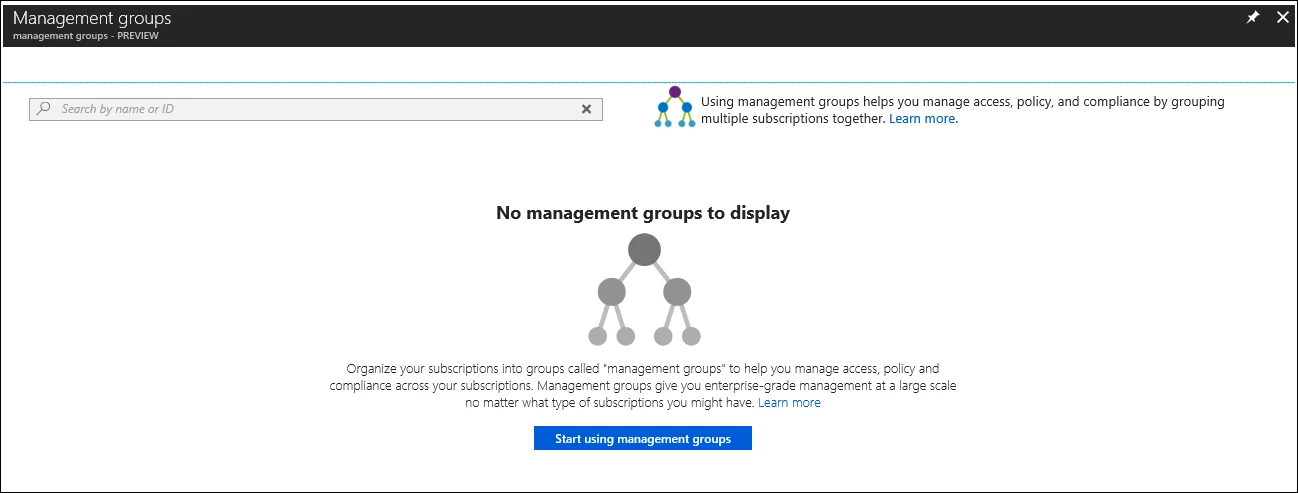
I am very excited to announce today general availability of Azure management groups to all our customers. Management groups allow you to organize your subscriptions and apply governance controls, such as Azure Policy and Role-Based Access Controls (RBAC), to the management groups. All subscriptions within a management group automatically inherit the controls applied to the management group. No matter if you have an Enterprise Agreement, Certified Solution Partner, Pay-As-You-Go, or any other type of subscription, this service gives all Azure customers enterprise-grade management at a large scale for no additional cost.
With the GA launch of this service, we introduce new functionality to Azure that allows customers to group subscriptions together so that you can apply a policy or RBAC role to multiple subscriptions, and their resources, with one assignment. Management groups not only allow you to group subscriptions but also allows you to group other management groups to form a hierarchy. The following diagram shows an example of creating a hierarchy for governance using management groups.
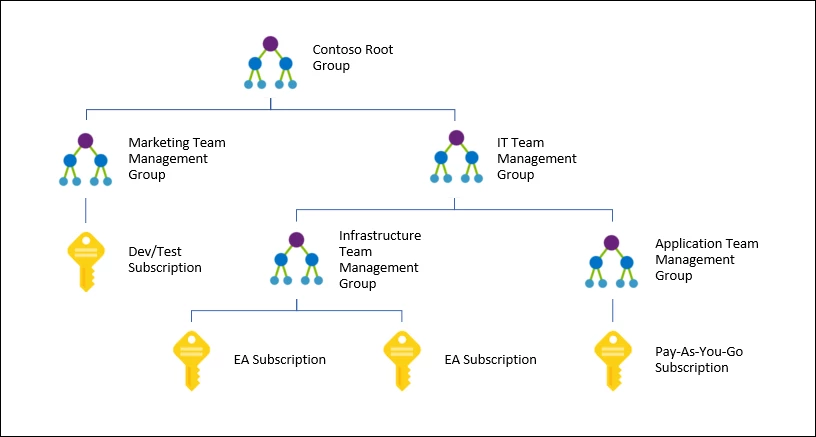
By creating a hierarchy like this you can apply a policy, for example, VM locations limited to US West Region on the group “Infrastructure Team management group” to enable internal compliance and security policies. This policy will inherit onto both EA subscriptions under that management group and will apply to all VMs under those subscriptions. As this policy inherits from the management group to the subscriptions, this security policy cannot be altered by the resource or subscription owner allowing for improved governance.
By using management groups, you can reduce your workload and reduce the risk of error by avoiding duplicate assignments. Instead of applying multiple assignments across numerous resources and subscriptions, you can apply the one assignment on the one management group that contains the target resources. This will save time in the application of assignments, creates one point for maintenance, and allows for better controls on who can control the assignment.
Another scenario where you would use management groups is to provide user access to multiple subscriptions. By moving multiple subscriptions under that management group, you have the ability create one RBAC assignment on the management group which will inherit that access to all the subscriptions. Without the need to script RBAC assignments over multiple subscriptions, one assignment on the management group can enable users to have access to everything they need.
As we continue to develop management groups within Azure, new and existing services will be integrated to provide even more functionality.
Get started today
To get started, visit the management group documents to see the great functionality that you can start using right away. If you would rather dive right in, go right to management groups in the Azure portal and select “Start using management groups” to start your new hierarchy.