
Today, we are announcing the general availability of the next generation of alerts in Azure. With Azure Monitoring Services, you can set up alerts to monitor the metrics and log data for the entire stack across your infrastructure, application, and Azure platform. With the release of the next generation alerts, we are providing a new consolidated alerts experience and offering a new alerts platform that will be faster and leveraged by other Azure services. Some of our customers have already been using the new alerts in preview and provided us feedback.
“The new unified experience dramatically improves our alert management capabilities. As part of our standard client configuration, we deploy and manage a variety of resource monitors to provide comprehensive coverage of a customer environment. These monitors include PaaS Resource Metrics/Logs, Azure Activity Events, and Log Analytics searches. We can now manage all of these monitors and alerts through a single interface and layer standardized action groups across all of them. This new service means we can offer a more consistent approach to our customers while dramatically reducing the management overhead.
In addition, the performance improvements have allowed us to respond quicker to critical customer issues. With near real time metrics for things like Heart Beat logs, we can be alerted to a downed server event in record time and take swift action to recover the environment.”
Dugan Sheehan, Principal – Product Architect, Fanatical Azure, Rackspace
Let’s review the faster alerts and the unified experience.
Faster alerts
Metric alerts: The new alerts platform is designed to provide low latency metric alerts. You can monitor metric values at a frequency as low as 1 minute, and alerts are fired in less than 5 minutes. You can also set alert rules on multi-dimensional metrics opening up the possibility for more complex or precise alert rules. As an example, using multi-dimensional metrics you can set up an alert rule that monitors ingress rates on a specific API such as PutBlob or GetBlob within a storage account.
Log alerts (limited public preview): With the new “Metric alerts for Logs” capability, you can achieve low-latency alerts for certain log types in Log Analytics, including performance counters and heartbeats– which are important for mission-critical infrastructure and applications. As part of this feature, we are deriving metrics from logs (in Log Analytics) and leveraging the new metric alerting platform to provide faster alerts on logs. In addition to Azure resources, this capability allows you to set alert rules for hybrid scenarios. Coupled with the Log Analytics capability to collect data from Azure and on-premises resources, you can leverage “Metric Alerts for Logs” capability to alert on hybrid environment.
Unified experience – a single place to manage all alerts in Azure
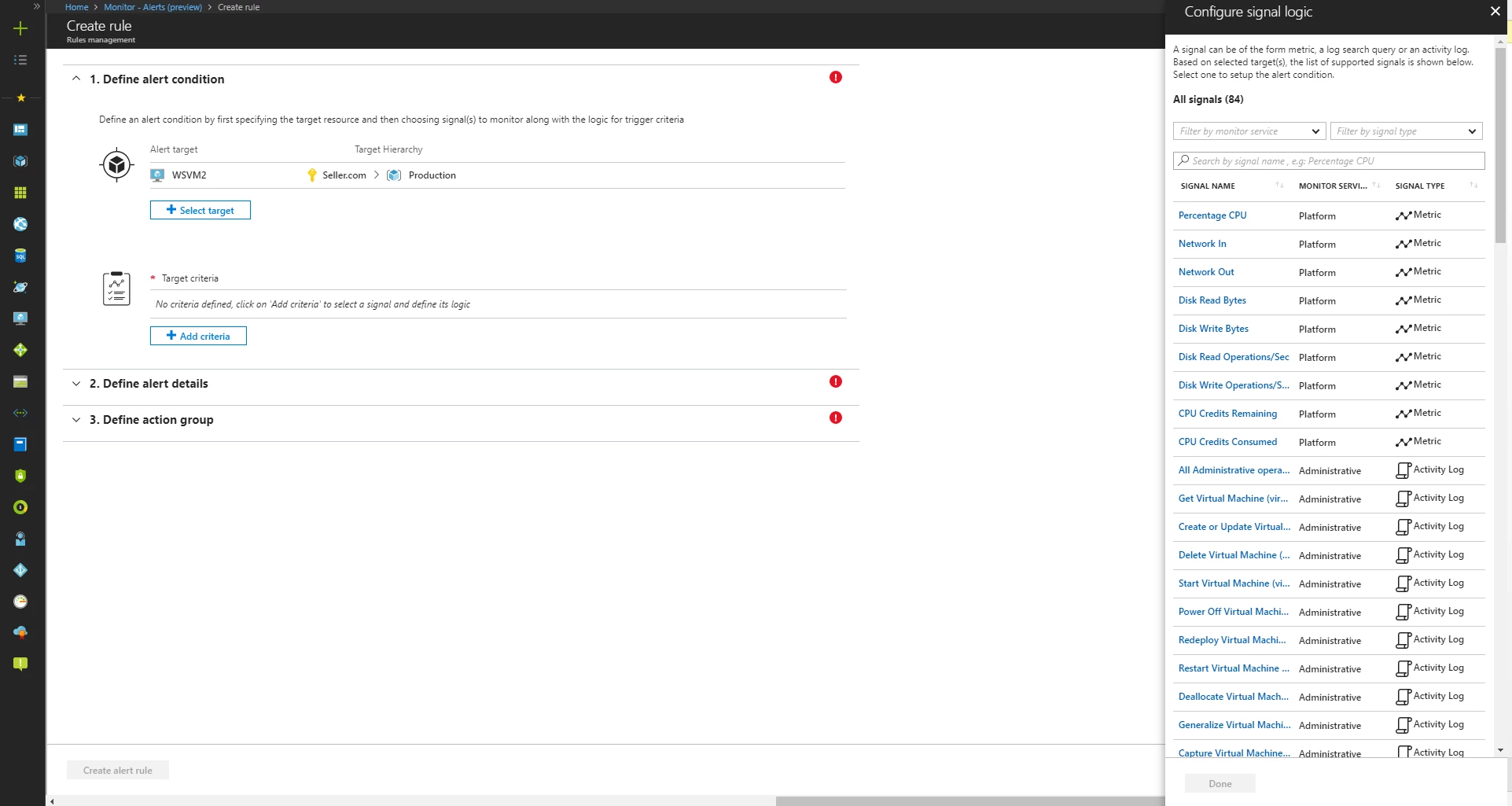
Consistent alert experience: We are introducing a completely re-imagined alerts experience in the Azure portal. With the new experience, you get a consistent look and feel to set and manage alerts across monitoring sources for the new metric alerting platform, logs (see below), and Activity Logs. The unified experience also provides a single point of integration with Azure Action Groups. Action Groups enable you to publish alert notifications to your personal device, automation system, or ITSM platform. You may receive notifications on your personal device via email, SMS, Azure app push, or the recently released Voice call action. Furthermore, you can associate the same Action Group with multiple alerts, eliminating the maintenance burden of configuring notifications for each alert.
“We rely heavily on alerts to stay on top of issues and avoid application downtime. Managing hundreds of alerts can be challenging – we are excited about using the new alert management capability which greatly simplifies the management of an alerts while also providing us with faster near-real time metrics and log alerts which is necessary in monitoring the most critical workloads.”
Stanislav Zhelyazkov, Senior Infrastructure Engineer, MVP Microsoft Azure, Sentia Denmark
Support for Log alerts in Azure: The log alerting functionality that was available in the OMS portal is now available in the Azure portal through Azure Monitor! You can now manage alerts and your Azure resources from the Azure portal without having to switch back and forth. Using this capability, you can write query based alert rules, which provides you the power and flexibility to monitor complex scenarios in your environment. We are removing the restriction of 250 alert rules and also providing a tool for you to access your existing alert rules in OMS portal from the Azure portal.
In addition, you can also create and manage alerts on Application Insights logs (public preview) using the same experience.
The new alert experience is available in the Azure portal under Monitor – Alerts. Previous generation alerting capabilities are now available under Alerts (Classic). If you have to manage multiple alerts, we would recommend taking a look at the new Alerts experience.
Learn more about pricing for these new alerting capabilities. Alerts (Classic), the previous generation alert rules will still be available at no charge.
We’re excited that all the features described in this post are available for you to use today, with metric alerts for logs being in limited public preview. For additional details, refer to the product documentation page. Let us know what you think of the next generation of Azure alerts, and as always, we would love to hear from you to improve our capabilities to help serve your needs better. You can reach us at azurealertsfeedback@microsoft.com.






