Azure Stream Analytics is an on-demand real-time analytics service to power intelligent action. Azure Stream Analytics tools for Visual Studio make it easier for you to develop, manage, and test Stream Analytics jobs. This year we provided two major updates in January and March, unleashing new useful features. In this blog we’ll introduce some of these capabilities and features to help you improve productivity.
Test partial scripts locally
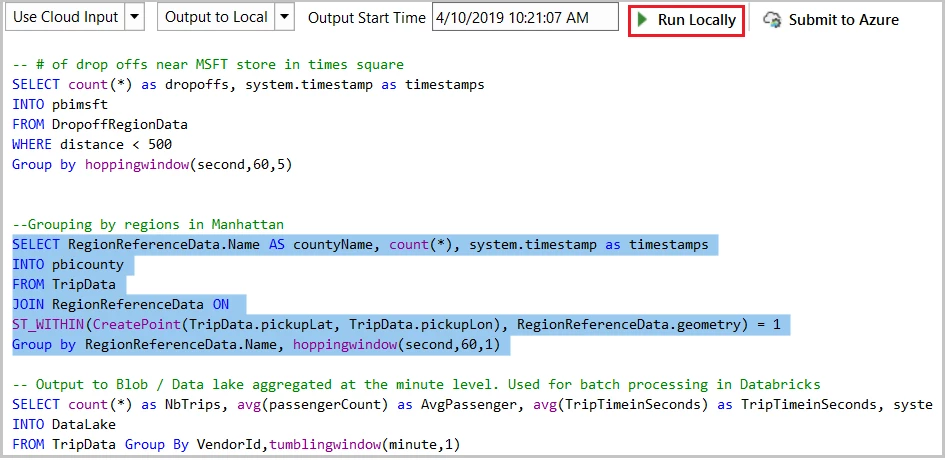
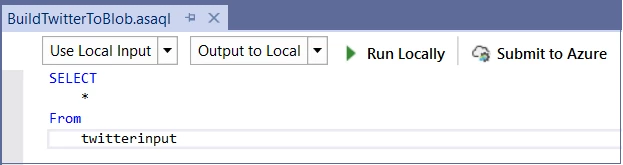
In the latest March update we enhanced local testing capability. Besides running the whole script, now you can select part of the script and run it locally against the local file or live input stream. Click Run Locally or press F5/Ctrl+F5 to trigger the execution. Note that the selected portion of the larger script file must be a logically complete query to execute successfully.
Share inputs, outputs, and functions across multiple scripts
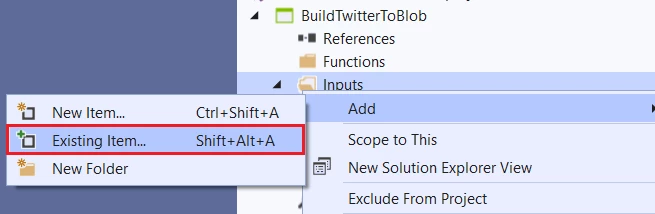
It is very common for multiple Stream Analytics queries to use the same inputs, outputs, or functions. Since these configurations and code are managed as files in Stream Analytics projects, you can define them only once and then use them across multiple projects. Right-click on the project name or folder node (inputs, outputs, functions, etc.) and then choose Add Existing Item to specify the input file you already defined. You can organize the inputs, outputs, and functions in a standalone folder outside your Stream Analytics projects to make it easy to reference in various projects.
Duplicate a job to other regions
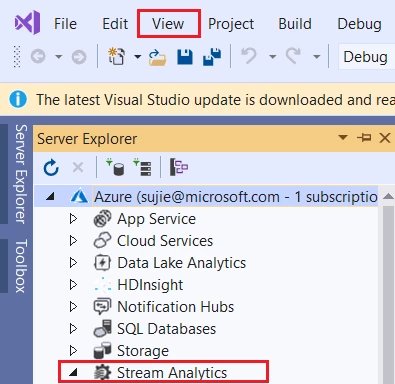
All Stream Analytics jobs running in the cloud are listed in Server Explorer under the Stream Analytics node. You can open Server Explorer by choosing from the View menu.
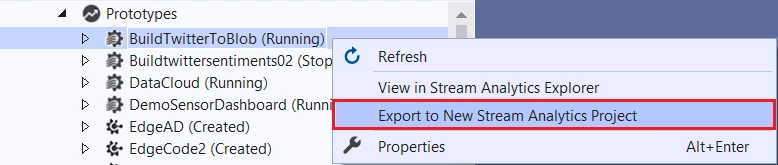
If you want to duplicate a job to another region, just right-click on the job name and export it to a local Stream Analytics project. Since the credentials cannot be downloaded to local environment, you must specify the correct credentials in the job inputs and outputs files. After that, you are ready to submit the job to another region by clicking Submit to Azure in the script editor.
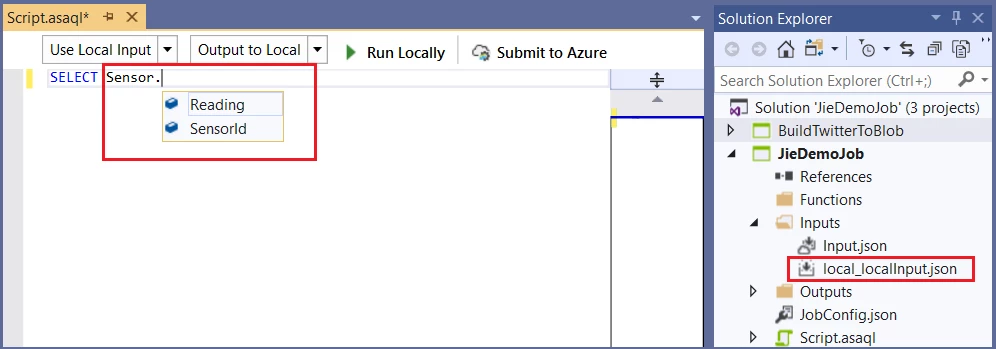
Local input schema auto-completion
If you have specified a local file for an input to your script, the IntelliSense feature will suggest input column names based on the actual schema of your data file.
Testing queries against SQL database as reference data
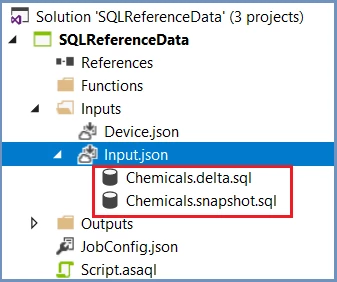
Azure Stream Analytics supports Azure SQL Database as an input source for reference data. When you add a reference input using SQL Database, two SQL files are generated as code, behind files under your input configuration file.
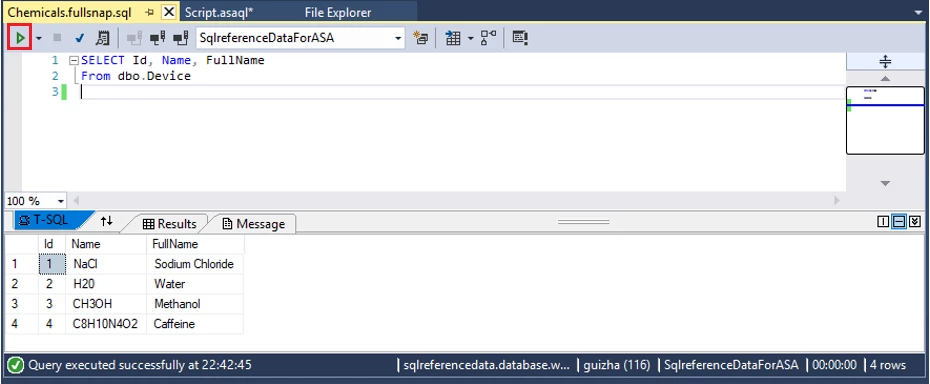
In Visual Studio 2017 or 2019, if you have already installed SQL Server Data tools, you can directly write the SQL query and test by clicking Execute in the query editor. A wizard window will pop up to help you connect to the SQL database and show the query result in the window at the bottom.
Providing feedback and ideas
The Azure Stream Analytics team is committed to listening to your feedback. We welcome you to join the conversation and make your voice heard via our UserVoice. For tools feedback, you can also reach out to ASAToolsFeedback@microsoft.com.
Also, follow us @AzureStreaming to stay updated on the latest features.