Skip to main content Explore View all products (200+) Microsoft Foundry Azure Copilot GitHub Copilot Azure Kubernetes Service (AKS) Azure Cosmos DB Azure Database for PostgreSQL Azure Arc Microsoft Fabric Linux virtual machines in Azure Foundry Models Foundry Agent Service Foundry IQ Foundry Tools Foundry Control Plane Observability in Foundry Control Plane Azure OpenAI in Foundry Models Azure Speech in Foundry Tools Azure Machine Learning View all databases Azure Cosmos DB Azure DocumentDB Azure SQL Azure Database for PostgreSQL Azure Managed Redis Microsoft Fabric Azure Databricks Linux virtual machines in Azure Windows Server on Azure Azure Functions Azure Virtual Machine Scale Sets Azure API Management Azure Container Apps Azure Kubernetes Service (AKS) Azure Kubernetes Fleet Manager Azure Container Registry Azure Red Hat OpenShift Azure Container Instances Azure Container Storage Azure Arc Azure Local Microsoft Defender for Cloud Azure Monitor Microsoft Sentinel Azure Migrate View all solutions (40+) Cloud solutions for small and medium businesses Cloud migration and modernization center Data analytics for AI Azure Databases AI apps and agents Microsoft Marketplace Microsoft Sovereign Cloud AI apps and agents Responsible AI with Azure AI Infrastructure Data analytics for AI Machine learning operations (MLOps) Low-code application development on Azure Integration Services Serverless computing DevOps Migration and modernization center .NET apps migration Databases on Azure Linux on Azure Oracle on Azure SAP on the Microsoft Cloud Adaptive cloud High-performance computing (HPC) Infrastructure as a service (IaaS) Resiliency Azure Essentials Frontier Accelerate for Azure FinOps on Azure Microsoft Marketplace Azure pricing overview Create an Azure account Free Azure services Flexible purchase options Pricing calculator FinOps on Azure Maximize ROI from AI Azure savings plans Azure reservations Azure Hybrid Benefit Virtual Machines Azure SQL Microsoft Foundry Microsoft Fabric Azure Kubernetes Service (AKS) Microsoft Defender for Cloud View more Software Development Companies Microsoft Marketplace Find a partner Resources for Azure partners Get started with Azure Customer stories Analyst reports, white papers, and e-books Videos Learn more about cloud computing Documentation Explore Azure portal Developer resources Quickstart templates Resources for startups Developer community Students Azure for partners Blog Events and Webinars Learn Support Contact Sales Get started with Azure Sign in

Get started immediately on your first project with the new Knowledge center in the Azure Synapse Studio.

To further accelerate time to insight in Microsoft Azure Synapse Analytics, we are introducing the Knowledge center to simplify access to pre-loaded sample data and to streamline the getting started process for data professionals. You can now create or use existing Spark and SQL pools, connect to and query Azure Open Datasets, load sample scripts and notebooks, access pipeline templates, and tour the Azure Synapse Studio—all from one place.
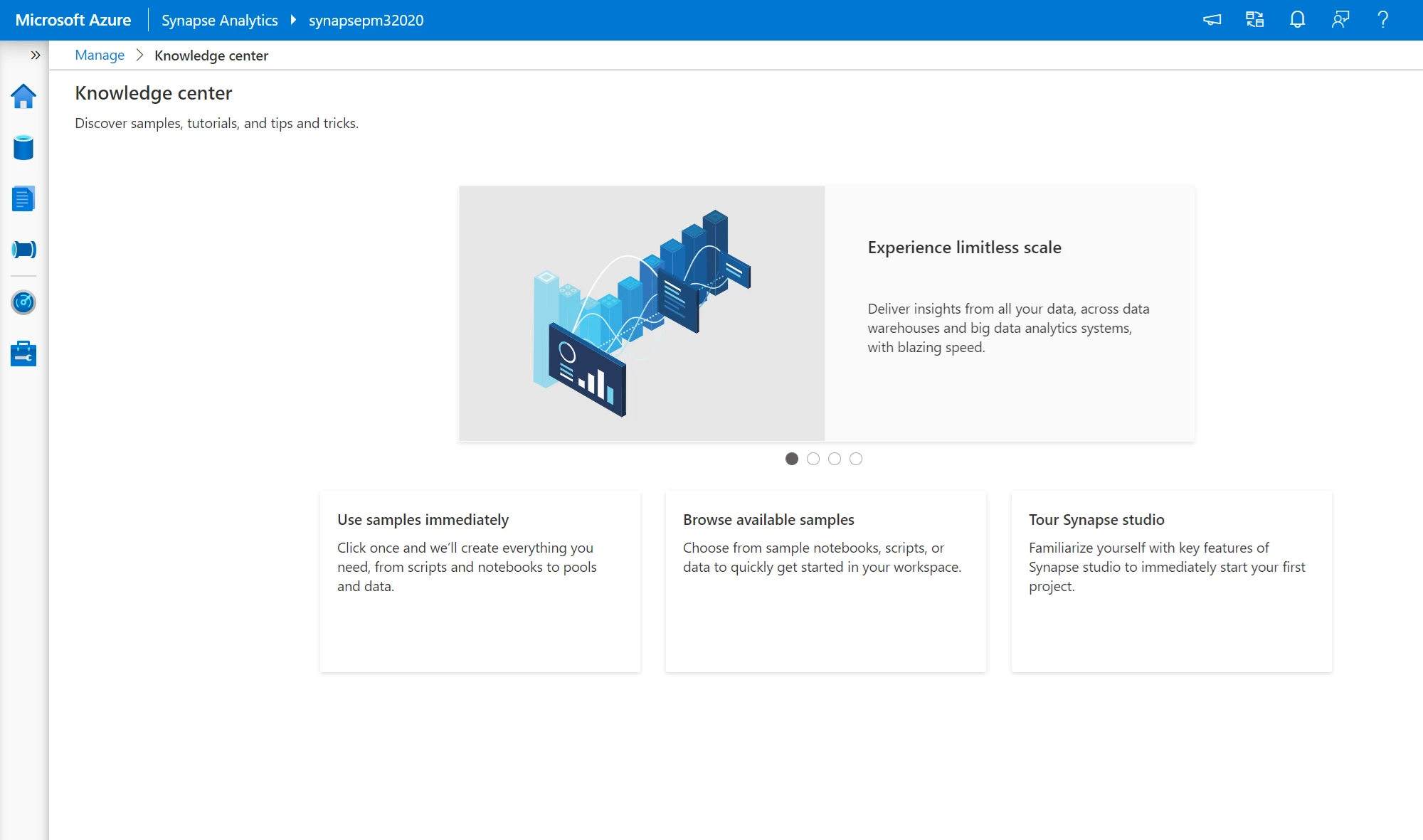
Azure Synapse Studio displaying the Knowledge center.

The Knowledge center can be accessed from the Azure Synapse Studio Homepage under Useful links or by clicking the Question mark icon on the Navigation bar.
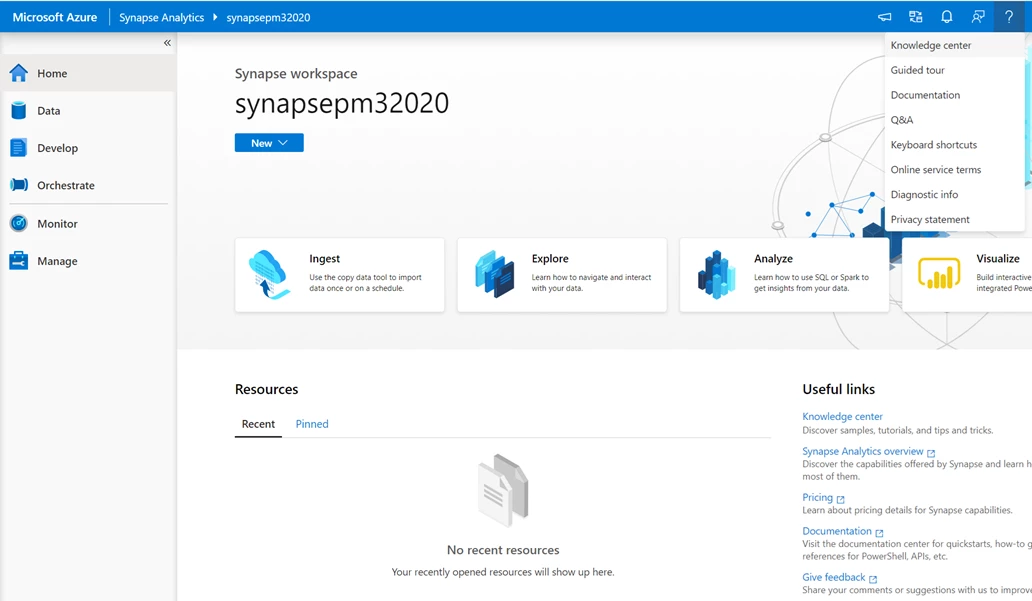
Azure Synapse workspace homepage displaying where to access the Knowledge center, from both useful links and the help bar in the main navigation.

Use samples immediately

The Knowledge center offers several one-click tutorials that create everything you need to instantaneously explore and analyze data.
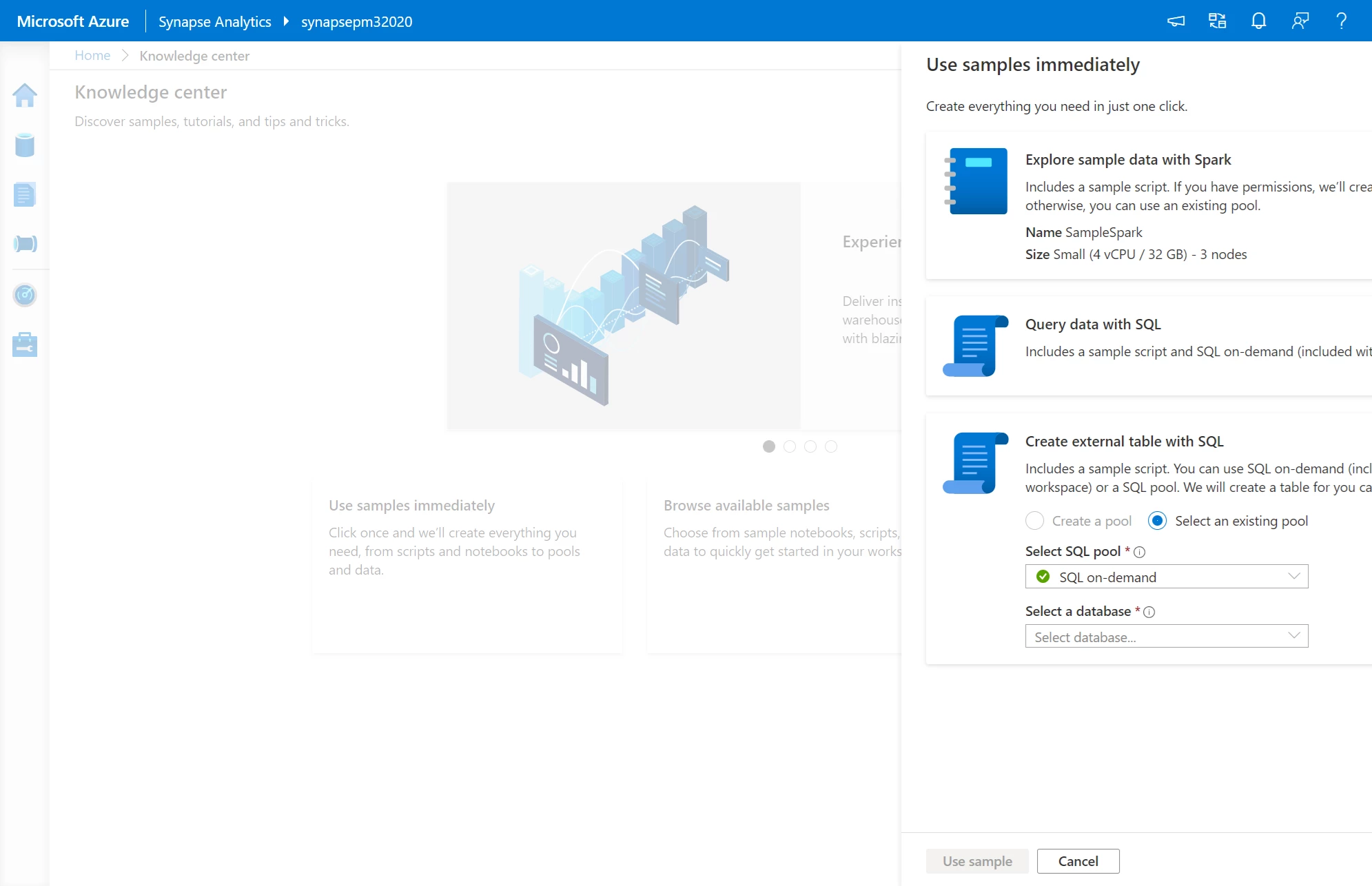
“Use samples immediately†card inside the Knowledge center to showcase the 3 tutorials available – “Explore sample data with Spark,†“Query data with SQL,†“Create external table with SQLâ€

In the Explore sample data with Spark tutorial, you can easily create an Apache Spark pool and use notebooks natively inside Azure Synapse to analyze New York City (NYC) Yellow Taxi data and customize visualizations. This is possible as Azure Synapse unifies both SQL and Spark development within the same analytics service.
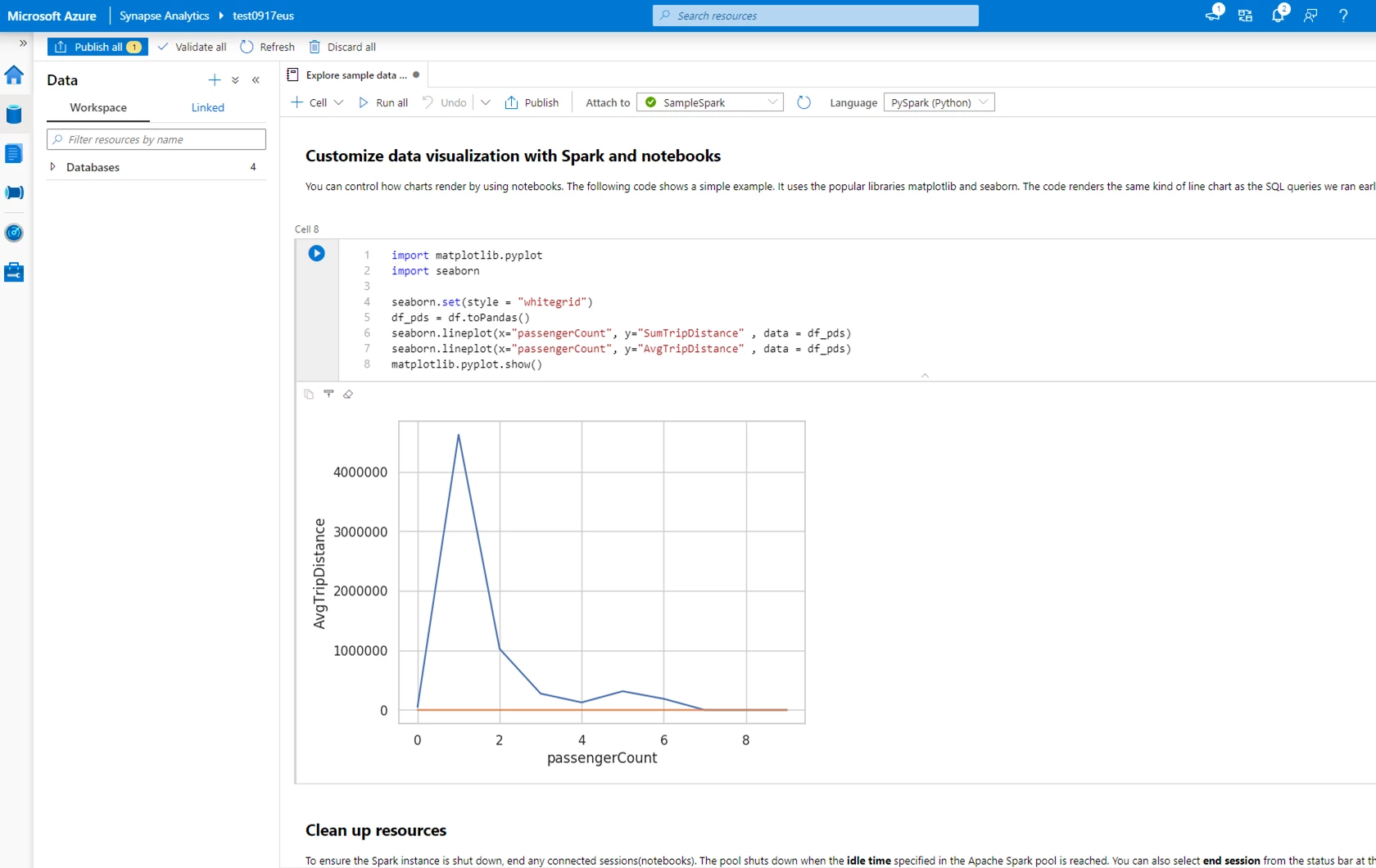
“Explore sample data with Spark†tutorial showcasing how to customize data visualizations with Spark and Notebooks.

In the Query data with SQL tutorial, you can query and analyze the same NYC Yellow Taxi dataset with a serverless SQL pool, which allows you to use T-SQL for fast data lake exploration without provisioning or managing dedicated resources. The tutorial also enables you to quickly visualize results with one click.
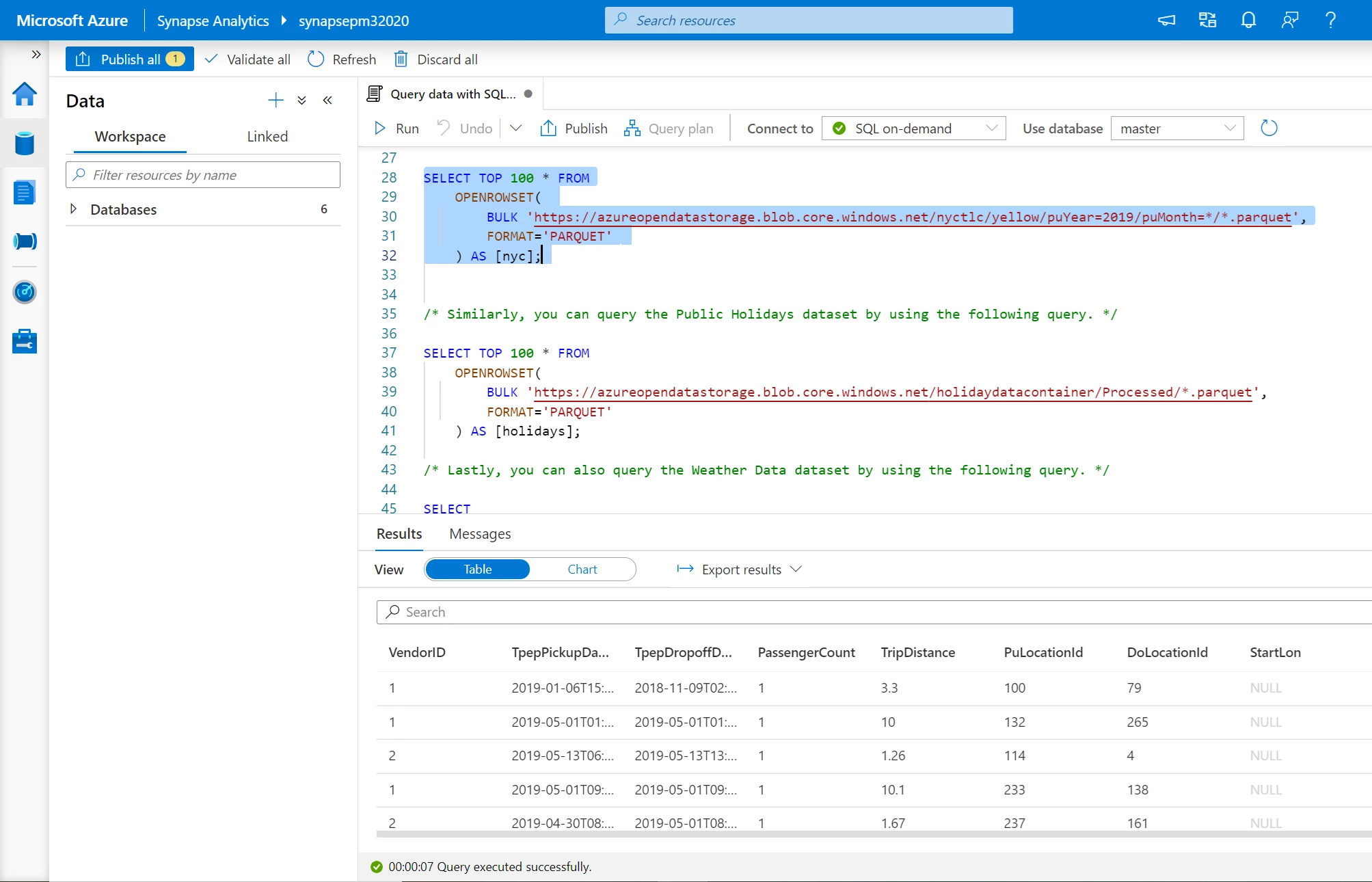
“Query data with SQL†tutorial showcasing how to visualize results using a serverless SQL pool.

The Create external table with SQL tutorial allows you to use either a serverless or dedicated SQL pool to create an external table, giving you the flexibility to harness data on your own terms and choose the most cost-effective option for each use case. Dedicated SQL pools provide a broad set of workload management capabilities including workload isolation and workload priority.
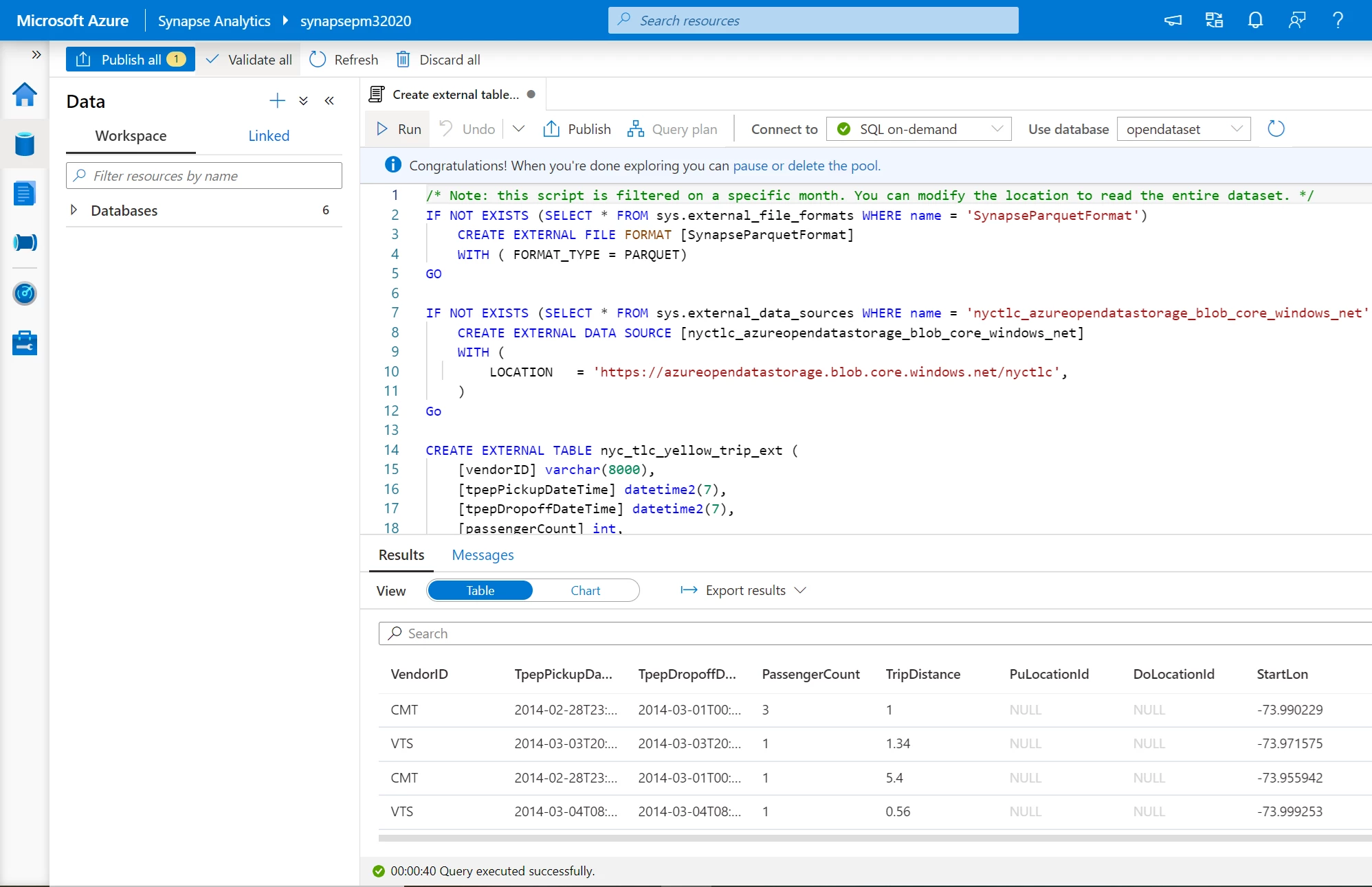
: “Create external table with SQL†tutorial showcasing how to visualize results in table format.

Browse available samples

The new Knowledge center also contains numerous sample datasets, notebooks, scripts, and pipeline templates to allow you to quickly get started.
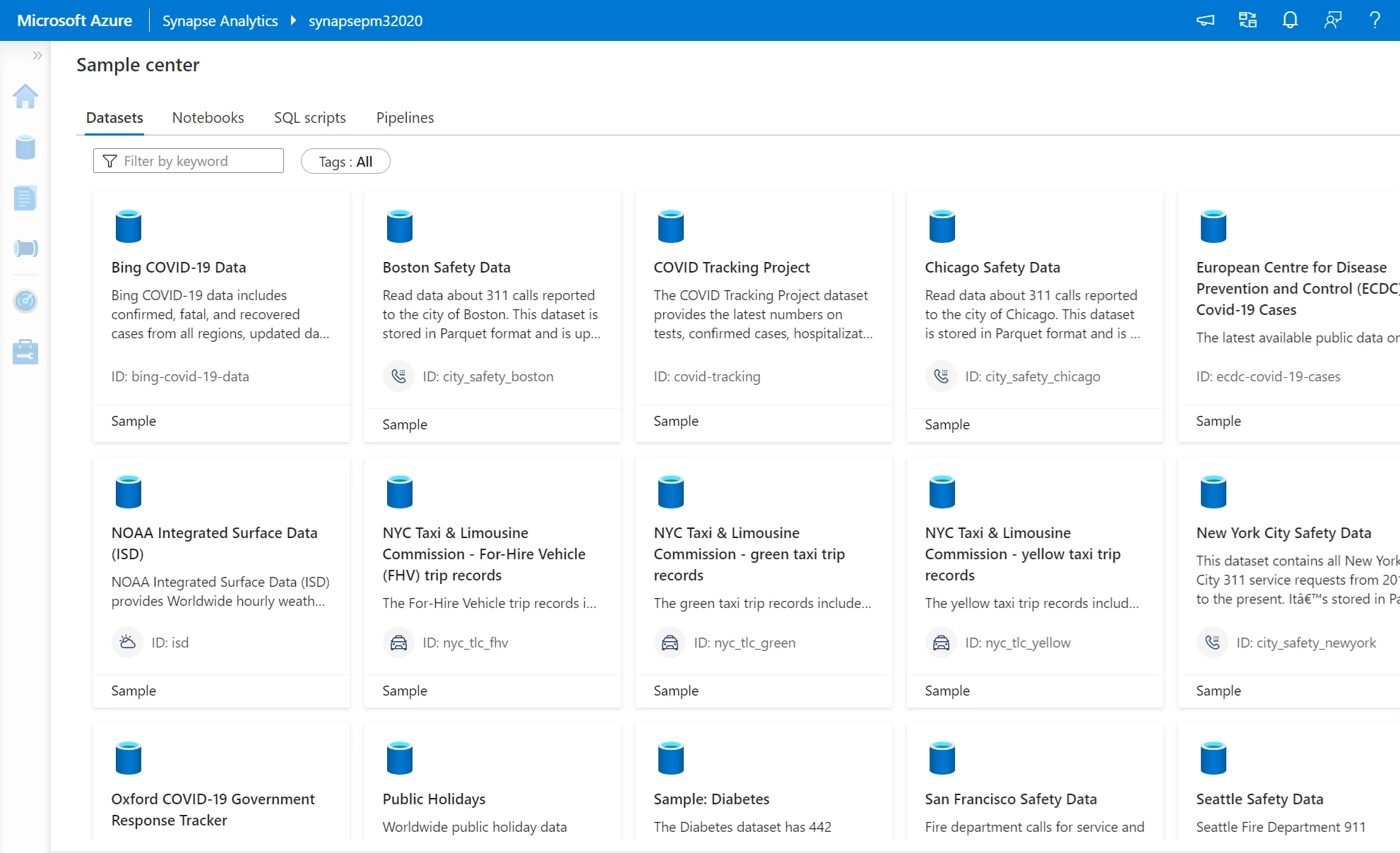
Sample Center showing tabs to access samples for datasets, notebooks, SQL scripts, and pipelines.

Add Azure Open Datasets to access sample data on COVID-19, public safety, transportation, economic indicators, and more. The datasets are automatically loaded into the Data hub on the main navigation under the Linked tab and then Azure Blog Storage. With the click of a button, you can run sample scripts to select the top 100 rows and create an external table or you can also create a new notebook.
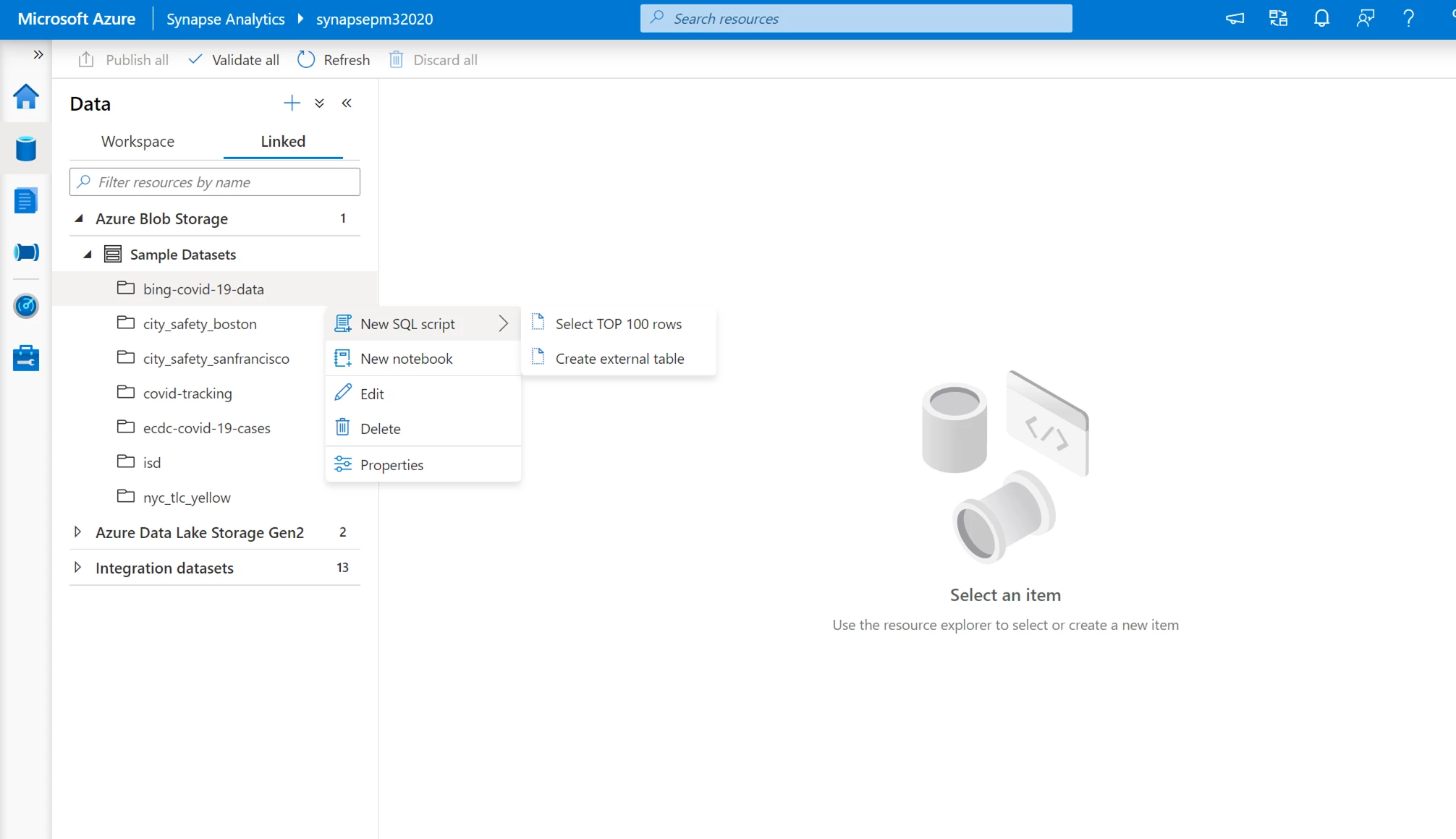
Sample datasets are loaded into the Data hub of the Azure Synapse Studio under the linked tab and then Azure Blob Storage.

Regardless of whether you prefer to use PySpark, Scala, or Spark.NET C#, you can try a variety of sample notebooks. These will open in the Develop hub of the Azure Synapse Studio under Notebooks.
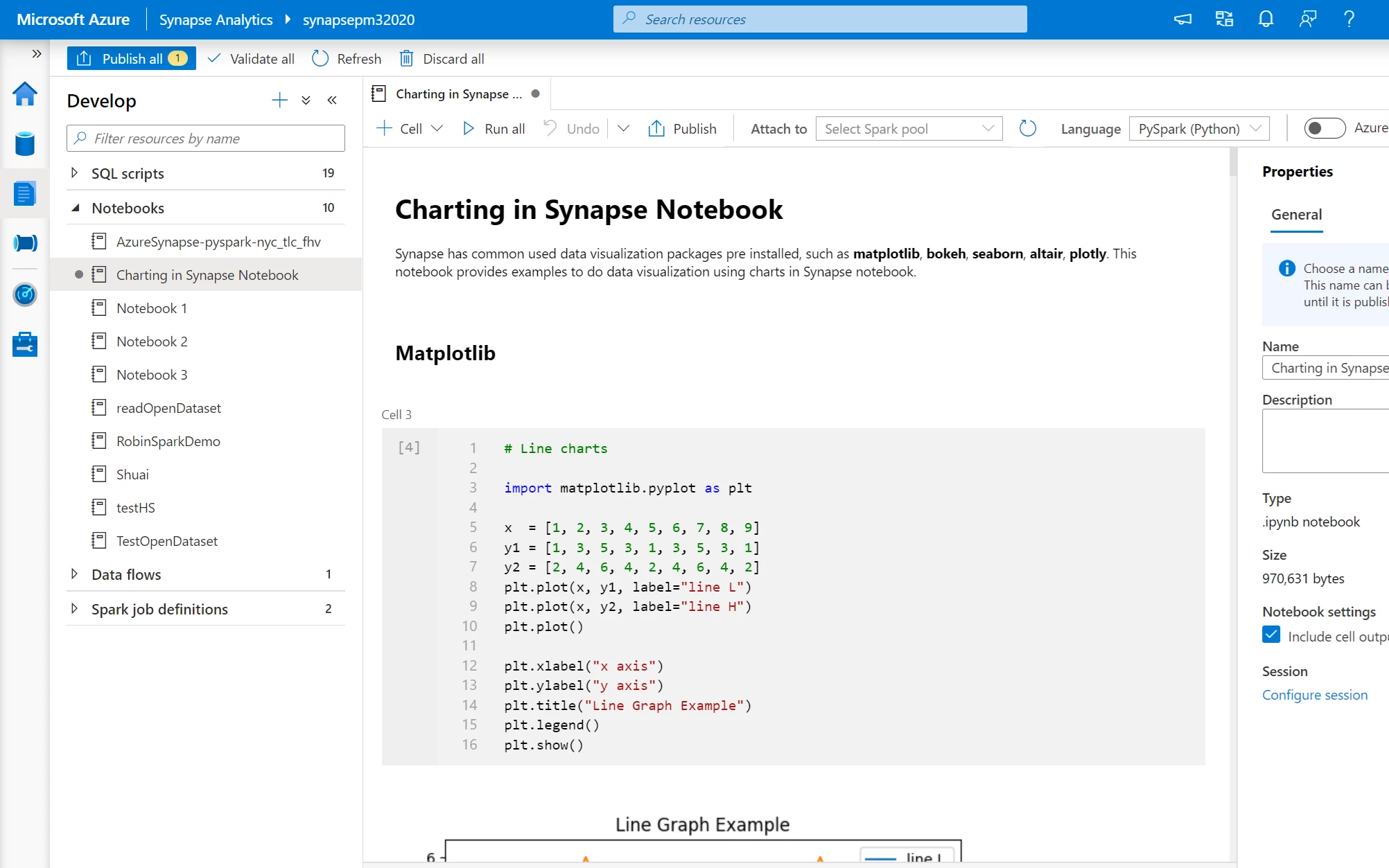
Sample notebooks appear in the Develop hub of the Azure Synapse Studio under Notebooks.

In addition to sample notebooks, there are samples for SQL scripts like Analyze Azure Open Datasets using SQL On-demand, Generate your COPY Statement with Dynamic SQL, and Query CSV, JSON, or Parquet files. Once these scripts are published in your workspace, they will open in the Develop hub of the main navigation under SQL scripts.
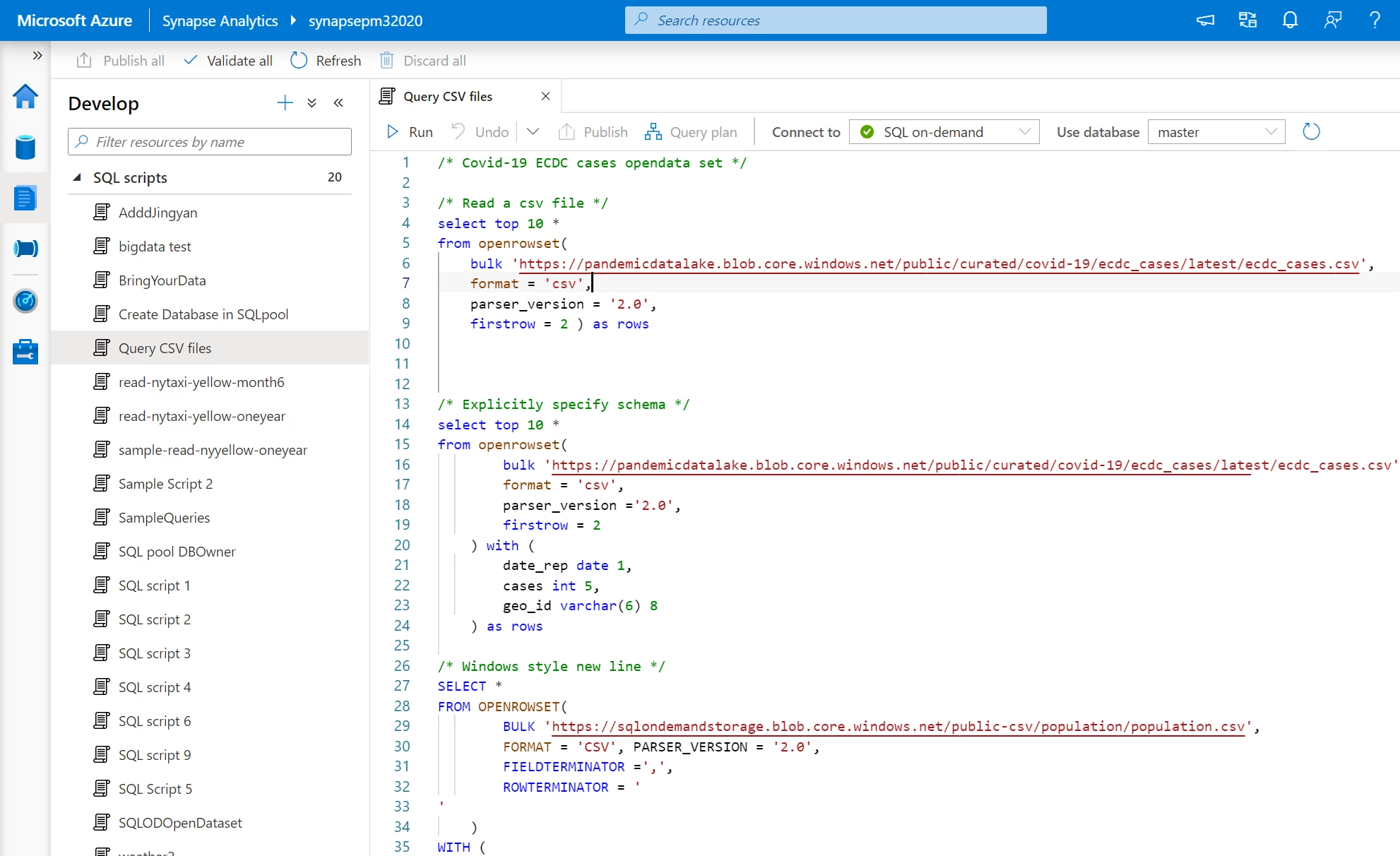
Sample SQL scripts open in the Develop hub of the Azure Synapse Studio under SQL scripts.

Furthermore, there are around 30 different templates for pipelines, including templates for copying data from various sources.
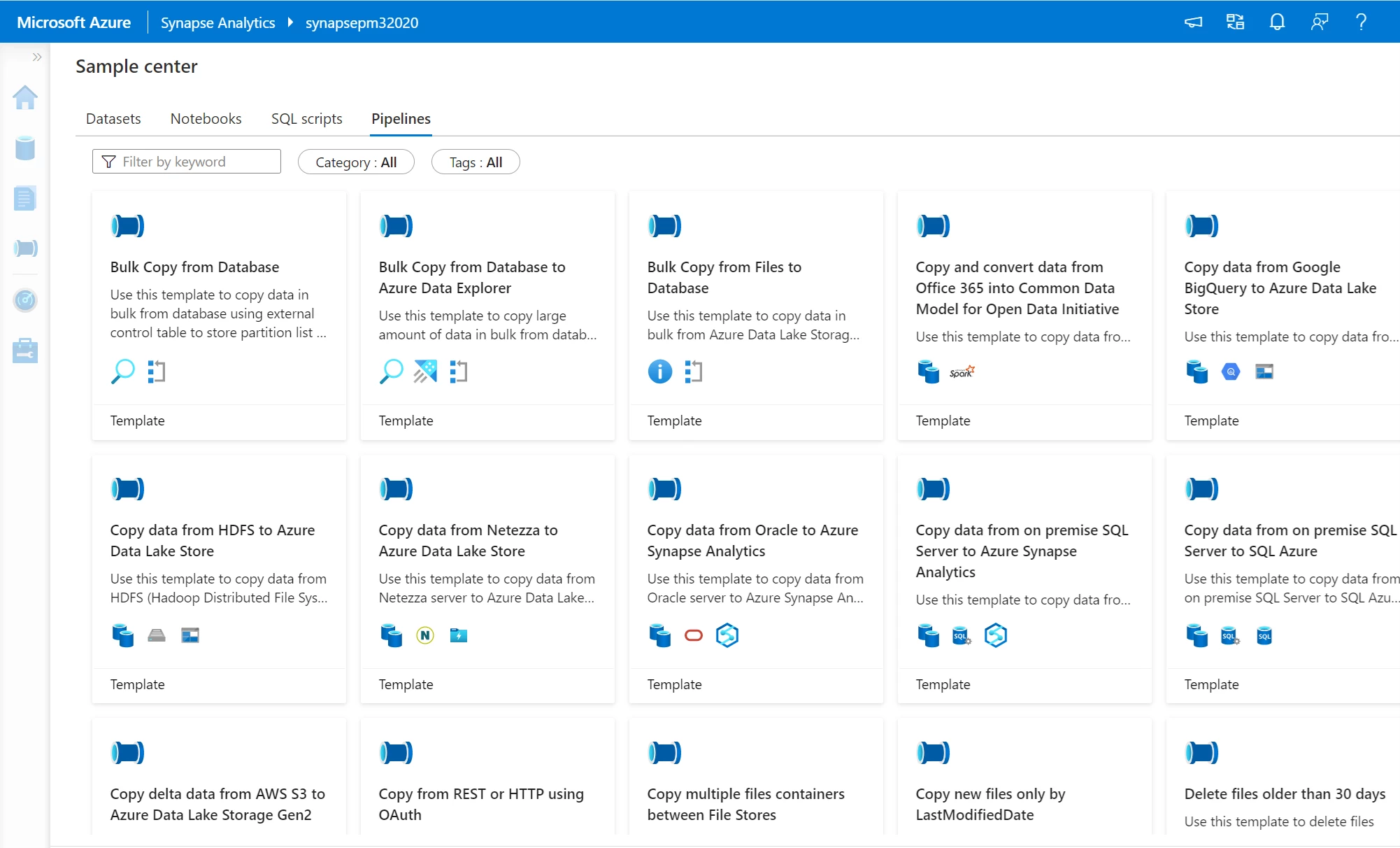
Sample Center showing the options available under the Pipelines tab.

Tour Azure Synapse Studio

The Knowledge center offers a comprehensive tour of the Azure Synapse Studio to help familiarize you with key features so you can get started right away on your first project.
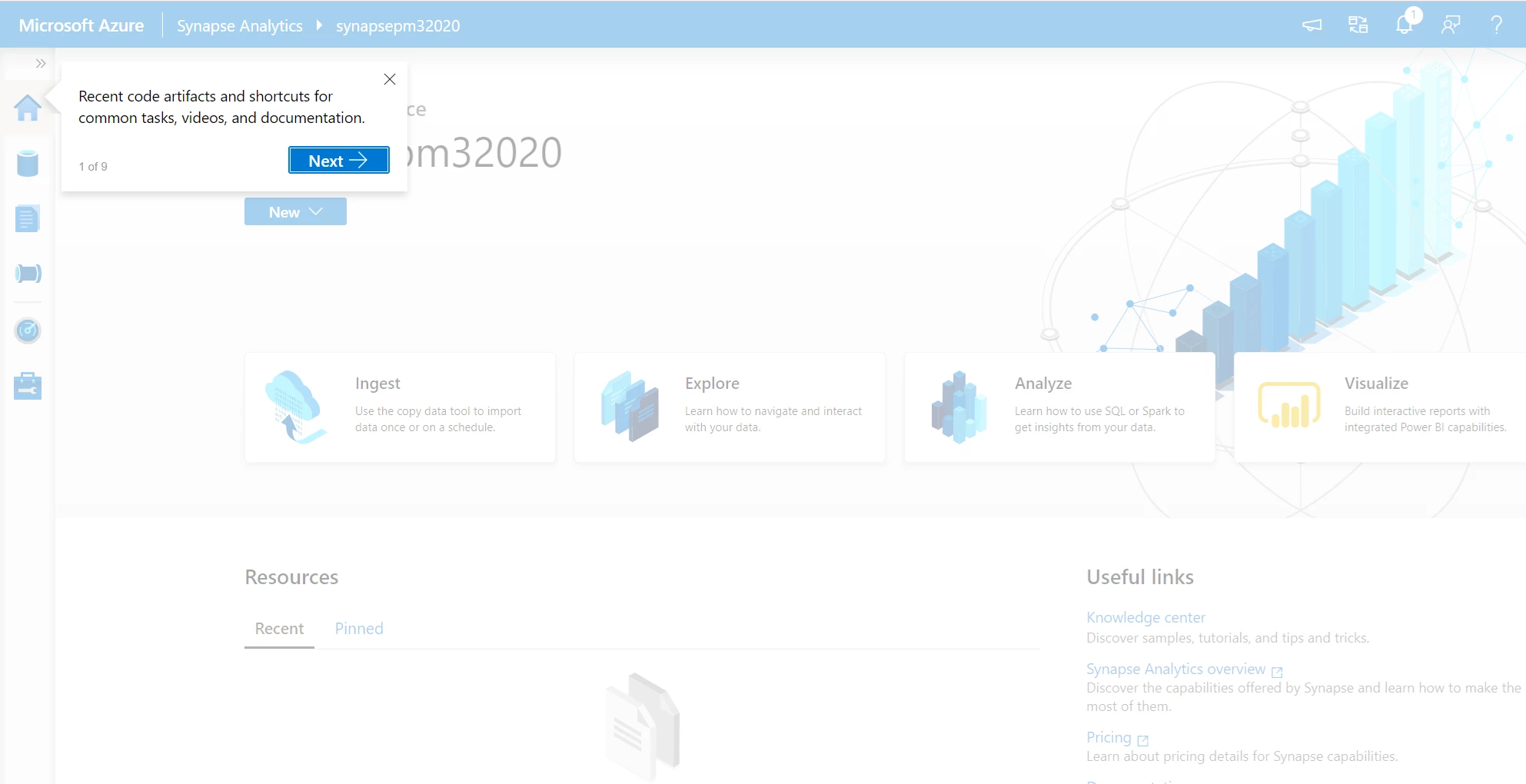
Digital self-guided tour of the Azure Synapse Studio.

Try the Knowledge center today

WE ARE MICROSOFT

Explore Microsoft Foundry

The future of AI starts here. Envision your next great AI app with the latest technologies. Get started with Azure.