In IoT Central, our aim is to simplify IoT. We want to make sure your IoT data drives meaningful actions and visualizations. In this post, I will share new features now available in Azure IoT Central including embedded Microsoft Flow, updates to the Azure IoT Central connector, Azure Monitor action groups, multiple dashboards, and localization support. We also recently expanded Jobs functionality in IoT Central, so you can check out the announcement blog post to learn more.
Microsoft Flow is now embedded in IoT Central
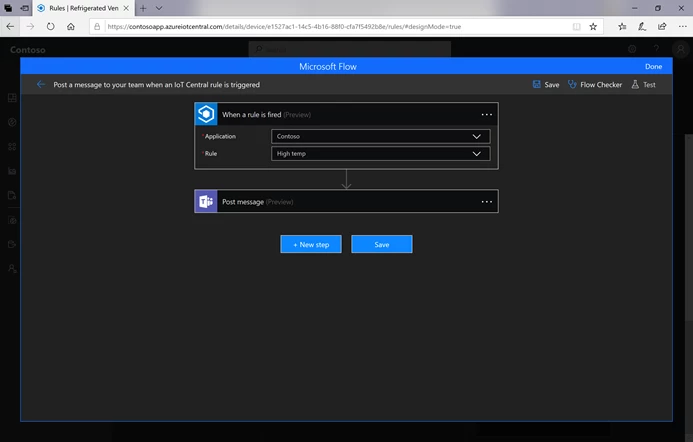
You can now build workflows using your favorite connectors directly within IoT Central. For example, you can build a temperature alert rule that triggers a workflow to send push notifications and SMS all in one place within IoT Central. You can also test and share the workflow, see the run history, and manage all workflows attached to that rule.
Try it out in your IoT Central app by visiting Device Templates in Rules, adding a new action, and picking the Microsoft Flow tile.
Updated Azure IoT Central connector: Send a command and get device actions
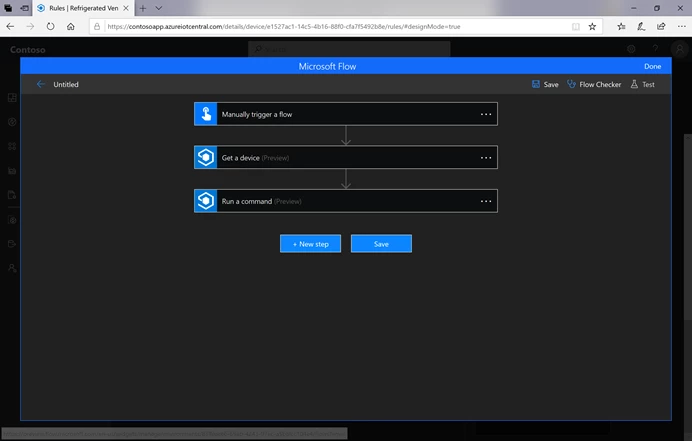
With the updated Azure IoT Central connector, you can now build workflows in Microsoft Flow and Azure Logic Apps that can send commands on an IoT device and get device information like the name, properties, and settings values. You can also now build a workflow to tell an IoT device to reboot from a mobile app, and display the device’s temperature setting and location property in a mobile app.
Try it out in Microsoft Flow or Azure Logic Apps by using the Send a command and Get device actions in your workflow.
Integration with Azure Monitor action groups
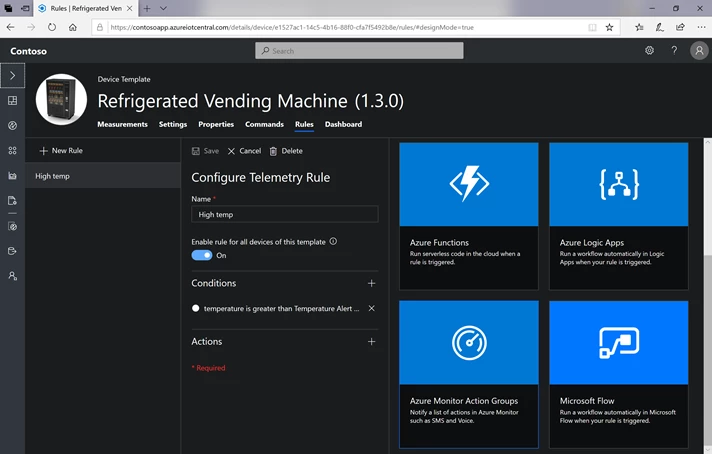
Azure Monitor action groups are reusable groups of actions that can be attached to multiple rules at once. Instead of creating separate actions for each rule and entering in the recipient’s email address, SMS number, and webhook URL for each, you can choose an action group that contains all three from a drop down and expect to receive notifications on all three channels. The same action group can be attached to multiple rules and are reusable across Azure Monitor alerts.
Try it out in your IoT Central app by visiting Device Templates in Rules, adding a new action, and then pick the Azure Monitor action groups tile.
Multiple dashboards
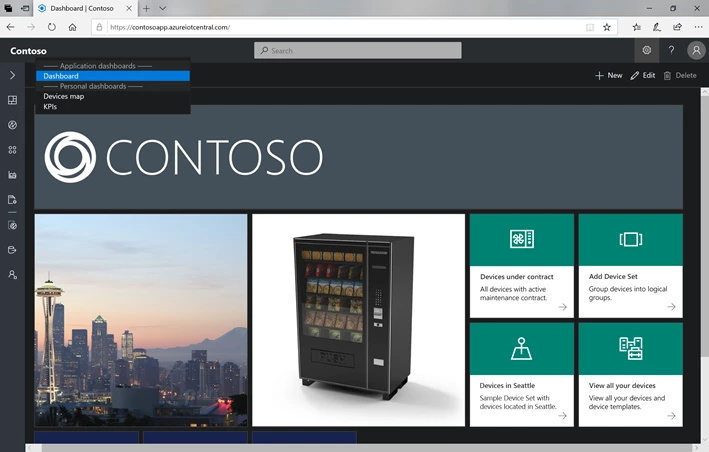
Users can now create multiple personal dashboards in their IoT Central app! You can now build customized dashboards to better organize your devices and data. The default application dashboard is still available for all users, but each user of the app can create personalized dashboards and switch between them.
Localization support
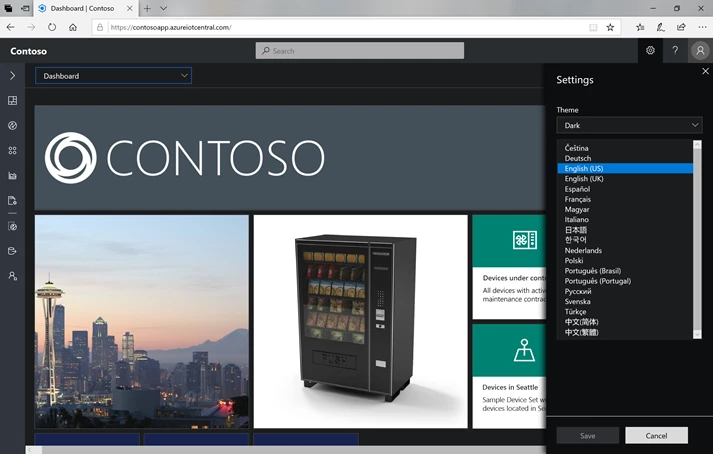
As of today, IoT Central supports 17 languages! You can select your preferred language in the settings section in the top navigation, and this will apply when you use any app in IoT Central. Each user can have their own preferred language, and you can change it at any time.
With these new features, you can more conveniently build workflows as actions and reuse groups of actions, organize your visualizations across multiple dashboards, and work with IoT Central with your favorite language. Stay tuned for more developments in IoT Central. Until next time!
Next steps
- Have ideas or suggestions for new features? Post it on Uservoice.
- To explore the full set of features and capabilities and start your free trial, visit the IoT Central website.
- Check out our documentation including tutorials to connect your first device.
- To give us feedback about your experience with Azure IoT Central, take this survey.
- To learn more about the Azure IoT portfolio including the latest news, visit the Microsoft Azure IoT page.