AzCopy v10 (Preview) now supports Amazon Web Services (AWS) S3 as a data source. You can now copy an entire AWS S3 bucket, or even multiple buckets, to Azure Blob Storage using AzCopy.
Customers who wanted to migrate their data from AWS S3 to Azure Blob Storage have faced challenges because they had to bring up a client between the cloud providers to read the data from AWS to then put it in Azure Storage. This meant the scale and speed of the data transfer was limited to the client in the middle adding to the complexity of the move.
We have now addressed this issue in the latest release of AzCopy using a scale out technique thanks to the new Blob API. AzCopy v10, the next generation data transfer utility for Azure Storage, has been redesigned from scratch to provide data movement at greater scale with built-in resiliency. AzCopy v10 supports copying data efficiently both from a local file system to Azure Storage and between Azure Storage accounts. The latest release (AzCopy v10.0.9) adds support for AWS S3 as a source to help you move your data using a simple and efficient command-line tool.
New Blob API, Put from URL, helps move data efficiently
AzCopy copies data from AWS S3 with high throughput by scaling out copy jobs to multiple Azure Storage servers. AzCopy relies on the new Azure Storage REST API operation Put Block from URL, which copies data directly from a given URL. Using Put Block from URL, AzCopy v10 moves data from an AWS S3 bucket to an Azure Storage account, without first copying the data to the client machine where AzCopy is running. Instead, Azure Storage performs the copy operation directly from the source. Thanks to this method, the client in the middle is no longer the bottleneck.
Get started
To copy an S3 bucket to a Blob container, use the following command:
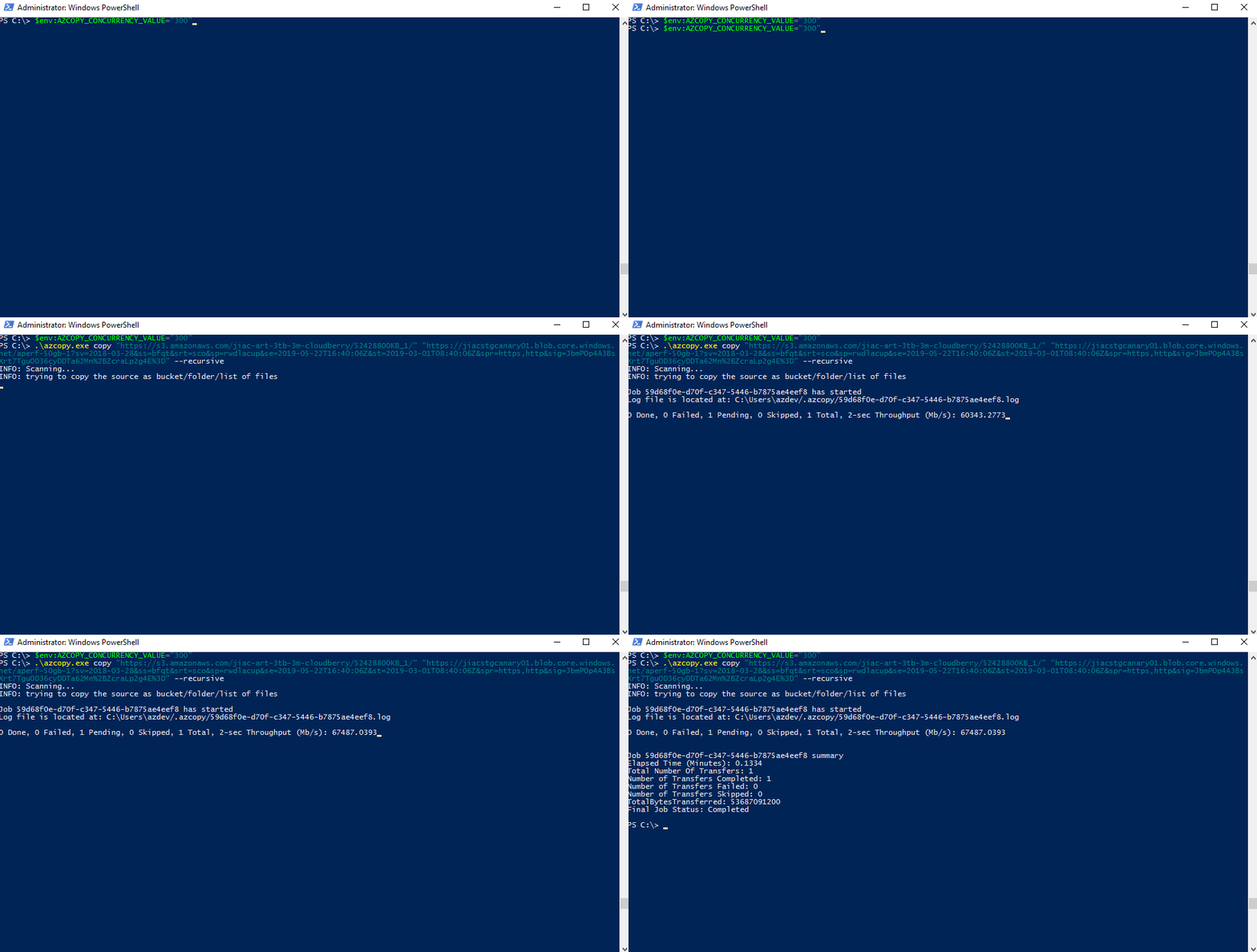
azcopy cp "https://s3.amazonaws.com/mybucket/" "https://mystorageaccount.blob.core.windows.net/mycontainer" --recursive
In testing copy operations from an AWS S3 bucket in the same region as an Azure Storage account, we hit rates of 50 Gbps – higher is possible! This level of performance makes AzCopy a fast and simple option when you want to move large amounts of data from AWS. AzCopy also provides resiliency. Each failure is automatically retried a number of times to mitigate network glitches. In addition, a failed or canceled job can be resumed or restarted so that you can easily move TBs of data at once.
For more information, refer to the documentation, “Transfer data with AzCopy v10 (Preview).”
Azure Data Factory
Alternatively, if you are looking for a fully managed Platform-as-a-Service (PaaS) option for migrating data from AWS S3 to Azure Storage, consider Azure Data Factory (ADF), which provides these additional benefits:
- Azure Data Factory provides a code-free authoring experience and a rich built-in monitoring dashboard.
- Easily scale up the amount of horsepower to move data in a serverless manner and only pay for what you use.
- Use Azure Integration Runtime (IR) for moving data over the public Internet, or use a self-hosted IR for moving data over AWS DirectConnect peered with Azure ExpressRoute.
- The ability to perform one-time historical load, as well as scheduled incremental load.
- Integrates with Azure Key Vault for credential management to achieve enterprise-grade security.
- Provides 80+ connectors out of box and native integration with all Azure data services so that you can leverage ADF for all your data integration and ETL needs across hybrid environments.
Give us feedback
Using AWS S3 as a source in AzCopy is currently in preview. Try it and give us your feedback by posting on our source code repository on GitHub!