Classic alerts in Azure Monitor will reach retirement this coming June. We recommend that you migrate your classic alert rules defined on your storage accounts, especially if you want to retain alerting functionality with the new alerting platform. If you have classic alert rules configured on classic storage accounts, you will need to upgrade your accounts to Azure Resource Manager (ARM) storage accounts before you migrate alert rules.
For more information on the new Azure Monitor service and classic alert retirement read the article, “Classic alerts in Azure Monitor to retire in June 2019.”
Identify classic alert rules
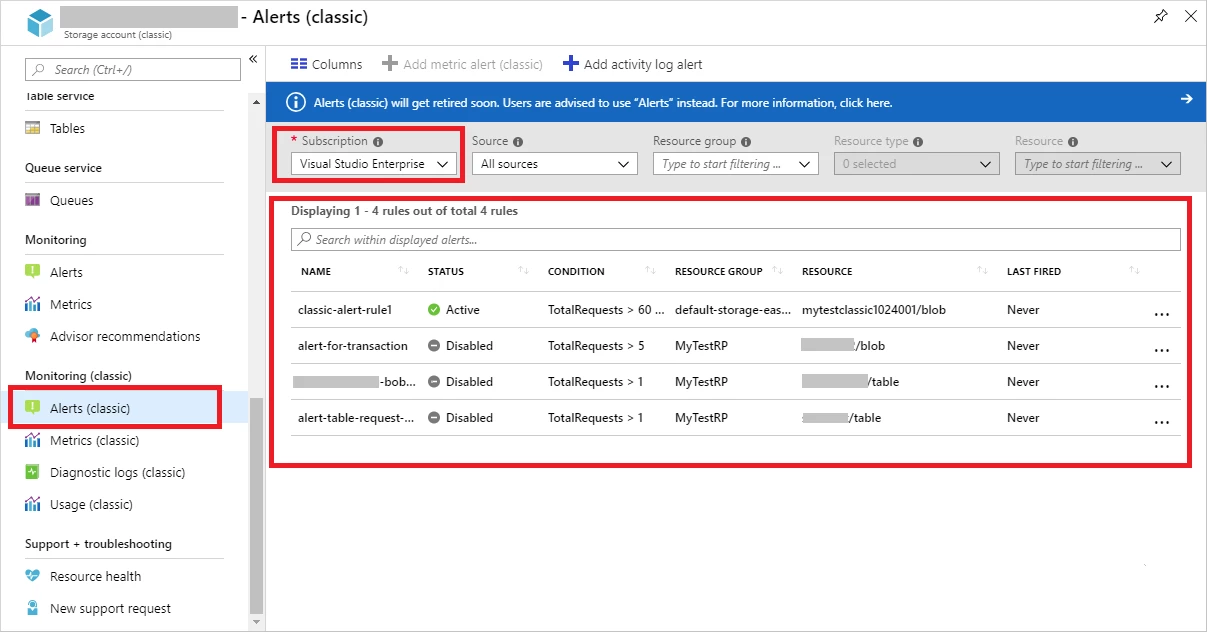
You should first find all classic alert rules before you migrate. The following screenshot shows how you can identify classic alert rules in the Azure portal. Please note, you can filter by subscription so you can find all classic alert rules without checking on each resource separately.
Migrate classic storage accounts to ARM
New alerts do not support classic storage accounts, only ARM storage accounts. If you configured classic alert rules on a classic storage account you will need to migrate to an ARM storage account. You can go to Storage accountOverview page in Azure Portal to check “Account kind” information. If it’s “Storage (classic)”, your storage account is classic storage account.
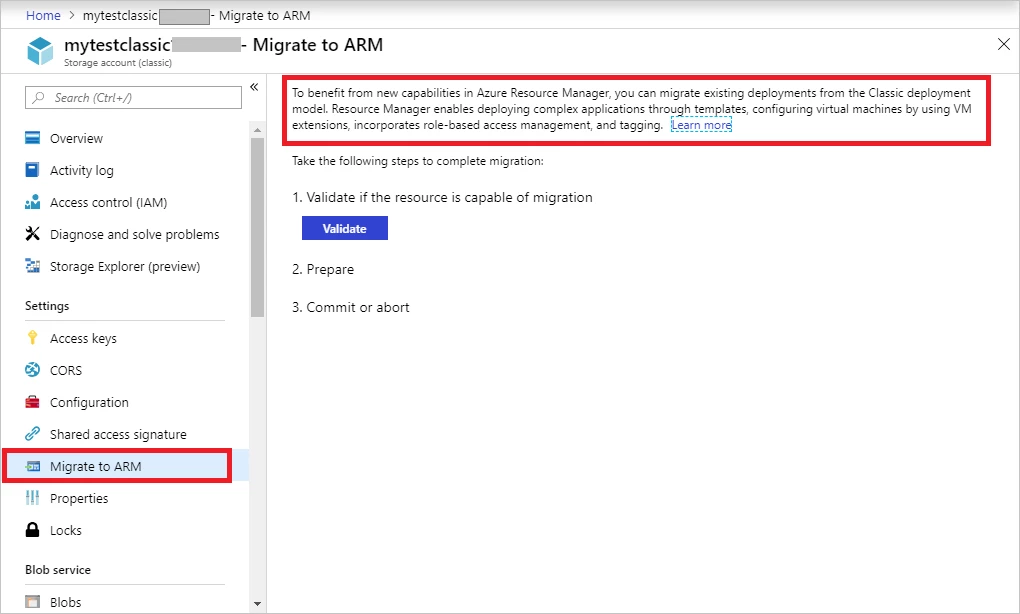
You can use “Migrate to ARM” to migrate using the storage menu on your classic storage account. The screenshot below shows an example of this. For more information on how to perform account migration see our documentation, “Platform-supported migration of laaS resources from classic to Azure Resource Manager.”
Re-create alert rules in new alerting platform
After you have migrated the storage account to ARM, you then need to re-create your alert rules. The new alerting platform supports alerting on ARM storage accounts using new storage metrics. You can read more about new storage metric definitions in our documentation, “Azure Storage metrics in Azure Monitor.” In the storage blade, the menu is named “Alert” for the new alerting platform.
Before you re-create alert rules as a new alert for your storage accounts, you may want to understand the difference between classic metrics and new metrics and how they are mapped. You can find detailed mapping in our documentation, “Azure Storage metrics migration.”
The following screenshot shows how to create an alert based on “UsedCapacity.”
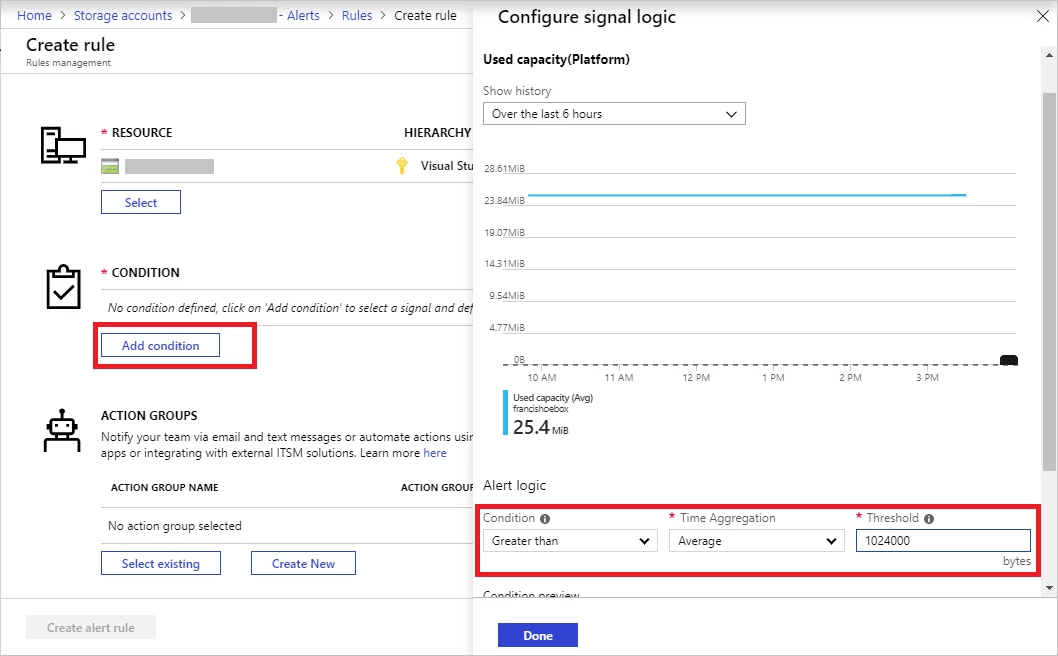
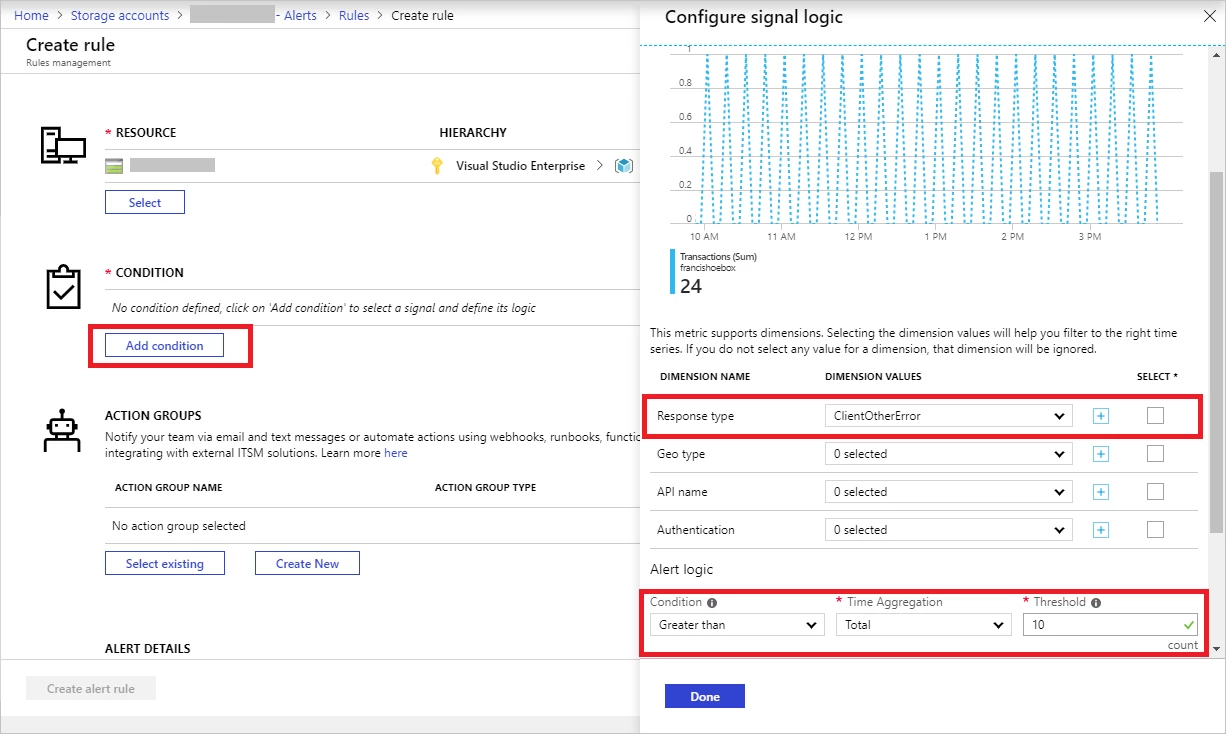
Some metrics include dimension, which allows you to see and use different dimension value types. For example, the transactions metric has a dimension named “ResponseType” and the values represent different type of errors and success. You can create an alert to monitor transactions on a particular error such as “ServerBusyError” or “ClientOtherError” with “ResponseType”.
The following screenshot shows how to create an alert based on Transactions with “ClientOtherError.”
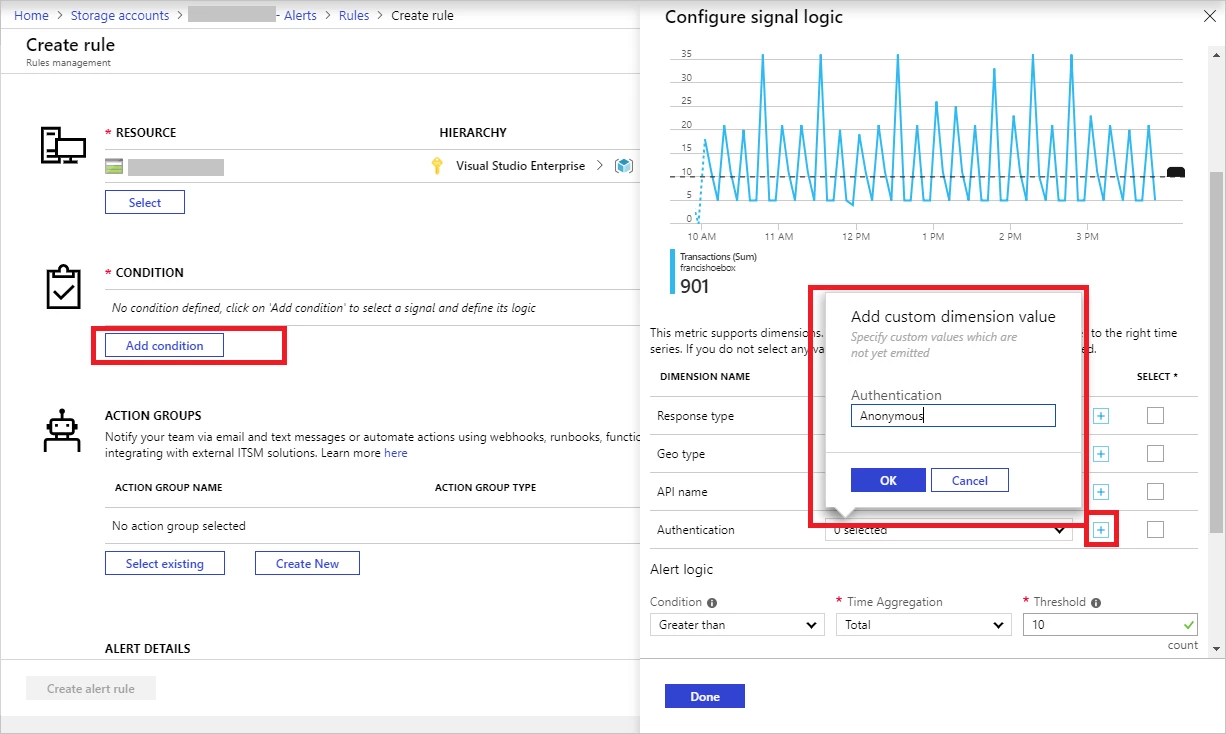
In the list of dimension values, you won’t see all supported values by default. You will only see values that have been triggered by actual requests. If you want to monitor conditions that have not happened, you can add a custom dimension value during alert creation. For example, when you have not had anonymous requests to your storage account yet, you can still setup alerts in advance to monitor such activity from upcoming requests.
The following screenshot shows how to add a custom dimension value to monitor upcoming anonymous transactions.
We recommend creating the new alert rules first, verify they work as intended, then remove the classic alerts.
Azure Monitor is a unified monitoring service that includes alerting and other monitor capabilities. You can read more in the “Azure Monitor documentation.”