Update April 18, 2023: Azure Native Qumulo Scalable File Service is now generally available.
The amount of data created and consumed is expected to grow exponentially over the next decade. This proliferation has radically changed enterprise data storage requirements. Today, enterprises are in search of storage solutions with unlimited capacity and performance scaling capabilities alongside their core requirements of data security and availability.
Azure cloud services have been the backbone for enterprises in their digital transformation journey. With Azure cloud services, enterprises can reduce storage costs and have access to high-availability storage products with disaster recovery capabilities. We are happy to announce that the storage suite of Azure products has grown with the addition of Azure Native Qumulo Scalable File Service. You can subscribe to this service via the Azure marketplace.
Qumulo is the industry leader in Distributed File System and Object Storage. Qumulo provides a highly scalable, highly performant, and simple-to-use cloud-native filesystem that supports a wide variety of data workloads via standard protocols (NFS, SMB, FTP, and S3). Azure Native Qumulo Scalable File Service provides seamless integration between Qumulo and Azure and enables Qumulo’s distributed file system as a native service on Azure.
“Our commitment to delivering simplicity at scale starts with the initial deployment and onboarding experience of our customers. The availability of the Azure Native Qumulo Scalable File Service directly from the Azure portal creates a more streamlined procurement process for customers looking to store and manage unstructured data in the cloud at massive scale.” —Kiran Bhageshpur, CTO of Qumulo
Native integration means that customers can deploy Qumulo in less than 15 minutes. Customers no longer need to set up virtual network peering to connect to Qumulo. In fact, with this integration, virtual network peering charges have been eliminated, as Qumulo is connected via private access to the customer’s chosen virtual network. The data is stored and processed by the service in the same region as the virtual network and customers can easily leverage their own network policies with Qumulo’s enterprise-scale filesystem.
Azure Native Qumulo Scalable File Service provides the following key capabilities:
- Seamless onboarding—Easily onboard and use Qumulo as a natively integrated service on Azure.
- Unified billing—Get a single bill for all resources you consume on Azure, including the Qumulo service.
- Private access to virtual network—The service is directly connected to your virtual network and provides access to a fully managed Qumulo Scalable File service from the virtual network of your choice.
“Azure Native ISV Services enables enterprises to provision and use select ISV solutions on Azure with a seamless, first-class experience. With the public preview launch of Azure Native Qumulo Scalable File Service, we expand Azure’s storage offerings with Qumulo’s exabyte-scale data service. With this integration, enterprises can easily create and manage a multi-petabyte-scale file system in a single namespace on Azure. We are really excited about partnering with Qumulo and integrating their data services into Azure” —Balan Subramanian, Partner Director of Product Management, Azure Developer Experiences
Get started with Azure Native Qumulo Scalable File Service:
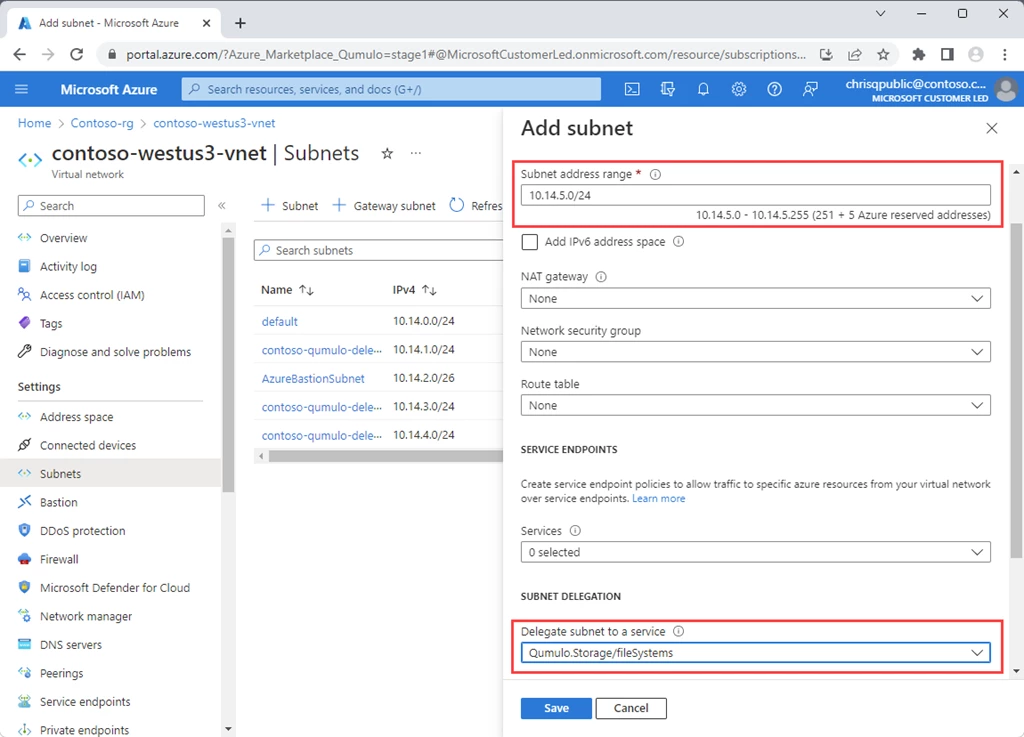
1. Prerequisite—Create a delegated subnet in a virtual network of your choosing and add network security group details as per your enterprise policy.
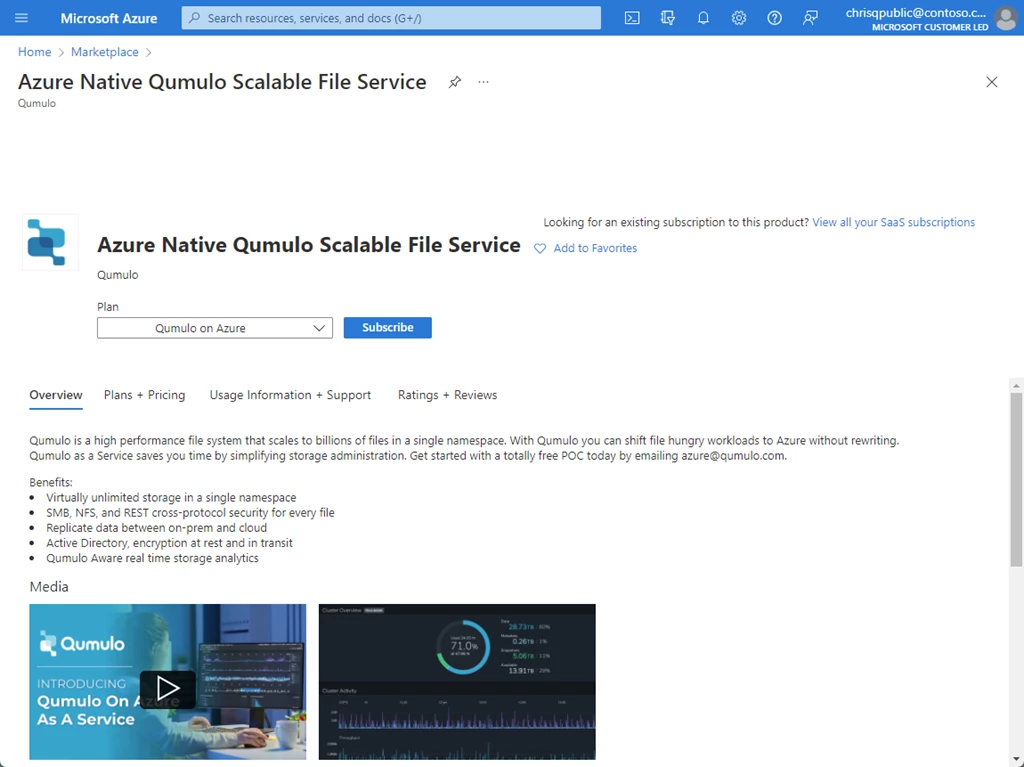
2. Subscribe to Azure Native Qumulo Scalable File Service on the Azure Marketplace.
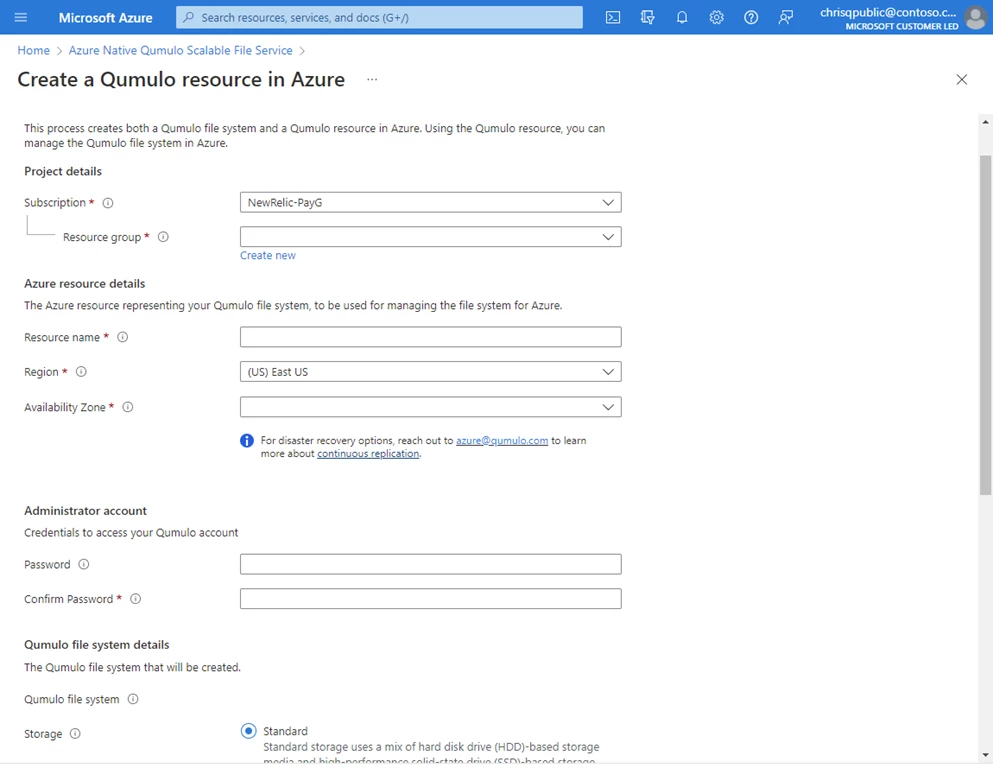
3. Seamlessly create a Qumulo resource by entering the required details about the file in the Basics tab.
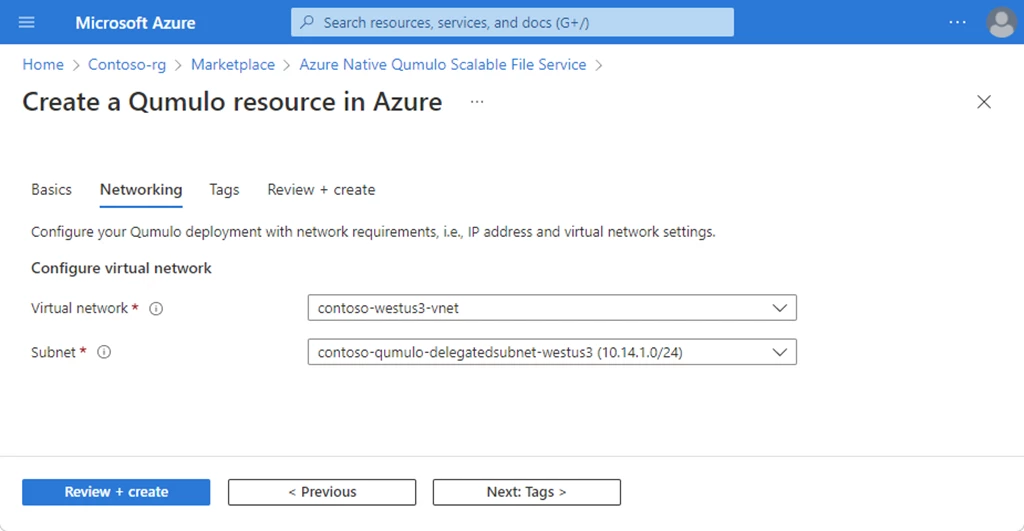
4. In the Networking tab, provide the details of the virtual network and the previously created delegated subnet. Click on Review + create to create the filesystem.
Learn more
- Marketplace offer: Azure Native Qumulo Scalable File Service.
- Azure Native Qumulo Scalable File Service overview.
- Sign up for Azure today.