Windows Server Containers in Web App are now available in public preview! Web App for Containers is catered towards developers who want to have more control over what is installed in their containers.
By supporting Windows Containers on Azure App Service, we enable new opportunities for Application Modernization:
- Lift and Shift to PaaS – Ideal for customers interested in migrating .NET Framework and .NET Core applications to Azure, and going straight to a PaaS service to get the many productivity benefits from the App Service platform.
- Applications with dependencies – Deploying an app within a Windows Container allows customers to install custom dependencies. Examples include installation of custom fonts or component libraries which must be installed into the Global Assembly Cache (GAC).
- Relaxed security restrictions – When deploying a containerized application, the Windows Container is an isolation and security boundary. As a result, calls to libraries that would normally be blocked by Azure App Service will instead succeed when running inside of a Windows Container. For example, many PDF generation libraries make calls to graphics device interface (GDI) APIs. With Windows Containers, these calls will succeed.
- Third-party application migration – Customers often have business critical applications developed by third parties with which the company no longer has a relationship. Containerizing these types of applications unlocks the opportunity to migrate applications to Azure App Service.
New SKUs for Windows Containers
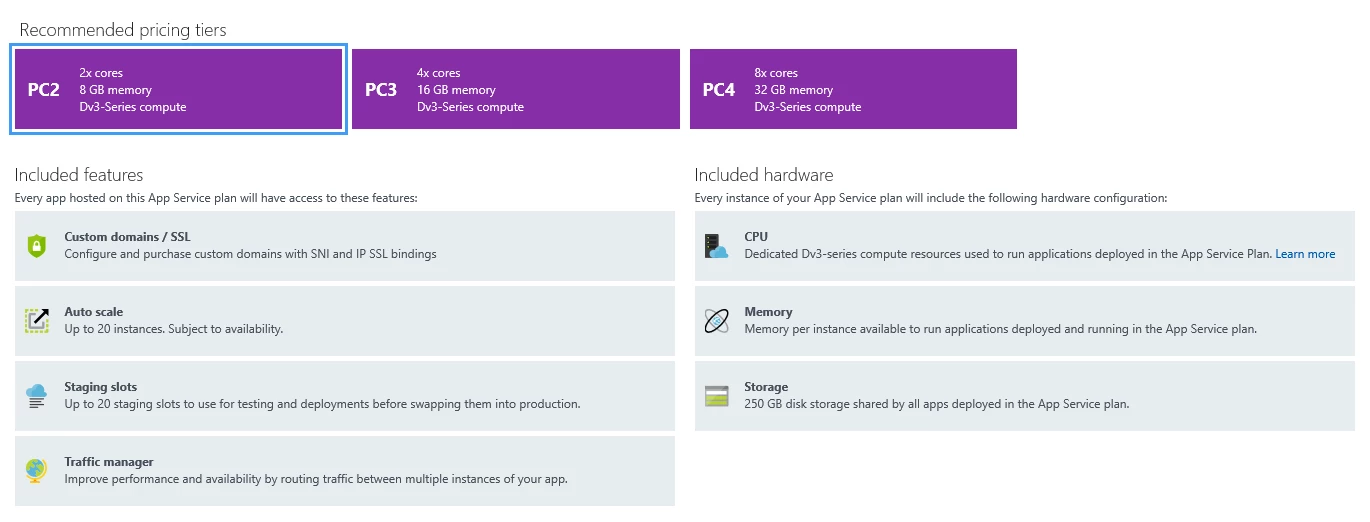
With the introduction of Windows Container support, we are also adding three new premium SKUs exclusively for App Service Plans hosting applications deployed using Windows Containers. These new SKUs all provide Dv3 series capabilities, offering customers more choice for their applications. The new Premium Container Tier offers customers three options in which to run their containers:
- Small (2 CPU vcores, 8GB Memory)
- Medium (4 CPU vcores, 16GB Memory)
- Large (8 CPU vcores, 32GB Memory)
To allow customers to explore and evaluate our offering for hosting Windows Containers on Azure App Service, we are initially offering a free preview for these new SKUs during the month of August. Preview pricing will take affect starting September 13, 2018.
Which base images are supported?
Windows Containers always derive from a base Windows image, and Windows Containers deployed on Azure App Service are no different. As a service, we cache several base images on our infrastructure and we advise customers to use those images as the base of their containers to enable faster application startup times. Customers are also free to use their own base images, though using different base images will lead to longer application startup times.
Customers deploying .NET Framework Applications must choose a base image based on the Windows Server Core 2016 Long Term Servicing Channel release. Customers deploying .NET Core Applications must choose a base image based on the Windows Server Nano 2016 Long Term Servicing Channel release. At this point, Azure App Service does not support deployment of applications in containers based on the Windows Server 1709 release.
Cached base images:
- microsoft/iis:windowsservercore-ltsc2016, latest
- microsoft/iis:nanoserver-sac2016
- microsoft/aspnet:4.7.2-windowsservercore-ltsc2016, 4.7.2, latest
- microsoft/dotnet:2.1-aspnetcore-runtime
- microsoft/dotnet:2.1-sdk
Public preview capabilities
- Deploy containerized applications using Docker Hub, Azure Container Registry, or private registries.
- Incrementally deploy apps into production with deployment slots and slot swaps.
- Scale out automatically with auto-scale.
- Enable application logs and use the App Service Log Streaming feature to see logs from your application.
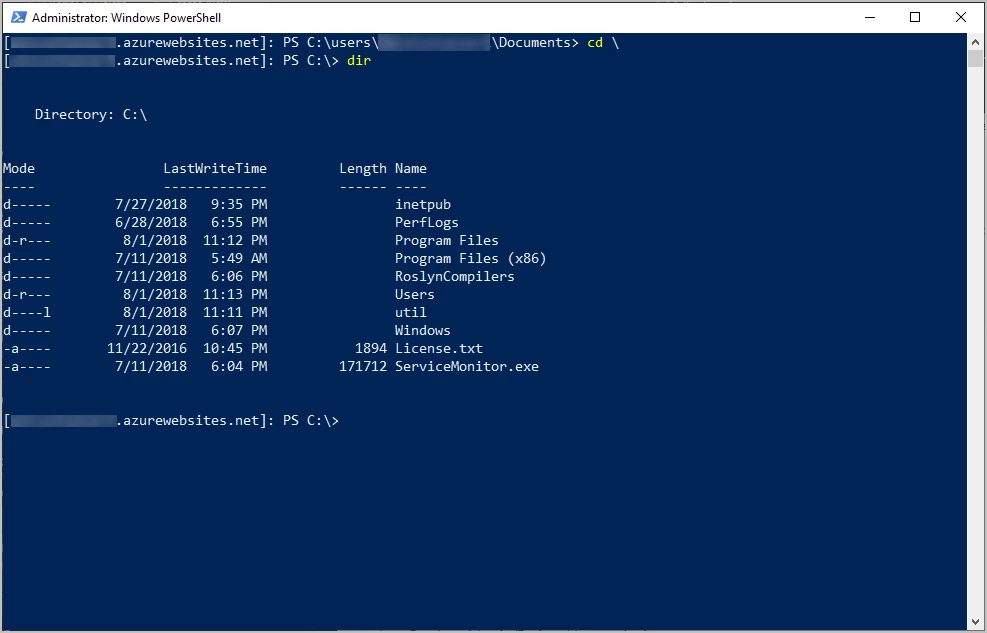
- Use PowerShell and Win-RM to remotely connect directly into your containers.
To get started, please refer to this quick start.
We want to hear from you!
Windows Container support for Azure App Service provides you with even more ways to build, migrate, deploy, and scale enterprise grade web and API applications running on the Windows platform. We are planning to add even more capabilities during the public preview and we are very interested in your feedback as we move towards general availability.