Skip to main content Get to know Azure Microsoft as Customer Zero View all products (200+) Microsoft Foundry Azure Copilot GitHub Copilot Azure Kubernetes Service (AKS) Azure Cosmos DB Azure Database for PostgreSQL Azure Arc Microsoft Fabric Linux virtual machines in Azure Foundry Models Foundry Agent Service Foundry IQ Foundry Tools Foundry Control Plane Observability in Foundry Control Plane Azure OpenAI in Foundry Models Azure Speech in Foundry Tools Azure Machine Learning View all databases Azure Cosmos DB Azure DocumentDB Azure SQL Azure Database for PostgreSQL Azure Managed Redis Microsoft Fabric Azure Databricks Linux virtual machines in Azure Windows Server on Azure Azure Functions Azure Virtual Machine Scale Sets Azure API Management Azure Container Apps Azure Kubernetes Service (AKS) Azure Kubernetes Fleet Manager Azure Container Registry Azure Red Hat OpenShift Azure Container Instances Azure Container Storage Azure Arc Azure Local Microsoft Defender for Cloud Azure Monitor Microsoft Sentinel Azure Migrate View all solutions (40+) Cloud solutions for small and medium businesses Cloud migration and modernization center Data analytics for AI Azure Databases AI apps and agents Microsoft Marketplace Microsoft Sovereign Cloud AI apps and agents Responsible AI with Azure AI Infrastructure Data analytics for AI Machine learning operations (MLOps) Low-code application development on Azure Integration Services Serverless computing DevOps Migration and modernization center .NET apps migration Databases on Azure Linux on Azure Oracle on Azure SAP on the Microsoft Cloud Adaptive cloud High-performance computing (HPC) Infrastructure as a service (IaaS) Resiliency Azure Essentials Frontier Accelerate for Azure FinOps on Azure Microsoft Marketplace Azure pricing overview Create an Azure account Free Azure services Flexible purchase options Pricing calculator FinOps on Azure Maximize ROI from AI Azure savings plans Azure reservations Azure Hybrid Benefit Virtual Machines Azure SQL Microsoft Foundry Microsoft Fabric Azure Kubernetes Service (AKS) Microsoft Defender for Cloud View more Software Development Companies Microsoft Marketplace Find a partner Resources for Azure partners Get started with Azure Customer stories Analyst reports, white papers, and e-books Videos Learn more about cloud computing Documentation Explore Azure portal Developer resources Quickstart templates Resources for startups Developer community Students Azure for partners Blog Events and Webinars Learn Support Contact Sales Get started with Azure Sign in

The release of Storage Explorer 1.10.0 brings many exciting updates and new features that we hope can help you be more productive and efficient when working with your Azure Storage Accounts. If you’ve never used Storage Explorer before, make sure to head to our product page, and download it for your favorite operating system. In this post, we’ll go over the newly added support for virtual machine (VM) disk management that was added in the 1.10.0 release.

Easily backup and restore VMs with disk support

Managed disks have been simplifying Azure VM creation and maintenance over page blobs, blob containers and storage accounts. Today, Azure managed disks are the default storage option for Azure IaaS VMs. Recently, we introduced the Direct Upload API that allows you to upload data from on-premises without staging the data in a storage account. Azure Storage Explorer further simplifies those tasks by providing performant upload and download capabilities for creating and accessing managed disks. Here are two example scenarios for how the new features benefit customers like you:

We learned it is common to migrate VMs from on-premises to Azure. With Storage Explorer you can conveniently perform this task using the following steps in the documentation.

Figure 1: Upload a VHD using Storage Explorer
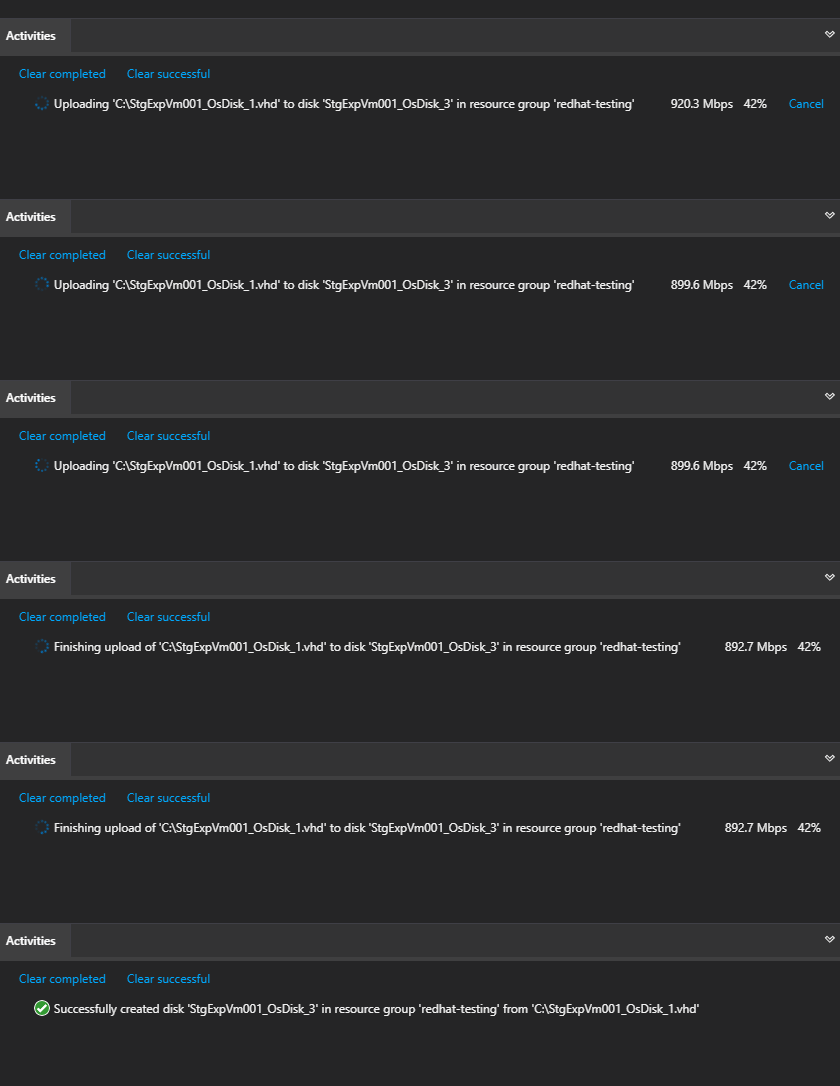
A gif showing an upload of a VHD using Storage Explorer.

Backup and restore operations are also very common practices in customers’ disaster recovery strategy. A typical scenario is rolling back VMs to last known good version by restoring disks from snapshots after a regional outage or an application upgrade failure.

The workflow is now simplified with managed disks support in Storage Explorer. In the 1.10.0 release you can snapshot a disk just like any other blob to back up the current version. In upcoming releases, we will fully support creating disks from snapshots to complete the end-to-end scenario.

Figure 1: Capturing snapshot of VHDs from an Azure VM
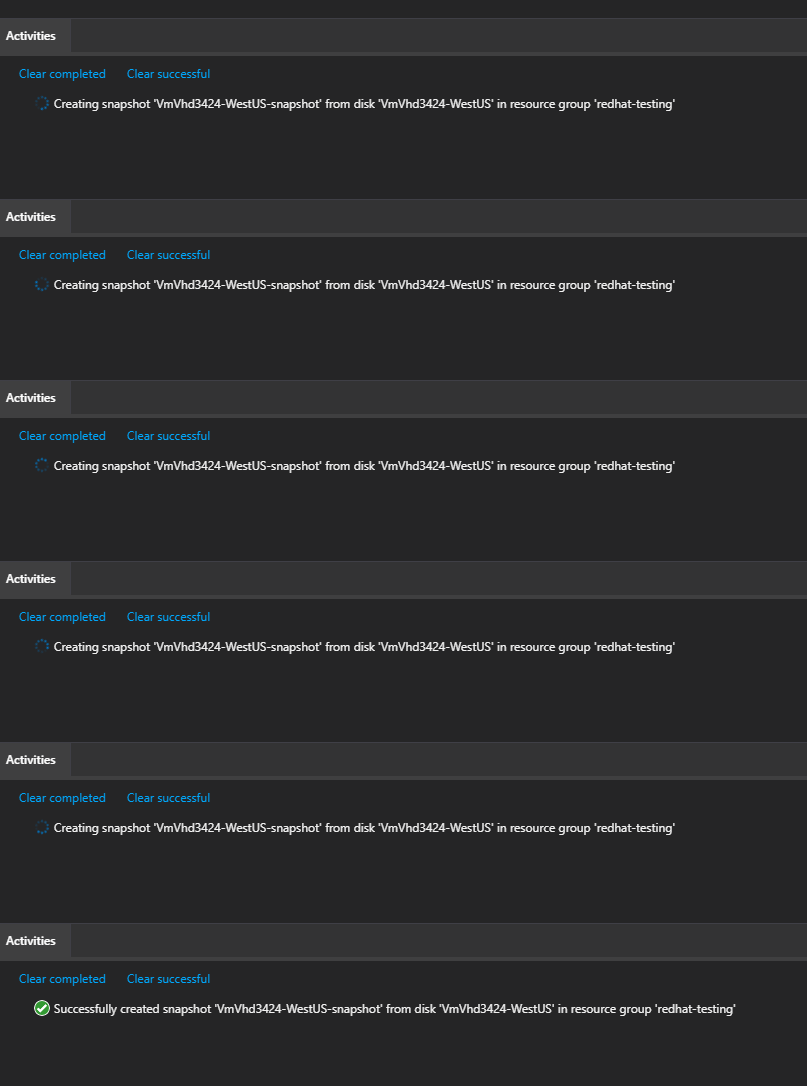
A gif showing the capturing of screenshots of VHDs from an Azure VM.

Next steps

Download Storage Explorer 1.10.0 today and start efficiently managing your VMs and disks. If you have any feedback, please make sure to open a new issue on our GitHub repo. If you are experiencing difficulties using the product, please open a support ticket following these instructions.


WE ARE MICROSOFT

Explore Microsoft Foundry

The future of AI starts here. Envision your next great AI app with the latest technologies. Get started with Azure.