

There were lots of announcements at the Microsoft Build 2018 conference, but one that caught my eye was the preview release of Azure SignalR, a Platform-as-a-Service (PaaS) offering that lets you implement real-time messages and notifications quite easily, without worrying about instances or hosts.
So it made me wonder, could I build something using my favorite globally-distributed and serverless database, Azure Cosmos DB, and Azure’s serverless compute offering, Azure Functions? It turns out others were interested in this topic too.
Real-time, really?
For those of you that do not know, SignalR is a library that’s been around since 2013 for the ASP.NET Framework, recently rewritten for ASP.NET Core under the name of SignalR Core, that allows you to easily create real-time applications and push content to clients through the Websocket protocol, gracefully falling back to other alternatives depending on the client. It works great for games, dashboards/monitoring apps, collaborative apps, mapping/tracking apps, or any app requiring notifications.
By leveraging the Websocket protocol, content can be pushed to clients without the overhead of opening multiple HTTP connections and over a single two-way TCP channel that is maintained for the entire session.
Going serverless!
One requirement of SignalR was that you, the developer, had to have a host to manage and maintain connections with clients, usually deployed as a Web instance. In Azure, you can do it in any of the PaaS offerings like App Service and Cloud Services. While it wasn’t a complex task, it still meant you had to maintain and ensure the service could handle a number of connections and the load based on your design and user load definitions.
With Azure SignalR, the host is provided for you. You only need to connect the clients and servers to the exposed service endpoint. You can even scale the service based on your needs transparently.
If you add a serverless database plus Azure Functions as a serverless platform to run all your code, then the result would be… Serverless, Serverless everywhere!
Streamlining notifications
The architecture would need:
- A client that can save data and receive real-time notifications. For simplicity, a web client was the faster option and to showcase we’ve picked a common chat application.
- An API that can receive data from the clients and save them to the database.
- Some mechanism that can act upon new data and notify all clients in real-time.
Since I was using Azure Functions (in Consumption Plan) as my compute layer, I distributed all functionality in four functions:
- FileServer which acts as a serverless file server for static files that will let a web client browse and obtain the files in the www folder, as if there was a web host continually running (but shhh, there isn’t!). The web client is using Azure SignalR’s npm package for connectivity and transport protocol resolution. Alternatively, static assets could be served through Azure CDN too.
- SaveChat, which will receive chat messages from the connected web clients and save it to Cosmos DB using Output bindings.
- SignalRConfiguration, which will send the required information to the web client to initialize SignalR’s Websocket connection.
- FeedToSignalR, which will trigger a CosmosDB Trigger, based on new data in Azure Cosmos DB, and broadcast it through Azure SignalR to all connected clients.
In order to support custom routes, in particular for static web host, I implemented Azure Functions Proxies through a proxies.json file. So, when the user browses the base URL, it is instead calling one of the HTTP triggered functions.
The complete flow is as follows:
- When the web client loads the static resources (e.g., browses the base URL), it pulls the SignalR configuration from SignalRConfiguration.
- It will then negotiate with Azure SignalR the best transport protocol that the browser supports and connect.
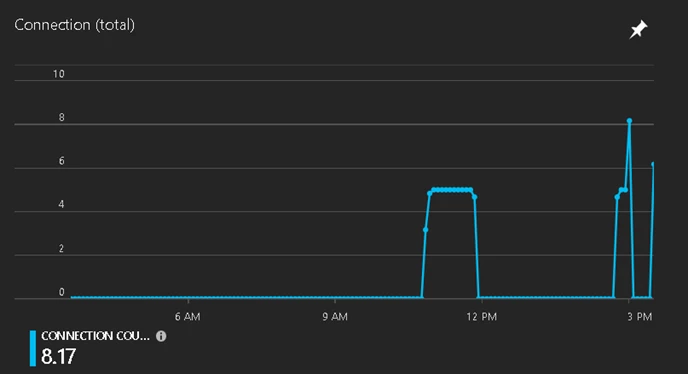
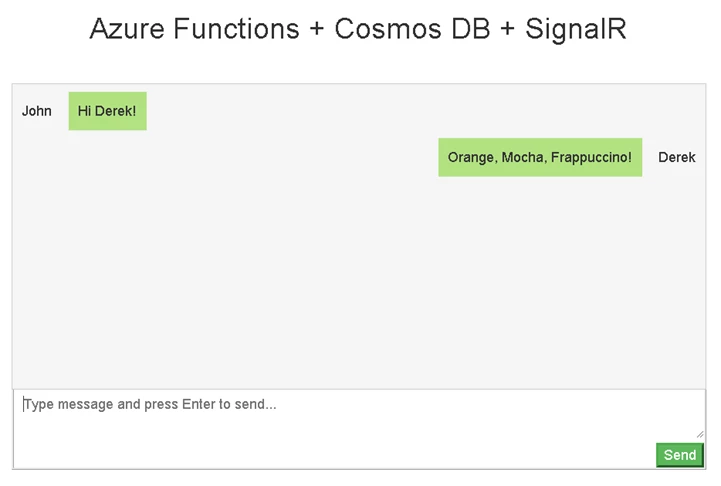
- When the user writes a message, it will save it to Azure Cosmos DB via an Ajax call to SaveChat.
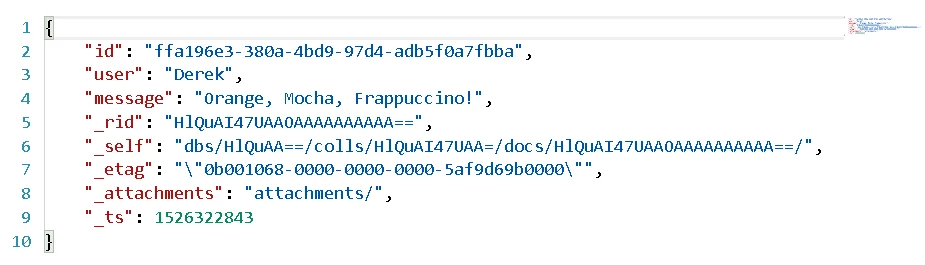
- Each chat line is stored as a document in Azure Cosmos DB.
- The FeedToSignalR will trigger and broadcast it to all Azure SignalR connected clients.
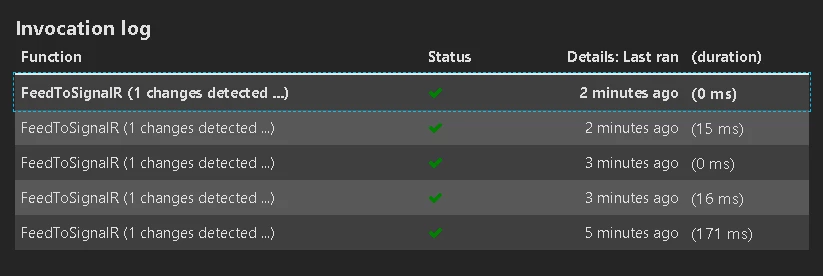
The final result is a complete serverless flow that consumes resources only when needed, and doesn’t need to maintain any host or extra service layer.
While this is just a chat app, it can easily be implemented in other flows like IoT, dashboards, system-wide broadcasts, and a big etcetera, dream big!
Next steps
The code is public in Github and it even includes a nice button that will deploy the complete architecture for you in your Azure subscription in one click!

Clone, fork, and use it as a base for your new or current projects. Just remember that Azure SignalR is still in preview, the libraries or service APIs might change in the future. You can try Azure Cosmos DB for free today, no sign up or credit card required. Stay up-to-date on the latest Azure Cosmos DB news and features by following us on Twitter #CosmosDB, @AzureCosmosDB.






