
PxDraw is a massive, realtime drawing canvas, that allows you build pictures one pixel at a time in unison with thousands of other people from around the world. PxDraw is an experiment the Azure Cosmos DB team has put together just for Microsoft Build Conference 2018; it will end after the conference has wrapped up on Wednesday, May 9th. It showcases the soon to be released multi-master support for Azure Cosmos DB, as well as a handful of other great Azure technology. You can see the demo featured in the Microsoft Build keynote on May 7, 2018.
Start drawing now at https://pxdraw.azure.com/!
– Your friends @AzureCosmosDB
P.S. Team up and invite your friends to make some Cosmic art! #CosmosDB #PxDraw.
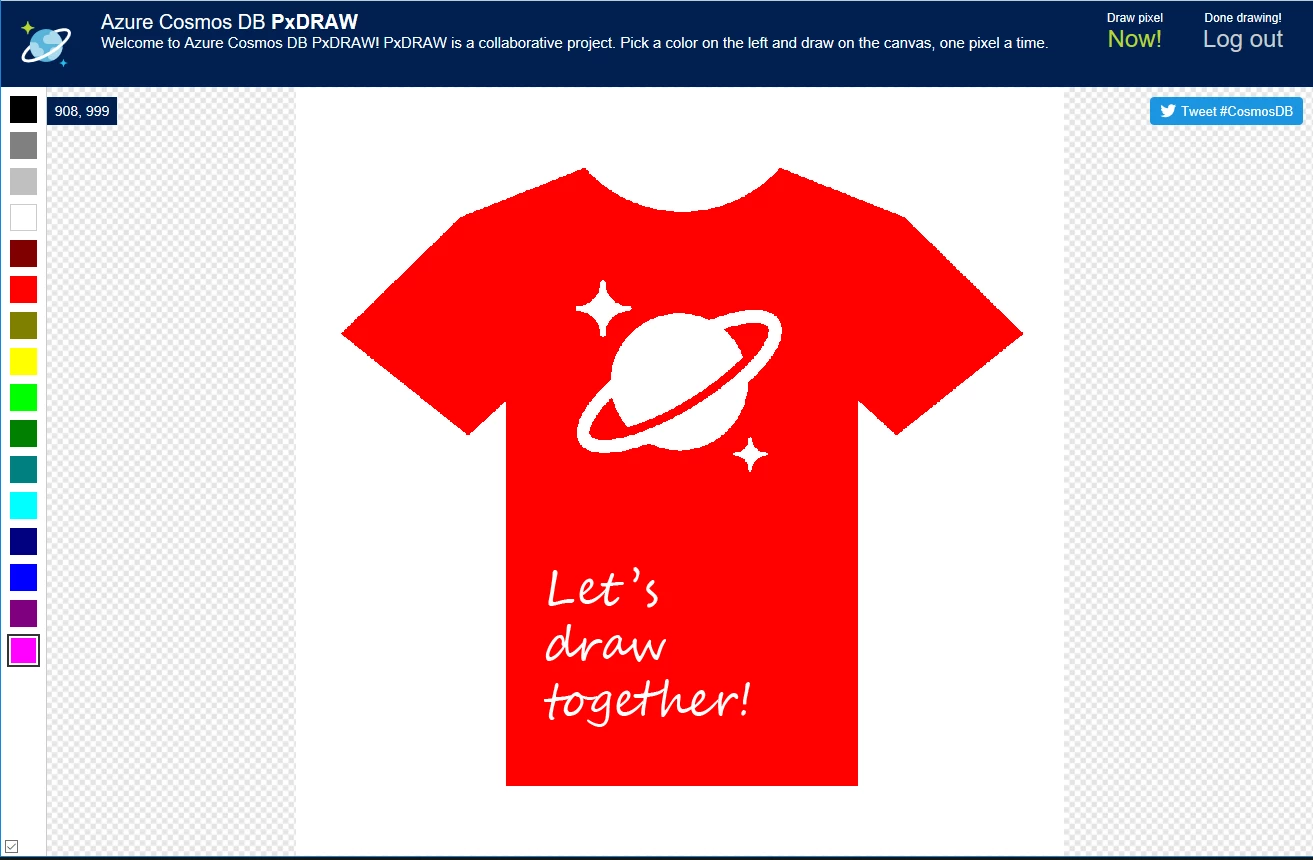
What is PxDraw?
It’s a million pixels ready to be filled in with your awesome ideas! It started as an idea for a //build demo, and expanded into a massive, “Cosmos”-scale experiment for everyone to try during //build. Everyone is welcome to collaborate, whether you’re at //build or just following along online. We definitely encourage folks to work together and form teams to draw more complex designs. It’s 1000×1000 grid supports 16 colors. You add pixels one at a time. You can overwrite other people’s pixels (and they can overwrite yours, so you might need to defend your “territory” as you draw more and more pixels). You’re limited to only drawing 1 pixel every thirty seconds.
To get started, go to https://pxdraw.azure.com/ and click the login button up in the top right of the window. This will prompt you to sign in with your Twitter account. Now you’ll be able to choose a color from the left and select a pixel to draw. It can help to zoom in to see which pixel your modifying. You can zoom in with your mouse wheel or using pinch gestures on touch screen devices. Right-click or dragging with your finger will pan the canvas around. Left-click or a finger tap will insert the pixel where your mouse/finger is currently pointing. This will start a timer in the top right banner which tells you when you can insert your next one.
How is it built?
PxDraw is built with a variety of Azure and Microsoft technology including Azure Cosmos DB, Azure Functions, Azure Storage, SignalR, C#, TypeScript, and more. We plan on releasing a follow-up blog post with our final design, code base, and all our lessons learned. It’s design to showcase lots of writes across a lot of regions while maintaining low latency. This is all utilizing Azure Cosmos DB’s mutli-master capability which is now in limited preview. You can sign up for access to the preview here.
FAQ
Here are some answers to some frequently asked questions:
Q: Do I need a Twitter account?
A: Yes. It’s the only identity provider we’re supporting for this experiment.
Q: What do you use my Twitter account information for?
A: We only use the id (the unique number, not your @handle) to track last insert time, which pixels you inserted, and for blocking bad users. We do not store or access any other information about your account. We’ve set up the Twitter app to have the least privilege possible. All the “Tweet #CosmosDB” buttons just open a Twitter window itself. We will never tweet on your behalf.
Q: Are bots allowed?
A: We didn’t explicitly design the application to allow for bots and don’t have any documentation for you, but if you reverse engineer our client app and build a bot, just behave yourself and it shouldn’t be an issue. You’ll still need to use twitter authentication and either allow for cookies or use the auth header. (Hint: bing for x-zumo-auth).
See the question below about “Can I do _______?” for our response to bad behavior.
Q: Will the timer always be 30 seconds between inserts?
A: No, we might lengthen the timeout if we get ALOT of traffic or reduce it if we want to make things more interesting. (Not that we explicitly allow bots, but if you are a bot, you can get the timeout from the /api/metadata endpoint).
Q: Why does it look like some people can draw long lines/large numbers of pixels?
A: Admins can “free draw”. We show case this in the //build demo to show real time off, but it’s also used as an admin tool for various purposes.
Q: Someone keeps covering up my pixels. Can you stop them?
A: Some “battles” are in good fun as there is a limited number of pixels. If you feel you are being targeted because of you identiy and are being harassed, report the behavior and we’ll do our best to stop it.
Q: Where can we report bad behavior?
A: Email pxdraw-admins@microsoft.com with “PXDRAW ISSUE” in the subject. All other emails will be ignored.
Q: Can we draw whatever we want? Can I do ________?
A: Not quite. We are a world-wide community of professionals, and we conduct ourselves professionally. We seek to make this experiment welcoming to everyone. Disagreement is no excuse for poor behavior and poor manners. Disrespectful and unacceptable behavior includes, but is not limited to:
- Violent threats or language.
- Discriminatory or derogatory jokes, language, and behavior.
- Posting sexually explicit or violent material.
- Posting, or threatening to post, people’s personally – identifying information (“doxing”).
- Insults, especially those using discriminatory terms or slurs.
- Behavior that could be perceived as sexual attention.
- Advocating for or encouraging any of the above behaviors.
This list is not exhaustive, but a general sense of what we will not tolerate.
We reserve the right to ban users at any time for any reason. We reserve the right to erase your work at any time for any reason. We reserve the right to shut down the experiment at any time for any reason. All of this will be done without notice. There is no appeals process for bans.
Q: Can we get access to the data?
A: We might release the dataset (minus user identifying information) afterwards if we hear some cool use cases and think we can do it in a manageable way.
Q: Can we record the data we see ourselves?
A: We don’t explicitly grant that right or officially support this.






