Skip to main content Get to know Azure Microsoft as Customer Zero View all products (200+) Microsoft Foundry Azure Copilot GitHub Copilot Azure Kubernetes Service (AKS) Azure Cosmos DB Azure Database for PostgreSQL Azure Arc Microsoft Fabric Linux virtual machines in Azure Foundry Models Foundry Agent Service Foundry IQ Foundry Tools Foundry Control Plane Observability in Foundry Control Plane Azure OpenAI in Foundry Models Azure Speech in Foundry Tools Azure Machine Learning View all databases Azure Cosmos DB Azure DocumentDB Azure SQL Azure Database for PostgreSQL Azure Managed Redis Microsoft Fabric Azure Databricks Linux virtual machines in Azure Windows Server on Azure Azure Functions Azure Virtual Machine Scale Sets Azure API Management Azure Container Apps Azure Kubernetes Service (AKS) Azure Kubernetes Fleet Manager Azure Container Registry Azure Red Hat OpenShift Azure Container Instances Azure Container Storage Azure Arc Azure Local Microsoft Defender for Cloud Azure Monitor Microsoft Sentinel Azure Migrate View all solutions (40+) Cloud solutions for small and medium businesses Cloud migration and modernization center Data analytics for AI Azure Databases AI apps and agents Microsoft Marketplace Microsoft Sovereign Cloud AI apps and agents Responsible AI with Azure AI Infrastructure Data analytics for AI Machine learning operations (MLOps) Low-code application development on Azure Integration Services Serverless computing DevOps Migration and modernization center .NET apps migration Databases on Azure Linux on Azure Oracle on Azure SAP on the Microsoft Cloud Adaptive cloud High-performance computing (HPC) Infrastructure as a service (IaaS) Resiliency Azure Essentials Frontier Accelerate for Azure FinOps on Azure Microsoft Marketplace Azure pricing overview Create an Azure account Free Azure services Flexible purchase options Pricing calculator FinOps on Azure Maximize ROI from AI Azure savings plans Azure reservations Azure Hybrid Benefit Virtual Machines Azure SQL Microsoft Foundry Microsoft Fabric Azure Kubernetes Service (AKS) Microsoft Defender for Cloud View more Software Development Companies Microsoft Marketplace Find a partner Resources for Azure partners Get started with Azure Customer stories Analyst reports, white papers, and e-books Videos Learn more about cloud computing Documentation Explore Azure portal Developer resources Quickstart templates Resources for startups Developer community Students Azure for partners Blog Events and Webinars Learn Support Contact Sales Get started with Azure Sign in
a screenshot of a computer
1 min read

Enhanced debugging and faster simulation with the latest Quantum Development Kit update

Today, Microsoft released an update to the Microsoft Quantum Development Kit including an enhanced debugging experience and faster simulations, as well as several contributions from the Q# community. We’re excited about the momentum generated by the many new Q# developers joining us in building a new generation of quantum computing.

Just over six months ago, we released a preview of Q#, our new programming language for quantum development featuring rich integration with Visual Studio. The February 26 release added integration with Visual Studio Code to support Q# development on macOS and Linux as well as Python interoperability for Windows. Since then, tens of thousands of developers have begun to explore Q# and the world of quantum development.

Today’s update includes significant performance improvements for simulations, regardless of the number of qubits required, as shown in the H2 simulation below. This is a standard sample included in the Microsoft Quantum Development Kit.
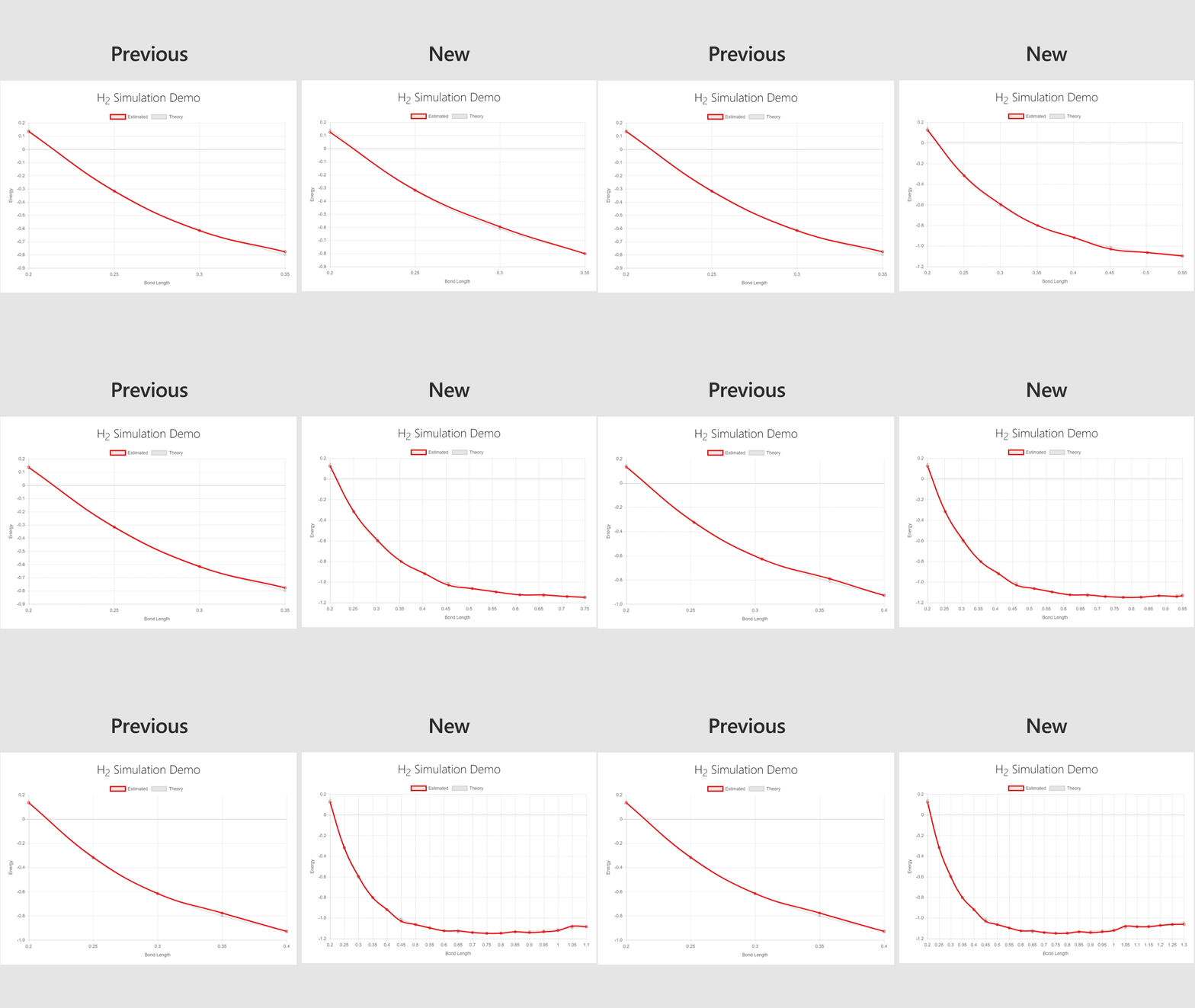
Simulation comparison

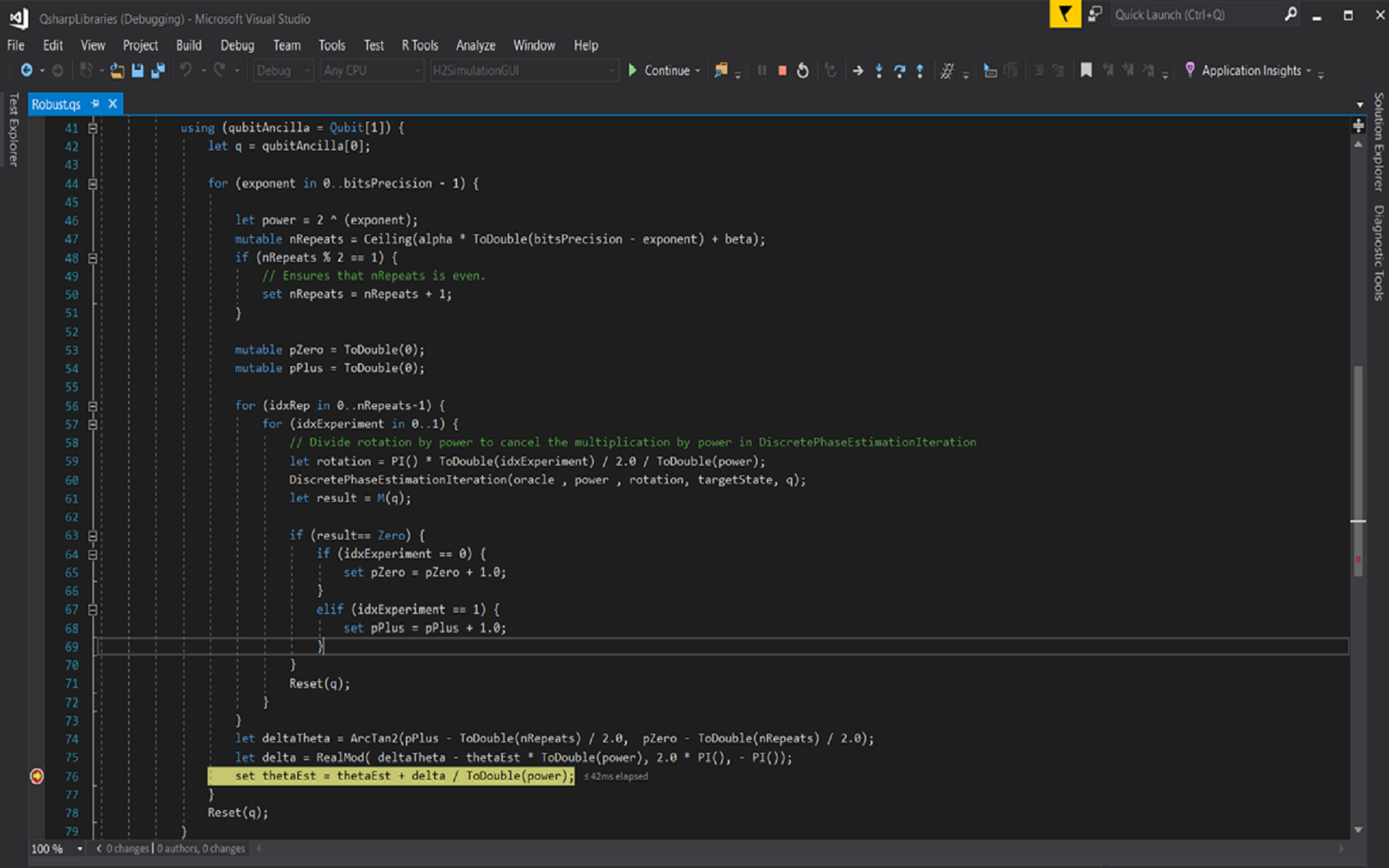
This update includes new debugging functionality within Visual Studio. The probability of measuring a “1” on a qubit is now automatically shown in the Visual Studio debugging window, making it easier to check the accuracy of your code. The release also improves the display of variable properties, enhancing the readability of the quantum state.
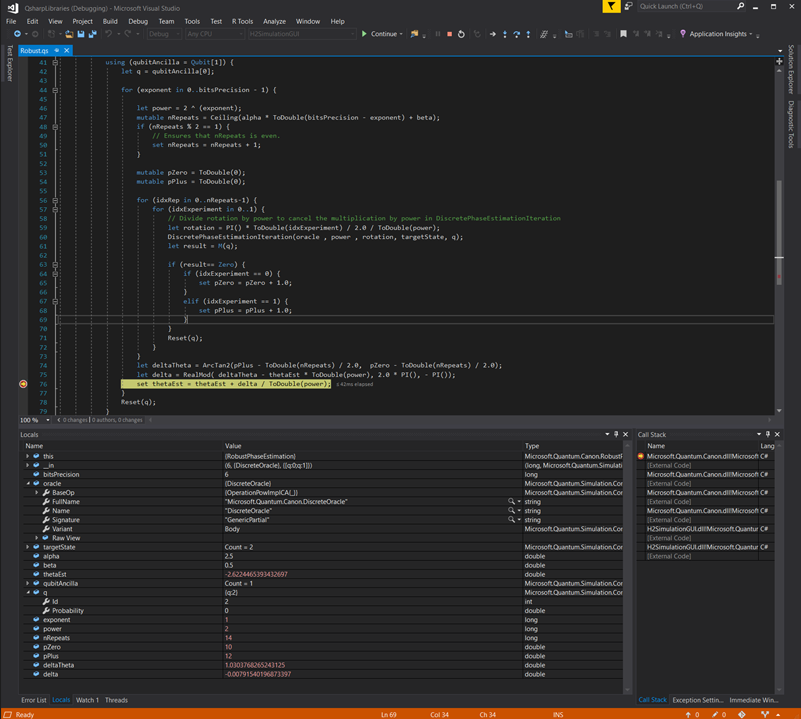
Screen showing enhanced debugging

Adding to the new debugging improvements, you’ll find two new functions that output probability information related to the target quantum machine at a specified point in time, called DumpMachine and DumpRegister. To learn more, you can review this additional information on debugging quantum programs.

Thanks to your community contributions, the Microsoft Quantum Development Kit now includes new helper functions and operations, plus new samples to improve the onboarding and debugging experience. Check out the release notes for a full list of contributions.

Download the latest Microsoft Quantum Development Kit

We’ve been thrilled with the participation, contributions, and inspiring work of the Q# community. We can’t wait to see what you do next.