In 2019, we announced the preview of the connector for Azure Cost Management + Billing, which allows our customers to analyze their Azure and AWS spend from a single pane of glass in the Azure Portal. We are excited to announce that this feature is now generally available. This new connector simplifies handling different cost models and numerous billing cycles so you can visualize and always stay up-to-date with your spend across clouds.
In this blog, we would like to explain how to get started:
Setting up the connector
The complete setup is done in a few quick steps:
- Setup and configure an AWS cost and usage report in the AWS portal.
- Create a role and policy in AWS, which provides Azure Cost Management with access as well as permissions proving organization API access and cost explorer API access.
- Lastly, set up the AWS connector in Azure Cost Management + Billing.
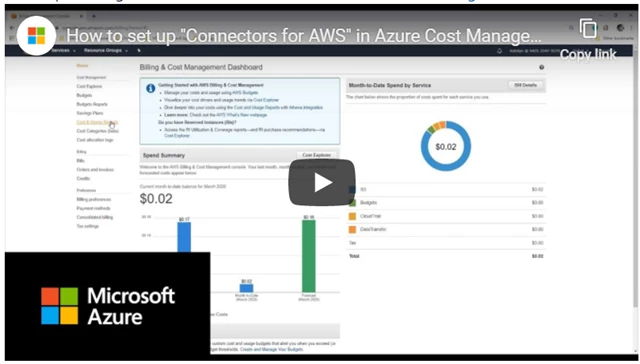
With this video, you can learn how to set up and connect AWS in Azure Cost Management:
Viewing your costs for your AWS linked accounts
You can view your AWS costs within Cost Analysis in the following scopes:
- AWS Linked accounts under a management Group.
- AWS Linked account costs.
- AWS Consolidated account costs.
You can view your costs for Azure and AWS together by using the management group scope, which aggregates the costs for AWS linked accounts and Azure subscriptions together. To get started, in cost analysis, use the scope picker and select the management group that holds your AWS linked accounts.
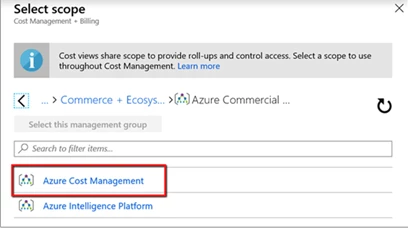
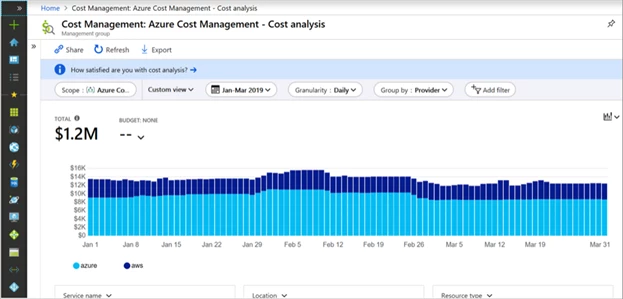
Here’s an example showing the management group cost in cost analysis, grouped by the provider (Azure and AWS).
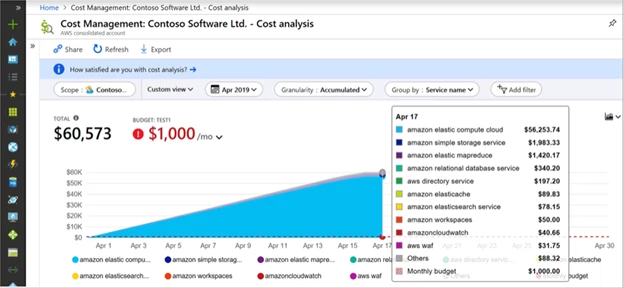
There’s also additional grouping and filtering on the AWS costs providing you the flexibility to view the data based on your preference. Here is an example of costs for an AWS consolidated account, grouped by service name:
Estimating future spend using forecasting capabilities
The forecast feature in Cost Analysis provides you the estimation of your costs for a selected time period. Now you can also leverage the very same feature to estimate your future AWS costs.
Setting budgets and alerts for your AWS costs
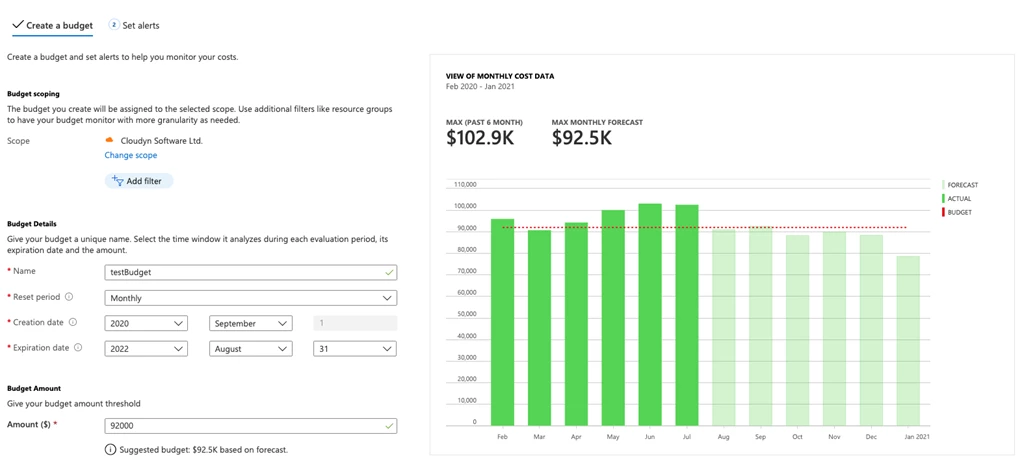
Budgets function in Azure Cost Management + Billing is used to proactively drive accountability within your organization. Budgets set on the AWS consolidated account and AWS linked account scopes. Here’s an example of a budget for an AWS consolidated account:
Pricing
The Connector for AWS will be available for all customers on September 1, 2020, with no additional cost for the first 90 days. For more information regarding pricing, please visit Azure Cost Management + Billing pricing page.
Next steps
Let’s get started!
- Visit our documentation page to learn more, setup, and configure AWS cost and usage report integration.
- Create your first AWS connector with the free trial to explore this new capability.
- For more information about managing your AWS costs in Azure Cost Management + Billing, visit the Manage AWS cost and usage in Azure documentation page.
- Learn more about the plans and pricing to manage your AWS costs in Azure.
If you have additional questions, please provide feedback.