This post was written by Michael Candido, Software Development Engineer on the Azure Web Sites Team
Some web applications have a need to use multiple subdomains and certain situation also require dynamically adding new ones. For example, consider a multi-tenant web app that gives each user his own subdomain for a personal content stream or dashboard.
Many users felt that the process for this was complicated, as the user would need to add each subdomain individually through the portal, PowerShell cmdlets, or (more realistically) direct API calls. In case SSL is needed, it adds yet another layer of complication as each subdomain would require an individual SSL binding.
To address this, we have recently introduced the use of wildcard domains. With this, you can add a wildcard domain such as *.contoso.com, which would allow users to access the site using any subdomain (, admin.contoso.com, etc).
The process of adding a wildcard domain to a site is almost exactly the same as for adding regular domains. To illustrate this, we will walk through adding the wildcard domain *.lovelyazuresky.com to the site myazureblog.
1. The first step is to create a CNAME record with your domain provider, which will resolve the URL a user types in to Azure Websites, and will also be used by Azure Websites for verification of the domain ownership(***). To do so, edit your DNS zone with your DNS provider, and create a * record for your domain (lovelyazuresky.com) that resolves to your Azure Websites URL of myazureblog.azurewebsites.net. The management interface used by various domain providers differs, but this is how it would look like on GoDaddy’s domain management system:
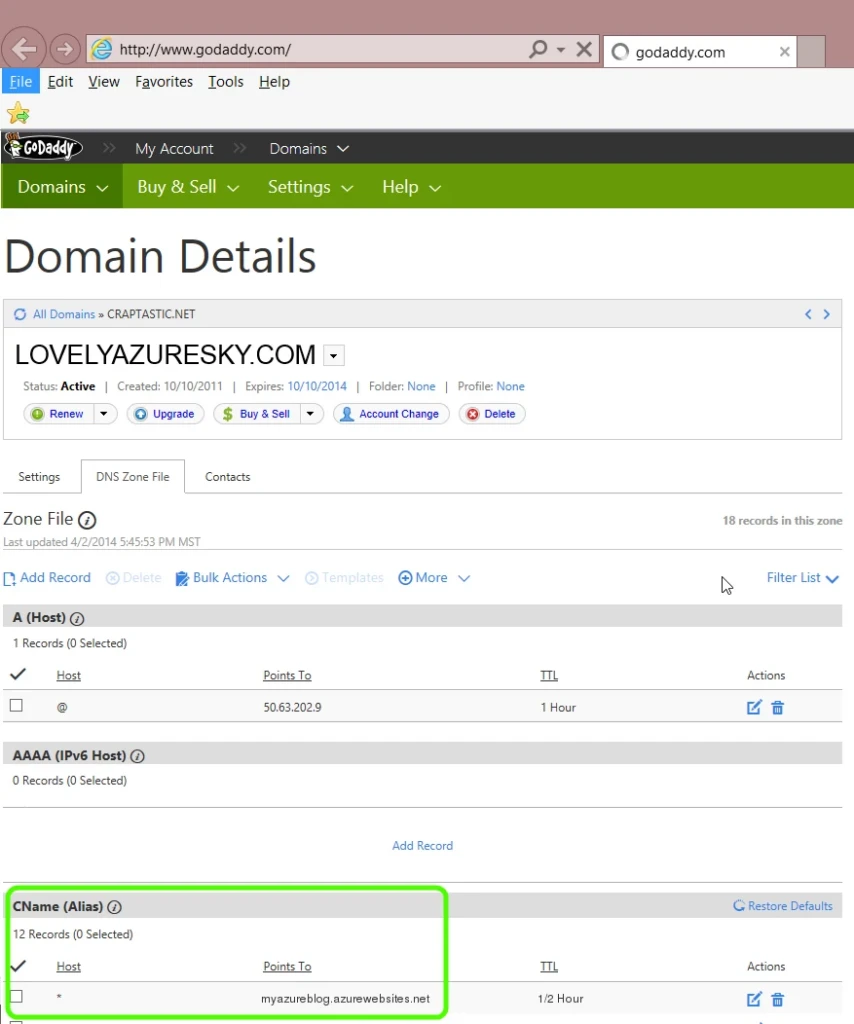

2. Before proceeding to the next step, use the NSLOOKUP utility or PING to confirm that your wildcard domain resolves to Azure correctly (as in, any subdomain under lovelyazuresky.com would resolve to an Azure URL similar to the below). If it doesn’t, wait a while and try again. Until the record resolves correctly, you will not be able to proceed.

3. The next step is adding the domain to the site configuration in Azure, as seen below:
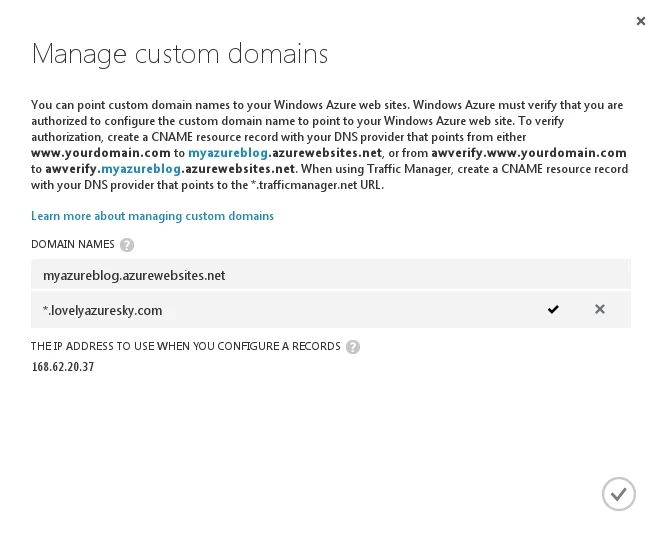
Since you already configured the CNAME record, the verification should succeed and the checkmark on the right would appear to confirm it. If you receive an error, give it a little time – it could take up to a few hours for the DNS record to be created with some domain providers. If after a few hours you still cannot add the domain, contact Microsoft support for help.
After the configuration is saved, the domain is ready for action, and all first-level subdomains of lovelyazuresky.com will point to the site.
Adding SSL
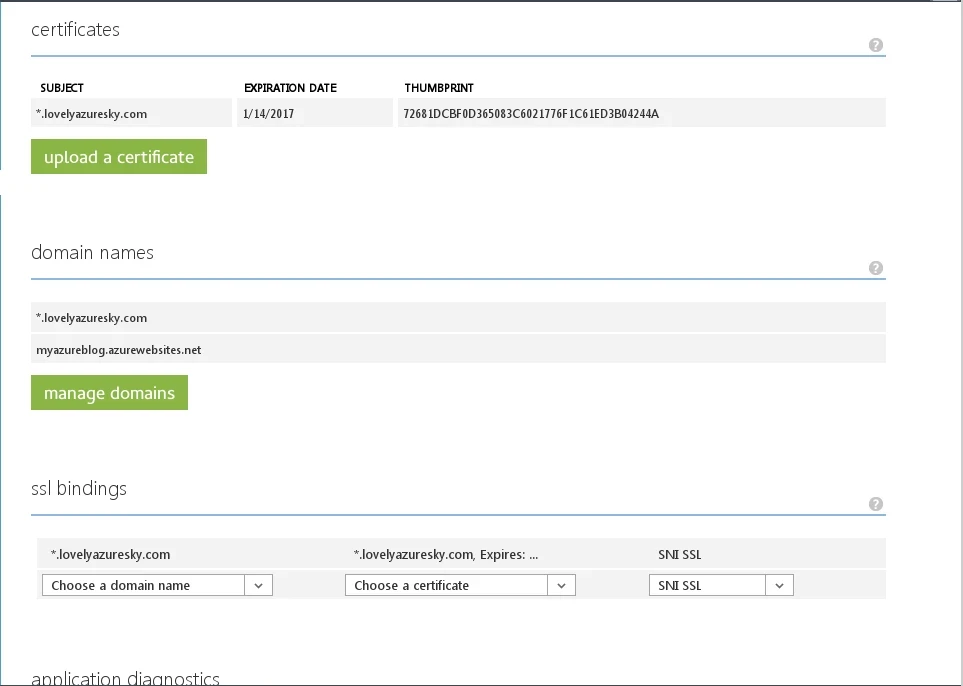
If you also want to add an SSL binding to the wildcard domain, the certificate must be a wildcard certificate to cover the full breadth of the wildcard domain. Both SNI SSL and IP SSL bindings are supported. When everything is done, the SSL configuration will look like the image below.
What if we want to use a different binding and certificate on one or more of the subdomains? This can be done in a natural way by adding (for example) payments.lovelyazuresky.com to the site and creating an SSL binding on it, which for this subdomain will override the wildcard binding on *.lovelyazuresky.com. You can even do this across multiple sites, allowing specific subdomains to go to a totally different site with a different SSL binding.