The Azure Container Registry team is happy to announce the preview of audit logs – one of our top items on UserVoice. In this release, we have new Azure portal and command-line interface (CLI) experiences to enable resource logs for diagnostic and audit evaluation of your registry logs.
This feature enables a capability to monitor your container registry by providing an audit trail of all relevant user driven activities on the registry. These logs contain information related to authentication, login details, repository level activities, and other user-driven events. In addition to these logs, Azure also provides a generic activity log which maintains a range of Azure Resource Manager information, including service health and other Azure management operations on the registry.
This feature also enables a user to turn on the resource logs for their container registry and can help facilitate with some of their compliance and diagnosing needs related to:
- Security and compliance related tracking.
- Diagnosing operational issues related to registry activities such as pull, push events.
Collection of resource logs for your registry however requires some additional steps as they are not turned on by default. Figure one displays how to configure diagnostics settings to enable Log Analytics. The logs can be viewed in Azure Monitor but would first require to be collected into a Log Analytics workspace.
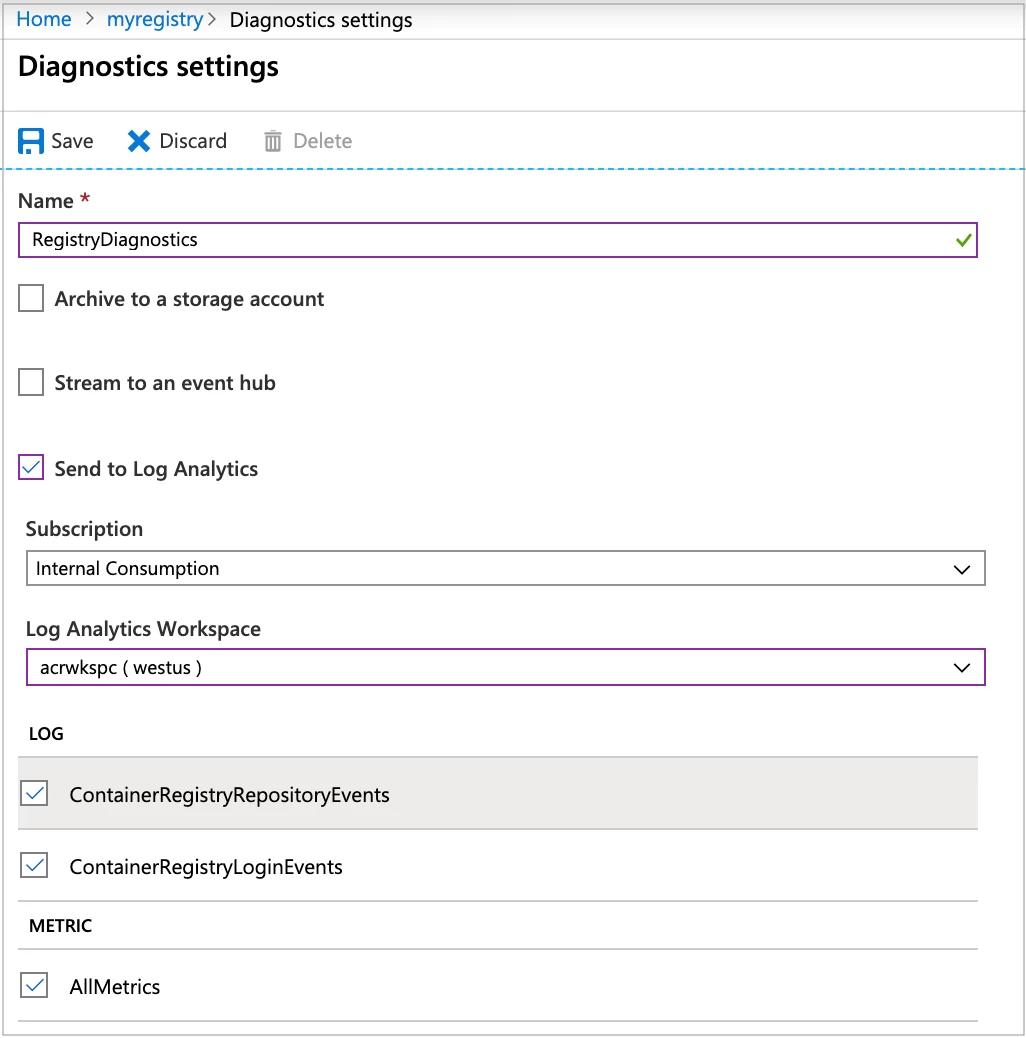
Figure one
You can find the detailed steps to set up diagnostic workspace for collecting the logs and to use Azure Monitor for viewing the registry logs.
Azure Monitor is the consistent means to view and visualize your resource logs in Azure. Once the logs collections has been setup in Log Analytics, you can begin to view the logs data by running these queries. Figure 2 shows an example of running one of the sample queries.
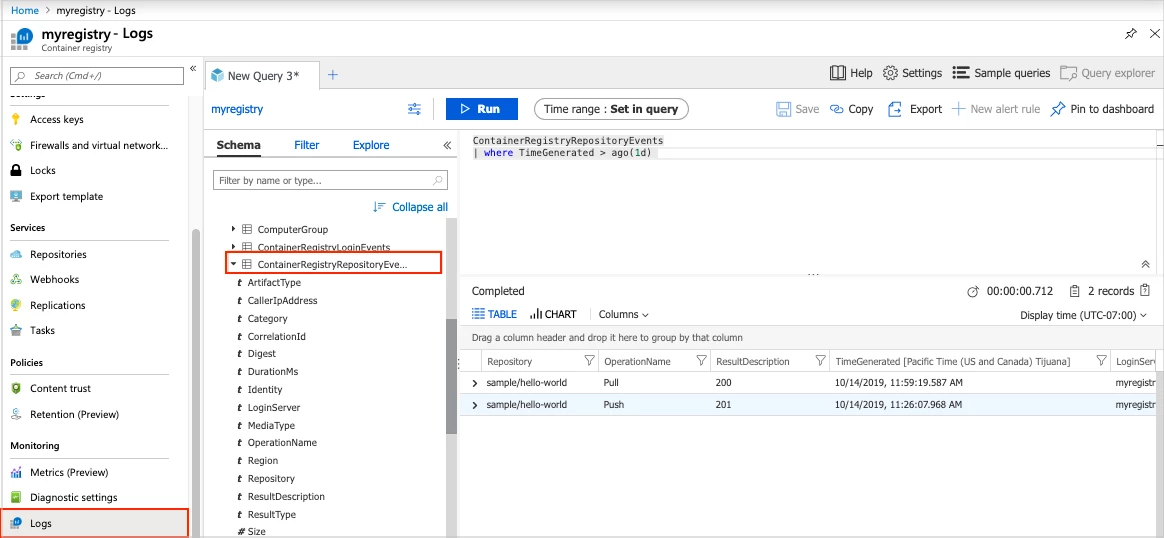
Figure two
The current release is preview, in the future we will provide logs on other registry events like Delete, Untag, Replication, and more. Please continue to provide your feedback to help prioritize these feature asks.
Availability and feedback
Push, Pull, and Login event logs are currently available with delete and untag event logs to follow shortly. As always, we love to hear your feedback on existing features as well as ideas for product roadmap.
Here’s a list of resources how you can use to engage with our team and provide feedback:
- Roadmap – For visibility into our planned work.
- UserVoice – To vote for existing requests or create a new request.
- Issues – To view existing bugs and issues, logging new ones.
- Azure Container Registry documents – For Container Registry tutorials and documentation.