Skip to main content Explore View all products (200+) Microsoft Foundry Azure Copilot GitHub Copilot Azure Kubernetes Service (AKS) Azure Cosmos DB Azure Database for PostgreSQL Azure Arc Microsoft Fabric Linux virtual machines in Azure Foundry Models Foundry Agent Service Foundry IQ Foundry Tools Foundry Control Plane Observability in Foundry Control Plane Azure OpenAI in Foundry Models Azure Speech in Foundry Tools Azure Machine Learning View all databases Azure Cosmos DB Azure DocumentDB Azure SQL Azure Database for PostgreSQL Azure Managed Redis Microsoft Fabric Azure Databricks Linux virtual machines in Azure Windows Server on Azure Azure Functions Azure Virtual Machine Scale Sets Azure API Management Azure Container Apps Azure Kubernetes Service (AKS) Azure Kubernetes Fleet Manager Azure Container Registry Azure Red Hat OpenShift Azure Container Instances Azure Container Storage Azure Arc Azure Local Microsoft Defender for Cloud Azure Monitor Microsoft Sentinel Azure Migrate View all solutions (40+) Cloud solutions for small and medium businesses Cloud migration and modernization center Data analytics for AI Azure Databases AI apps and agents Microsoft Marketplace Microsoft Sovereign Cloud AI apps and agents Responsible AI with Azure AI Infrastructure Data analytics for AI Machine learning operations (MLOps) Low-code application development on Azure Integration Services Serverless computing DevOps Migration and modernization center .NET apps migration Databases on Azure Linux on Azure Oracle on Azure SAP on the Microsoft Cloud Adaptive cloud High-performance computing (HPC) Infrastructure as a service (IaaS) Resiliency Azure Essentials Frontier Accelerate for Azure FinOps on Azure Microsoft Marketplace Azure pricing overview Create an Azure account Free Azure services Flexible purchase options Pricing calculator FinOps on Azure Maximize ROI from AI Azure savings plans Azure reservations Azure Hybrid Benefit Virtual Machines Azure SQL Microsoft Foundry Microsoft Fabric Azure Kubernetes Service (AKS) Microsoft Defender for Cloud View more Software Development Companies Microsoft Marketplace Find a partner Resources for Azure partners Get started with Azure Customer stories Analyst reports, white papers, and e-books Videos Learn more about cloud computing Documentation Explore Azure portal Developer resources Quickstart templates Resources for startups Developer community Students Azure for partners Blog Events and Webinars Learn Support Contact Sales Get started with Azure Sign in

We are excited to share the public preview of AzCopy in Azure Storage Explorer. AzCopy is a popular command line utility that provides performant data transfer into and out of a storage account. The new version of AzCopy further enhances the performance and reliability through a scalable design, where concurrency is scaled up according to the number of machine’s logical cores. The tool’s resiliency is also improved by repeated retries.

Azure Storage Explorer provides the UI interface for various storage tasks, and now it supports using AzCopy as a transfer engine to provide the highest throughput for transferring your files for Azure Storage. This capability is available today as a preview in Azure Storage Explorer.

Enable AzCopy for blob upload and download

We have heard from many of you that the performance of your data transfer matters. Let’s be honest, we all have better things to do than wait around for files to be transferred to Azure. Now with AzCopy in Azure Storage Explorer, we give you all that time back!

With AzCopy preview, the blob operations will be faster than before. To enable this option, go to the Preview menu and select Use AzCopy for improved blob Upload and Download.

We are working on the support for Azure Files and batch blob deletes. Feel free letting us know what you would like to see supported through our GitHub repository.
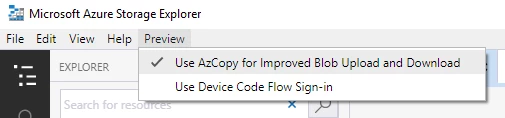
Enable AzCopy in Azure Storage Explorer

Figure 1: Enable AzCopy in Azure Storage Explorer

How fast is it?

With a quick test in our environment we were able to see great improvements in uploading files with AzCopy in Azure Storage Explorer. Note that the times may vary on each machine.

 Storage Explorer Storage Explorer w/AzCopyV10 Improvement
10K 100KB files1 hour 36 minutes59 seconds98.9 percent
100 100MB5 minutes 12 seconds1 minute 35 seconds69.5 percent
1 10GB file3 minutes 41 seconds1 minute 40 seconds54.7 percent

Figure 2: Performance improvement from using AzCopy as transfer engine for blog upload and download
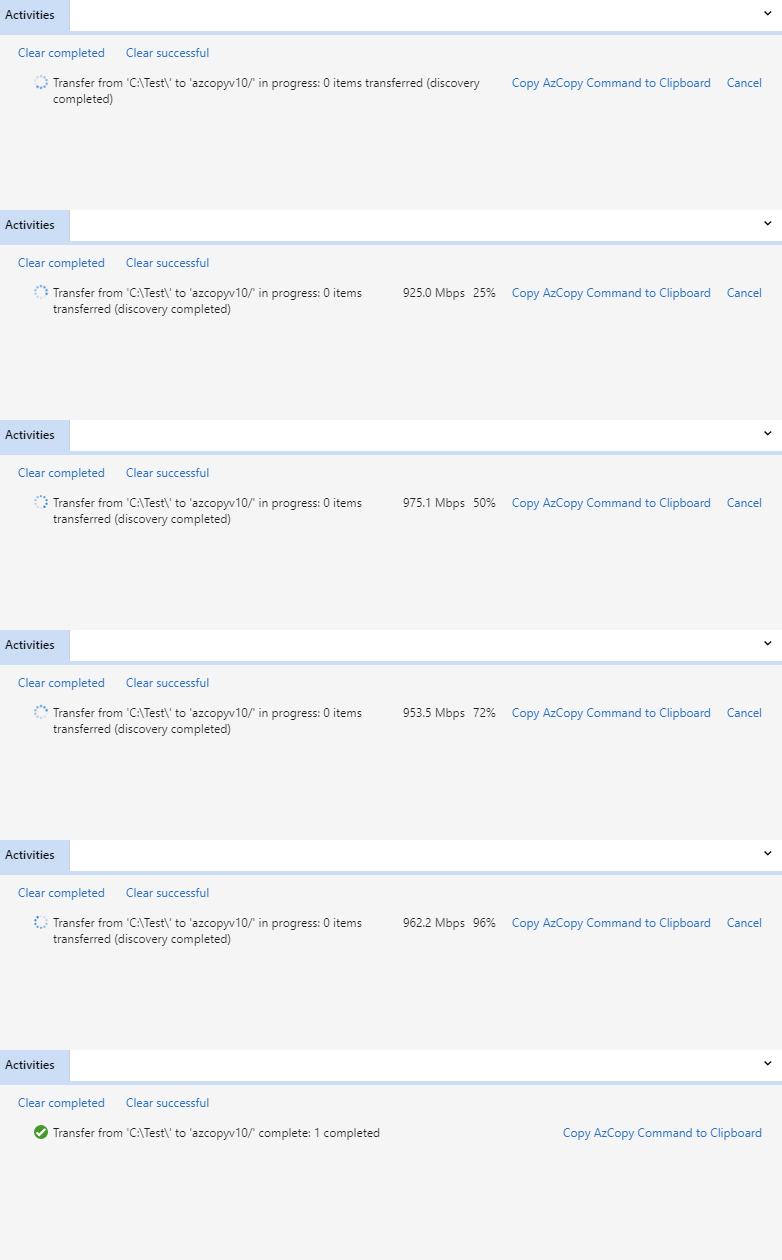
AzCopy uploads and downloads blobs efficiently 1 x 10GB files

Figure 3: AzCopy uploads/downloads blobs efficiently (1 x 10GB file)
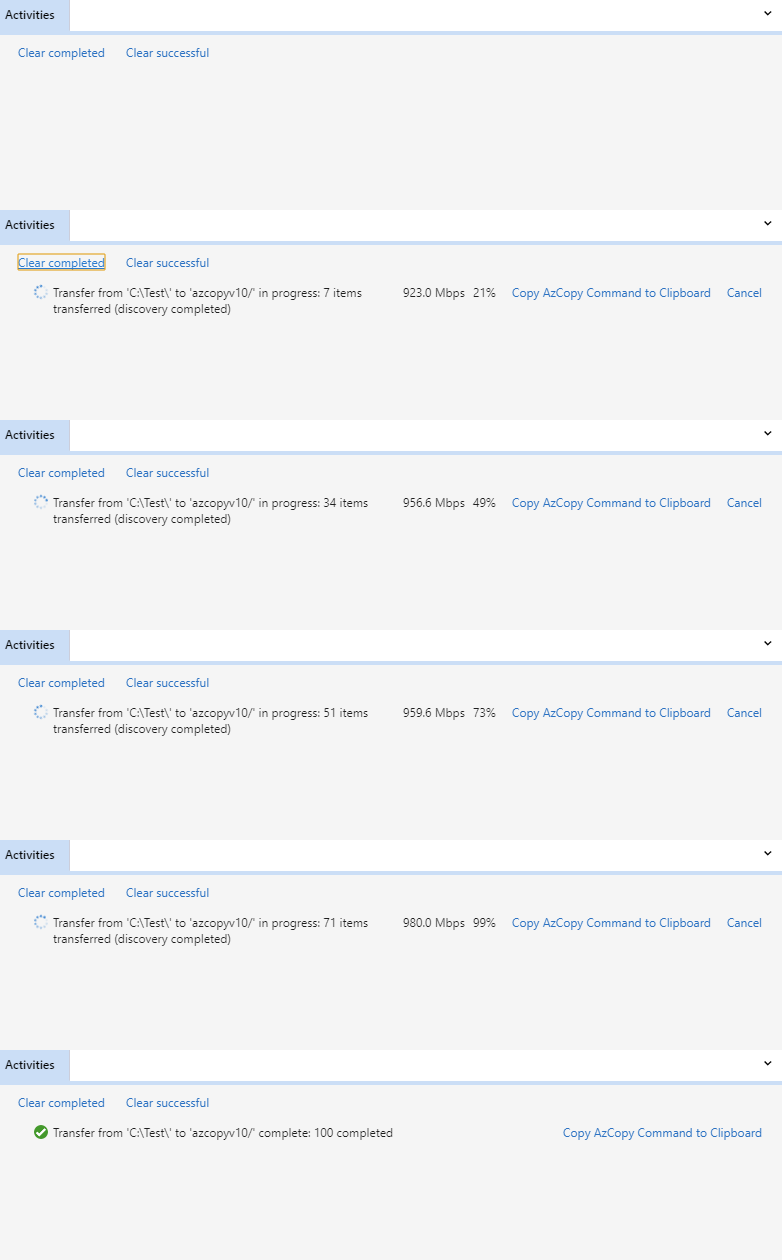
AzCopy uploads and downloads blobs efficiently 10,000 x 10KB files

Figure 4: AzCopy uploads/downloads blobs efficiently (10,000 x 10KB files)

Next steps

We invite you to try out the AzCopy preview feature in Azure Storage Explorer today, and we look forward to hearing your feedback. If you identify any problems or want to make a feature suggestion, please make sure to report your issue on our GitHub repository.


WE ARE MICROSOFT

Explore Microsoft Foundry

The future of AI starts here. Envision your next great AI app with the latest technologies. Get started with Azure.




