
With massive workforces now remote, IT admins and security professionals are under increased pressure to keep everyone productive and connected while combatting evolving threats.
Windows Virtual Desktop is a comprehensive desktop and application virtualization service running in Azure, delivering simplified management for virtual desktop infrastructure (VDI).
While organizations go through this transformation, allowing their employees to remain productive, IT and security professionals required to ensure the deployment of Windows Virtual Desktop is done in accordance with security best practices so it doesn’t add unnecessary risk to the business. In this blog, we will explore how Azure Security Center can help maintain your Windows Virtual Desktop environment configuration hygiene and compliance, and protect it against threats.
Overview of Windows Virtual Desktop Host Pool architecture
When setting up your Windows Virtual Desktop environment, you first need to create a Host Pool which is a collection of one or more identical virtual machines (VMs). To support the remote workforce use case, these VMs will usually run a Windows 10 multi-session OS. Below is an overview of the architecture: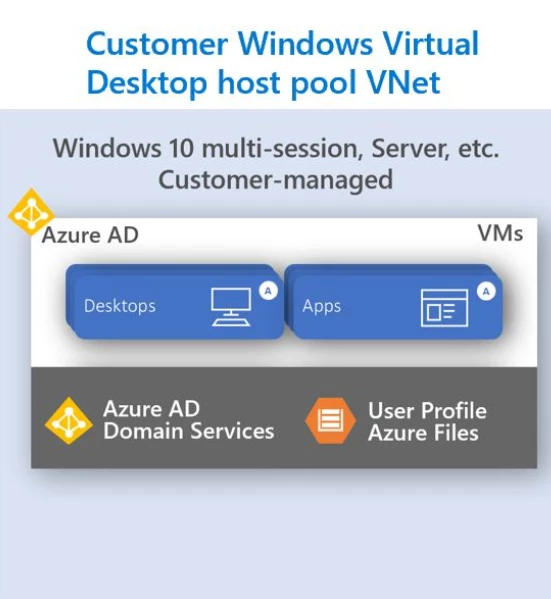
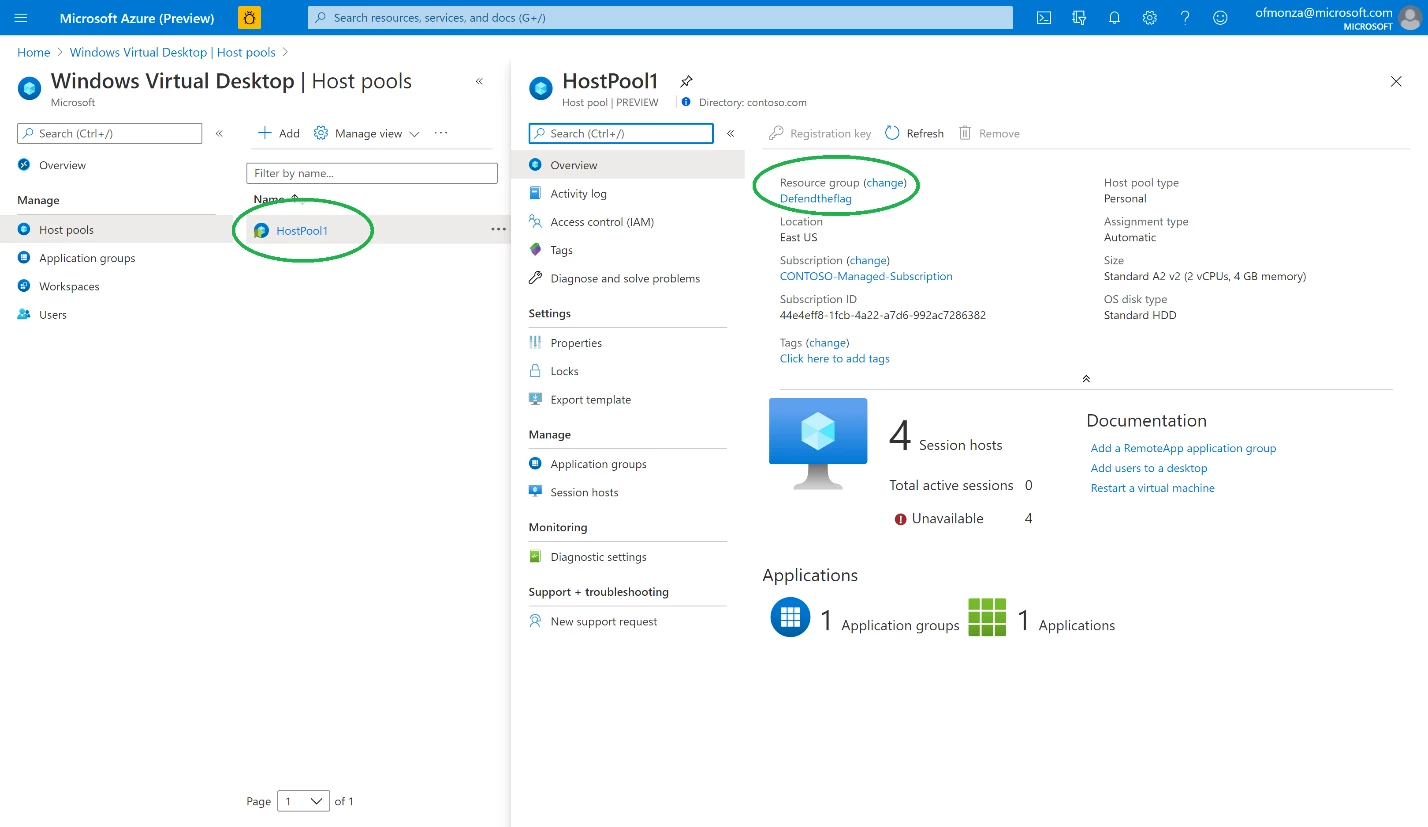
You can find the VMs running in your host pool by checking the Host Pool details and clicking on the Resource Group name:
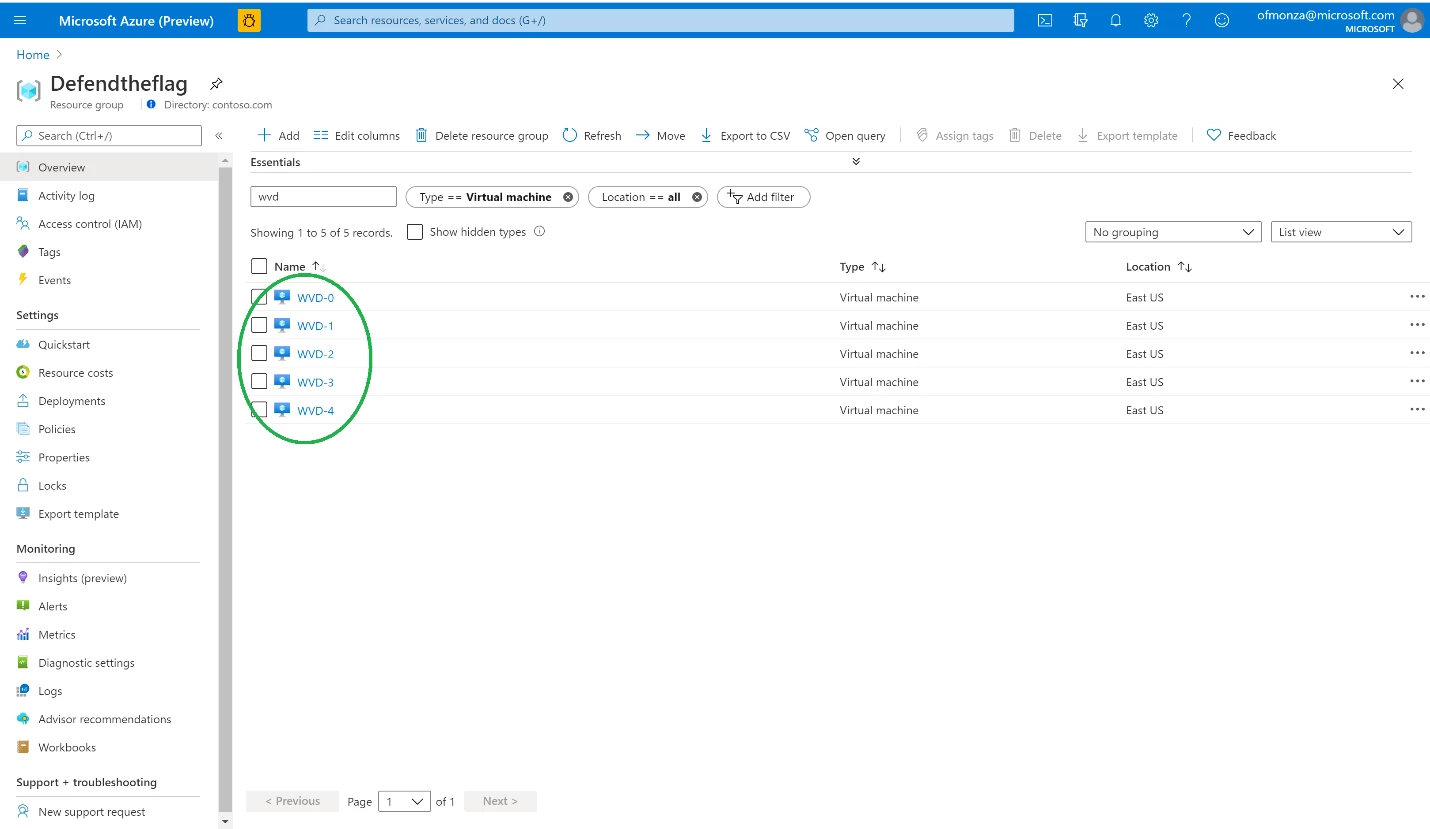
This will bring up the resource group details. Filtering by Virtual Machine will show the list of VMs:
Securing Windows Virtual Desktop deployment with Azure Security Center
Considering the shared responsibility model, here are the security needs customers are responsible for in Windows Virtual Desktop deployment:
- Network.
- Deployment Configuration.
- Session host OS.
- Application security.
- Identity.
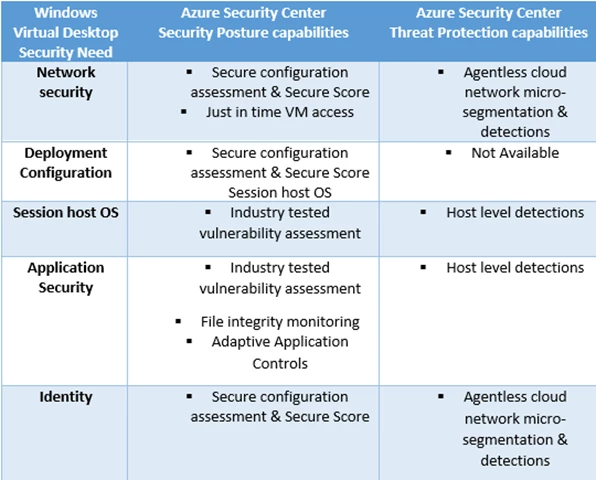
These needs should be examined both in the context of security posture as well as threat protection. Here is an example:
- Misconfiguration of the VMs Network layer can increase the attack surface and result in a compromised endpoint. One thing we want to ensure is that all management ports should be closed on your Windows Virtual Desktop virtual machines.
- Once your users are connected to their Windows Virtual Desktop session, they might be manipulated to browse to a malicious site or connect to a malicious machine. This can also happen in case there is malware on the machine. Analyzing the network traffic to detect that your machine has communicated with what is possibly a Command and Control center is another protection layer.
Azure Security Center the following security posture management and threat protection capabilities for Windows Virtual Desktop VMs:
- Secure configuration assessment and Secure Score.
- Industry-tested vulnerability assessment.
- Host level detections.
- Agentless cloud network micro-segmentation & detection.
- File integrity monitoring.
- Just in time VM access.
- Adaptive Application Controls.
Here is a table that maps Azure Security Center protection capabilities Windows Virtual Desktop security needs:
You can find the complete list of recommendations and alerts in the following Azure Security Center reference guides:
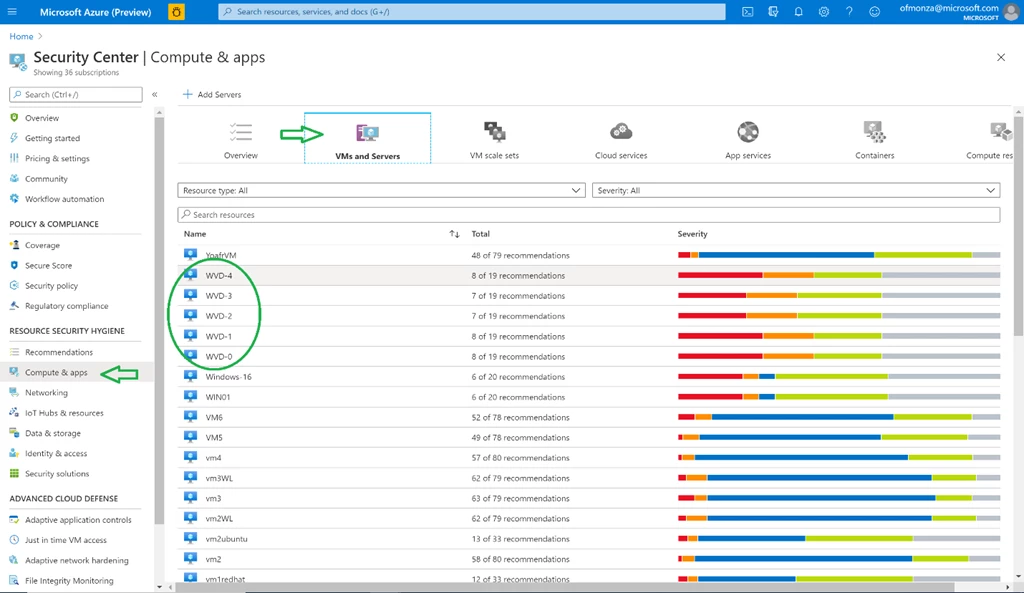
Switching to the Azure Security Center portal, we can see the Windows Virtual Desktop host pool VMs under Compute & apps followed by the VMs and Servers tab, as well as their respective Secure Score and status:
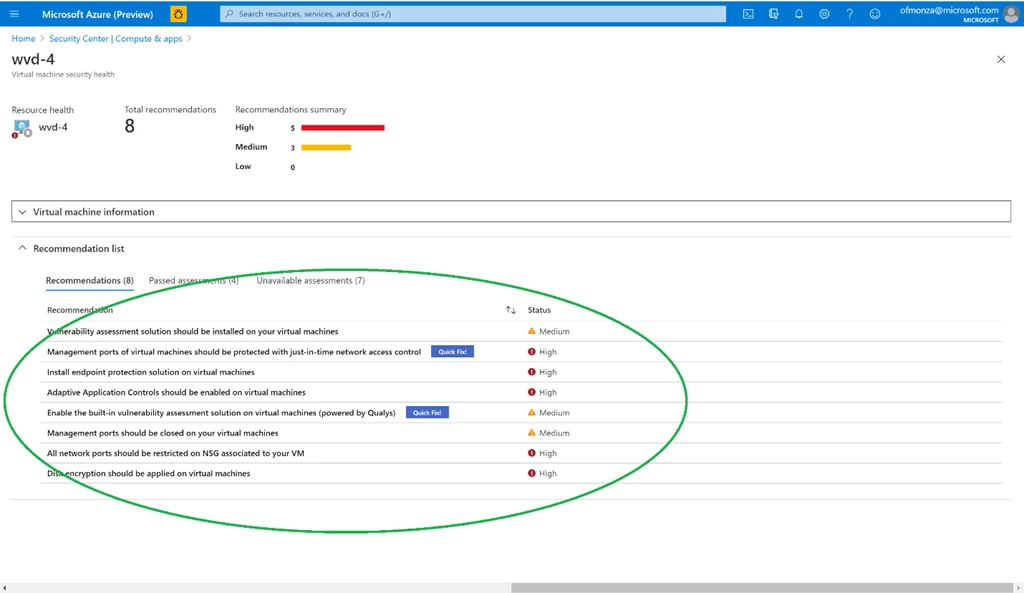
Drilling down to a specific VM will show the full recommendation list as well as the Severity level:
These VMs are also assessed for compliance with different regulatory requirements, built-in or custom ones, and any compliance issues will be flagged out under the Regulatory Compliance dashboard.
In addition, security alerts will be showing under Threat Protection followed by Security Alerts:
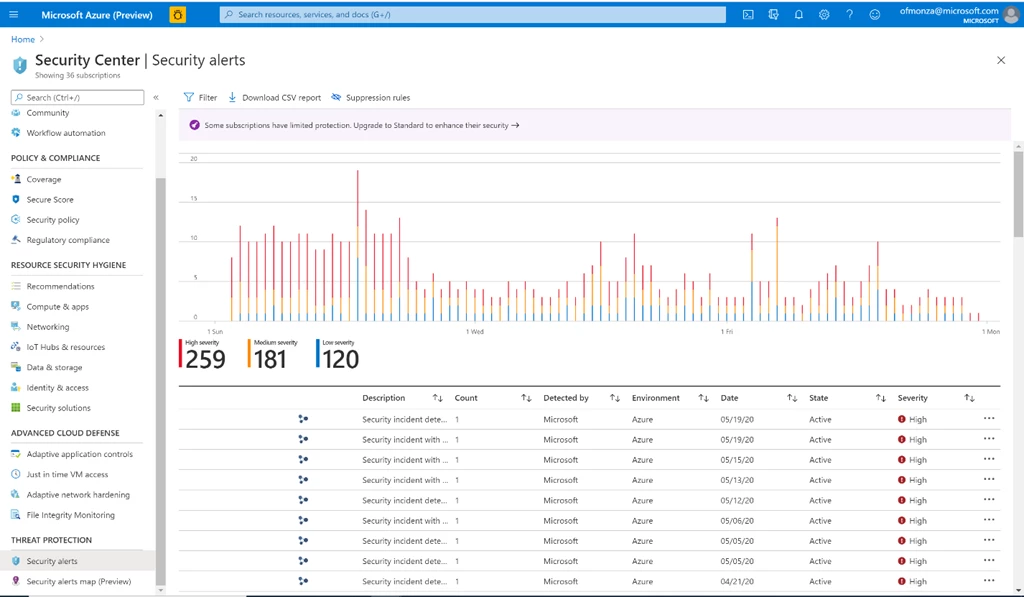
Both security alerts and recommendations can be consumed and managed from the Security Center portal or can be exported to other tools for further analysis and remediation. One great example would be integrating Azure Security Center with Azure Sentinel as part of monitoring the Windows Virtual Desktop environment.
Enabling Azure Security Center for Windows Virtual Desktop environment
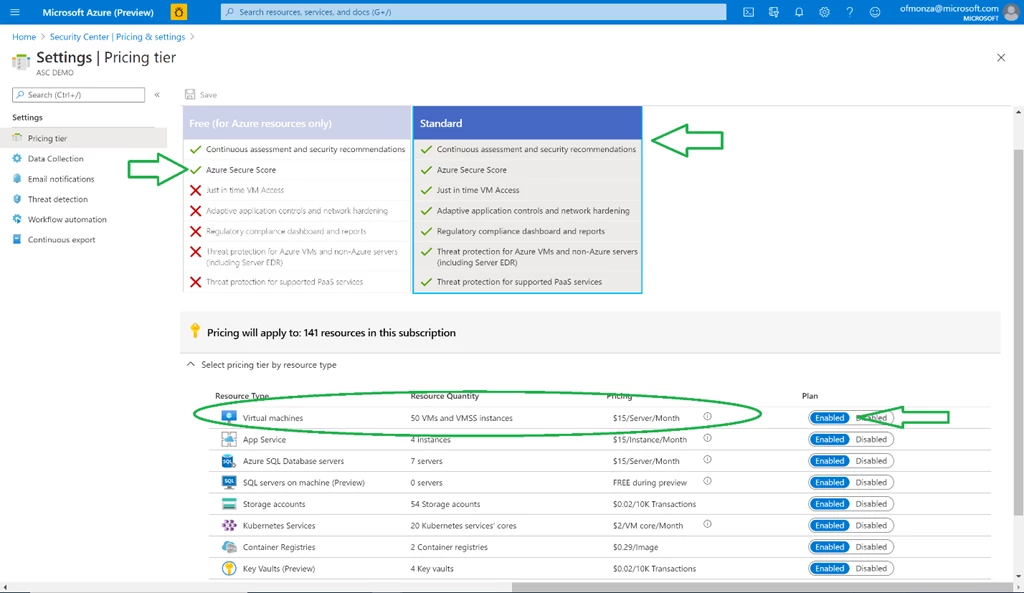
Azure Security Center Free tier provides security recommendations and Secure Score for Windows Virtual Desktop deployments.
To enable all protection capabilities you should follow these two steps:
- Make sure you have Azure Security Center Standard tier (as shown below).
- Enable threat protection for Virtual Machines.
And one last tip. If you are using Azure Devops CI/CD Pipelines together with Windows 10 Azure VM Image as a solution for continuous build and deploy of the Windows Virtual Desktop solution, you’re most likely using Azure Key Vault for the secret management. If not already enabled, setting up threat protection for Azure Key Vault should be your next stop.
How are you protecting your Windows Virtual Desktop environment? We are sure there are plenty more ideas out there and we would love to see the community submitting them to our GitHub repo.






