We are excited to share that Azure Web Application Firewall (WAF) policy and Azure DDoS Protection plan management in Microsoft Azure Firewall Manager is now generally available.
With an increasing need to secure cloud deployments through a Zero Trust approach, the ability to manage network security policies and resources in one central place is a key security measure.
Today, you can now centrally manage Azure Web Application Firewall (WAF) to provide Layer 7 application security to your application delivery platforms, Azure Front Door, and Azure Application Gateway, in your networks and across subscriptions. You can also configure DDoS Protection Standard for protecting your virtual networks from Layer 3 and Layer 4 attacks.
Azure Firewall Manager is a central network security policy and route management service that allows administrators and organizations to protect their networks and cloud platforms at a scale, all in one central place.
Azure Web Application Firewall is a cloud-native web application firewall (WAF) service that provides powerful protection for web apps from common hacking techniques such as SQL injection and security vulnerabilities such as cross-site scripting.
Azure DDoS Protection Standard provides enhanced Distributed Denial-of-Service (DDoS) mitigation features to defend against DDoS attacks. It is automatically tuned to protect all public IP addresses in virtual networks. Protection is simple to enable on any new or existing virtual network and does not require any application or resource changes.
By utilizing both WAF policy and DDoS protection in your network, this provides multi-layered protection across all your essential workloads and applications.
WAF policy and DDoS Protection plan management are an addition to Azure Firewall management in Azure Firewall Manager.
Centrally protect your application delivery platforms using WAF policies
In Azure Firewall Manager, you can now manage and protect your Azure Front Door or Application Gateway deployments by associating WAF policies, at scale. This allows you to view all your key deployments in one central place, alongside Azure Firewall deployments and DDoS Protection plans.
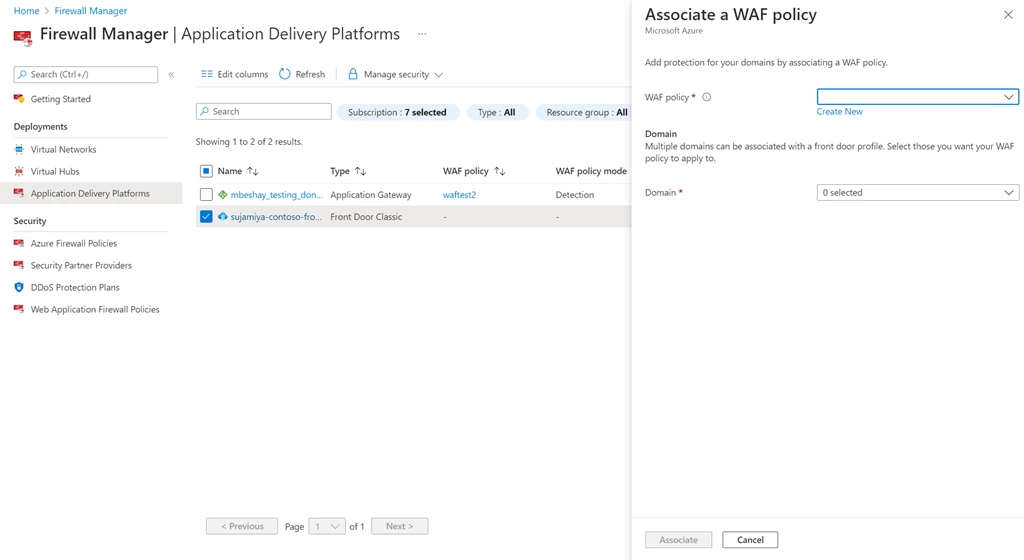
Upgrade from WAF configuration to WAF policy
In addition, the platform supports administrators to upgrade from a WAF config to WAF policies for Application Gateways, by selecting the service and Upgrade from WAF configuration. This allows for a more seamless process for migrating to WAF policies, which supports WAF policy settings, managed rulesets, exclusions, and disabled rule-groups.
As a note, all WAF configurations that were previously created in Application Gateway can be done through WAF policy.

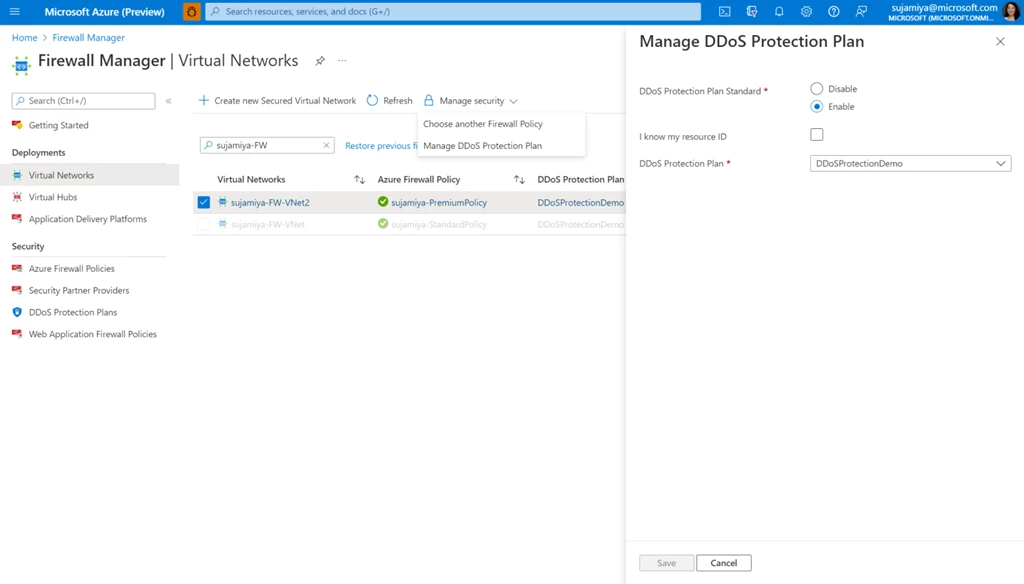
Manage DDoS Protection plans for your virtual networks
You can enable DDoS Protection Plan Standard on your virtual networks listed in Azure Firewall Manager, across subscriptions and regions. This allows you to see which virtual networks have Azure Firewall and/or DDoS protection in a single place.
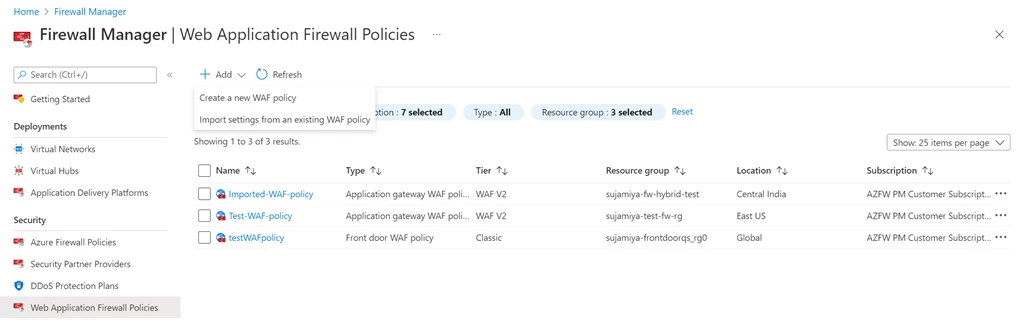
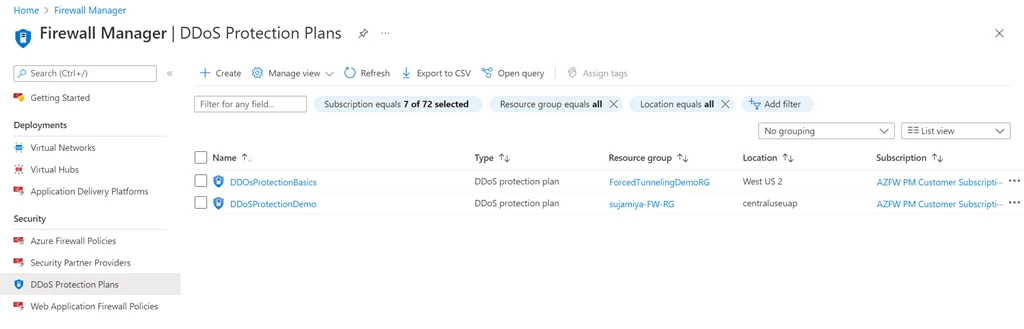
View and create WAF policies and DDoS Protection Plans in Azure Firewall Manager
You can view and create WAF policies and DDoS Protection Plans from the Azure Firewall Manager experience, alongside Azure Firewall policies.
In addition, you can import existing WAF policies to create a new WAF policy, so you do not need to start from scratch if you want to maintain similar settings.
Monitor your overall network security posture
Azure Firewall Manager provides monitoring of your overall network security posture. Here, you can easily see which virtual networks and virtual hubs are protected by Azure Firewall, a third-party security provider, or DDoS Protection Standard. This overview can help you identify and prioritize any security gaps that are in your Azure environment, across subscriptions or for the whole tenant.
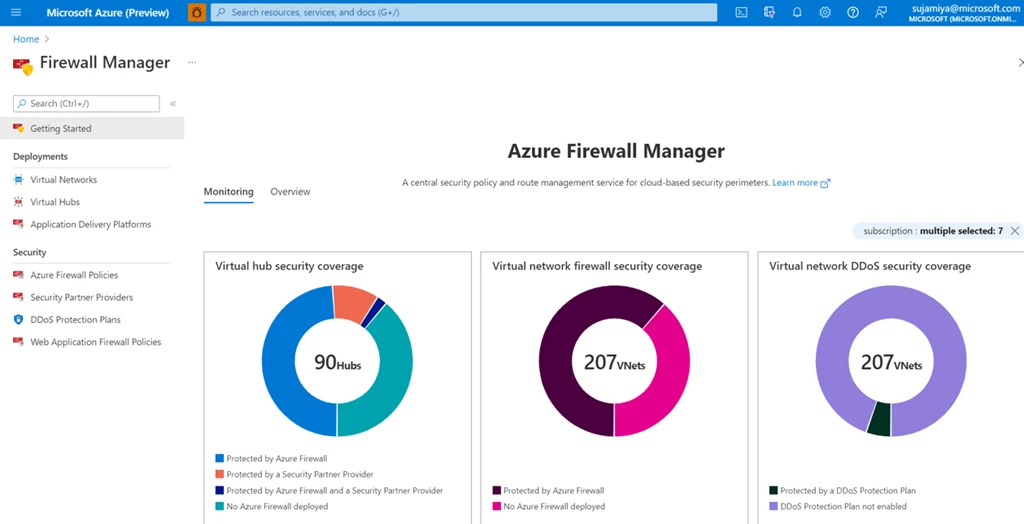
Coming soon, you’ll also be able to view your Application Gateway and Azure Front Door monitors, for a full network security overview.
Learn more
To learn more about these features in Azure Firewall Manager, visit the Manage Web Application Firewall policies tutorial, WAF on Application Gateway documentation, and WAF on Azure Front Door documentation. For DDoS information, visit the Configure Azure DDoS Protection Plan using Azure Firewall Manager tutorial and Azure DDoS Protection documentation.
To learn more about Azure Firewall Manager, please visit the Azure Firewall Manager home page.