
We previously announced the preview of Azure Backup reporting and gave customers the ability to generate their own reports and build customizations using Power BI. Today, we are pleased to let you know that you can leverage the same workflow to build your own Microsoft Operations Management Suite (OMS) monitoring solution for Azure Backup in the upgraded OMS workspace. The OMS monitoring solution allows you to monitor key backup parameters such as backup and restore jobs, backup alerts, and cloud storage usage across Recovery Services vaults and subscriptions. You can then utilize OMS log analytics capabilities to raise further alerts for events that you deem important for the business to be notified of. You could even open tickets through webhooks or ITSM integration using the OMS log analytics capabilities.
Here’s how you do it…
Configuring Diagnostic settings
You can open the diagnostic setting window from the Azure Recovery services vault, or you can open the diagnostic setting window by logging into Azure portal. First, click “Monitor” service followed by “Diagnostic settings” in settings section. You can then specify the relevant Subscription, Resource Group, and Recovery Services Vault. In the Diagnostic settings window, as shown below, you can select “Send data to log analytics” and then select the relevant OMS workspace. You can choose any existing log analytics workspace, such that all vaults pump the data to the same workspace
Please select the relevant log, “AzureBackupReport” in this case, to be sent to the log analytics workspace. Click “Save” to save the setting.
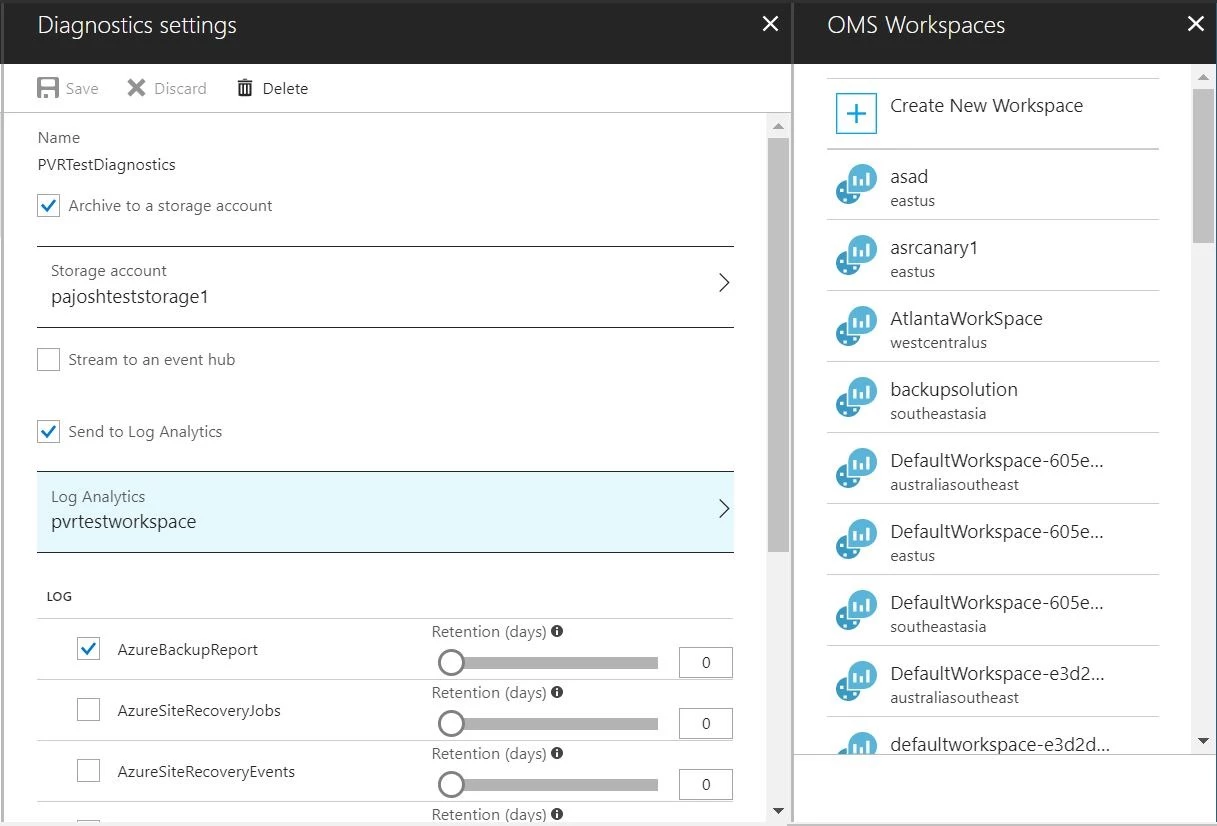
After you have completed the configuration, you should wait for 24 hours for initial data push to complete.
Deploying solution to Azure OMS
The OMS monitoring solution template for Azure Backup is a community driven project where you can deploy the base template to Azure and then customize it to fit your needs. To learn more, visit the Azure quick-start template and deploy the OMS monitoring solution for Azure backup to the workspace configured above. Make sure you give the same resource group, workspace name and workspace location to properly identify the workspace and then install this template on it.
Monitoring Azure Backup data
The overview tile in the dashboard reflects the key parameter, which is the backup jobs and their status.
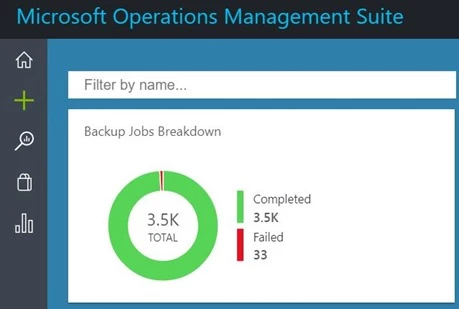
Clicking on the overview tile will take you to the dashboard where the solution has information categorized into jobs and alerts status, and active machines and their storage usage.
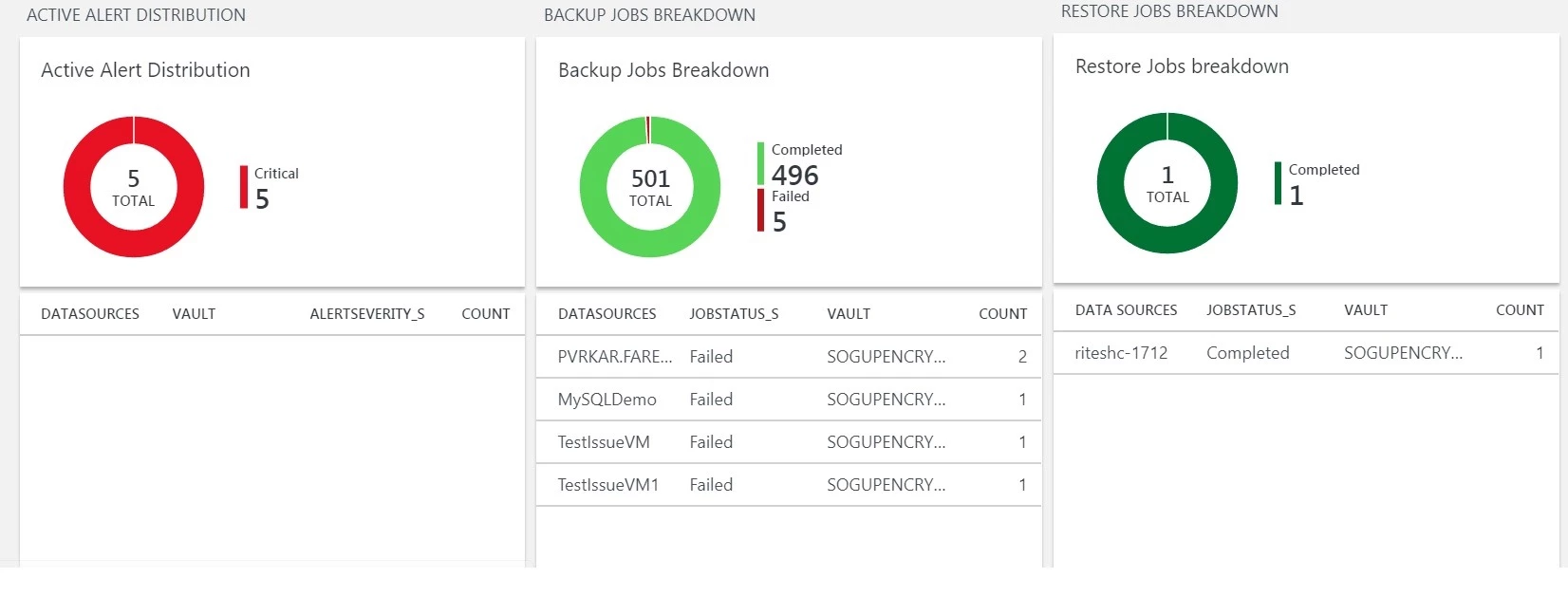
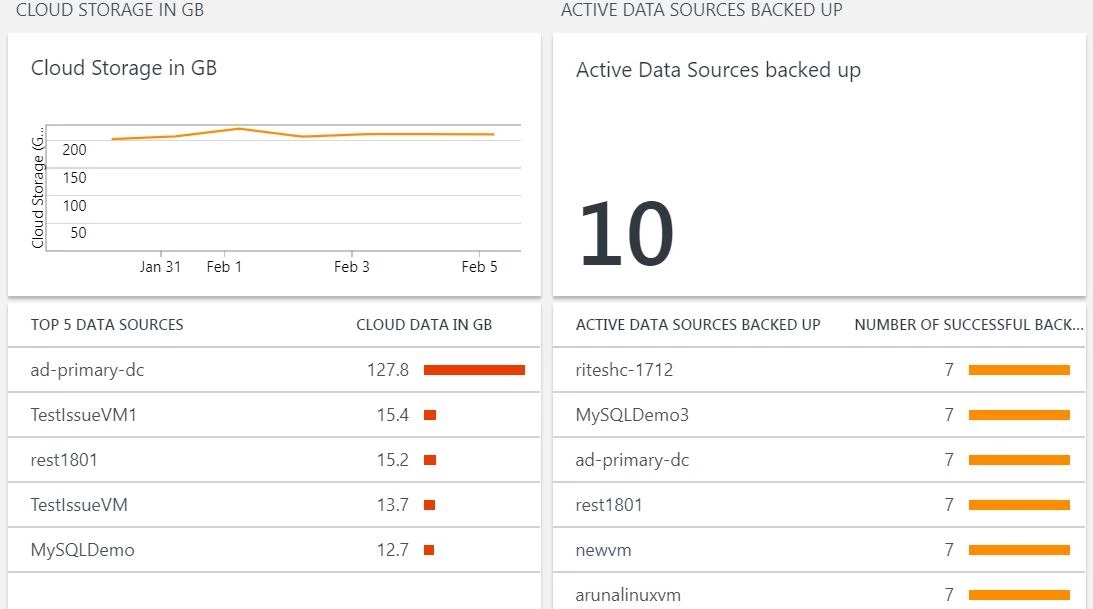
MAKE SURE YOU SELECT THE RIGHT DATE RANGE AT THE TOP OF THE SCREEN to filter the data for the required time interval.

Log search capabilities
You can click on each tile to get more details about the queries used to create the tile and configure it to meet your requirement. Clicking further on values appearing in the tiles will lead you to the Log Analytics screen where you can raise alerts for configurable event thresholds and automate actions to be performed when those thresholds are met/crossed.
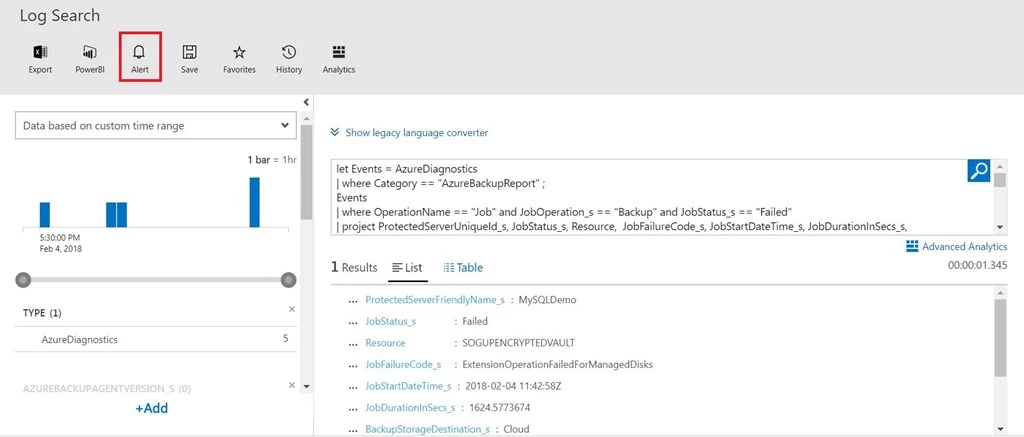
To learn more, visit our documentation on how to configure alerts.
Summary
You can configure OMS workspaces to receive key backup data across multiple Recovery Services vaults and subscriptions, and deploy customizable solutions on workspaces to view and configure actions for business critical events. This solution is key for any enterprise to keep a watchful eye over their backups and ensure that all actions are taken for successful backups and restores.
Related links and additional content
- Getting started with Recovery Services vault.
- Learn more about Azure Backup.
- Want more details? Check out the Azure Backup documentation.
- Need help? Reach out to the Azure Backup forum for support.
- Tell us how we can improve Azure Backup by contributing new ideas and voting up existing ones.
- Follow us on Twitter @AzureBackup for latest news and updates.






