Azure Files offers fully managed cloud file shares, and extends the ability of organizations to share files across on-premises and the cloud. With support for industry standard SMB protocol, this service is truly cross-platform and can support mounting as file share from any client that implements SMB 3.0 with encryption. Some examples are Windows, Mac, and Linux. In addition to native mount, it exposes REST APIs for programmability. With Azure Files, organizations get the added benefit of a storage infrastructure that is highly secure, massively scalable, and globally available. Even with all of these capabilities, what would you do if a user or application accidentally deletes or corrupts files or folders that are stored in Azure Files share?
Today, we are very excited to introduce the public preview of Azure Files share snapshots. Azure Files share snapshots allows you to periodically store read-only versions of your file shares. It also allows you to copy an older version of your content from anywhere for further modification and use.
When a share snapshot is created, the contents of the file share and the share snapshot are exactly the same. However, only the incremental changes are written to the snapshot. This makes snapshot creation faster, space-efficient, and cost-effective.
On Windows, you can leverage the familiar Previous Versions functionality, as shown below in Figure 1, where sharesnapshotdefs is a mounted Azure file share and each entry in the Previous Versions tab is a share snapshot. You can browse the content of the snapshot, right there in your explorer, by selecting “Open” or by copying the contents of that share snapshot back to its original location by selecting “Restore”. The same Previous Versions experience is available for individual directories or files. This means that while snapshots are taken at the share level, data retrieval can be done at both the file share and individual directory/file level.
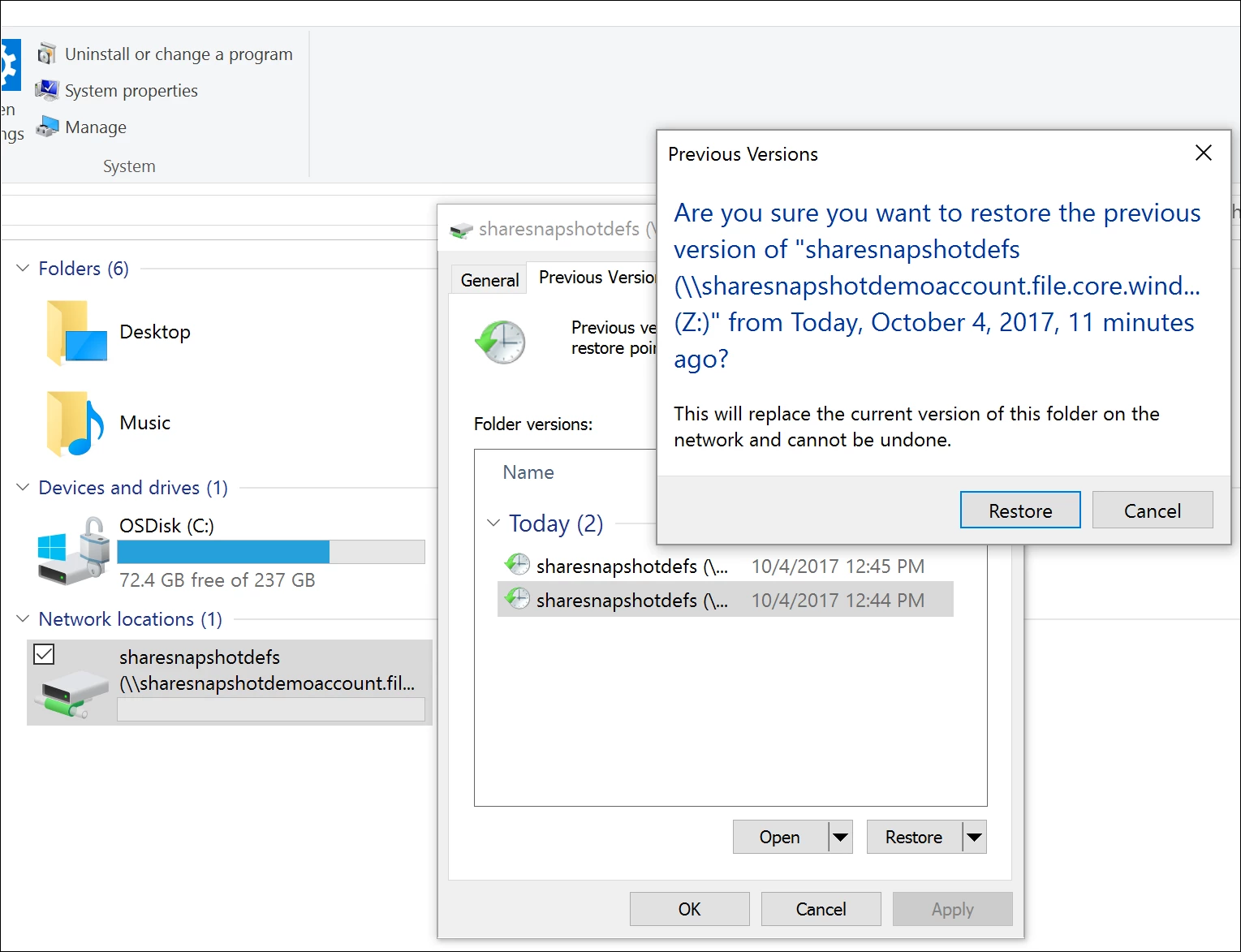
Figure 1: Azure Files share snapshot experience on Windows – Integrated with “Previous Versions”
On Linux, you can use Azure CLI 2.0 for Azure Files, as shown below in Figure 2. All the same capabilities, including creation of snapshots, are available in Azure CLI 2.0.
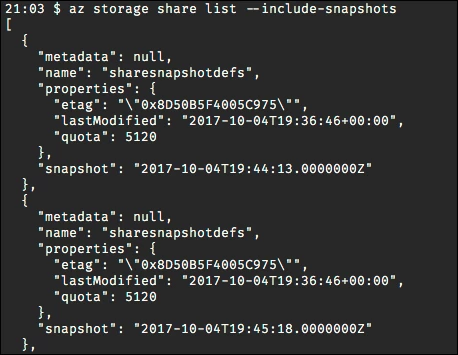
Figure 2: Azure Files share snapshot experience on Azure CLI – List Snapshots
In addition to Azure CLI 2.0, snapshots are fully supported by REST and client libraries such as .Net and Python programmatic access. Also, PowerShell support is coming soon. To quickly get started, you can go directly to the Azure Portal today and start creating snapshot.
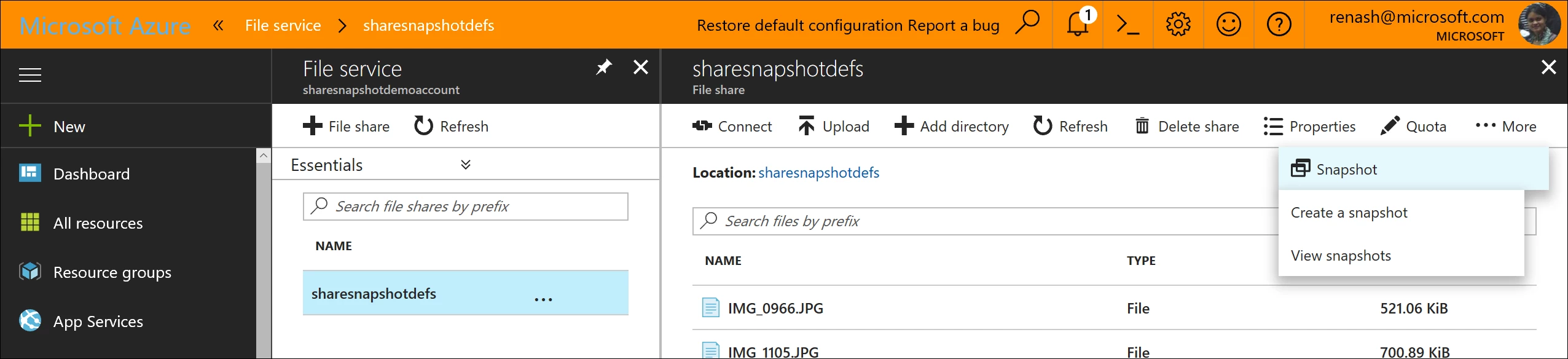
Figure 3: Azure Files share snapshot experience on Azure Portal
And what more – During our public preview, capacity consumed by snapshots will not be charged!
Azure Files share snapshots will be a key addition to your cloud storage management toolkit. To learn more about snapshots, please visit our documentation.
If you have any questions about Azure Files, please leave a comment below. In addition, if you have any feature request, we are always listening to your feedback on our User Voice.