This blog was co-authored by MacKenzie Olson, Program Manager, Azure Container Instances.
Today we’re excited about the first release of the new Docker Desktop integration with Microsoft Azure. Last month Microsoft and Docker announced this collaboration, and today you can experience it for yourself.
The new edge release of Docker Desktop provides an integration between Docker and Microsoft Azure that enables you to use native Docker commands to run your applications as serverless containers with Azure Container Instances.
You can use the Docker CLI to quickly and easily sign into Azure, create a Container Instances context using an Azure subscription and resource group, then run your single-container applications on Container Instances using docker run. You can also deploy multi-container applications to Container Instances that are defined in a Docker Compose file using docker compose up.
Code-to-Cloud with serverless containers
Azure Container Instances is a great solution for running a single Docker container or an application comprised of multiple containers defined with a Docker Compose file. With Container Instances, you can run your containers in the cloud without needing to set up any infrastructure and take advantage of features such as mounting Azure Storage and GitHub repositories as volumes. Because there is no infrastructure or platform management overhead, Container Instances caters to those who need to quickly run containers in the cloud.
Container Instances is also a good target to run the same workloads in production. In production cases, we recommend leveraging Docker commands inside of an automated CI/CD flow. This saves time having to rewrite configuration files because the same Dockerfile and Docker Compose files can be deployed to production with tools such as GitHub Actions. Container Instances also has a pay-as-you-go pricing model, which means you will only be billed for CPU and memory consumption per second, only when the container is running.
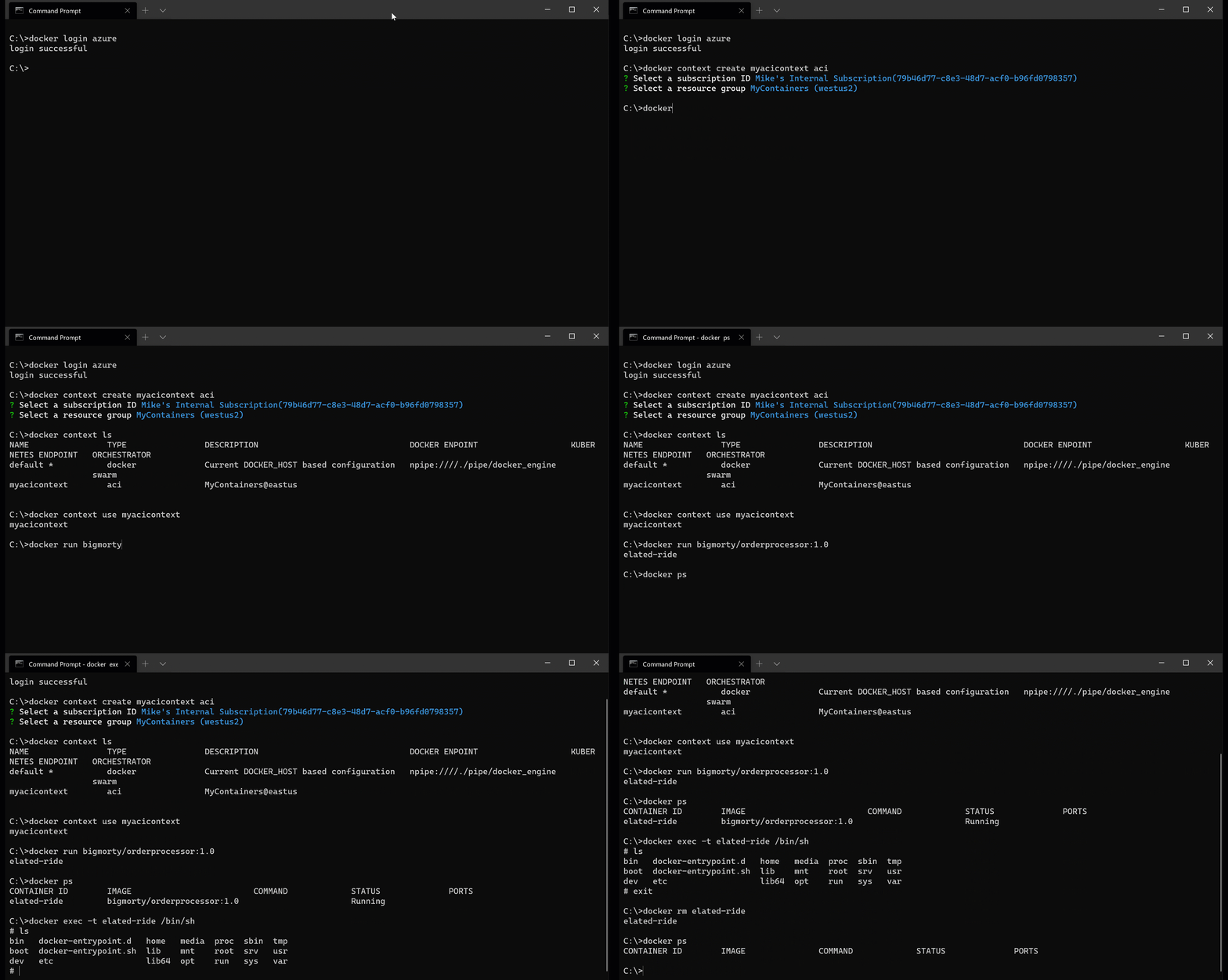
Let’s look at the new Docker Azure integration using an example. We have a worker container that continually pulls orders off a queue and performs necessary order processing. Here are the steps to run this in Container Instances with native Docker commands:
Run a single container
As you can see from the above animation, the new Docker CLI integration with Azure makes it easy to get a container running in Azure Container Instances. Using only the Docker CLI you can log in to Azure with multi-factor authentication and create a Docker context using Container Instances as the backend. Detailed information on Container Instances contexts can be found in the documentation.
Once the new Container Instances context is created it can be used to target Container Instances with many of the standard Docker commands you likely already use; like docker run, docker ps, and docker rm. Running a simple docker run command will start a container in Container Instances using the image that is stored in a registry like Docker Hub or Azure Container Registry. You can run other common Docker commands to inspect, attach-to, and view logs from the running container.
Use Docker Compose to deploy a multi-container app
We see many containerized applications that consist of a few related containers. Sidecar containers often perform logging or signing services for the main container. With the new Docker Azure integration, you can use Docker Compose to describe these multi-container applications.
You can use a Container Instances context and a Docker Compose file as part of your edit-build-debug inner loop, as well as your CI/CD flows. This enables you to use docker compose up and down commands to spin up or shut down multiple containers at once in Container Instances.
Visual Studio Code for an even better experience
The Visual Studio Code Docker extension provides you with an integrated experience to start, stop, and manage your containers, images, contexts, and more. Use the extension to scaffold Dockerfiles and Docker Compose files for any language. For Node.js, Python, and .NET, you get integrated, one-click debugging of your app inside the container. And then of course there is the Explorer, which has multiple panels that make the management of your Docker objects easy from right inside Visual Studio Code.
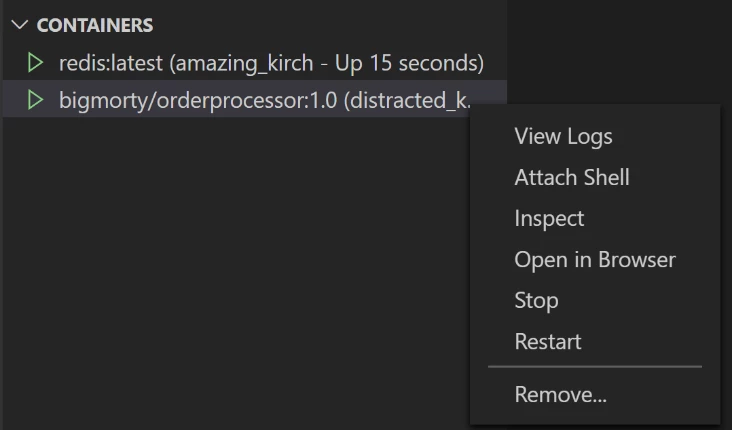
Use the Containers panel to list, start, stop, inspect, view logs, and more.
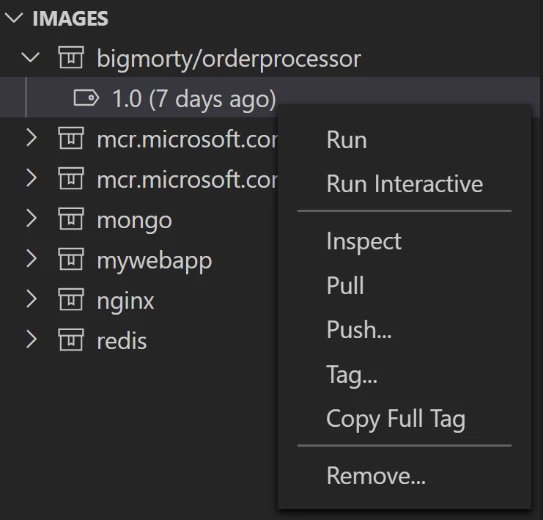
From the Images panel you can list, pull, tag, and push your images.
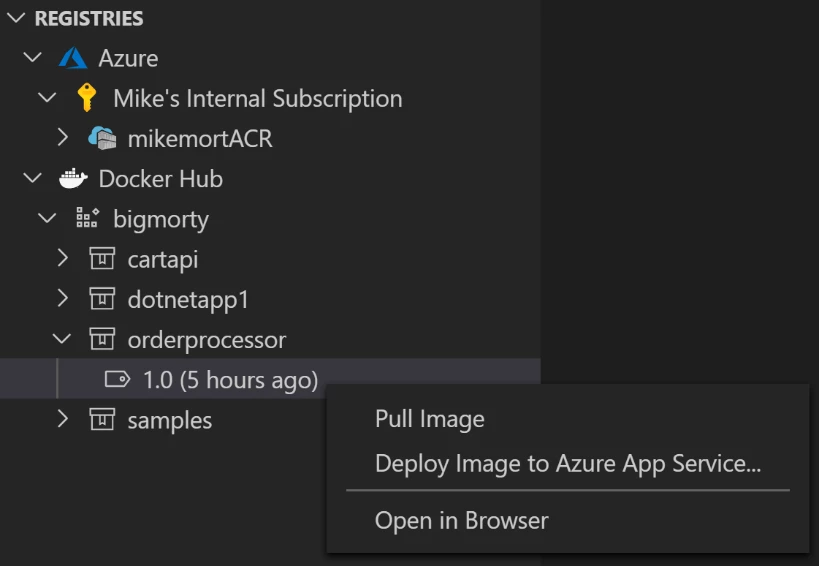
Connect to Azure Container Registry and Docker Hub in the Registries panel to view and manage your images in the cloud. You can even deploy straight to Azure.
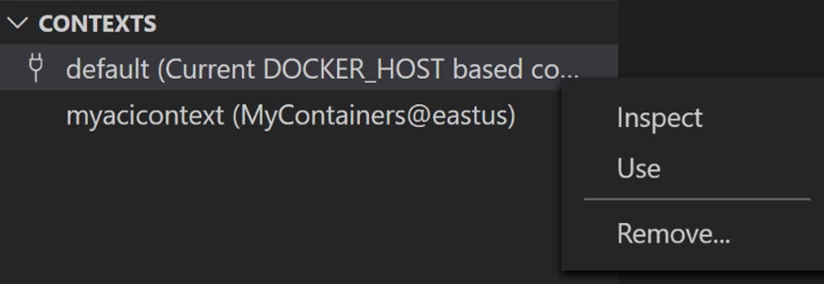
The Contexts panel lets you list all your contexts and quickly switch between them. When you switch context, the other panels will refresh to show the Docker objects from the selected context. Container Instances contexts will be fully supported in the next release of the docker extension.
Try it out
To start using the Docker Azure integration install the Docker Desktop edge release. You can leverage the current Visual Studio Code Docker extension today, Container Instances context support will be added very soon.
To learn more about the Docker Desktop release, you can read this blog post from Docker. You can find more information in the documentation for using Docker Container Instances contexts.