Azure Site Recovery (ASR) now supports disaster recovery of VMware virtual machines and physical servers by directly replicating to Managed Disks. Beginning in March 2019 and moving forward, all new protections have this capability available on the Azure portal. In order to enable replication for a machine, you no longer need to create storage accounts. You can now write replication data directly to a type of Managed Disk. The choice of Managed Disk type should be based on the data change rate on your source disks. Available options are Standard HDD, Standard SSD and Premium SSD.
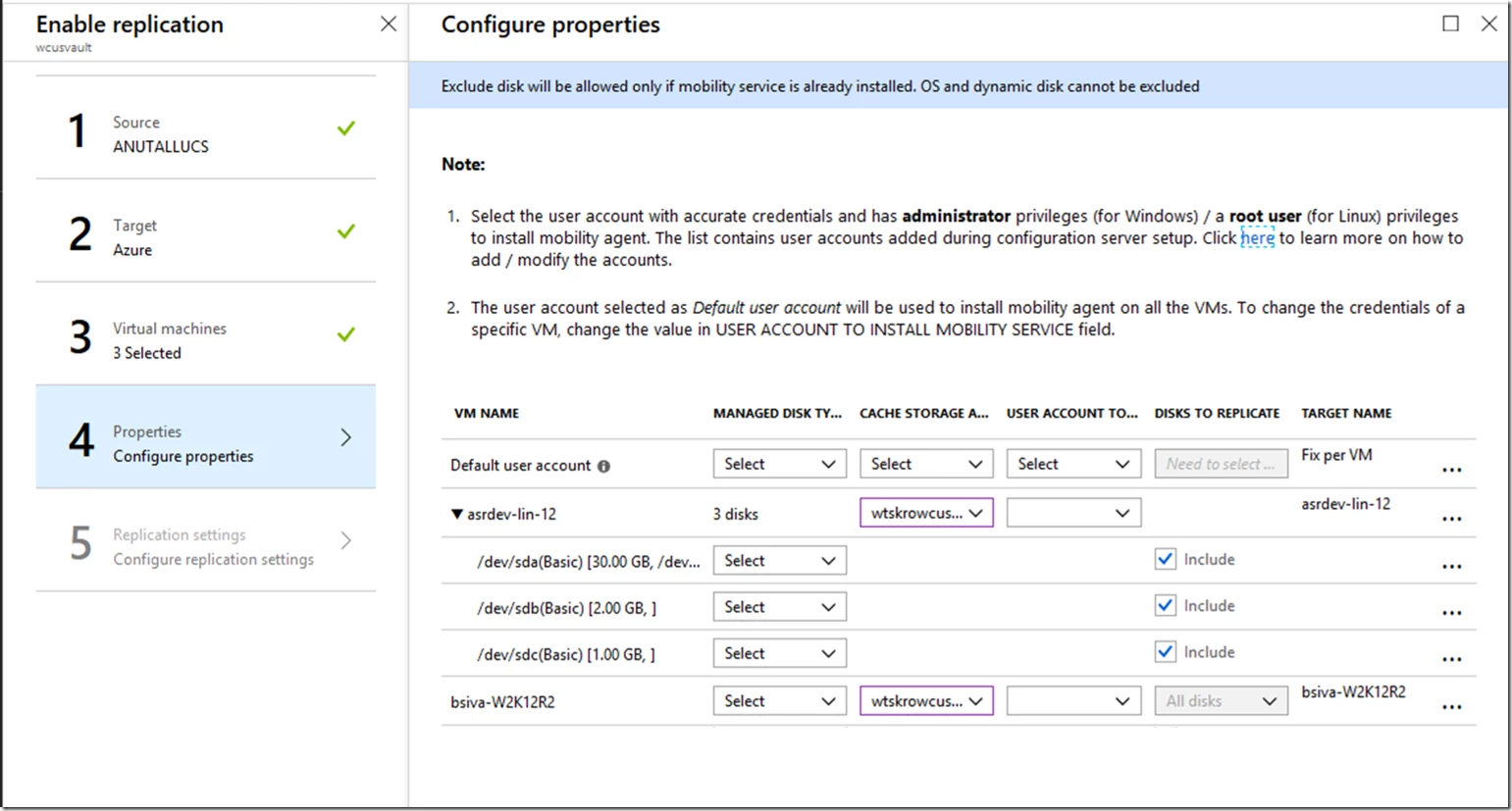
Please note, this change will not impact the machines which are already in a protected state. They will continue to replicate to storage accounts. However, you can still choose to use Managed Disks at the time of failover by updating the settings in compute and network blade.
There are benefits in writing to Managed Disks:
- Hassle free management of capacity on Microsoft Azure: You don’t need to track and manage multiple target storage accounts anymore. ASR will create the replica disks at the time of enabling replication. An Azure Managed Disk is created for every virtual machine (VM) disk at on-premises. This is managed by Azure.
- Seamless movement between different types of Managed Disks: After enabling protection, if the data change rate or churn pattern on your source disk changes, you do not need to disable and enable the replication with Managed Disks. You can simply choose to switch the type of Managed disk in order to handle the new data change rate. However, once you change the Managed Disk type, please be sure that you wait for fresh recovery points to be generated if you need to do test failover or failover post this activity.
The replication architecture for ASR is refined with replication logs first being uploaded to a cache storage account in Azure. These logs are processed by ASR and then pushed into the replica Managed Disk in Azure. Snapshots are created on these Managed Disks at a frequency which is applied by replication policy at the time of enabling replication. You can find the name of replica and target Managed Disks on the disks blade of the replicated item. At the time of failover, one of the recovery points on replica Managed Disk is chosen by the customer. This recovery point is used to create the target Managed Disk in Azure which is attached to the VM when it is brought up.
It is recommended to use the replication option LRS for cache storage. Since cache account is standard storage and only holds temporary data, it is not required to have multiple cache storage accounts in a recovery services vault.
Get started with ASR today. Support for writing to Managed Disks is available in all Azure regions and national clouds.
Related links and additional content
- Tag Managed Disks in Azure for billing
- Learn more about pricing of Managed Disks
- Learn more about Azure Site Recovery churn limits
- Set up disaster recovery for VMware or physical machines to Azure