
In today’s digital world where data is the new currency, protecting this data has become more important than ever before. In 2017, attackers had a huge impact on businesses as we saw a large outbreak of ransomware attacks like WannaCry, Petya and Locky. According to a report from MalwareBytes, ransomware detections were up 90 and 93 percent for businesses and consumers respectively in 2017. When a machine gets attacked by ransomware, backups are usually the last line of defense that customers resort to.
With increasing innovations in the ransomware space, attackers are no longer restricting themselves to only data corruption. Backups are becoming the next line of attack for ransomware tools and when you are in a situation with no data or its backups you end up being hostage to the ransomware attacker. This month saw the advent of a new ransomware, Zenis (found by the MalwareHunterTeam) which not only encrypts your files but also purposely deletes your backups.
Combating these attacks requires more than just taking the backup. Taking a backup is only the first step in your protection, it becomes important to safe guard those backups in this model.
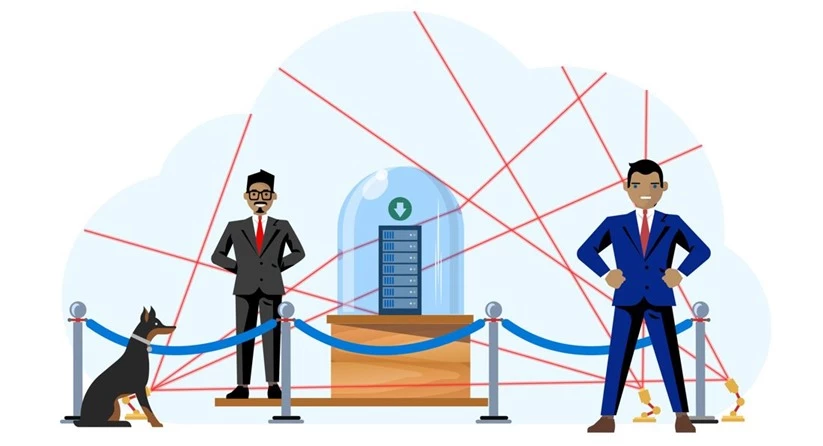
Ask these questions to check how secure your backups are today:
- Is your backup isolated from your production data?
- Are there any mechanisms to ensure destructive operations are authenticated?
- Do you have a mechanism to get alerted if a critical operation was performed during this period?
If you answered “No” to any of the above, you need to look at a new model for your backups.
This week as we celebrate World Backup Day, let’s look at the key considerations that customers should look for in backup products as they build the defenses to secure their backups from evolving ransomware attacks.
Key considerations for securing backups
To secure your backups, you need a multi-layered security mechanism that not only provides a backup but also addresses all the above, so ransomware cannot affect it.
- Offsite backups: Ensure your backups are stored separate from your production data so that access to local data does not guarantee access to the backups as well.
- Multi-factor authentication for critical operations: Backup products should detect operations that can be critical e.g. deletion of backups, changing passphrases and ensure that these operations have multi-factor authentication before they succeed
- Encrypted: The backup data should be encrypted both during transit to offsite location and at rest. Keep the passphrases safe by storing them in a safe location separate from production data
- Role based access: Segregate duties within your team and grant only the amount of access to users that they need to perform their jobs
- Alerting: Notifications should be sent for any critical operations that impact availability of backup data.
- Delayed Delete: Backup products should ensure that backups are retained for a minimum period-of-time even if a deletion request came from an authenticated access.
How does Azure Backup achieve these?
| Consideration | How does Azure Backup achieve it? |
| Offsite backup | Azure Backup stores backups in a storage account that is maintained by the Azure Backup service and is separate from the customer’s subscription |
| Multi-factor authentication | Any critical operations that originate from an on-premises location need to have valid two-factor authentication before they are honored |
| Encryption | Backups are encrypted using AES 256 and sent via HTTPS to the cloud |
| Role based access | Using Azure RBAC you can assign specific access to the various roles in your organization |
| Alerting | Azure Backup alerts administrators through notifications for critical operation |
| Delayed delete | Azure Backup retains backups for 14 days after a deletion request from an authenticated user |
This World Backup Day, step up your game – don’t just protect your data, secure your backups too!
Related links and additional content
- Learn more about Azure Backup Security Features
- Getting started with Recovery Services vault
- Need help? Reach out to Azure Backup forum for support
- Tell us how we can improve Azure Backup by contributing new ideas and voting up existing ones
- Follow us on Twitter @AzureBackup for latest news and updates






