Companies and cloud solutions teams by and large understand the need for a disaster recovery solution. One of the first steps while defining and choosing a disaster recovery plan is to perform a business impact analysis. This process helps in identifying applications that support critical business processes, the impact to the business in case of an outage, and guides in developing the right disaster recovery strategy for your business. Once you perform the analysis and identify critical applications, the next step is to chart down your disaster recovery strategy. This usually translates into:
- Identifying the right employees or admins who will handle the disaster recovery segment
- Setting targets for recover time objectives (RTOs) and recovery point objectives (RPOs)
- Identifying the right product or service based on the needs
- Identifying all the required software and hardware resources needed
- Frequently testing the disaster recovery strategy
- Making continuous improvements to improve the RPO and RTO, identifying and rectifying failure points if any
Configuring disaster recovery of Azure Virtual Machines using Azure Site Recovery
With the best in class RTO and RPO, Azure Site Recovery is one of the leaders in the space of disaster recovery. Being a first-class solution in Azure also gives the service, the edge to enable, test, and perform disaster recovery for customers in just a few clicks. One of the key differentiators while choosing a disaster recovery solution is the availability of integrations with additional resources to achieve parity between source and target. This essentially also reduces the RTO as it reduces the number of manual steps required once the virtual machine is brought up online in the target. The failure points are also minimized with this.
Let’s take a look at a common architecture model.
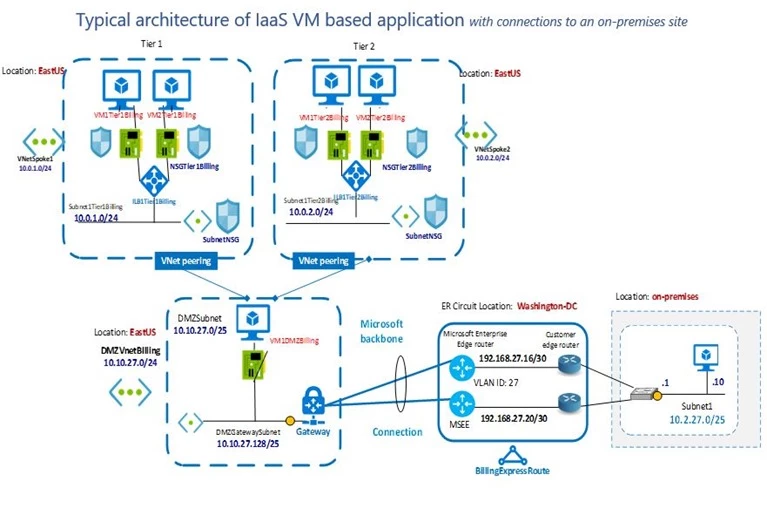
As a disaster recovery administrator, there are multiple components that you would need to handle to ensure that a target disaster recovery site is activated with similar configurations in the event of a disaster. Other than the virtual machines, it also includes the internal load balancers, the network security groups, and the public IPs that are used to access the virtual machines from outside of Azure. With Azure Site Recovery, while configuring for disaster recovery for your virtual machines, you can also provide the input for corresponding network resources in the target, which will be honored at the time of failover. This takes away the complexities of having to deal with scripts or manual steps and reduces the RTO significantly. The service is also intelligent enough to allow selection of only those target resources that comply with the target virtual machine that will be created, thereby reducing the points of failover.
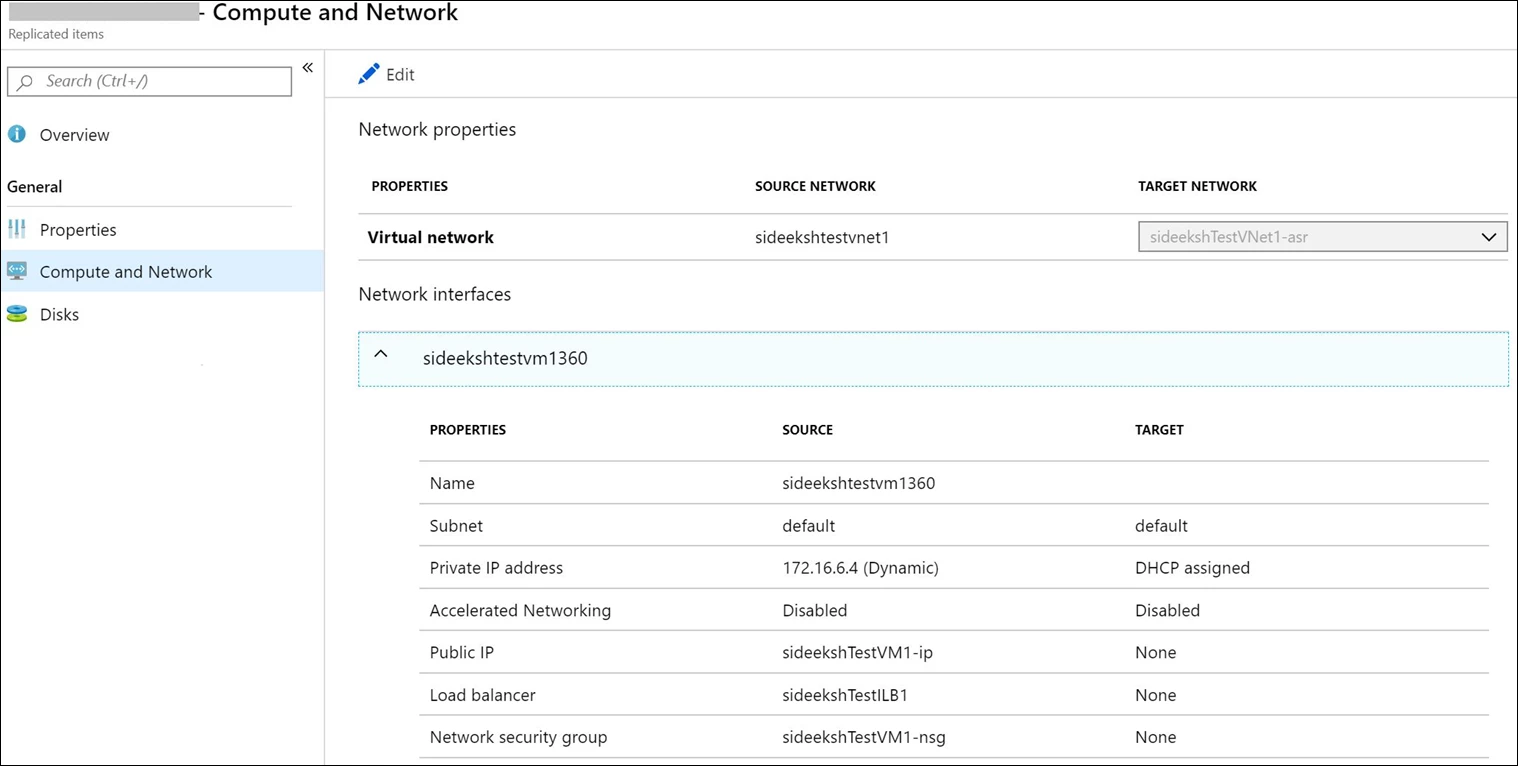
Azure natively provides you the high availability and reliability for your mission-critical workloads, and you can choose to improve your protection and meet compliance requirements using the disaster recovery provided by Azure Site Recovery. Getting started with Azure Site Recovery is easy, check out pricing information and sign up for a free Microsoft Azure trial. You can also visit the Azure Site Recovery forum on MSDN for additional information and to engage with other customers.