
We are excited to share that Azure Backup now allows you to monitor workloads protected by it by leveraging the power of Log Analytics (LA). This allows enterprises to monitor key backup parameters across Recovery Services vaults and subscriptions irrespective of which Azure backup solution you are using. In addition, configure custom alerts and actions for custom monitoring requirements for all Azure Backup workloads with this LA-based solution.
This solution now covers workloads protected by Azure Backup including Azure VMs, SQL in Azure VM backups, System Center Data Protection Manager connected to Azure (DPM-A), and file-folder backup from Azure backup agent.
Here’s how you get all the benefits.
Configure diagnostic settings
If you have already configured Log Analytics workspace to monitor Azure Backup, skip to the Deploy solution template section.
You can open the diagnostic setting window from the Azure Recovery services vault or from Azure Monitor. In the Diagnostic settings window, select “Send data to log analytics,” choose the relevant LA workspace and select the log accordingly, “AzureBackupReport,” and click “Save.”
Be sure to choose the same workspace for all the vaults so that you get a centralized view in the workspace. After completing the configuration, allow 24 hours for initial data push to complete.
Deploy solution template
Once the data is in the workspace, we need a set of graphs to visualize the monitoring data. Deploy the Azure quick-start template to the workspace configured above to get a default set of graphs, explained below. Make sure you give the same resource group, workspace name, and workspace location to properly identify the workspace and then install this template on it.
If you are already using this template as outlined in a previous blog and edited it, just add the relevant kusto queries from deployment JSON in github. If you didn’t edit the template, re-deploy the template onto the same workspace to view the updated template.
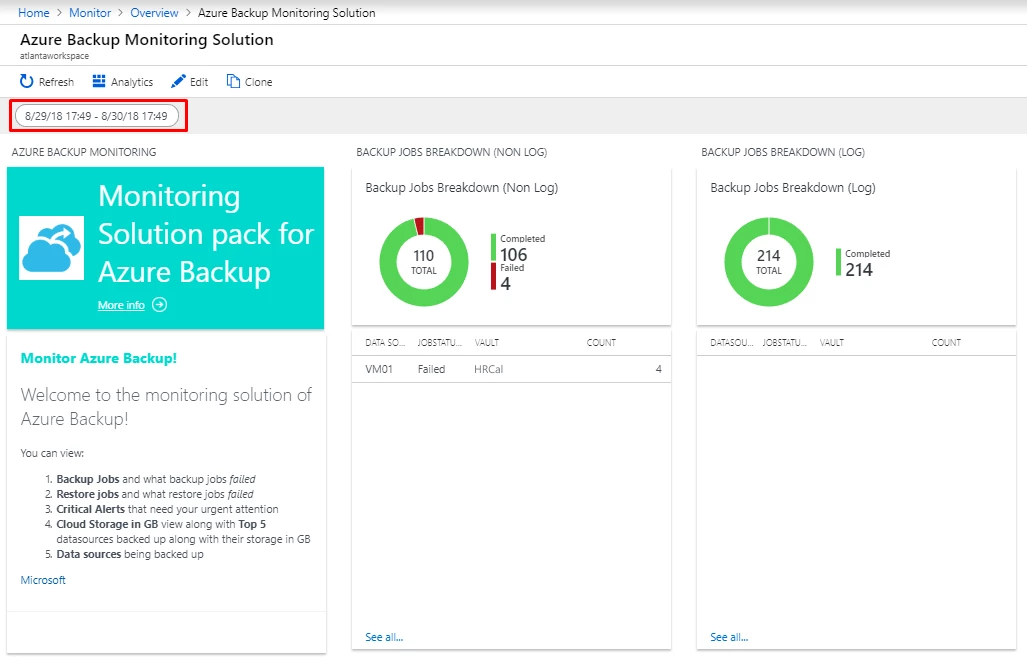
Once deployed, you will view an overview tile for Azure Backup in the workspace dashboard. Clicking on the overview tile will take you to the solution dashboard and provide you with all the information shown below.
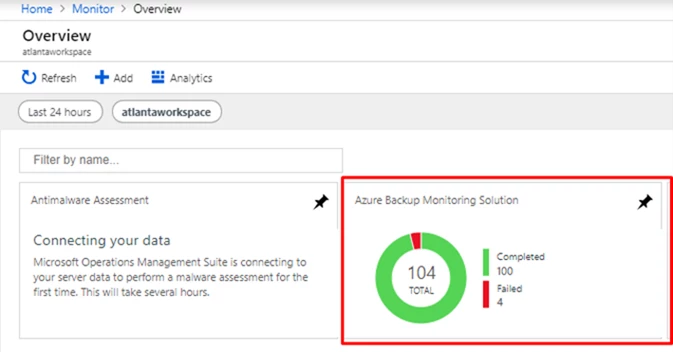
Monitor Azure Backup data
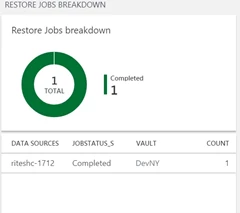
Monitor backups and restores
Monitor regular daily backups for all Azure Backup protected workloads. With this update, you can monitor even log backups for your SQL Databases whether they are running within Azure IaaS VMs or being run locally on-premises and being protected by DPM, MABS.
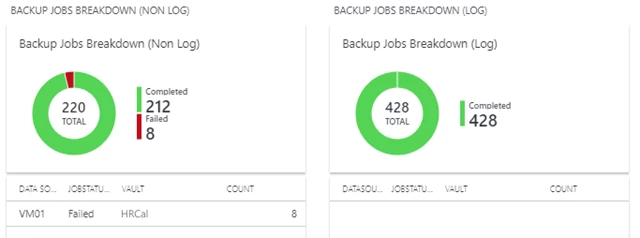
Monitor all datasources
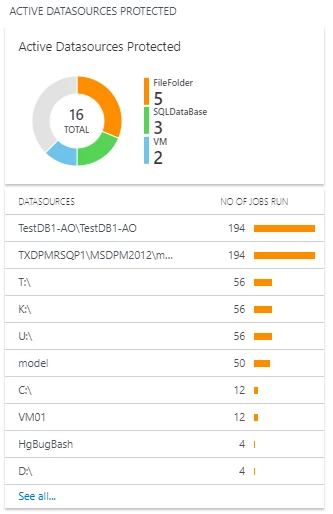
Monitor a spike or reduction in a number of backed up datasources using the active datasources graph. The active datasources attribute is split across all Azure Backup types. The legend beside the pie graph shows the top three types. The list beneath the pie chart displays the top 10 active datasources. For example, datasources on which the greatest number of jobs were run in the specified time frame.
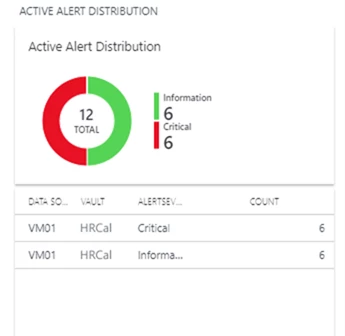
Monitor Azure Backup alerts
Azure Backup generates alerts automatically when a backup and/or a restore job fails. You are now able to view all such alerts generated in a single place.
However, be sure to select the relevant time range to monitor, such as the proper start and end dates.
Generate custom alerts
Whenever you click on any single row in the above graphs, it will lead to a more detailed view in the Log Search window and you can generate a custom alert for that scenario.
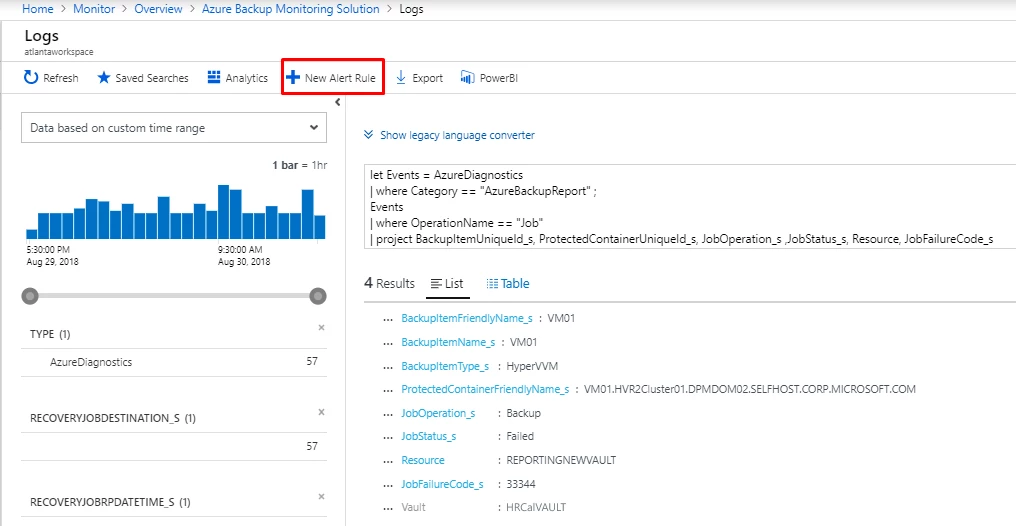
To learn more, visit our documentation on how to configure alerts.
Summary
You can configure LA workspaces to receive key backup data across multiple Recovery Services vaults and subscriptions and deploy customizable solutions on workspaces to view and configure actions for business-critical events. This solution is key for any enterprise to keep a watchful eye over their backups and ensure that all actions are taken for successful backups and restores.
Related links and additional content
- Getting started with Recovery Services vault.
- Learn more about Azure Backup.
- Want more details? Check out the Azure Backup documentation.
- Need help? Reach out to the Azure Backup forum for support.
- Tell us how we can improve Azure Backup by contributing new ideas and voting up existing ones.
- Follow us on Twitter @AzureBackup for latest news and updates.






