
While the threat landscape has changed dramatically over the last several years, malware detection continues to be one of the biggest issues. There is an endless race – attackers develop new malware, security vendors create new signatures to detect it, a new variant of the malware is created to avoid detection, and the cycle continues. Malware is not the only type of application that can expose a server to risk. Unauthorized software can introduce vulnerabilities that are exploited by attackers. Most organizations lack the necessary application tracking and controls, leaving them blind to these risks.
Application controls, such as whitelisting, can help limit exposure to malicious and vulnerable applications. Instead of trying to keep pace with rapidly evolving malware and new exploits, application whitelisting simply blocks all but known good applications. For purpose-built servers that typically run a fixed set of applications, whitelisting can offer significant added protection. You can use application controls to:
- Block new and unknown malware.
- Comply with your organization’s security policy that dictates the use of only licensed software.
- Avoid old and unsupported applications.
- Prevent specific software tools that are not allowed in your organization.
While the concept of application whitelisting has existed for some time now, it was not widely used. This is due to the complexity of creating and applying accurate whitelisting policies per server or group of servers, and managing these policies at scale in large environments.
Azure Security Center recently released adaptive application controls, which uses an innovate approach to application whitelisting, enabling you to realize the security benefits without the management overhead. Machine learning is used to analyze the behavior of your Azure VMs, create a baseline of applications, group the VMs and decide if they are good candidates for application whitelisting, as well as recommend and automatically apply the appropriate whitelisting rules. In addition, Security Center surfaces applications that can be exploited to bypass an application whitelisting solution, and provides full management and monitoring capabilities, through which you can change an existing whitelist (e.g. remove / add applications to the coverage) and be alerted on violations of the whitelists.
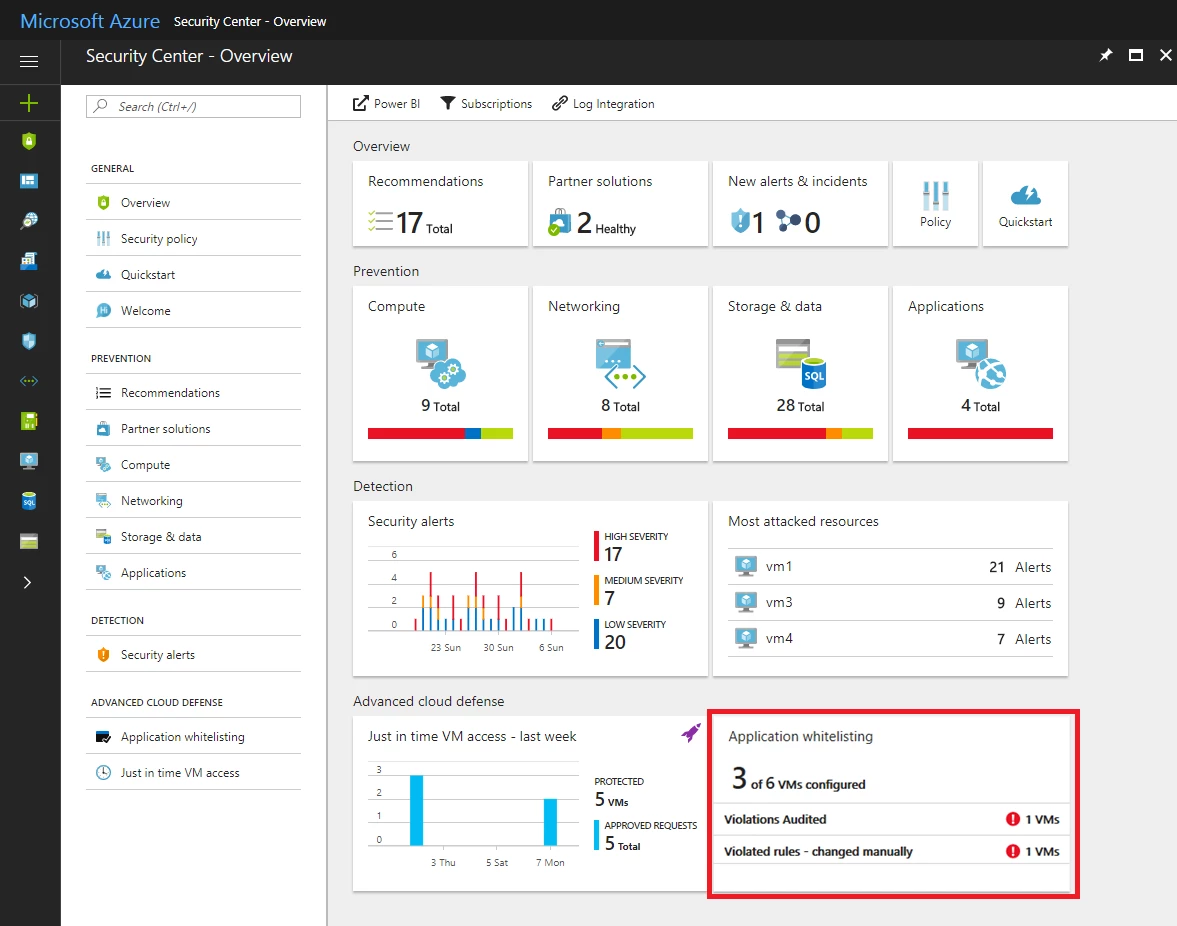
Adaptive application controls are currently available for Windows machines running in Azure (all versions, classic or Azure Resource Manager). To get started, open Security Center and select the application whitelisting tile as shown below.
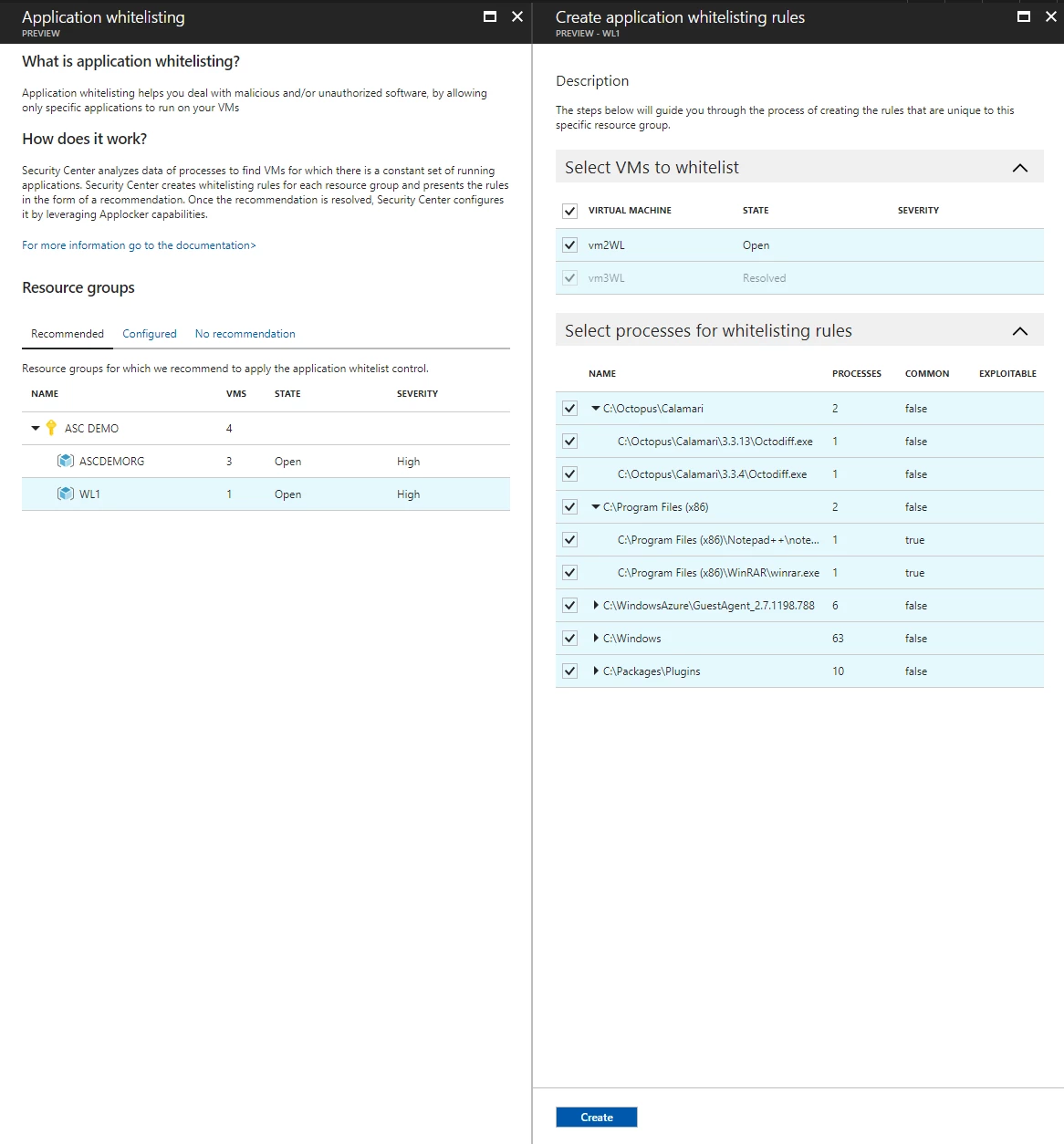
Select a resource group to view and apply the recommended application whitelisting rules.
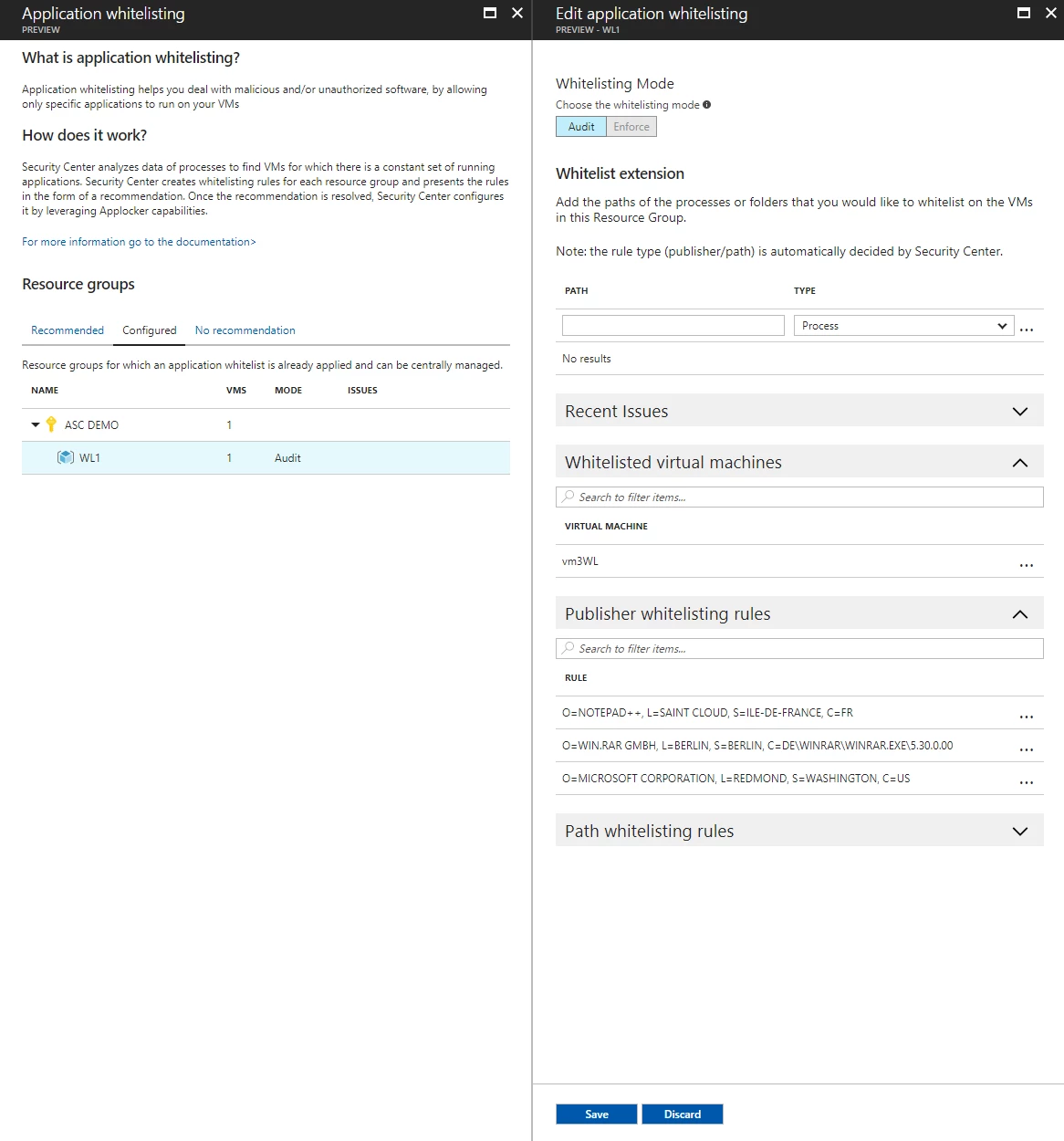
New rules are always set to audit mode, which alerts you to applications that violate the rules, but you can edit the policy to change in order to block these applications using enforce mode. You can also edit the details of the rules at any time.
Adaptive application controls are available to Azure Security Center Standard customers as a limited public preview. Please send an email with your subscription IDs to ASC_appcontrol@microsoft.com to join the preview.
To learn more about the capabilities and the different options that you have as a security administrator, please visit our documentation page.






