It takes a team
Most apps get delivered by a team. When your team delivers the app through virtual machine (VMs), it is important to coordinate efforts. Born in the cloud to serve teams from all over the world, Azure and Azure Stack have some handy capabilities to help you coordinate VM operations across your team.
Identity and single sign-on
The easiest identity to remember is the one you use every day to sign in to your corporate network and check your email. If you are using Azure Active Directory, or your own active directory, your login to Azure Stack will be the same. This is something your admin sets up when the Azure Stack was deployed so you don’t have to learn and remember different credentials.
Learn more about integrating Azure Stack with Azure Active Directory and Active Directory Federation Services (ADFS).
Role-based access control
In the virtualization days my team typically coordinated operations through credentials to VMs and the management tools. The Azure Resource Manager include a very robust role-based access control (RBAC) system that not only allows you to identify who can access the system, but allows you to assign people to roles and set a scope of control to define what they are allowed to do to what.
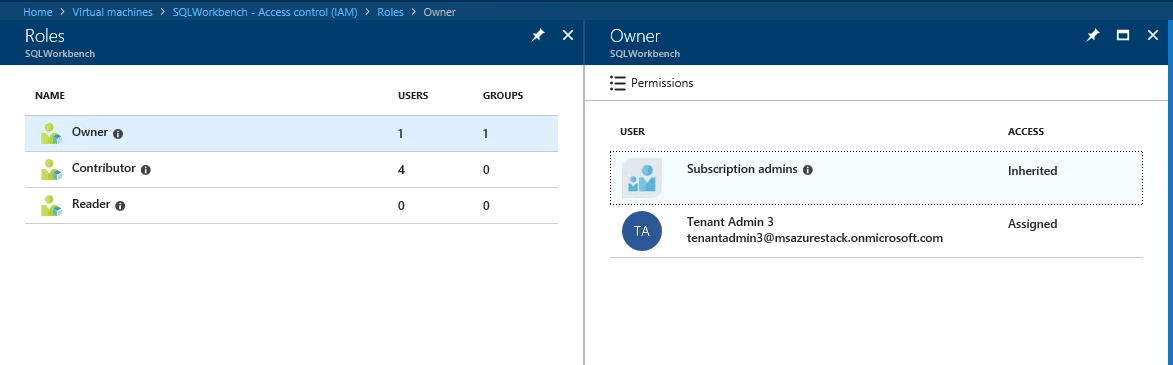
More than just people in my organization
When you work in the cloud, you may need to collaborate with people from other organizations. As more and more things become automated, you might have to give a process, not a person, access to a resource. Azure and Azure Stack have you covered. The image below shows a VM where I have given access both to three applications (service principals) and a user from an external domain (foreign principal).
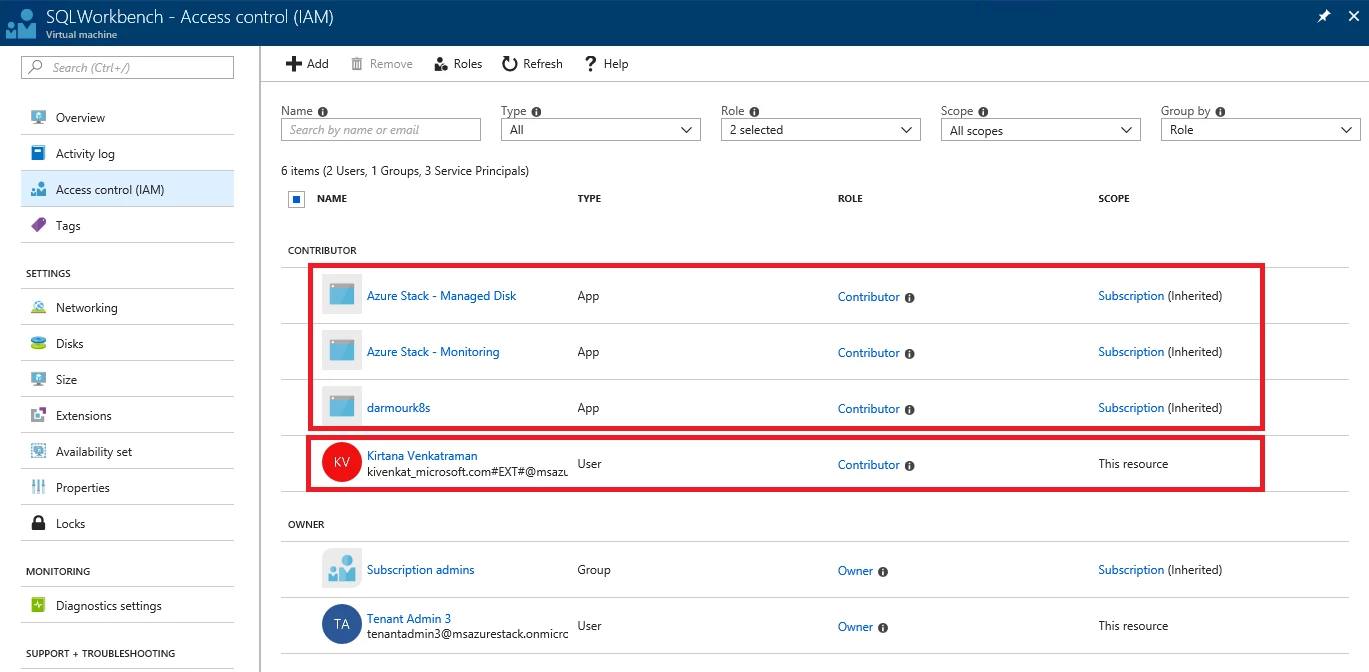
Service principal
When an application needs access to deploy or configure VMs, or other resource in your Azure Stack, you can create a service principal which is a credential for the application. You can then delegate only the necessary permissions to that service principal.
As an example, you may have a configuration management tool that inventories VMs in your subscription. In this scenario, you can create a service principal, grant the reader role to that service principal, and limit the configuration management tool to read-only access.
Learn more about service principals in Azure Stack.
Foreign principal
A foreign principal is the identity of a person that is managed by another authority. For example, the team at Contoso.com might need to allow access to a VM for a contractor or a partner from Fabrikam.com. In the virtualization days we would create a user account in our domain for that user, but that was a management headache. With Azure and Azure Stack you can allow users that sign in with their corporate credentials to access your VMs.
Learn how to enable multi-tenancy in Azure Stack.
Activity logs
When your VM runs around the clock, you will have teams in at all times of the day. Fortunately, Azure and Azure Stack include an activity log that allows to track all changes that have been made to the VM and who initiated the action.
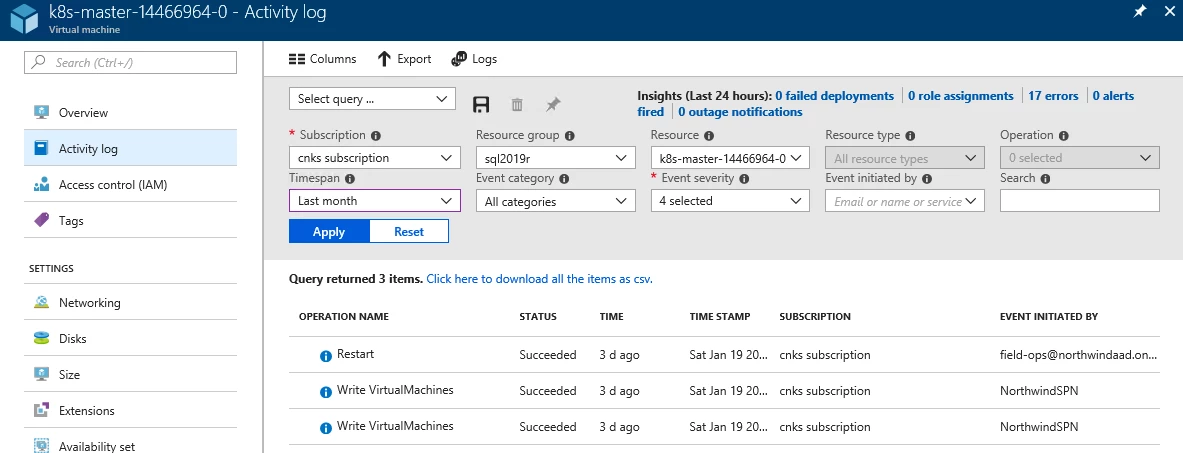
Learn more about Azure Activity Logs.
Locks
Sometimes people make errors, like deleting a production VM by mistake. A nice feature you will find in Azure and Azure Stack is the “lock.” A lock can be used to prevent any change or deletion on a VM or any other resource. When attempted, the user will get an error message until they manually remove the lock.
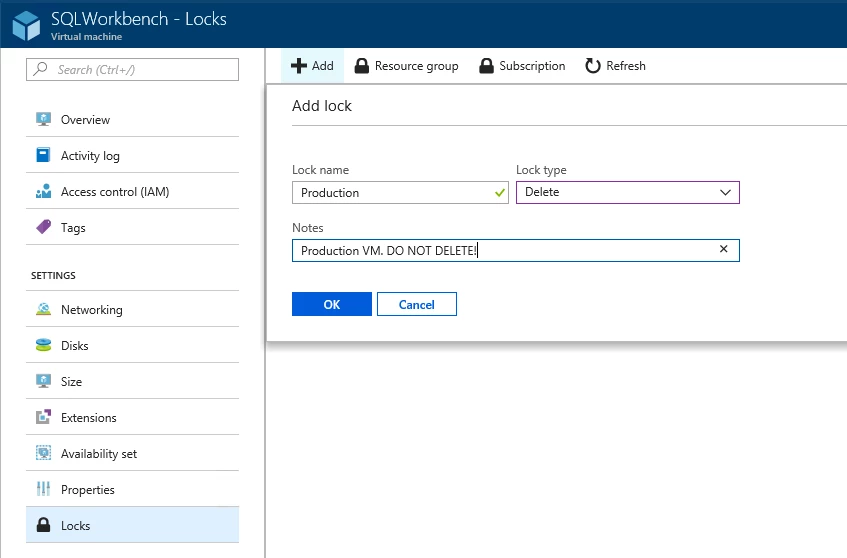
Learn more about locking VMs and other Azure resources.
Tags
The best place to store additional data about your VM is in the tool you manage the VM from. Azure and Azure Stack provide you that ability to add additional information about your VM through the Tags feature. You can use Tags to help your team keep track of the deployment environment, support contacts, cost center, or anything else important. You can even search for these tags in the portal to find the right resources quickly.
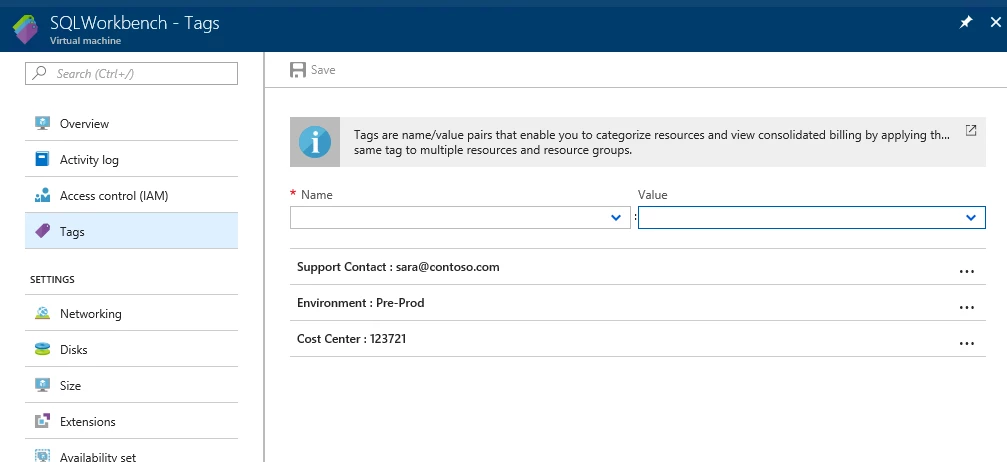
Learn more about tagging VMs and other Azure resources.
Work as a team, not individuals
The team features in Azure and Azure Stack allows your team to elevate its game to deliver the best virtual machine operations. Managing an Infrastructure-as-a-Service (IaaS) VM is more than stop, start, and login. The Azure platform powering Azure Stack IaaS allows you to organize, delegate, and track your team’s operations so you can deliver a better experience to your users.
In this blog series
We hope you come back to read future posts in this blog series. Here are some of our past and upcoming topics: