
More and more customers are hit with security issues. These security issues result in data loss and the cost of security breach has been ever increasing. Despite having security measures in place, organizations face cyber threats because of vulnerabilities exposed by multiple IT systems. All these and many such data points pose very strong questions – Are your organization’s IT applications and data safe? What is the cost of recovering from the huge business impact in case of cyber attacks? If you have a backup strategy in place, are your cloud backups secure?
“Currently, there are over 120 separate ransomware families, and we’ve seen a 3500% increase in cybercriminal internet infrastructure for launching attacks since the beginning of the year” points out a recent CRN Quarterly Ransomware Report. To mitigate the threat of such attacks, FBI recommends users to regularly backup data and to secure backups in the cloud. This blog talks about Security Features in Azure Backup that help secure hybrid backups.
Value proposition
Malware attacks that happen today, target production servers to either re-encrypt the data or remove it permanently. Also, if production data is affected, the network share as well as backups are also affected, which can lead to data loss or data corruption. Hence, there is a strong need to protect production as well as backup data against sophisticated attacks and have a strong security strategy in place to ensure data recoverability.
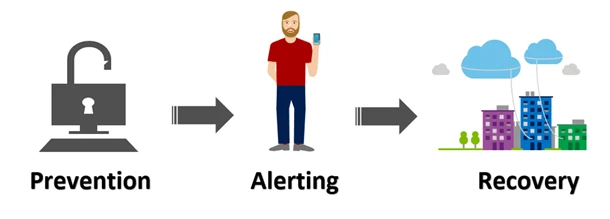
Azure Backup now provides security capabilities to protect cloud backups. These security features ensure that customers are able to secure their backups and recover data using cloud backups if production and backup servers are compromised. These features are built on three principles – Prevention, Alerting and Recovery – to enable organizations increase preparedness against attacks and equip them with a robust backup solution.
Features
- Prevention: New authentication layer added for critical operations like Delete Backup Data, Change Passphrase. These operations now require Security PIN available only to users with valid Azure credentials.
- Alerting: Email notifications are sent for any critical operations that impact availability of backup data. These notifications enable users to detect attacks as soon as they occur.
- Recovery: Azure backup retains deleted backup data for 14 days ensuring recovery using any old or recent recovery points. Also, minimum number of recovery points are always maintained such that there are always sufficient number of points to recover from.
Getting started with security features
To start leveraging these features, navigate to recovery services vault in the Azure portal and enable them. The video below explains how to get started by enabling these features and how to leverage them in Azure Backup.
Related links and additional content
- Learn more about Azure Backup Security Features
- Getting started with Recovery Services vault
- Need help? Reach out to Azure Backup forum for support
- Tell us how we can improve Azure Backup by contributing new ideas and voting up existing ones
- Follow us on Twitter @AzureBackup for latest news and updates






