We are excited to reveal a set of new features for backing up Microsoft Azure file shares natively using Azure Backup. All backup-related features have also been released to support file shares connected to Azure File Sync.
Azure files with NTFS ACLs
Azure Backup now supports preserving and restoring new technology file system (NTFS) access control lists (ACL) for Azure files in preview. Starting in 2019, Azure Backup automatically started capturing your file ACLs when backing up file shares. When you need to go back in time, the file ACLs are also restored along with the files and folders.
Use Azure Backup with PowerShell
You can now script your backups for Azure File Shares using PowerShell. Make use of the PowerShell commands to configure backups, take on-demand backups, or even restore files from your file shares protected by Azure Backup.
We have enabled on-demand backups that can retain your snapshots for 10 years using PowerShell. Schedulers can be used to run on-demand PowerShell scripts with chosen retention and thus take snapshots at regular intervals every week, month, or year. Please refer to the limitations of on-demand backups using Azure backup.
If you are looking for sample scripts, please write to AskAzureBackupTeam@microsoft.com. We have created a sample script using Azure Automation runbook that enables you to schedule backups on a periodic basis and retain them even up to 10 years.
Manage backups
A key enabler we introduced last year was the ability to “Manage backups” right from the Azure Files portal. As soon as you configure protection for a file share using Azure Backup, the “Snapshots” button on your Azure Files portal changes to “Manage backups.”
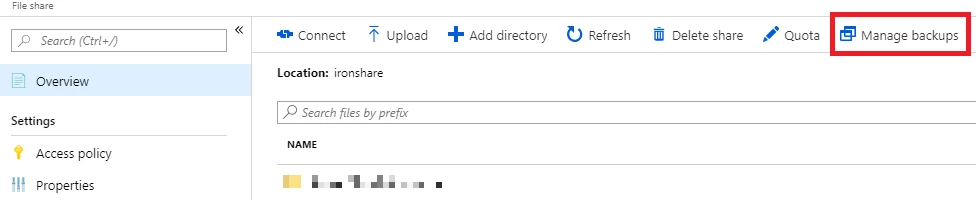
Using “Manage backups,” you can take on-demand backups, restore files shares, or individual files and folders, and even change the policy used for scheduling backups. You can also go to the Recovery Services Vault that backs up the file share and edit policies used to backup Azure File shares.
Email alerts
Backup alerts for the backup and restored jobs of Azure File shares has been enabled. The alerting capability allows you to configure notifications of job failures to chosen email addresses.
Best practices
Accidental deletion of data can happen for storage accounts, file shares, and snapshots taken by Azure Backup. It is a best practice to lock your storage accounts that have Azure Backup enabled to ensure your restores points are not deleted. Also, warnings are displayed before protected file shares or snapshots created by Azure Backup are deleted. This helps you to prevent data loss through accidental deletion.
Related links and additional content
- If you are new to Azure Backup, start configuring the backup on the Azure portal.
- Want more details? Check out Azure Backup documentation or the preview blog, “Introducing backup for Azure file shares.”
- Need help? Reach out to the Azure Backup forum for support.
- Tell us how we can improve Azure Backup by contributing new ideas and voting up existing ones.
- Follow us on Twitter @AzureBackup for the latest news and updates.