Skip to main content Explore View all products (200+) Microsoft Foundry Azure Copilot GitHub Copilot Azure Kubernetes Service (AKS) Azure Cosmos DB Azure Database for PostgreSQL Azure Arc Microsoft Fabric Linux virtual machines in Azure Foundry Models Foundry Agent Service Foundry IQ Foundry Tools Foundry Control Plane Observability in Foundry Control Plane Azure OpenAI in Foundry Models Azure Speech in Foundry Tools Azure Machine Learning View all databases Azure Cosmos DB Azure DocumentDB Azure SQL Azure Database for PostgreSQL Azure Managed Redis Microsoft Fabric Azure Databricks Linux virtual machines in Azure Windows Server on Azure Azure Functions Azure Virtual Machine Scale Sets Azure API Management Azure Container Apps Azure Kubernetes Service (AKS) Azure Kubernetes Fleet Manager Azure Container Registry Azure Red Hat OpenShift Azure Container Instances Azure Container Storage Azure Arc Azure Local Microsoft Defender for Cloud Azure Monitor Microsoft Sentinel Azure Migrate View all solutions (40+) Cloud solutions for small and medium businesses Cloud migration and modernization center Data analytics for AI Azure Databases AI apps and agents Microsoft Marketplace Microsoft Sovereign Cloud AI apps and agents Responsible AI with Azure AI Infrastructure Data analytics for AI Machine learning operations (MLOps) Low-code application development on Azure Integration Services Serverless computing DevOps Migration and modernization center .NET apps migration Databases on Azure Linux on Azure Oracle on Azure SAP on the Microsoft Cloud Adaptive cloud High-performance computing (HPC) Infrastructure as a service (IaaS) Resiliency Azure Essentials Frontier Accelerate for Azure FinOps on Azure Microsoft Marketplace Azure pricing overview Create an Azure account Free Azure services Flexible purchase options Pricing calculator FinOps on Azure Maximize ROI from AI Azure savings plans Azure reservations Azure Hybrid Benefit Virtual Machines Azure SQL Microsoft Foundry Microsoft Fabric Azure Kubernetes Service (AKS) Microsoft Defender for Cloud View more Software Development Companies Microsoft Marketplace Find a partner Resources for Azure partners Get started with Azure Customer stories Analyst reports, white papers, and e-books Videos Learn more about cloud computing Documentation Explore Azure portal Developer resources Quickstart templates Resources for startups Developer community Students Azure for partners Blog Events and Webinars Learn Support Contact Sales Get started with Azure Sign in

Today, we are happy to announce public preview support for autocomplete in Azure Search, one of our most requested features on UserVoice. Autocomplete, also called “type-ahead search”, can enhance the search experience by finding potential terms in the index that match the partial term being written by the user. An example of similar functionality is shown below from bing.com:
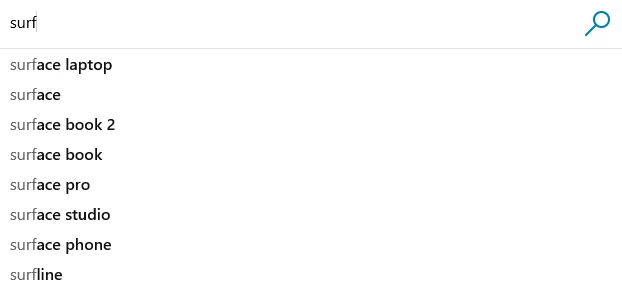
 bing.com

Autocomplete modes

For autocomplete to work, the fields in the search index should be listed in a suggester. For example, if you define a suggester on a city field, typing “sea” will return terms like “Seattle” or “Seaside” if those terms exist in the city field.

The table below describes the 3 modes supported by Autocomplete and the expected results in each scenario.

Mode Behavior Query Autocompleted results
OneTerm Returns a single term which autocompletes the partial term of the query. “what a wo

“women”

“wool”

“world”

TwoTerms Returns a single term and two terms which autocomplete the partial term of the query. “what a wo

“wonderful day”

“wolf spider”

“woman”

“world”

OneTermWithContext Returns two terms such that the last two terms from the input query appear together. “what a wonderful d

“wonderful day”

“wonderful dog”

Autocomplete API also supports fuzzy matching in each of these modes. When fuzzy is enabled, it compensates for typos and misspellings, and proposes relevant results based on user intent. For more details about these options, please refer the API documentation.

Suggest vs. Autocomplete

For those of you already familiar with Azure Search, you might be wondering how Autocomplete compares to the existing Suggestions feature. Given a partial query term, Suggestions API suggests documents and returns document Ids which contain the query term, while the Autocomplete API returns potential terms from the index which match the partial term in the query. The following examples illustrate the same:

Suggested results
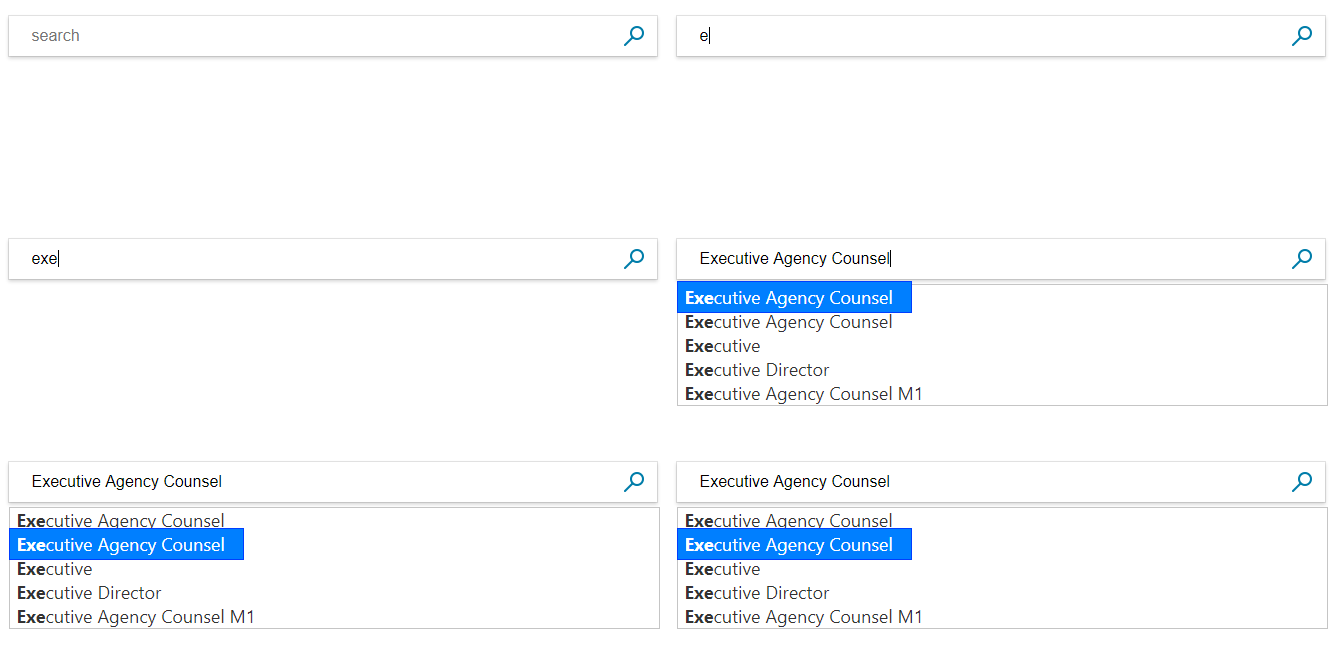
Suggest

Autocompleted results

Autocomplete

Next steps

  • Try out these new enhancements using the tutorial.
  • Learn more by visiting documentation for SDK and API.

Please note that the API is available in the 2017-11-11-Preview version. If you have already defined a suggester on some fields in your index, you can start experimenting with this API right away. For everybody else, you’ll need to add fields and bind them to a new suggester, or create a new index with fields included in a suggester. You can’t add a suggester that includes fields without recreating your index.

If you are already using Suggest from Azure Search, please give this a try. We’d love to hear your feedback!


WE ARE MICROSOFT

Explore Microsoft Foundry

The future of AI starts here. Envision your next great AI app with the latest technologies. Get started with Azure.