Many customers have questions when it comes to managing cloud operations. How can I implement real-time cloud governance at scale? What’s the best way to monitor my cloud workloads? How can I get help when I need it?
Azure offers a great deal of guidance when it comes to optimizing your cloud operations. At the organizational level, the Microsoft Cloud Adoption Framework for Azure can help you design and implement your approach to management and governance in the cloud. At the cloud resource level, Azure Advisor provides personalized recommendations to help you optimize your Azure workloads for a variety of objectives—including cost savings, security, performance, and availability—based on your usage and configurations.
Recently, Advisor introduced a new recommendation category—operational excellence—to help you follow best practices for process and workflow efficiency, resource manageability, and deployment.
Introducing a new Azure Advisor recommendation category: operational excellence
Azure Advisor now offers a new category of recommendations—operational excellence—to help you optimize your cloud process and workflow efficiency, resource manageability, and deployment practices. You can get these recommendations from Advisor in the operational excellence tab of the Advisor dashboard. They’re also available via Advisor’s CLI and API.
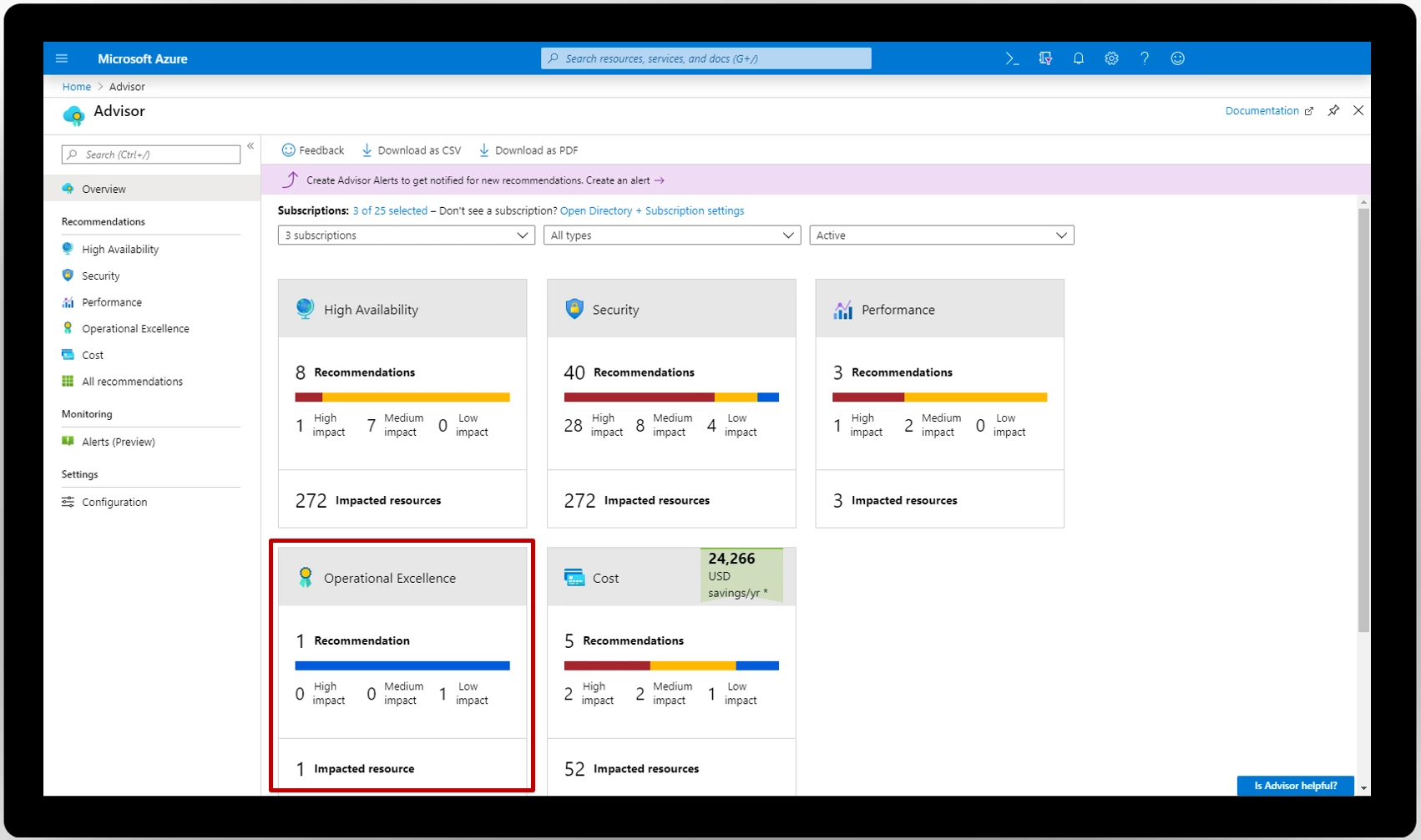
The operational excellence category is launching with nine recommendations, and more on the way. Examples include creating Azure Service Health alerts to be notified when Azure service issues affect you; repairing invalid log alert rules; and following best practices using Azure policy, such as tag management, geo-compliance requirements, and specifying permitted virtual machine (VM) SKUs for deployment. Together, these recommendations will help you optimize your cloud operations practices.
New operational excellence recommendations
Here’s a quick round-up of the new operational excellence recommendations in Advisor at launch:
- Create Azure Service Health alerts to be notified when Azure service issues affect you.
- Design your storage accounts to prevent hitting the maximum subscription limit.
- Ensure you have access to Azure cloud experts when you need it.
- Repair invalid log alert rules.
- Follow best practices using Azure Policy, including tag management, geo-compliance requirements, and VM audits for managed disks.
For more detailed information on Advisor’s operational excellence recommendations, refer to our documentation. Be sure to check back regularly, as we’re constantly adding new recommendations.
Review your operational excellence recommendations today
Visit Advisor in the Azure portal here to start optimizing your cloud workloads for operational excellence. For more in-depth guidance, visit our documentation. Let us know if you have a suggestion for Advisor by submitting an idea here.